Second Game in Progress?

Monday, 3 September 2012, 5.05AM

I have school in 3 hours’ time. But here I am awake, yet to have my sleep. Why?

I’ve just begun on a new project that I created on Saturday! It’s called “SWTD” and is a tower defense game. This game is the reason why I wanted to learn how to develop games. Unfortunately, this is a rather large-scaled project and for me to attempt to try to build it on my own without a development team or friends is really hard.

It has been a long time since I returned to coding with AS3 again. I had slight issues recalling how to create my first project and how to set it up as well as creating the first main menu screen, but after an hour or so coding the first screen, the rest just came naturally. I also drew LOTS of stuff with photoshop. Planets, space scenes, buttons and GUI. I am still rather new to photoshop and my friend praised me, saying that I managed to do this much in two days. He also said that my art skill has increased since the last time when I worked on “Introvert”. I was really happy to hear that!

I really don’t think this is a game I can eventually release, but I have been extremely stressed and depressed lately, and had the motivation and urge to attempt to create something apart from “Introvert”, and so, “SWTD” was born.

I have managed to get quite a lot into the game in just two days.

On Saturday, I drew an awesome main menu screen as well as several projects. I also got several screens up, including the: Level Selection Screen, as well as a Skill Tree Screen.

I also added 4 skills in the skill tree screen and they can be purchased and upgraded. They work fine. Saturday is a mad day because I was crazy enough to sleep at 7am (and woke up at 3pm the next day).

On Sunday, I managed to create a scrolling transition effect for the level select screen. It looks like as though there is a camera and the player can “explore” this galaxy.

I also created much of the interface on these two days and I am highly impressed with the UI and buttons I have created thus far. I wanted this futuristic feeling and I am sure that I have managed to deliver it.

While I am all excited about this TD project, “Introvert” is still my main project as that is the game that I am very sure is completable. This TD on the other hand, will most likely just be a project I will work on when I feel like it since it is highly impossible to be something able to be released with just me working on it.

Some problems I faced were trying to scout for a futuristic font, as well as a bug with the transition which causes the transition to jitter if the player taps the arrow keys too quickly. This has been partially solved though.

I am currently facing a huge problem with my code design. Because of the scale of this game, I need to sit down and properly think of how to code the game, where to place the files and such and how to link them.

I have a Hero, an Inventory, a BlueprintsManager, and Turrets themself, and Turrets can branch out into different classes such as “Ice”, “Splash” and “Dual Shooting”. It is really complicated that I can’t just jump in and begin coding immediately. I did not really expect to get hindered so much by design.

It is now 5.24am and I am done with this post. I should begin to shut down my projects and tabs and begin to sleep.
Natural Tendencies

Amongst all the sadness, I feel hurt – an indescribable pain that reminds me of reality.

Two weeks have passed since I last touched Introvert. I did not manage to progress on the game for the past two weeks. Unfortunately, I have been too busy with a School Project. On days like today, I’d think of wanting to open up the game and actually do something.

My Game after 3 Weeks

It is 1 July 2012.

This project is the most complex and ambitious thing I have ever set out to do in my life… To see it actually slowly coming to fruition is very satisfying and rewarding.

Three weeks have passed since I first created my game project on 9 June. Reviewing my progress so far, I have:
– 35 unique working levels
– A cool level selection room with pathfinding
– An achievement room without achievements (yea, what is this supposed to mean?)
– A level editor, without save/load functions yet! (I did not plan on making this at first though)
– A really nice looking main menu

And gameplay wise, I have:
– A player, a player 2 that can grow, jump, walk and animate accordingly
– I have made Enemies in the game that kills players (this sentence sounds funny)
– And I have made Friends that make players grow (this sentence also sounds funny)
Only the enemies have graphics that I’m happy with….the rest still need to have their graphics and animations upgraded.

As for gameplay elements, so far I have already done the Doors, Spikes, Keys, Blocks and they all function well, except that there is a problem with the Block collision I cannot solve 😦

So on the whole, the game to me is already not as simple as how it started and has a bit of depth with elements such as the doors and keys. I’m quite satisfied with what I’ve done, but I am also somewhat bothered by level design… The main problem now would be that I need to redesign a few of my levels to make them better before I can continue working on level 40 and higher.

I don’t really have a gauge on my progress, but the game is probably somewhat 20% complete I guess seeing how much I still have left. While I could make a complete game in four or five months at this rate, the harsh reality is that I am going to have another school project to work on… Sigh.

For milestone’s sake, I guess I should take some screenshots of my current game. Maybe when I do get it completed hopefully, I’ll look back and see how the game used to be. But first, what I have done today:


– Created Clouds for Main Menu
– Created awesome transition from Menu to Play
– Rearranged some levels
– Re-added the game logo to the main menu screen (but needs to change)

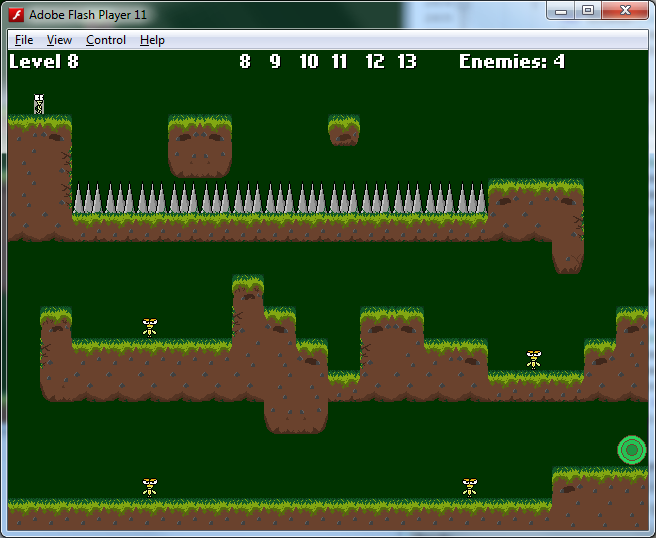
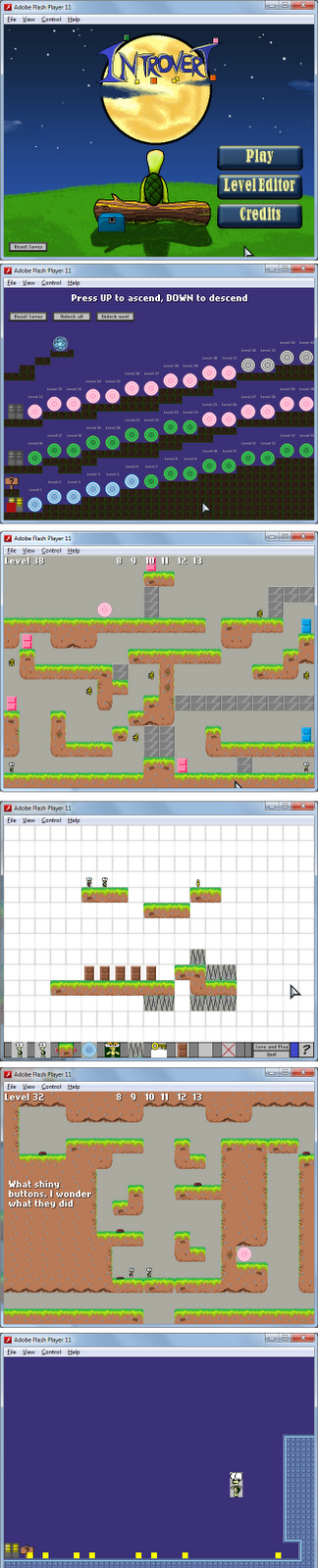
And now, the screenshots of what the game is like currently at the different states as well as what I have managed to accomplish so far :

I feel a certain emptiness knowing that I will not be able to see my game every day. I might be too exhausted after school to even open my project folder. It’s a huge risk putting my project on hold for a long time like that. My motivation is rather high now…and I know it will only drop with time.


At the end of these 3 months of school, I may not even have any motivation left. That’s what happens to me when I stop working on stuff for awhile – all my abandoned pictures and work were due to me not touching them for a period of time, and then I decided not to return to complete them any more. If I were to look through my Pictures folder, for every drawing I have completed, I’d see one drawing that I spent little to significant amount of time on, only to give up halfway through.


There’s worse. I might be too busy to even remember the project thereafter… I might even forget about ever dreaming about completing it and leave the project to rot. I don’t know what will happen and it scares me to think about all the possibilities.


I know for the first or second week I can probably still have time to come home and do something everyday, but I know thereafter I will be bringing home lots of “homework” to do. I will barely have time…and it feels like time is slowly passing by now. I’ve not told many people about this project, and well nobody asks anyway. Though it seems like a free-to-work-on project, I have a personal goal and deadline for my own game – to complete it before I graduate. It makes it worse to know that I have only one only final holiday after this, after which in October, I probably will be flying overseas for several months. When I come back, I will be dangerously close to graduating.


This project may be for fun, and indeed after three weeks, I discover it has been more than fun. I’ve learnt so much more than what I initially knew! Apart from fun…a percentage of why I want to make this game is for a reason I can’t really explain… This game…it’s just important that I complete it.

(After reading my own thoughts, I realise it may sound like I’m addicted to my own game, but no.)


Taking a look at MapleStory

I’ve been taking a look at how MapleStory does their maps. I coincidentally had my character parked at a town called Sleepywood, a forested place that is set at night at the forest floor. Even though it has a dark setting, the area is actually very nice and very well decorated. It has this peaceful forest kind of feeling that I enjoy looking at. I admired the art and thoughts that went into designing the platforms and especially the decorations that were placed atop them. I will get some inspiration from here. Of course, I will not replicate their graphics as their graphics are simply too good (and the style doesn’t fit in the game anyway).

I realised that had MapleStory not decorated their platforms with lots of various plants, bushes, trees and natural vegetation, their maps would actually be pretty dull! Perhaps this is one technique I can apply to my game as well, just to make the game more alive and vibrant. I actually drew a rock to cover up huge areas of soil in some levels, and now I know there’s more I can do to beautify my levels.

Adding the Character Graphics

This will be just about the last day I will be seeing those boxes on all my levels. I have updated the character graphics, as well as the enemy graphics. There are two more character sprites that are currently not done yet. But I feel happy that I’ve completed the main character and enemy graphics! It’s a step forward for me, though it is indeed quite late to add graphics. Most games settle their graphics first, yet I’ve only just added one of the most important game graphics nearly two weeks after I made the game. Haha. This is how the new sprites look like. I created the player sprites some time ago and the player animates at 4 to 8 frames per seconds. I have just created the enemy sprites just a few minutes ago. There are a total of 38! frames. I am extremely happy with the sprites and I run the sprites at 9 frames per second, which is my threshold, and also  the requirement I deem to make the sprites play smoothly.

These are the animations for the enemies in the game:
                                                addAnimation(“idle”, arrayOfFrames, 9, true);
addAnimation(“run”, arrayOfFrames, 9, true);
addAnimation(“runFaster”, arrayOfFrames, 18, true);
I have a “runFaster” which I have newly created. If the player stays near the enemies for too long, they will get angry and run at double speed (and double fps). This is a new feature that is quite late to implement, and I hope it does not mess up any of the levels. I set the timer to 10 seconds, and resets when they stop chasing the player.
That’s it for the enemy graphics 🙂
Note: This post was actually written earlier. I actually completed the graphics about 3 days ago, but realised I accidentally “saved” the post, instead of “publishing” it. That’s why I only managed to publish the post now.

Designing the menu!

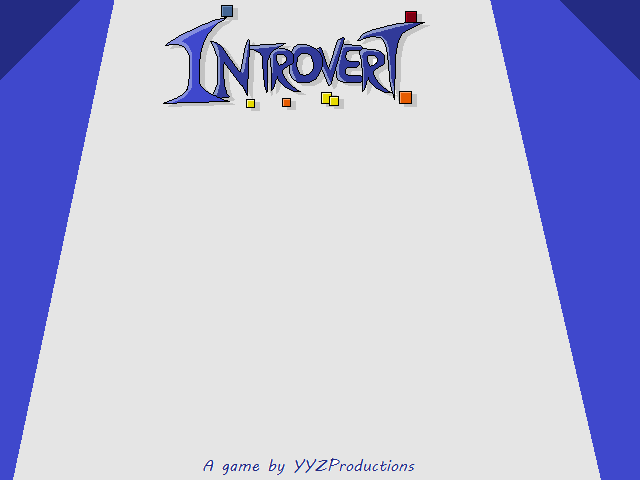
Previously, I had made a game logo and menu. This was the menu I intended to use in the game.


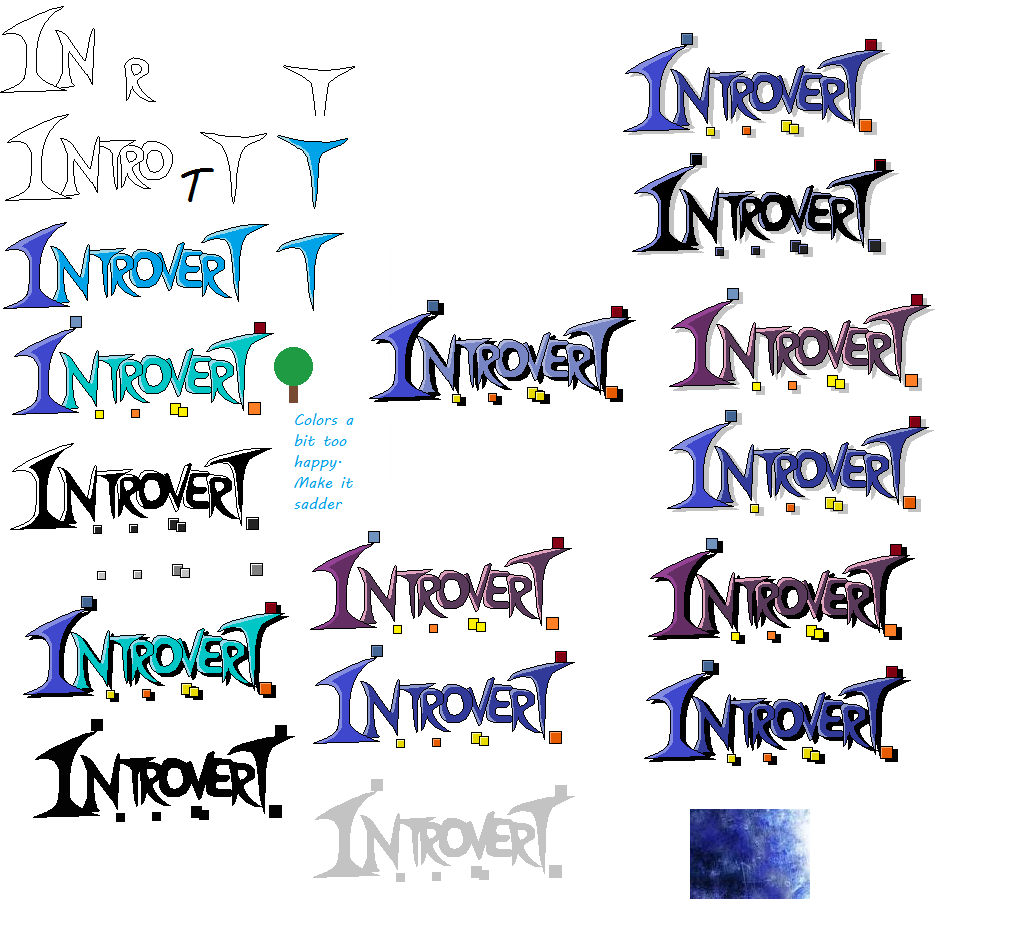
The game logo was created on the second day I started this game project. At the bottom right of the picture below is a sample of cold colours I wanted the logo to take after. I wanted this cold, lonely feeling.
And these were going to be the actual buttons I was going to use in the game:

Notice that I simply painted the buttons’ background the same shade of grey as the menu’s, because I did not have any software with transparency and just made them the same colour to give the illusion that the buttons were actually transparent! Hahas

I was going to keep things the way it was.

Until I was told that my menu was very plain. Li Hao showed me several menu designs and indeed, some of them were really inspiring. I saved the designs in my powerpoint slide. (I keep a PPT slide and notepad with important details about the game.) I looked through the main menu designs used in other games and realised I had to think A LOT about how to make a good menu. I also realised from the “UP your service” program I went a week ago, that a service has several perception points. For example, a restaurant can be judged by its exterior looks and even the ambience, cleanliness and looks can affect the customers’ impression of a restaurant before they even taste the food!

I think maybe it is the same for a game … these little perception points like the design of the main menu probably count too. I will need to dedicate more time and effort into designing the main menu. I actually have something now. I took a few hours of my sleep to make this.

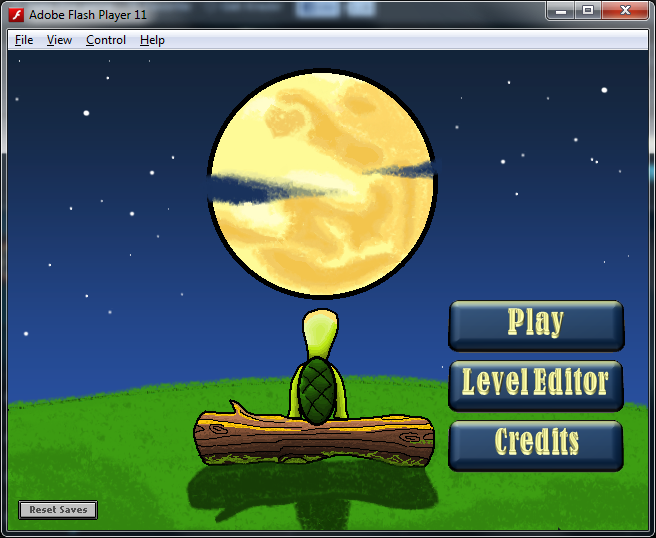
Don’t look down on this seemingly simple menu. Simply drawing the buttons correctly took me about an hour, although I admit I should have done a better job with the buttons like perhaps adding a texture or design. The background image is something I drew 3 months ago for the pure purpose of expression. For your info, this game started 3 weeks ago. So here is a fun fact for you. COINCIDENTALLY, 3 months ago when I was wondering what size to make the picture, I randomly decided on 640 x 480 pixels. Guess what? My game is EXACTLY 640 x 480! I don’t know what sorcery this is but it is really PURELY COINCIDENTAL that this picture I made months ago is actually the SAME SIZE as the game I am making now! Did I have some sort of mystical prediction that months later I would be using the picture I was going to draw? 640 x 480 is one of the more common game resolutions, but it is not fixed. How coincidental that I went to use such a resolution.
Having the background readily for use did make life easier for me, but there was still work to do. I realised that the menu was simply too dead. The stars were not twinkling and well…the grass is just motionless.
I don’t plan to do anything about the grass yet, but the stars are something I can get to work. I went back to the original picture and removed all the stars from the sky until it was just the moon left. Then I re-created the stars in photoshop (YAY ME, first time using photoshop to actually create something!). I feel like I learnt more in 3 weeks of holiday than 3 weeks of school. First Flash, then Flixel and now I shall try to learn some Photoshop. How funny. Anyway, after trying to learn the really REALLY basic tools in photoshop, I made 4 frames of the stars twinkling. I made a SmallStar, MediumStar1, MediumStar2, and BigStar.
So I had four different types of stars of varying sizes. (The two medium stars have different animations). Then I coded the menu to draw a random type of star at a random place. I also expected the stars to all twinkle at the exact same timing because they are created at the same time, so I also made them twinkle at random rates. This is the reason why I did not fuse the stars onto the background and make 4 backgrounds sprites because the stars would all twinkle at the same time and look fake! Lastly, I made sure the star does not spawn over the grass, the buttons or the moon!
I am very impressed with the results, though I think having accomplished only this today makes me feel a little unproductive actually. I returned to playing games awhile today. I can’t wait to show this to Li Hao tomorrow and see what he thinks about it! Hopefully it shouldn’t be too disappointing because he has seen the background picture before >< and he probably expected me to use it as a menu already. Knowing him he would probably be feeling it was "expected“.
Reflections

Three weeks of my holidays have passed. I briefly reflect on the last 3 weeks. It has been rather great at times, but toward the end of this week, I feel slightly solemn, wishing that I could enjoy it better.

But never mind that. The end of the holiday means that I have to go back to school soon and Major Project is something we will be working on for the next three months.

That means for three months I won’t be able to work on my project as much 😦

This is very sad for me as I wanted to complete this project as early as possible without sacrificing any quality. Sadly, with Major Project in the way, I might have to delay the project and wait more than three months to complete the game, and I think it is likely that it will drag the time needed to over four months because I expect a really busy and stressful life when school starts. I will hardly have time to work on the game anymore. Argh!

When I wake up later, it will be a Sunday, and it will be the last day of my holidays. On 2 July, school starts. Major project starts…

I guess…it’s time to really do as much as possible tomorrow before I lose the chance to work on it as much as I can now…

Reviewing my Levels

I did not do much today, but today I noted several changes I need to make to my existing levels.

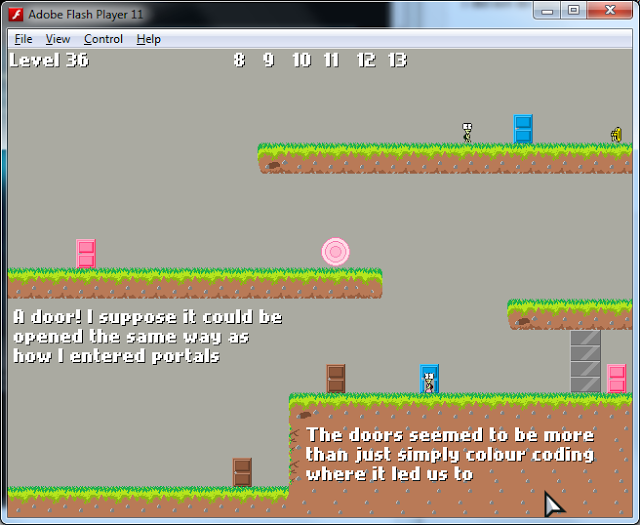
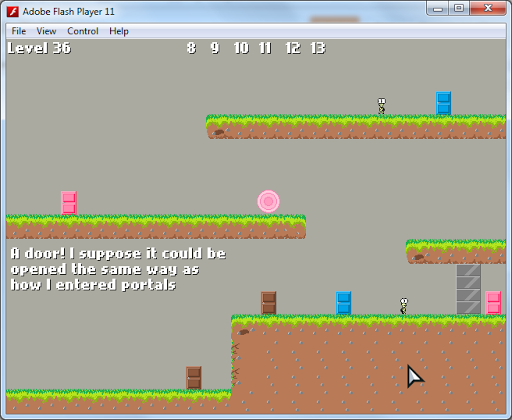
See this level above? It’s the level that introduces a new gameplay feature to the player: Doors. I put a text that hints to the player that the doors’ colour codes are not just for fun. I wanted them to know that only the boy turtle can use blue doors, and the girl turtle can use pink doors.

I even put a lock on the pink door because I intentionally wanted to force my testers to enter the blue door with the girl turtle and realise they could not.

Unfortunately, BOTH my testers did not come to that conclusion, asking me respectively:

“37 something wrong?”
“pink door 2nd time cant pass”

“O.o
why one guy can enter the door why one can’t
is there a gender difference?”


So apparently, my level failed to do what it was supposed to do. I plan to introduce brown and blue doors in the first level, and for pink doors, I shall introduce them in the level after that, and THIS time, I will only put PINK doors in the level after that, and I will intentionally make it such that the player will USE the pink door with player 1, because player 2 will spawn at a difference place as player 1. ^^

I’m sure the design for the new door level will work, I hope. And I will remove pink doors from this level 36. Seems that introducing too many things at once is kind of bad. I did not expect design issues such as this one to appear, but I am really very very thankful to my testers, Li Hao and Han! If only I had more critical testers. Maybe someone can actually figure out the reason behind the doors’ colour codes before I explain it to them. I need to improve on my level design so much more since this game is more about communicating with the player than showing the instructions page.

Things I’ve done today:
– Improved level editor: Fixed some issues with spikes being deleted even when they are not connected to a platform, Doors now have to be placed on the ground, and will be deleted if the ground below it is deleted.
– Drew the proper sprites and added animation for the GIRL turtle (sprites have to be improved, because Li Hao thinks they still look weird, same with the boy turtle)
– I’ve also taken a look at some of the save/load features of other games’ level editors. I don’t think I’m going to use any of those that I’ve seen though (I’ve only seen one actually, because I forgot what other games I played before came with level editors).

Level Editor Part 2

I have progressed quite a bit now on the level editor.

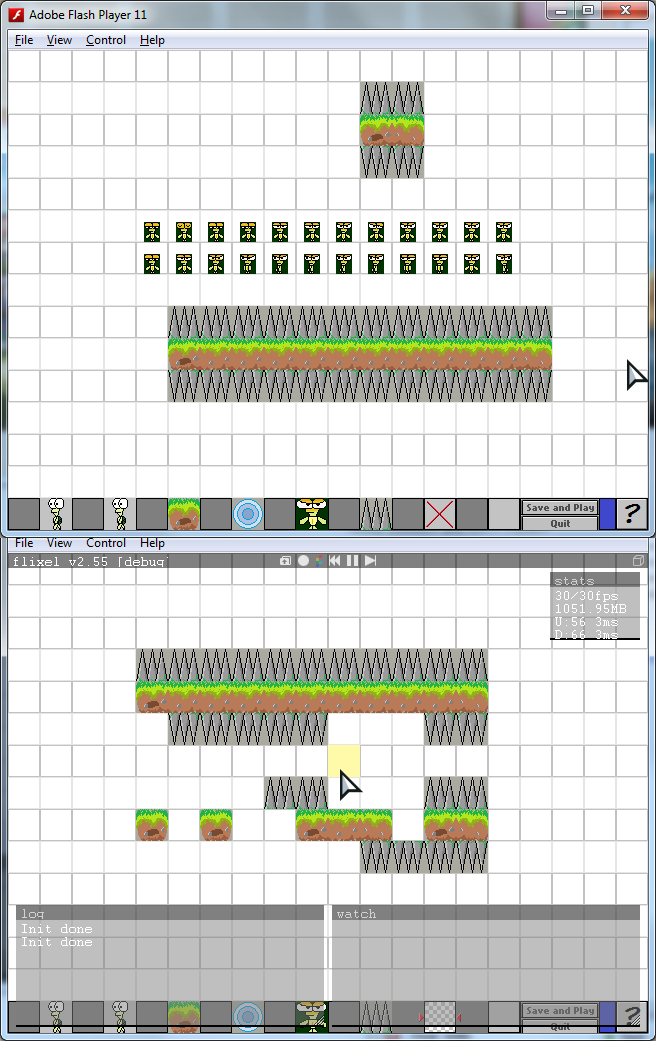
Compared to an earlier post, the level editor now has spikes and enemies as a new addition. Previously, making an exit did not actually make an exit, but now it does. Also, I added a seventh button (the one with a red ‘X’ in the first screenshot). That’s the oblivion calibrator. Or rather, it’s just a delete button! There are several ways to code a function to delete items on the level, but I thought that the easiest way was to just create a yellow sprite that locks onto the gridspace as above (see second screenshot). When the player clicks, it deletes ANYTHING on that grid.
Also, I have improved the level editor such that you cannot place TWO objects on the same tile. Previously, you could spawn a player inside a platform. That’s weird! Spikes are also smart – I disabled the ability to place them anywhere. There must be a platform above or below, and the spikes will automatically change their orientation and will point away from where the platform is!
Now I am working on how to check that a platform does not have any spikes attached to it when I delete them because now, you can place spikes on a platform, and then delete the platform, and the spikes remain there, floating in space. I want to make any spikes connected to a platform disappear.
I also face severe memory leak from my oblivion calibrator (the delete button). Whenever there are spikes on the map, using it will cause some severe memory leak. By continuously using my oblivion calibrator, my memory consumed spiked up to 1051.95MB as in the above screenshot. This is NOT good at all. The game begins to lag when using the delete. I do NOT like this at all. Good thing is, I have found the cause of the problem, and am trying to rectify it.
Other small things I did today:
– All actions cause a text of instructions / descriptions to appear on the level editor
– Text disappears after 3 seconds
– I can no longer create multiple player characters. Only one instance of main player character is allowed on the map.
– Help popup fixed (previously, the spikes and characters covered it) 

Issues I need to fix:
– Delete spikes connected to platform
– Rectify lag
– Find a more efficient way to load platforms in the level editor
– Find a way to export the map so that I can play the levels created in the editor
– Think of how I’m going to save the level data and how I’m going to store them in specific save slots (I plan to make 5 to 10 slots for customized levels, accessible by a hidden room above the level selection screen. I’m also afraid that the level selection screen will become too packed, so I read and learnt to make a side scrolling camera for the level selection screen just to prepare should I ever have the need to do it)
I am considering to use my own level editor to actually generate levels. However, I will need to implement doors and keys for this. Also, it’s quite late to actually use my level editor now -_- because at this stage, most of my levels are far too complex for the current level editor to accomplish. I will need to make HUGE improvements to the editor before I can use it to generate my future levels, which frankly speaking…are rather painful to do. I spend a lot of time creating levels. It’s not as easy as I thought =(

Level Editor created!

Hihi.

Today, as I was working on levels, I thought about whether the game should have a level editor. I wanted to say “no” because it is simply too difficult to throw in a level editor, not especially after I’ve been adding lots of stuff such as keys and doors recently. Well, but I decided to give it a go anyway.

The coding process did not turn up as well as expected, but I made it and I was completely amazed that I was actually able to code out a simple level editor. At the moment, the level cannot be be saved or played yet, but it looks like it is actually possible to add the player(s) and design the platforms themselves, which is quite ‘wow’ already to me.

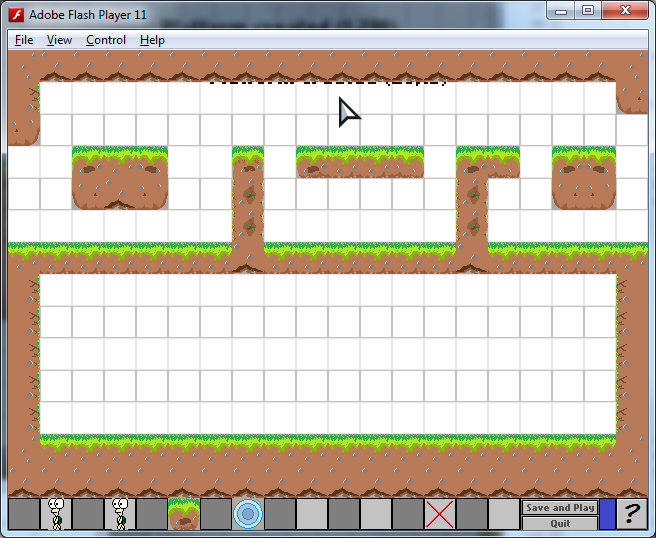
This is a screenshot of the level editor I designed. I do not use any form of level editor to design my levels because as I said before, I sketch the ideas on paper before actually implementing them, but it may seem that I may actually use my level editor to generate ideas. There is also a “help” button at the bottom right which I added. It brings up a popup with instructions. The level editor is currently too simplistic for me to use as an actual level generator because it does not have keys and other sort of stuff, but I was playing around with the level editor and did come up with some neat ideas for subsequent levels.

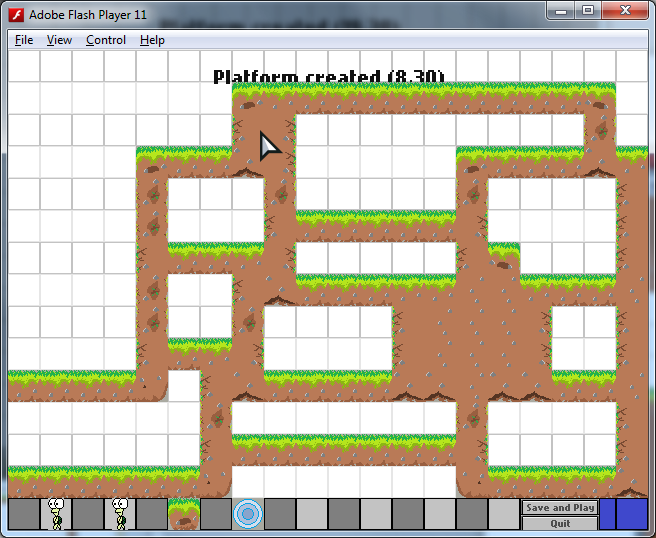
This is an idea which I may actually use. I was trying to actually create a proper level, but I did not have a “Delete tiles” button like in the screenshot before this one and ended up creating splaces that are completely inaccessible by the player…unless, I added doors! And then I had this idea of a possible level where there are several small rooms (like above) and plenty of doors that act like a maze of rooms. I think I may actually add this level in!

That concludes the level editor for now. Also, I have just bought Photoshop ^^
I am going to make my sprites transparent soon and maybe learn to use it to design better graphics because currently all my graphics are done in Paint. I might still continue to use paint though, to keep the art style standardized until I can learn how to use Photoshop effectively enough to produce something better.

DOORS, and the bugs they caused

I don’t believe this. Seriously, the types of errors I’m encountering are absolutely fabulous.

Today, I went to start creating level 36, a VERY simple level that aims to introduce the player to yet another new feature I thought of just three days ago – DOORS!

When I first thought of doors, I was thinking it was actually going to be easy to implement it. Just add some sprites, and if the player touches the sprites and presses DOWN, then move their position somewhere! Haha, if only things were that easy.

I faced two frustrating bugs that I spent three hours trying to find the cause of (well, not really full three hours, because I was so frustrated that I ended up watching the TV and walking around the house really angrily).

Refer to the screenshot below.

The first bug is that when player 2 touches the bottom brown door, she gets stuck right below the door! There is nothing wrong with the spawning position, because when my player 1 uses the door, he goes up CORRECTLY! How bizzare! I spent lots of time and gave up, I decided to make it such that the player can ONLY use the door when his feet are on the ground. Strangely, after adding this requirement, the girl player cannot even go through the door because according to the game log, her feet aren’t on the ground!

I did some intensive logging, got really tired, but I finally found that I had positioned my codes wrongly, resulting in the unusual bugs! That’s it! And I could not believe this. The game ran well after that! (If you want to read detail on why the position matters, you can read my chunk of text at the end of this post later)

Both players can now utilize the brown door correctly. I am seriously very tired and exhausted now, because I’ve only had three hours of sleep before going to school today.

What I thought was a simple door concept turned out to be extremely problematic. There is another problem where if player 1 is standing on a door, and player 2 ENTERS the door and pops up on the other side, both players will overlap and one of them will get pushed down until he/she goes off the screen, causing the game to restart. It is rather irritating and I hope to resolve it soon.

For now, I’m just glad that I have finally implemented doors. It is a significant step because if doors are possible, it means I can go on and utilize them in my subsequent levels.

Well, that’s it for today I guess. I need to sleep soon because I am really tired.

My mistake
This part is just me explaining my silly mistake. It’s not very important to you I guess, but if you want to read it, it’s fine.

Apparently, there are two important lines of code regarding collision detection in the above scenario (ignoring all other factors):

FlxG.overlap(player2, brownDoors, openDoor);
This code checks if my player 2 is touching the brown doors and call openDoor() which does the necessary teleportation. Somewhere below that code, I added this:
FlxG.collide(levelbg, player2);
This above code performs collision for my player 2 with the platforms.
Somehow, player 2 is teleported to the correct position exactly after she opens the door. But as she is teleported in this moment, she somehow falls from the gravity and overlaps onto the platforms, and the second code triggers to push her away. Unfortunately instead of pushing her up, it pushed her down, which is kind of funny because it actually worsens the problem. All I had to do was switch the order of the codes to make sure I always check collision with platforms first. This way the player won’t drop below the ground level immediately after teleporting. But it wasn’t so obvious to me that this was the source of the problem. I was still thinking it was due to the player being sent to the wrong position and then falling from the gravity. But well, now I learnt that I should ALWAYS perform the checking of collision with platforms at the very top before checking for collisions on other objects. 
This is just one of the many things I learn while working on this project. Thanks to all those frustrating errors that probably show how much my programming needs to improve. I do think I’m getting better though =D
Dang. After typing out my mistake, I suddenly realise that upon solving this crucial bug, I can move on to designing new levels. This makes me excited and happy that suddenly I feel like staying up late to do the levels. But oh well, I think I shall take a break from hours of lifeless programming. I feel like I have no life because of this project. I hardly even play the games I used to play because seeing my own game progress is just extremely rewarding…