The Story of ‘Introvert’

If you want to know what went on Behind the Scenes of how I started off making this game, feel free to read on.

A long time has passed since I started development on a game called Introvert, or what I call ‘Project ITV’. Introvert is a story-driven platformer flash game and is my very FIRST game.

Menu Oldest

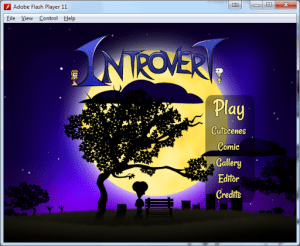
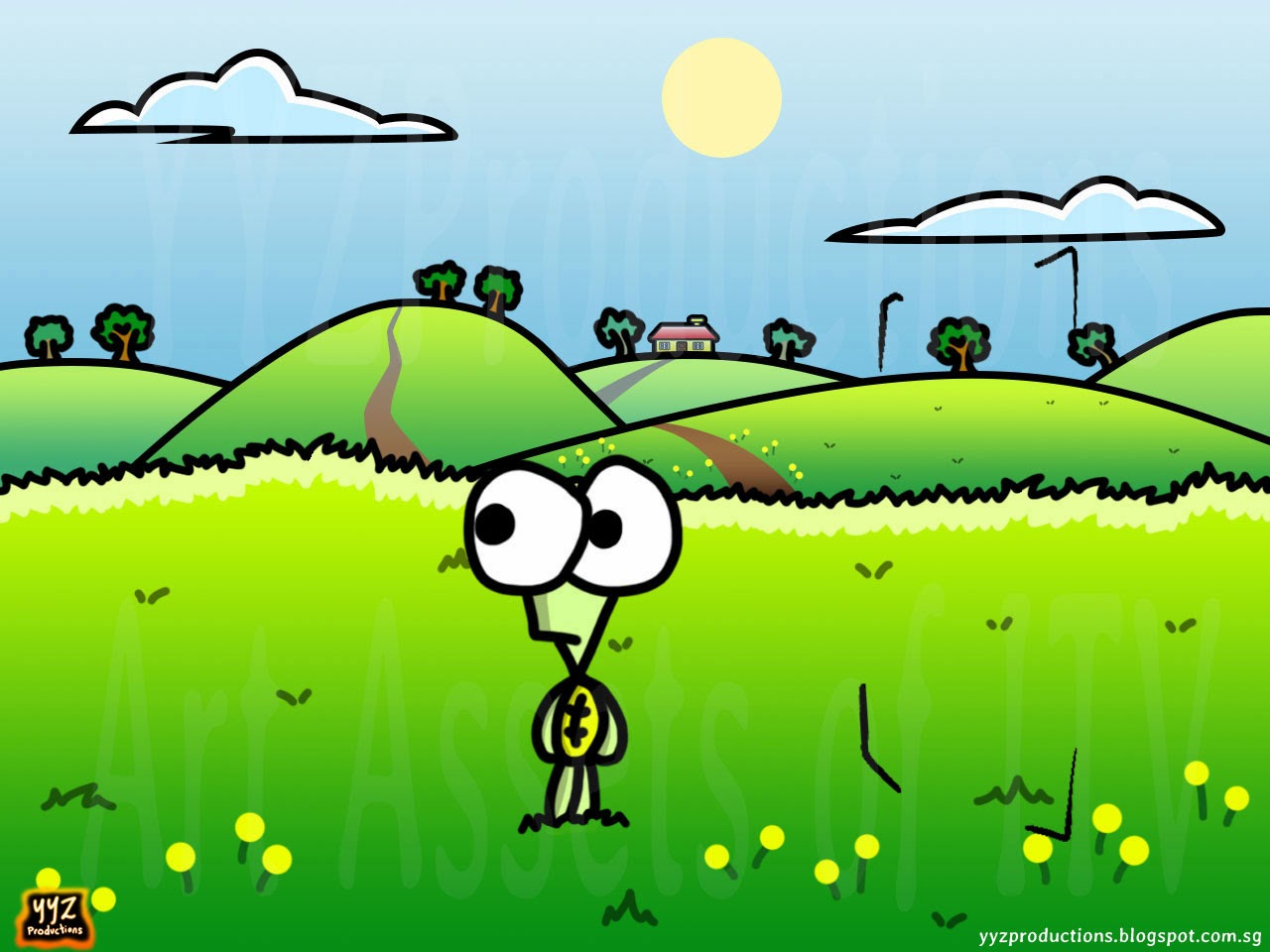
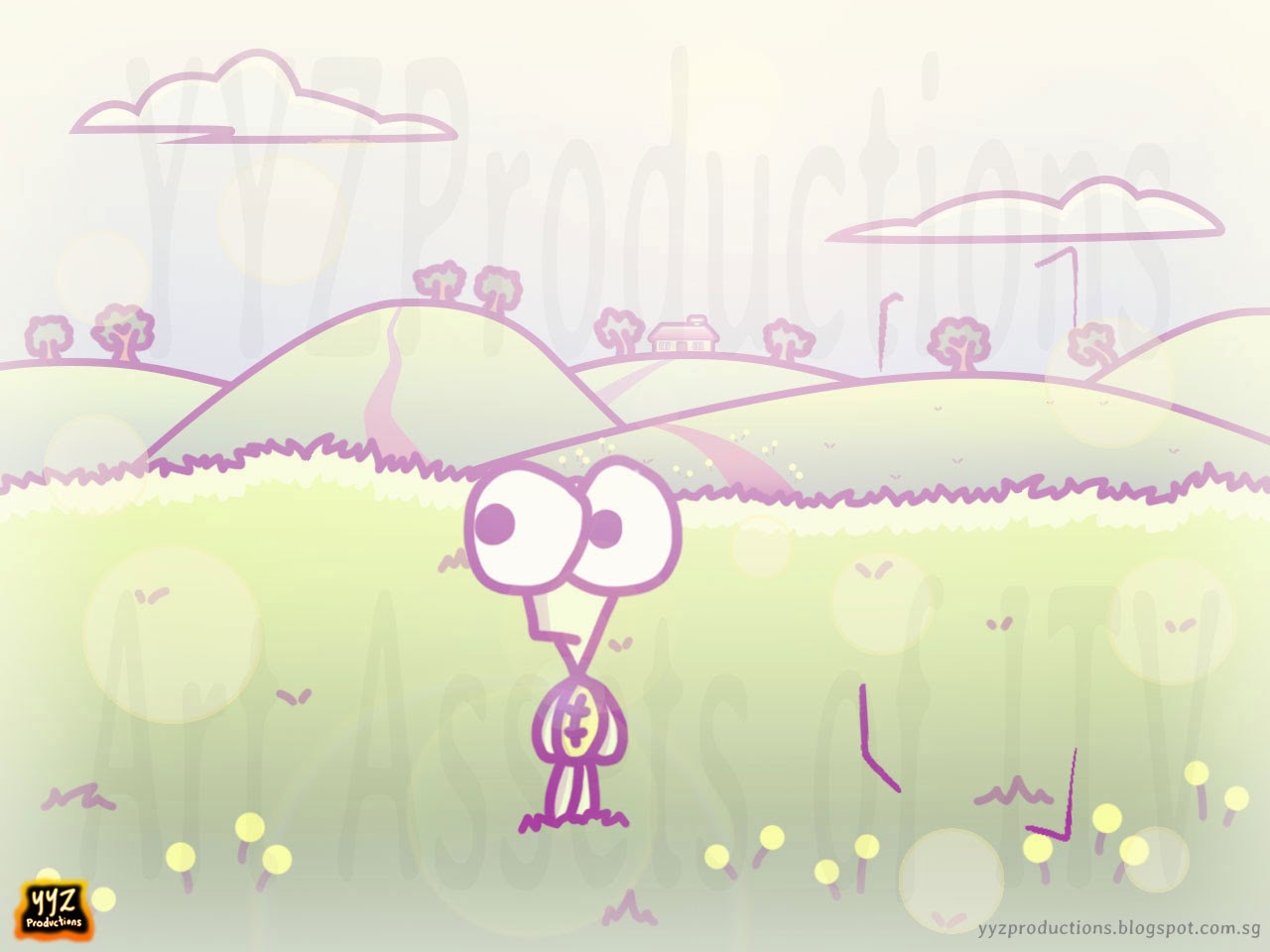
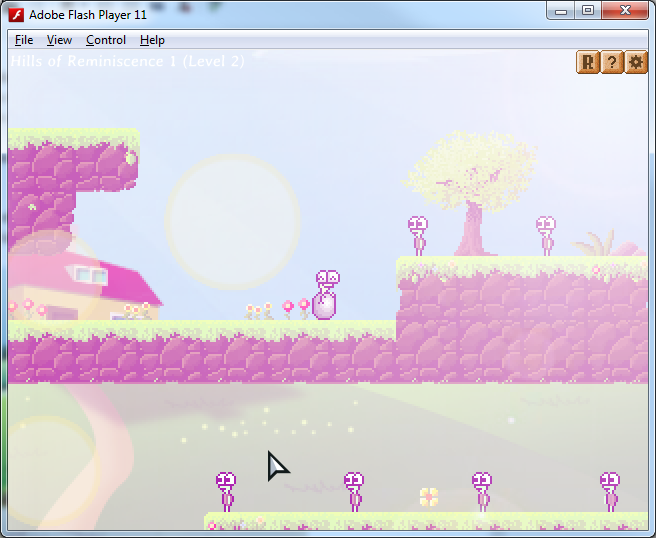
The first menu screen I made for the game. Remember how it looks, because you’ll see how it is transformed later on.

I remember the first day I set out to make this game, it took me 8 hours just to make a square move with the arrow keys. I remember how my first few lines of code endlessly returned errors. I was just starting out Flash and it was really, really tough, especially when I am more of an artist than a programmer. Those were the times where I spent hours figuring out how to make a simple thing work. Don’t even talk about a main menu. Getting the cursor to show was already a problem for me. You never know how hard it is to make a game till you actually try to make one.

But I never gave up.

I started learning ActionScript, a totally new language, in a totally new world of Flash, using a totally new engine called Flixel, with a totally new IDE (FlashDevelop). Ultimately, I think it was my passion that fueled me, because within three weeks, I had my game prototype. I had a controllable player (yellow square) that could walk and jump, enemies that had some basic AI. I even coded some puzzle elements like keys that could open passages, doors that could teleport you and buttons that activate elevators. There were levels, a level selection, a menu. I was excited. I had actually created a game! My first game!
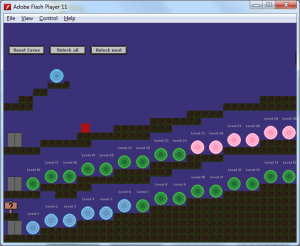
itv1Yes, that red square is your character. Just imagine your happy face on it.

And then came the massive jump. At that time, I was still using Paint to draw my art. I had been using Paint for years that I had sort of become a master at it, and it became a problem for me because it had become my comfort zone, and I was unwilling to part with it. I didn’t want to learn anything else.

portal3ll

An animated swirling portal drawn in Paint
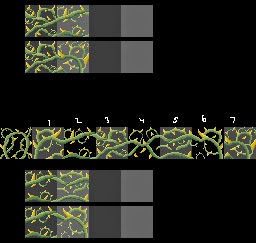
grass tiles transformation2

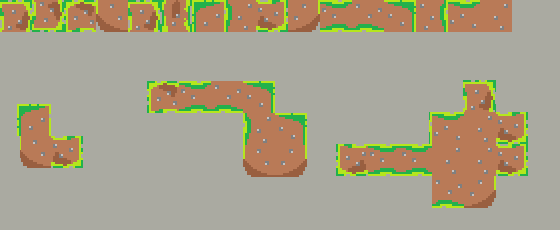
Paint for the win

For a long time, I was using Paint to draw my my tiles, objects, portals. I even “hacked” transparency. Because Paint doesn’t support transparency, all my sprites had a background colour to simulate transparency. That was until I bought the Adobe Package, and with it, came Adobe Photoshop. I didn’t like Photoshop. Too complex, I said. I could draw the same thing in Paint twice as fast. But my friend told me to give it a try, and so reluctantly, I did. And then…miracles happened.

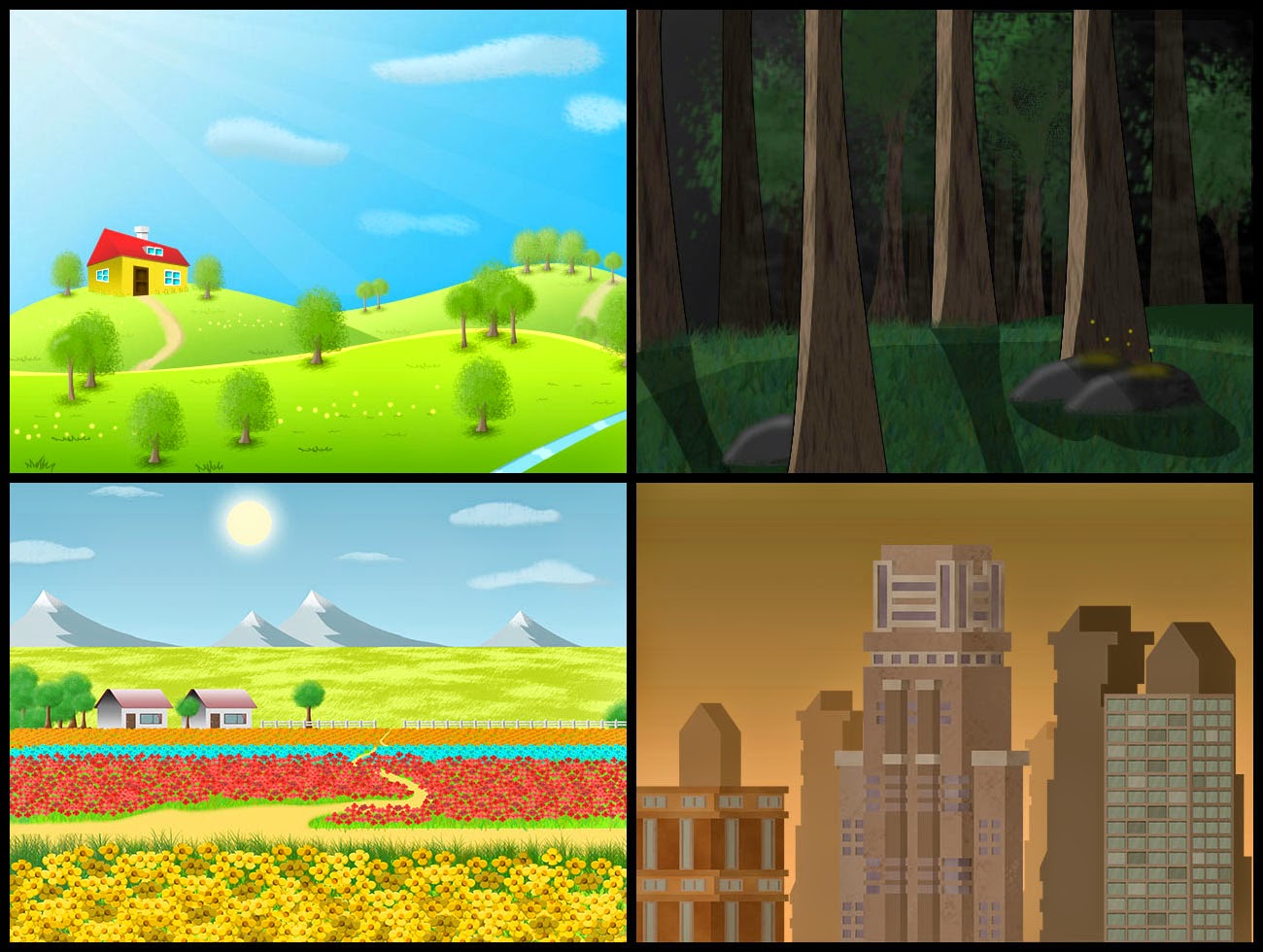
I found myself drawing better quality art. I drew clouds, hills, flowers, and before I knew it, I had beautiful backgrounds for the game! Suddenly, Introvert had become something more than just squares jumping on other squares.
IntrovertChanges

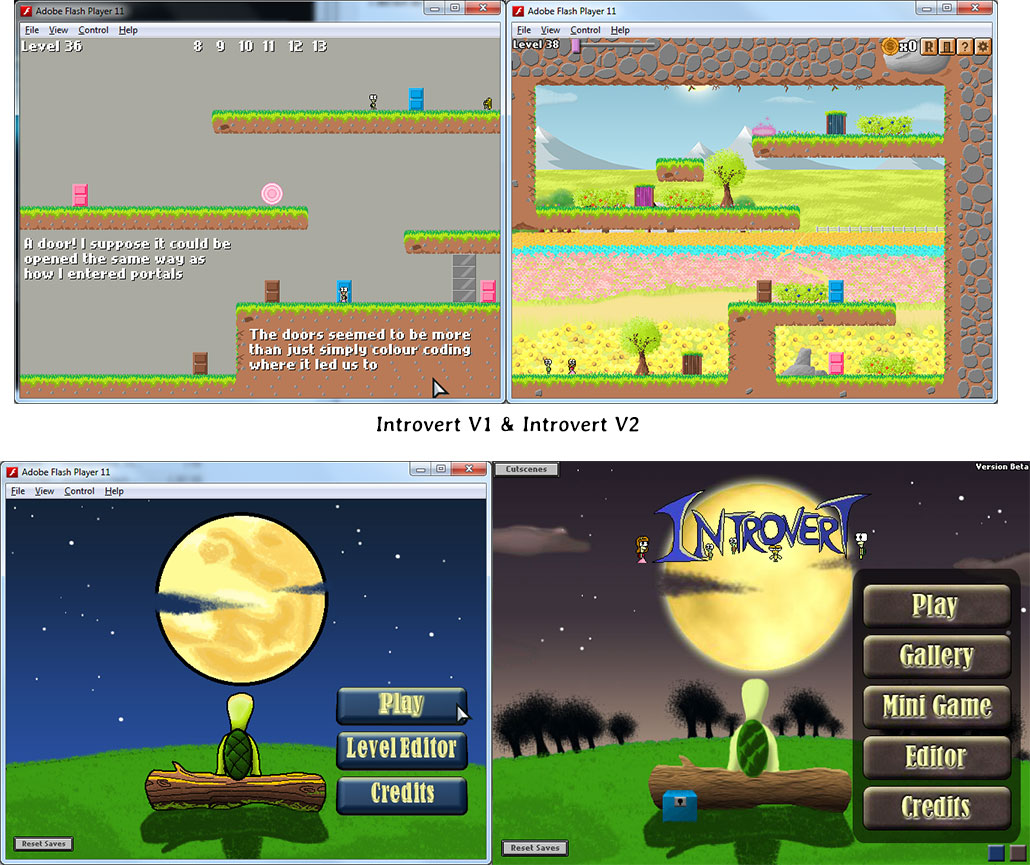
The menu on the left was drawn in Paint. Do you believe it? I made the buttons and gradient with Microsoft Powerpoint.

Lots of things changed, and not just the Main Menu, I mean… really A LOT of things. It was like a brand new game altogether. I could’ve released the first one there and then. It would have been a really awesome first game since it had everything I wanted. I know this isn’t an inspirational story, but had I stuck to using Paint, I would not have learned to improve myself and push my limits. So the first lesson I learned? #1: Get out of your comfort zone

turtle_walk

Wait…you’re wondering how the turtles got into this game?

While my original idea for the game was a story about two squares, my friend who tested my game said that an actual character would inject much more life into the game. So I replaced the square with a character.

itv3

Say goodbye, squares…

But guess what, I really sucked at animating. You know, thinking back, that was my first time animating anything by modifying actual pixels. My walking animation looked like a guy with legs swaying lifelessly back and forth as though dangling helplessly from the air. And when i started to draw the female character, it was worse. She looked really awkward. She first looked like an old auntie.

girl32px(old)

girl20px(old)I know the bottom character looks a bit small, but trust me, you don’t want to enlarge her / it.

Notice how there are two spritesheets, one is 20px in height and the other is 32px in height. This is because a unique mechanic in the game is how you can grow real time during a level. I think this is one thing unique about this game that playtesters praised. There were many problems that using a square solved. Now, as your character grows, he can be distorted and at a huge size, looking very pixelated.  It was a headache to solve these issues because very few other bitmap games have this mechanic and you have to sort of find a good way to scale the character and have it look good, and then there comes the problem of how the character looks so small at the start that I had to research into how to maximize pixel usage. I think some pixel artists would be familiar with a technique called selective outlining. God, as if handling the code wasn’t hard enough. Now, the art? I was about to find out a lot about what goes into developing a game.
20150326_201755

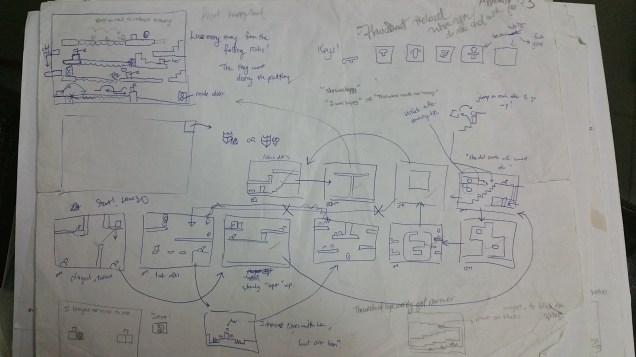
Also includes spending hours on level design

Of course, I soon learned that level design would take me far much more time than I expected. There were a few flaws in the way I placed text that tell the story. I had to remove some levels because they were pointless and caused players to lose track of the story progression. I conceptualized many levels and put the best ones in. Certain puzzle elements had to be removed in the process. One cool idea I had were “magnets” which could attract metal platforms to you, but it was scrapped. “There were some levels that were praised in the way they were designed, mostly with how they help to tell the game’s story in a creative way, and I feel motivated when I receive such positive comments.

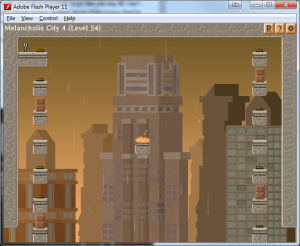
As time passed, I began to wrap up the game, but not before adding 10 bonus levels with a secret extended storyline. I personally like the art for the final few levels. It’s like the game rewards you with better art the longer you play.
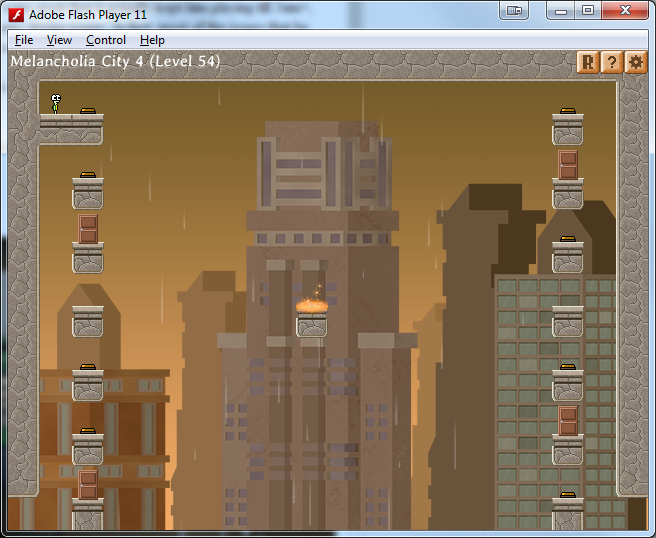
MelancholiaLevel

Featuring a new theme, as well as the first area to implement rain, and tons of new puzzle mechanics

Took me a couple of weeks to code and perfect all that, but I made it. This was back when I was still studying in polytechnic. While most people are out partying during their holidays, I spent pretty much most of my holidays at home developing this game, which I kept very low-profile, showing it to only a small handful of people. Even still, most of them only saw the game in its early, 3-week ‘infancy’ state. It was a rush with time, because in a few months I would be enlisted into National Service, which would make it hard for me to get any work done.

Before I was enlisted into National Service, two really amazing things happened.

fgl_license

DVGMusic

With the game nearing its ‘publishable’ status, I uploaded my game to FGL, hoping to get a sponsor for my game. I was very confident when I sent my game for review. But when my game was reviewed, I was in for a disappointment. One thing you have to realize is that when you upload your game to FGL, you are competing with the entire flash game industry. It’s not just about you any more, it’s about competing with games made by other, more experienced developers. People from all around the world upload their games there. I wasn’t just up against some classmates or developers in Singapore, I was actually experiencing first hand what the game industry was like, and boy it’s a big world out there. My game got an average score of 6/10 for the art, design and other factors. But the sound scored 3/10. The sounds fared the worst. I had sourced out free sounds and apparently, they were terrible.

After I got back to my feet, I thought long and hard about what to do. I decided to contact DVGMusic. I remember being so nervous about it because I really wanted his help. I spoke to David Carney, the CEO of DVGMusic. He was unwilling at first, but I eventually decided to take some risks. I ultimately managed to persuade him successfully! He was a really experienced sound designer and had lots of experience in the game industry, so much that he suggested a couple of things to improve the game’s design and even its art aspect.

I remember how I was staying up late, past 3am in the morning just to discuss with him because he’s from the U.S, so our timezones are vastly different. The time I go to sleep is literally the time he wakes up. We communicate via Skype and during the day, he’s usually offline. He’s a nice guy and he even made a video on his progress of music on Introvert !

I get really jumpy and excited every time he has a new soundtrack ready for me. In fact, I was so pumped up that he had to remind me that I had hired him to do all this.

I learned a lot of things from working with him. Once again, Introvert was about to undergo a major transformation.
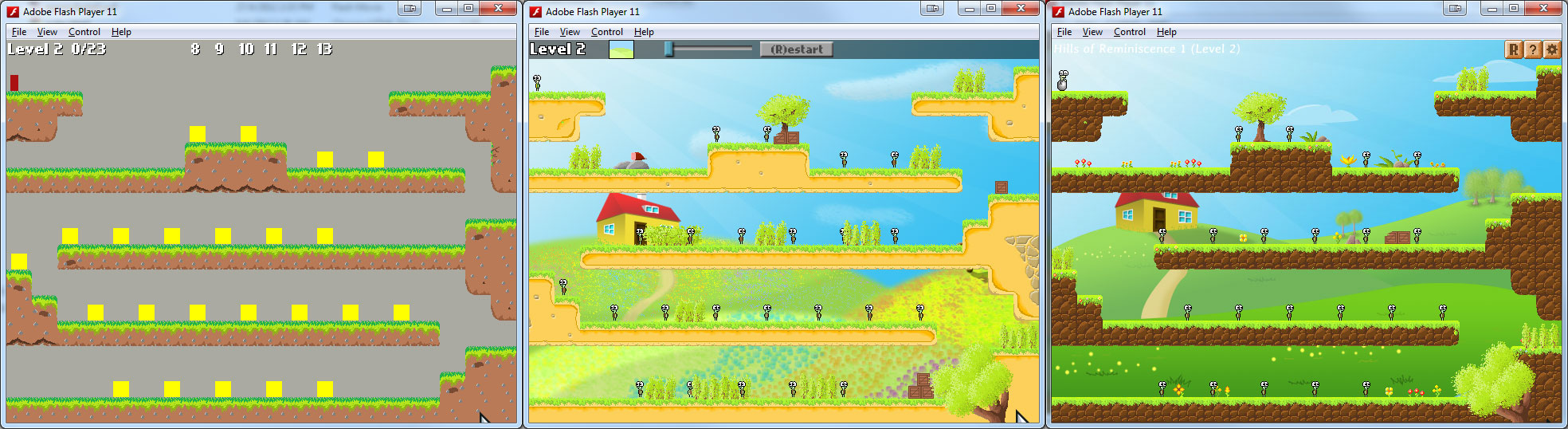
ITV_VersionControl

The pictures above is brought to you by VersionControl. Notice the UI redesign as well.

menu Introvert

I demand a new main menu with each transformation!
editor(playing)

To be honest, Introvert was pretty much a learning journey for me. Starting out with Flash, Photoshop, and getting to work with DVGMusic on the sounds and music for the game was really awesome. The most fun and invigorating times were when I was working with him to actually push the game to greater heights.

I never imagined that Introvert would grow to become the game it is now.

The sad thing… is that sometimes I feel that’s what Introvert may merely be – a learning journey.

Eventually, I was enlisted into National Service, which physically and emotionally drained me. To keep my motivation up, I sometimes sketched story scenes when I was not at home and digitalized them when I got home.

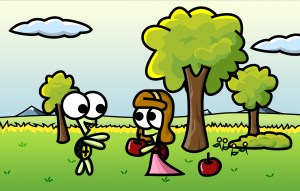
378a6-introvert_story_simplelifet1

Story27_Big

Here’s an apple. I specially gave you the one with a worm in it.

I also started drawing these story scenes, to add value to the game. However, my testers had mixed feelings about them.
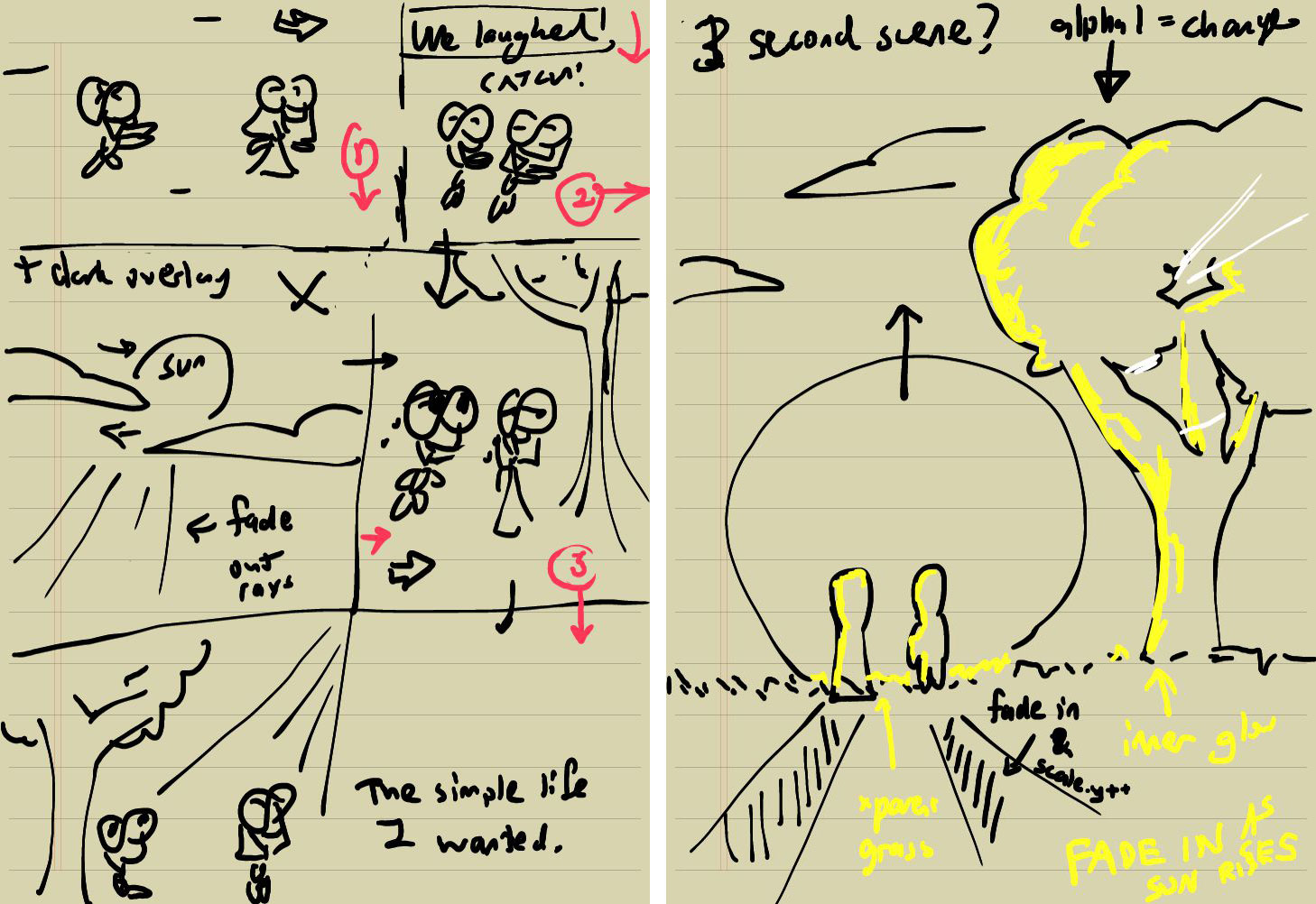
itv10

Story scene drafts I drew… on my phone, just because I can

Progress started to crawl and in my absence, David began to move on. While I was serving National Service, I lost motivation many times, but one very good thing happened. I invested in a drawing tablet some time after completion of my BMT (Basic Military Training). Together with the shipping fees, it really cost me a bomb.
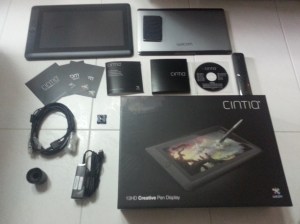
wacom

Tada! Drawing will never be the same again.

And indeed, drawing art assets had never been easier, faster, more efficient. Here’s a look at my new workplace.

comp setup

YYZ’s studio

Not to mention I now have three monitors. One for coding, one for drawing, and the last one for playing Cookie Clicker.

Talk about multi-tasking, my tablet again took me to a higher level.
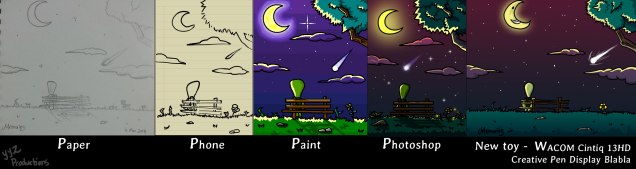
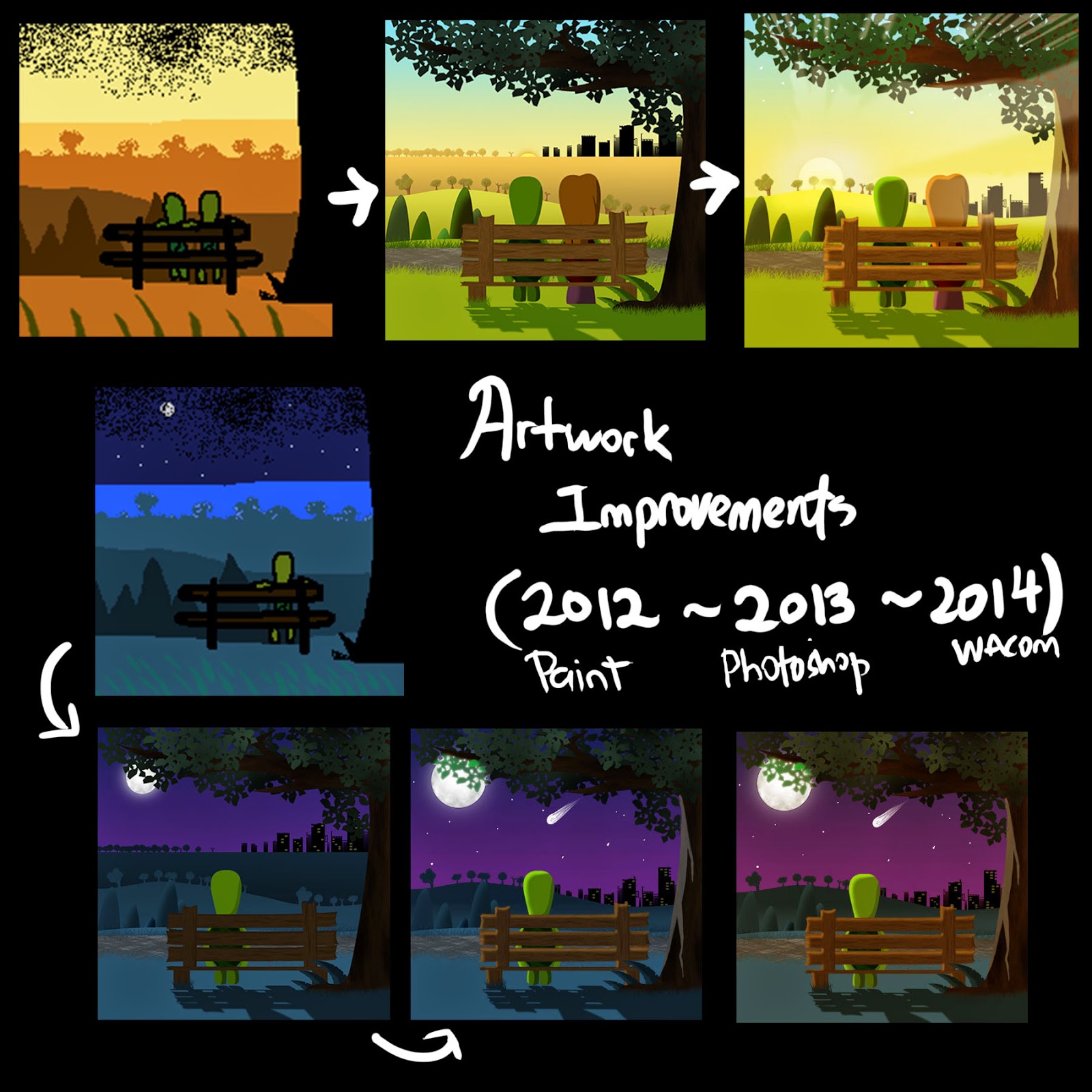
Everytime6Compilation

So…you’re asking why I drew the same picture 5 times in different mediums? I have no idea either.

I began to develop my own drawing style with the WACOM.
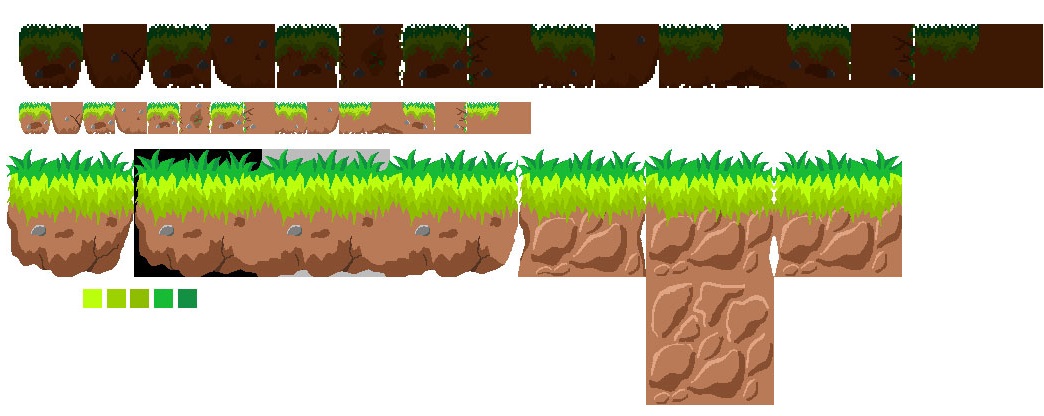
GardenTilesBigInProgress

As if the tiles weren’t awesome enough already…
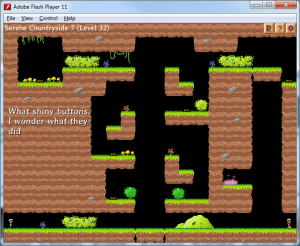
Level 32

The other great advantage of having a WACOM is that I was able to draw more realistic looking turtle expressions and animations. The pen tool in Photoshop doesn’t really flow naturally with how I usually draw turtles with my free hand, so my turtles sometimes look very rigid. This is hardly the case with a drawing tablet.

jumpSequence

Tracing a jump sequence animation with my WACOM

Because I began to develop my own drawing style, I began to draw some new art. One of the most significant ones is a level in the game called ‘Scenic Forest’. It is one of the most complex and detailed levels in the game visuals wise. The background is more detailed than all other levels and has up to 5 layers of parallax scrolling whereas most levels only have 3 or 4.

ScenicForestG1old

A compressed Scenic Forest foreground layer

Sometimes, I would get inspired on the nights I stay in camp and I would draw whatever comes to mind. Some of my best levels actually form when I sit alone and just dream about the possibilities of level designs for the game. Because I have no access to a computer, I get a lot of time to actually think about things that never cross my mind when I am too busy coding or drawing at home to think about new designs. Some of my ideas stretch my programming capabilities, but the end results often make it worthwhile.
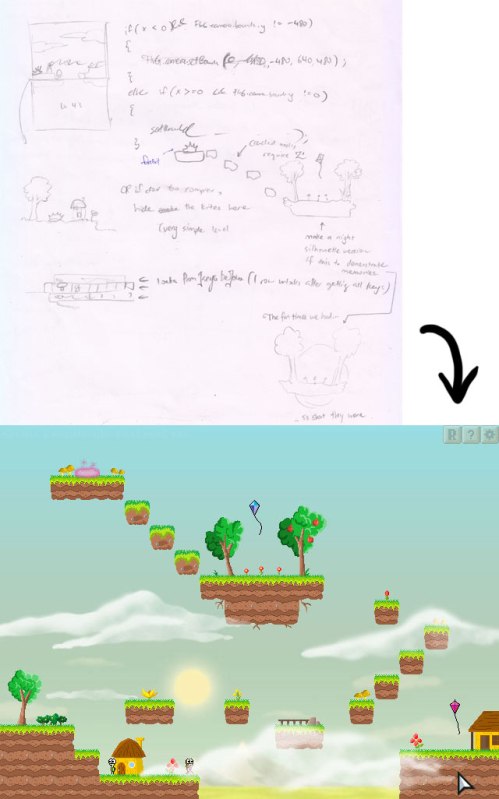
LevelDesign1

Example of a level design concept which made it into the final game

Most of my newer levels are designed to have something happen at some point. The particular level above has some special effects that are triggered when you walk to certain areas. These levels can take an entire day to make if they include custom level art. Many of my old levels don’t have these kind of special events, so if you play the game, it is actually quite easy to tell which levels were the ones that are newly created.

One of my favourite special effects is when you are controlling the girl, looking at a picture of the boy on the wall and suddenly, he becomes controllable and you switch to him, literally “jumping” out of a picture and the scene transitions to a totally different level.
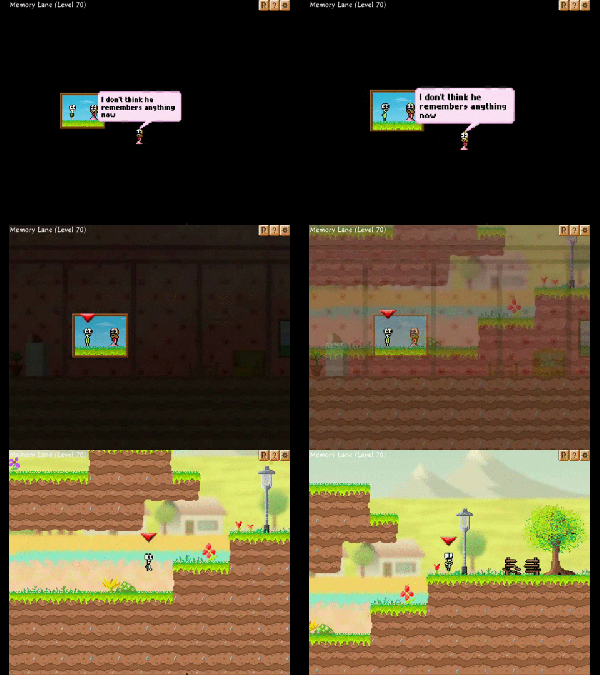
ezgif.com-video-to-gif (1)

Over time, I had begun to update many of my art assets, such as the environmental decorations in the map:
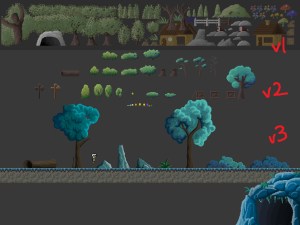
CaveBG2

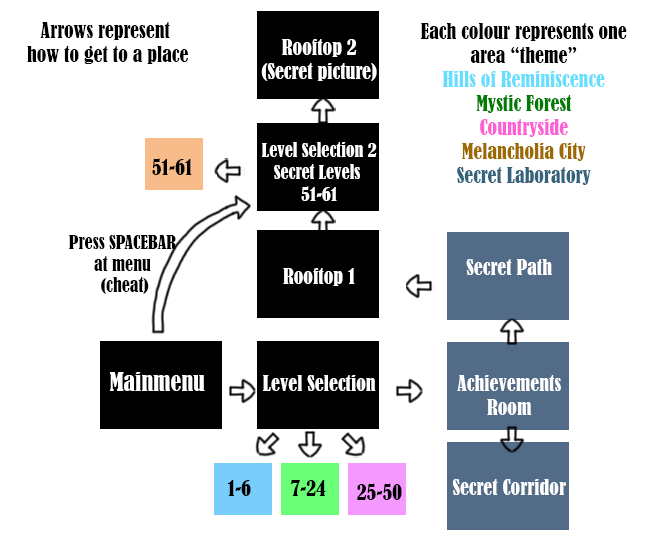
And being my ambitious self, a secret world map made its way into the game, comprising of all the key areas of the game.

WorldMapProgress10

editor(edit mode)

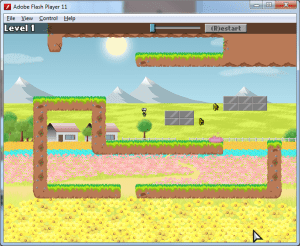
Of course, in every game, there are bound to be some things that are not very fun to do. Take a look at this neat Level Editor I programmed. Well, if you find out how many hours of sleep I lost to it, you’d probably drop all thoughts of making a game. The good thing is that, I am able to partially export my edited levels, which makes it easier to create my own new levels, which is really just pretty cool. I’m probably going to work on making these levels fully exportable, so players can share it with their friends. To do that, I’ll probably have to use a string of arrays containing an array of arrays. Doesn’t sound too complex, right?
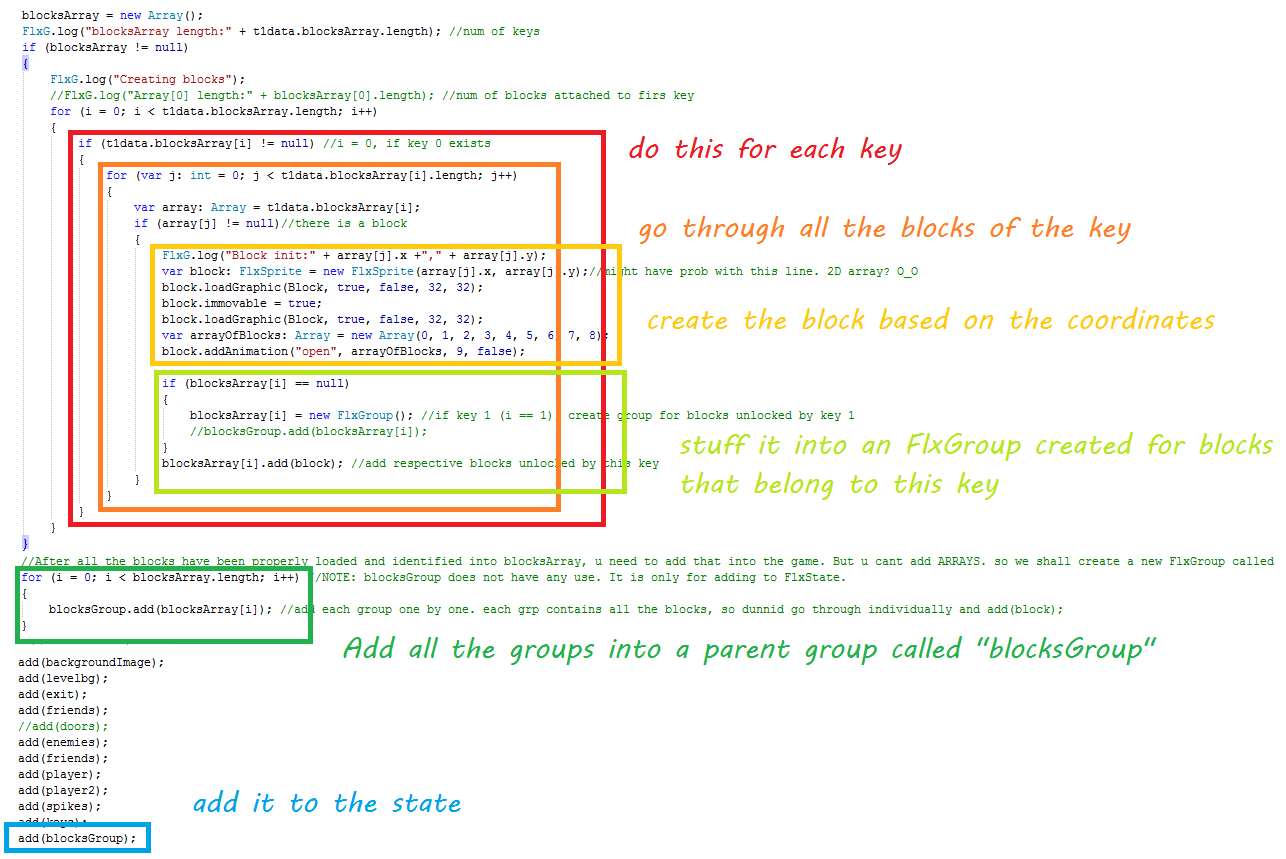
arrayOfArraysOfPointsOfBlocks

Yup. Pretty sure it’s simple enough that I would not need to make a picture to remind myself what my code does

The Story
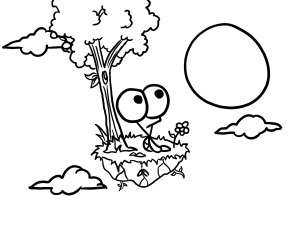
StarryMoonThe reason why I want to make Introvert is because of the story that drives it. I was very sure that this would not be just a regular platformer. There are tons of those out there. I want to make a game that will bring you through a story and hopefully, one that is relatable. But by now, I have realized that even a story can be very difficult to write and tell. After looking at the game, I know definitely there’s a better way to execute the story, and if there’s an Introvert 2, I’m pretty sure it’s something I will definitely improve on. But thinking of a sequel is way too far fetched for now.

The truth is that I let the game drag too far past its “ripe” period that I began to lose motivation to finish it. I don’t have as much excitement as I used to and returning to work on such an old project isn’t quite as refreshing as working on a new one, which is why I started to work on other projects like an unnamed Space Shooter game, and OldStory.

The other issue is the unfinished sounds and music for the game, which really is a bummer because I was looking forward to hearing them completed.

But I guess, I’ll have to find a way somehow, to wrap up and finish this project, and hopefully, one day, I will publish this game.

Introvert.

My very first game.

PerfectSolitudeLogo

The End.

Introvert_Story_SimpleLife

Finally! Found a screenshot of the game that has no moon in it *sarcastic*

Old Story Trailer and Gameplay Footage

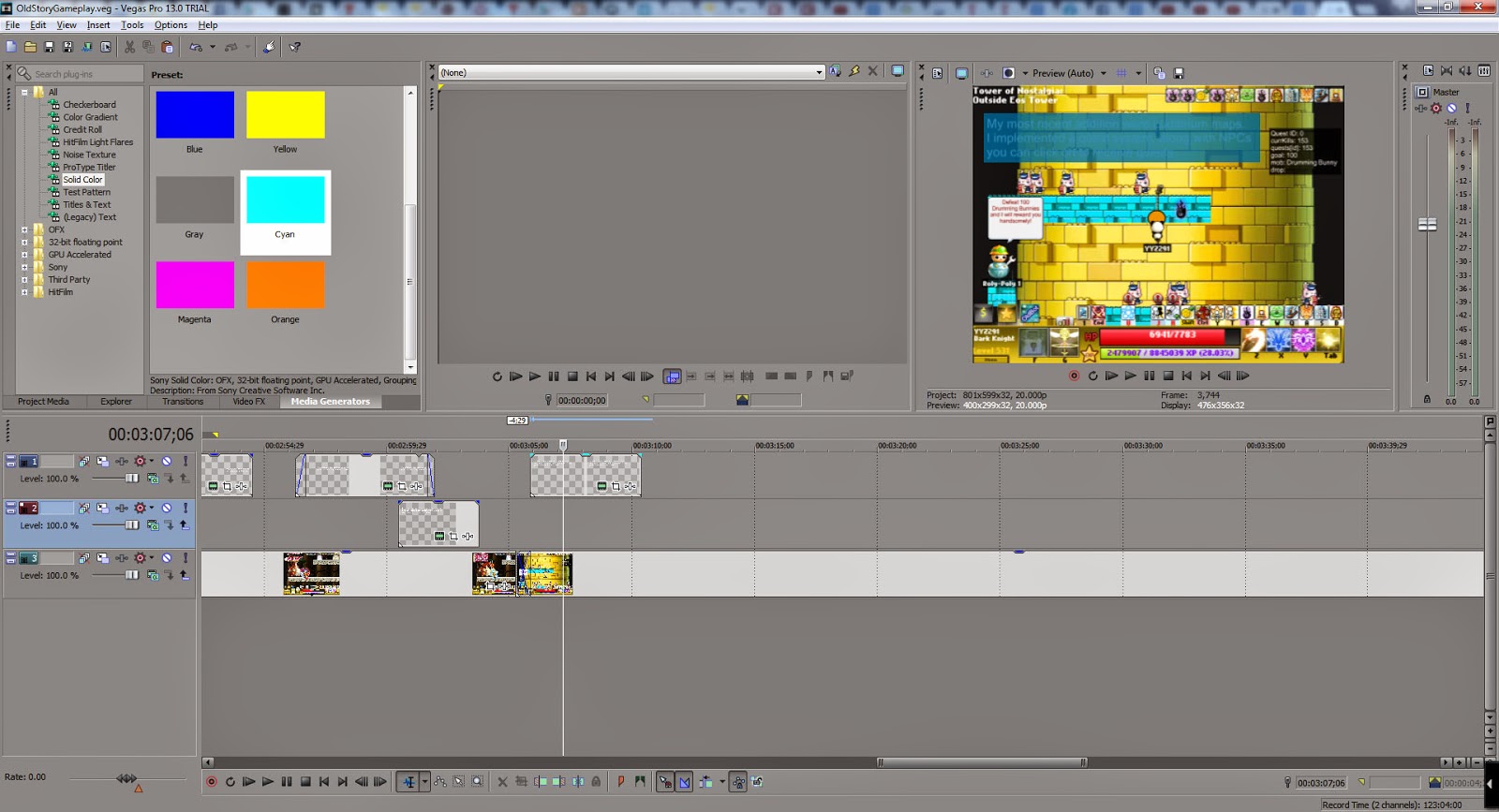
It’s 2 Feb 2015 and I have finally completed much of Old Story as well as a Trailer and a Behind the Scenes Development video, both of which I made for fun.

Trailer


Gameplay Footage

If you prefer to read up more information of Old Story, you can view my previous two posts about it:

part 1:
http://yyzproductions.blogspot.sg/2015/01/oldstory.html

part 2:
http://yyzproductions.blogspot.sg/2015/02/old-story-part-2.html

Old Story Part 2

Old Story Part 2

For part 1, please refer to:
http://yyzproductions.blogspot.sg/2015/01/oldstory.html

I had been working on OldStory for about 3 weeks now. (Advisable to see part 1 before part 2). Progress has been remarkably great, considering I did not intend for this to be a game in the first place.

I added more content over time, and added features to make the game more playable and fun!

New Equipment
The game’s first build had 6 equipment:
– Helmet
– Topwear
– Bottomwear
– Gloves
– Shoes
– Weapon

I have since expanded the game to hold over 10 equipment.

The new equipment are:
– Ring
– Pendant
– Shield
– Belt
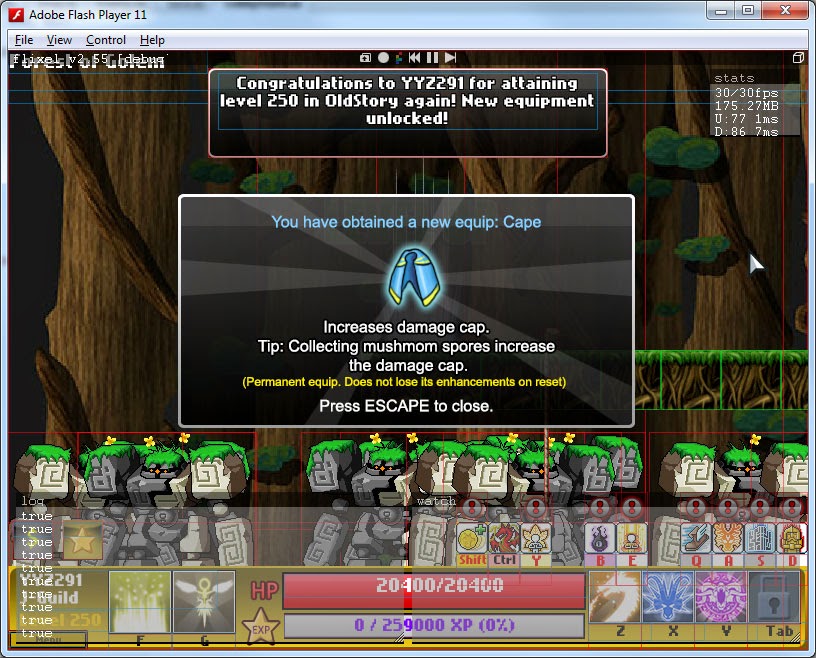
– Cape (added in latest version)
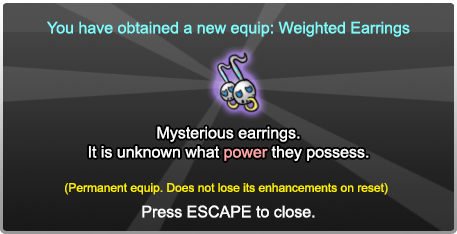
– Earring (added in latest version)

You get new equipment as you progress through the game. I didn’t add the new equipment at one shot. It was more like I gradually added them over time because the game was slowly expanding bigger and bigger and equipment was a game-changer to make it more rewarding and fun to play.

I also tweaked and rebalanced the stats provided by the equipment.

The 12 current equipment in the current game build.

I received comments that HP was useless. The trend I noticed from testers generally were that they rather spent 400k mesos upgrading their weapon, than spend a few 10k upgrading their armor.

Weapon was overpowered and 1 attack was more valuable than a 1000 HP.

So I buffed the armor to add special stats.
Helmet: It increases your Mastery, which stabilizes your damage by increasing your minimum damage.
Topwear: Doubled the HP boost. It gives the most HP compared to all equipment, making it worth double its value.
Gloves: It now gives 1 attack per enhancement. I noticed immediately that my testers upgraded glove as the next priority after the armor buff patch, along with Helmet because of the new inherent damage boosts.
Shoe: It now adds to your movement speed, allowing you to move faster.

The new equipment all add unique stats that make them extremely useful.
Ring: Increases your critical rate and at a high enough level, adds to your critical damage.
Pendant: Increase your EXP and Meso gain. (+farming speed)
Shield: Increase your defense (a favourite because at high levels, makes bosses deal 1 damage to you)
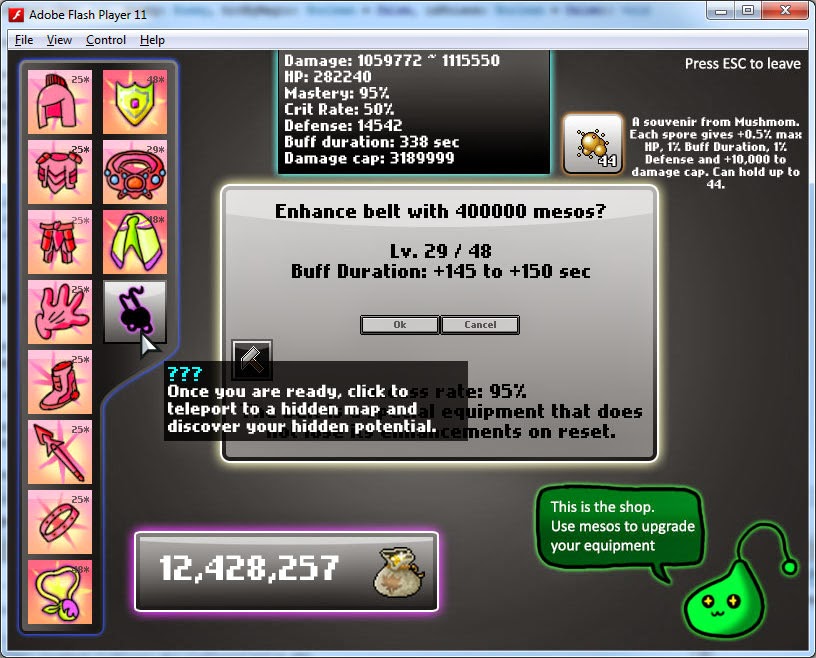
Belt: Increase your Buff duration (another favourite among my friends who played)
Cape: Increase your cap damage (apparently addictive feature because it increases your farming speed)

The final equipment is the earring. It adds something new each level you get. One of my friends really liked how special it was.


Because of how special this last equipment was, I devoted a few days to implement the condition to get it. You have to fight an epic “shadow” boss which looks like you. He drops a very powerful skill and the final equipment.

Relic Upgrades
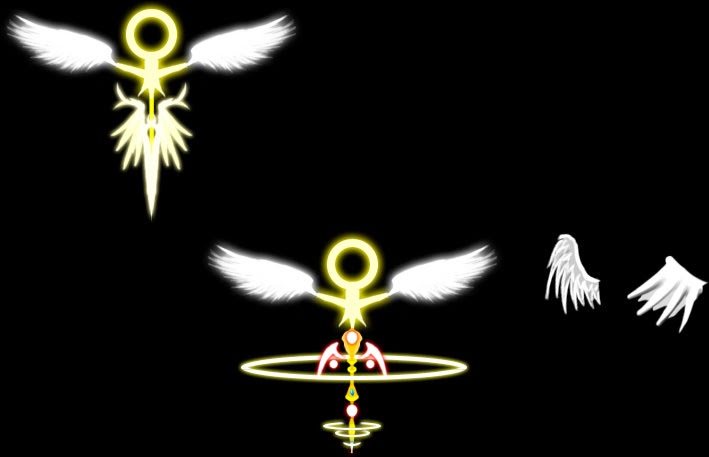
The Healing Relic in the game is a unique skill I made personally. I drew the graphics for it, and at one point, you get to upgrade the Healing Relic to Lv. 2.

I drew a new graphic for that, and here is its design.

The old relic on the top left and new (upgraded) relic in the middle. On the right were some of my discarded previous wing designs.

I also added a multi-relic feature, so you can plant Multiple relics on the map after an upgrade.

New maps and Monsters

OldStory232

The game soon hit its limit content-wise with the last few maps I added to the game.

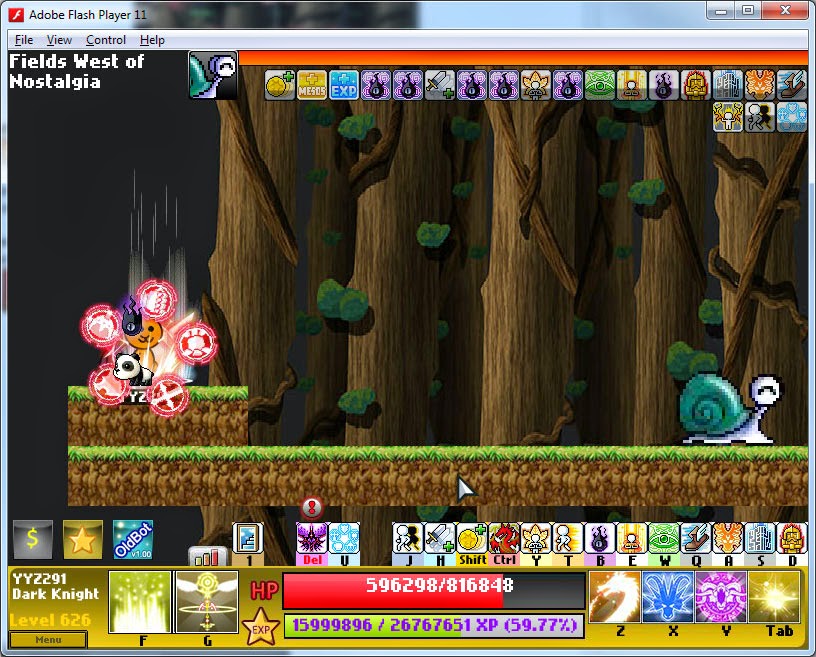
I added a brand new area after Time Temple, mostly end-game content. I named the expansion “Fields of Nostalgia” because it includes some old monsters and nostalgic music.

Summarized “Patch notes” for myself to refer to (23 Jan ~ 31 Jan):
– Added new expanded area: Fields of Nostalgia (unlocked at NGP15)
– 6 new maps were added, inclusive of 2 bonus areas
– 8 New monsters (2 big bosses, and 2 mini-bosses)
– 4 New skills were added (Combo Atk, Dark Thirst, Dark Synthesis, Mystic Door)
– Many skills are now upgradeable (Dragon strike, Crusher, Sacrifice)
– Equipment give huge stat boosts at E50 and E100
– Added perma rewards at NGP50 and NGP100
– Scaled up monster stats from NGP100 onward.
– Plenty of bug fixes (e.g. Items falling through floor)
– Plenty of exploit fixes (e.g. cooldowns no longer refresh when switching save files)
– Plenty of rebalancing changes

General Improvements

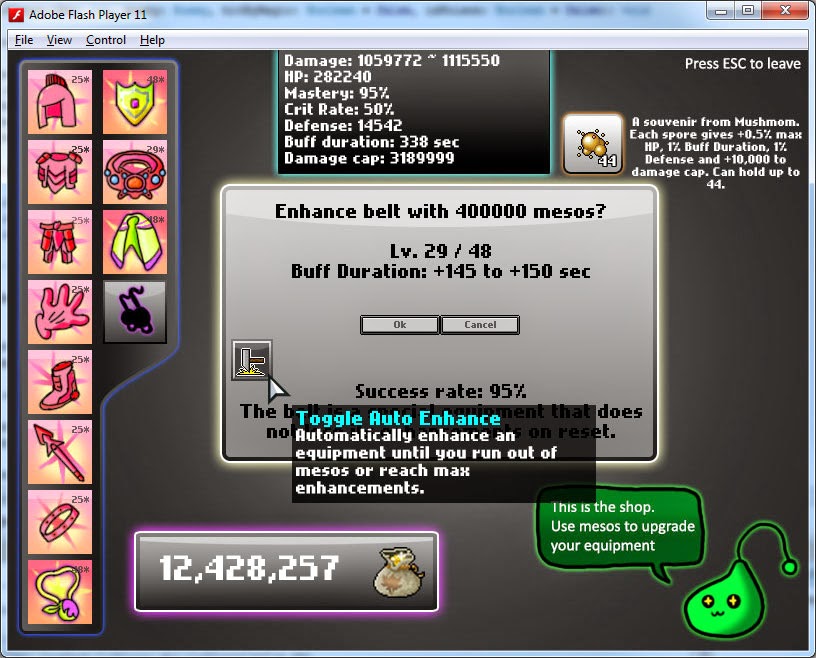
I found it a hassle to repeatedly enhance my equipment and I had to do a lot of clicking. So I added the auto-enhance feature. Ever since when I test my game, I always use it to enhance my equip.

Miss

If the level difference between you and the monster is too great, you can ‘miss’ them. It works at a 3%~4% rate per level difference.

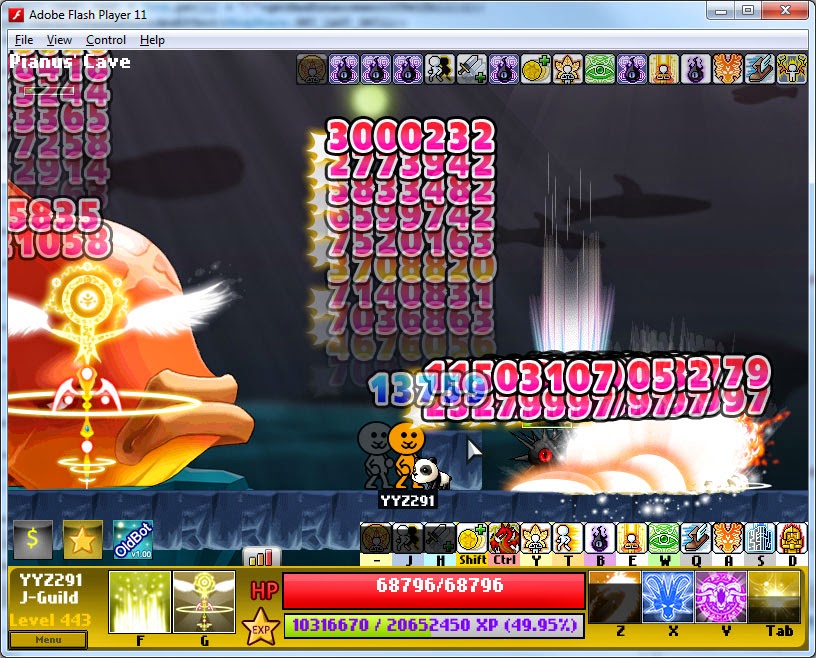
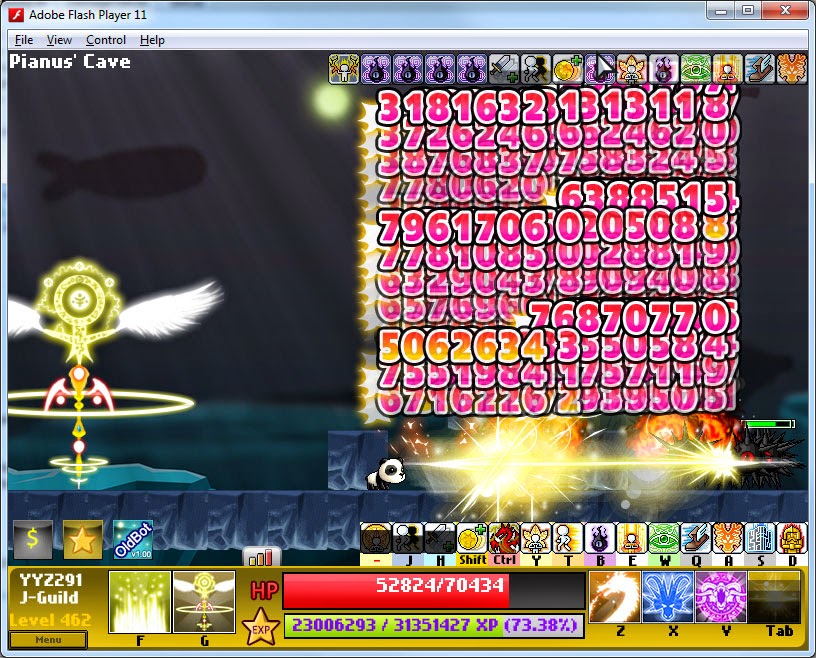
Pianus
Currently, the last boss you unlock is Pianus, the gigantic fish boss. It’s currently the second most toughest boss to defeat and drops a special skill for you. It also drops skill books to upgrade your skills!

 
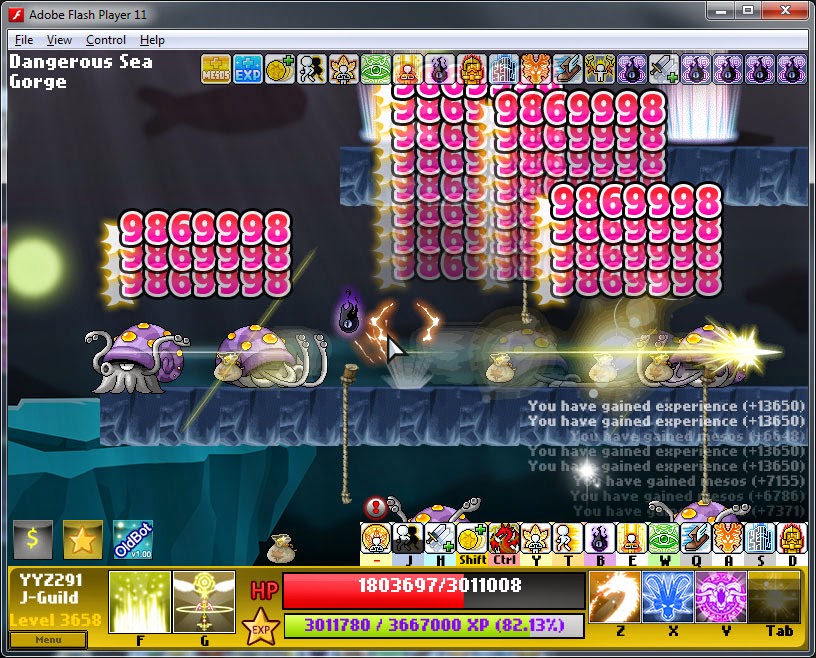
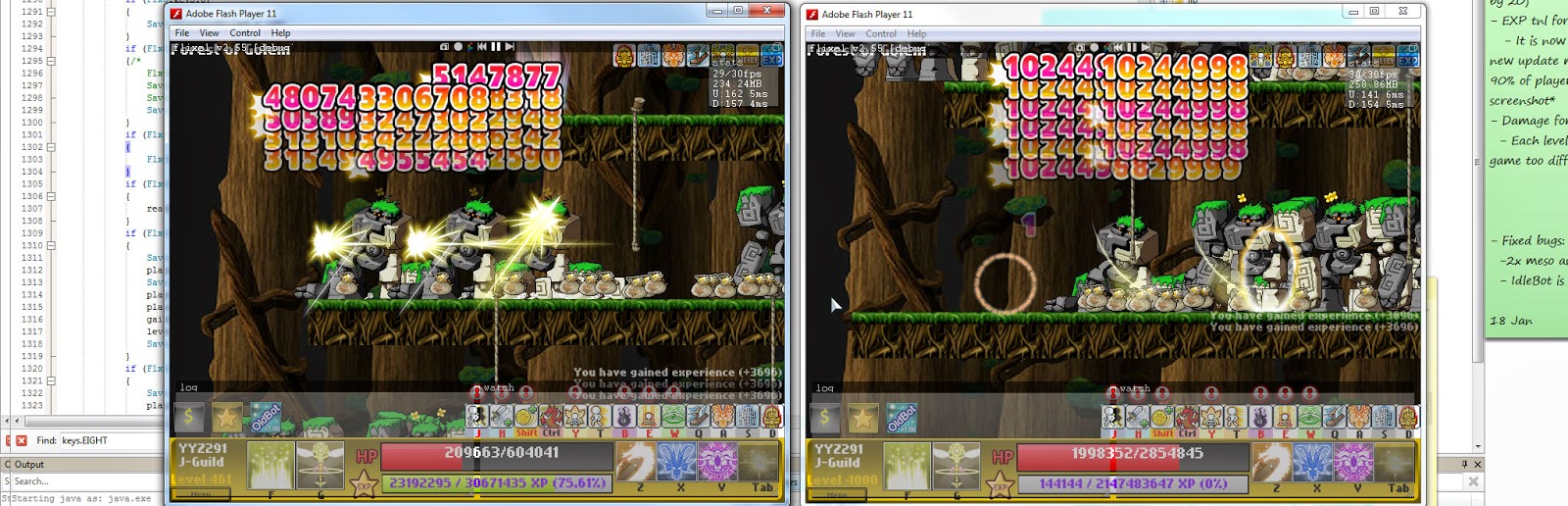
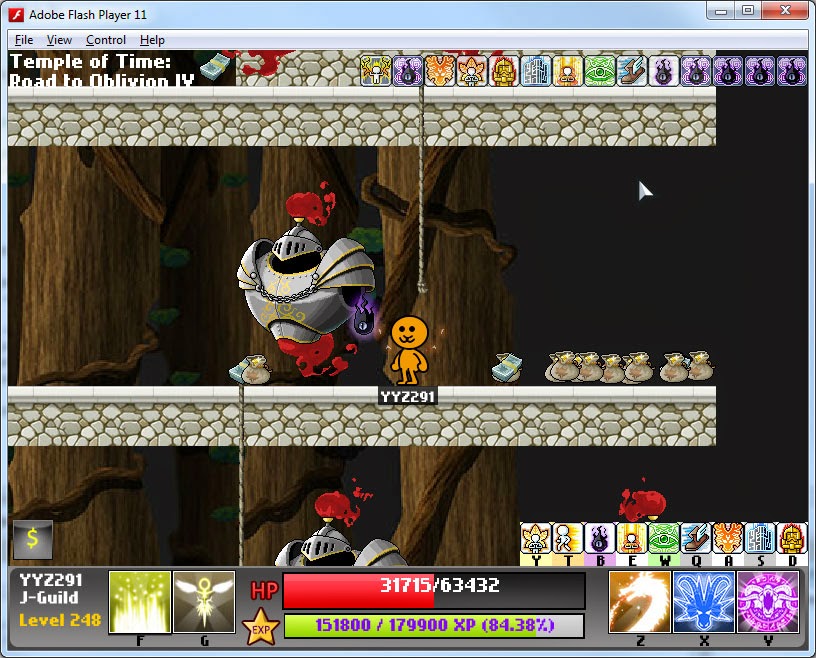
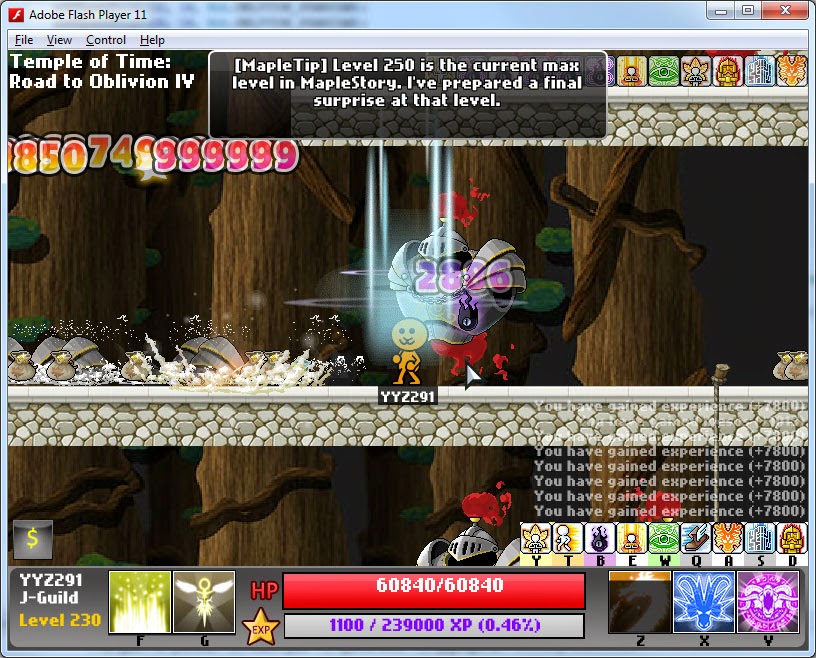
Those big numbers somewhat remind me of the boss fights in the old MapleStory.

Pianus is capable of summoning BOOMS, which heal him if you don’t kill them fast enough. If you are too weak to kill the BOOMS faster than Pianus can spawn them, then Pianus simply heals himself to full health before you can damage him. It’s the first boss I implemented that has summoning and healing abilities.

Stat Window
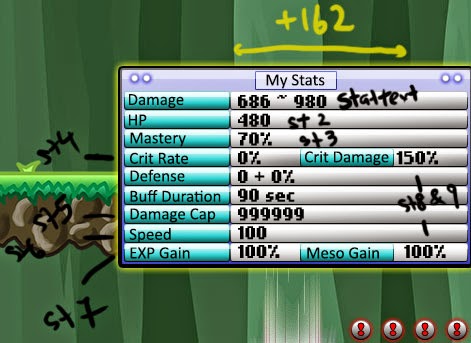
I designed and implemented a stat window so you can observe your stats without having to go to the Shop. The stat numbers turn red when they are increased or affected by your current buffs, which is really cool, plus it updates real time.

Pet Feature!

My first Pet in MapleStory was a Panda. Till now it is my favourite pet because it’s just so iconic and cuddly. So I added this in my game, simply for nostalgia purposes. I considered adding the Pet because I knew it would be challenging and tedious to make it work, and true enough it was.

The pet feature was one of the most challenging because it took me a few days to get the pet AI working correctly. The pet has 5 states and it automatically transitions between them under appropriate conditions:

Follow : Follow the player and ignore all loot drops
Loot : Go to the furthest item within the pet’s looting range
Buff : Buff the player
Guard : Protect the player from an attack
Free : To buff or guard, the pet must be in ‘free’ state, aka not doing anything else.

Pet skills improve your pet, such as increasing its walking speed, looting range, auto-buff interval and such. The last skill is ‘Kung-fu Panda’, and it is unlocked after a special requirement.

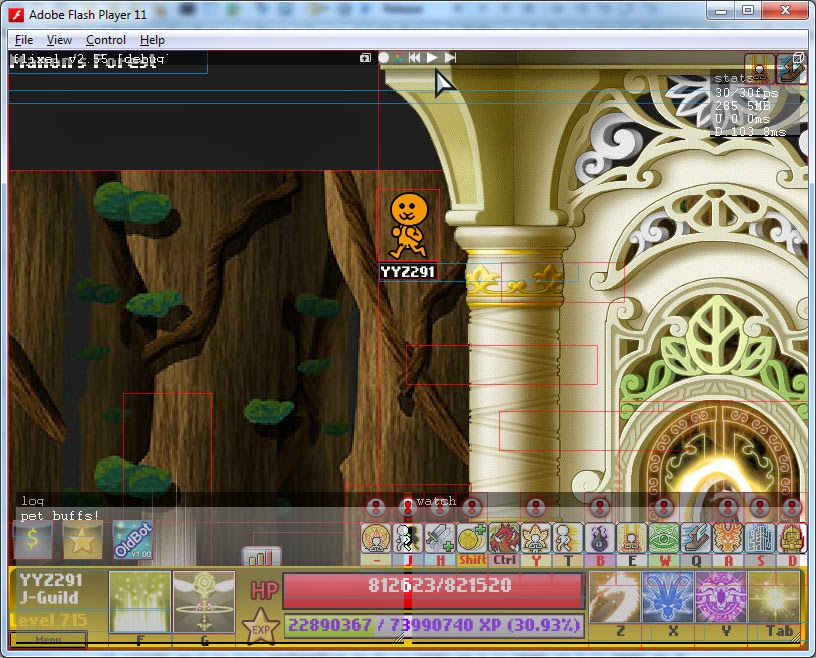
The pet’s debug mode: White box represents its looting range, and red box hovers over the loot it is currently trying to get.

Facial expressions?

One thing that I think some people would agree on is the ugly character in the game currently. The character was actually taken from one of the projects I had to work on for my friend, who wanted a bear-like face for his character.
Some doodling of character faces I made for fun (NOT FINALIZED). Note that these faces may not be the faces I will add to the game.

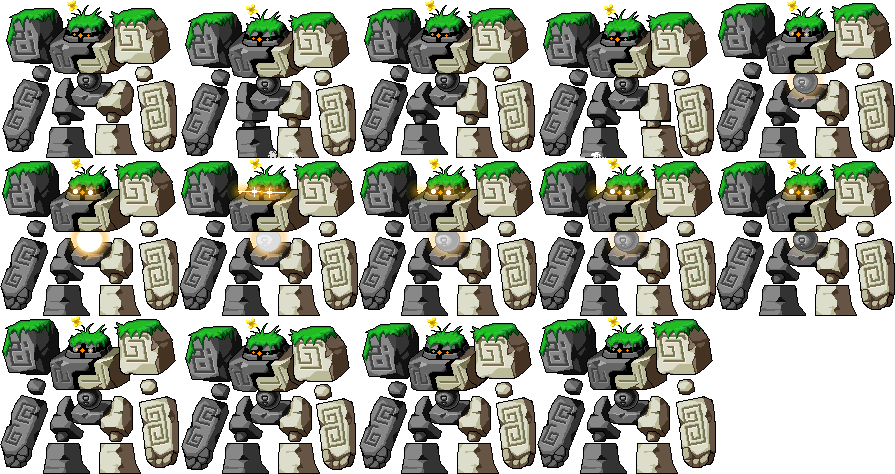
Statue Boss
As I was working, I began to conceptualize an epic boss that was capable of inflicting status effects and debuffs on the player. This boss was going to be extremely annoying but challenging to defeat. I think it worked really well in the game and you will definitely get a shock when you fight this boss for the first time.
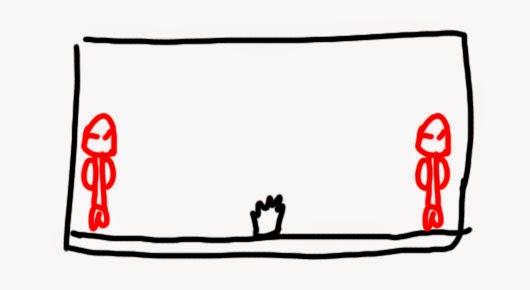
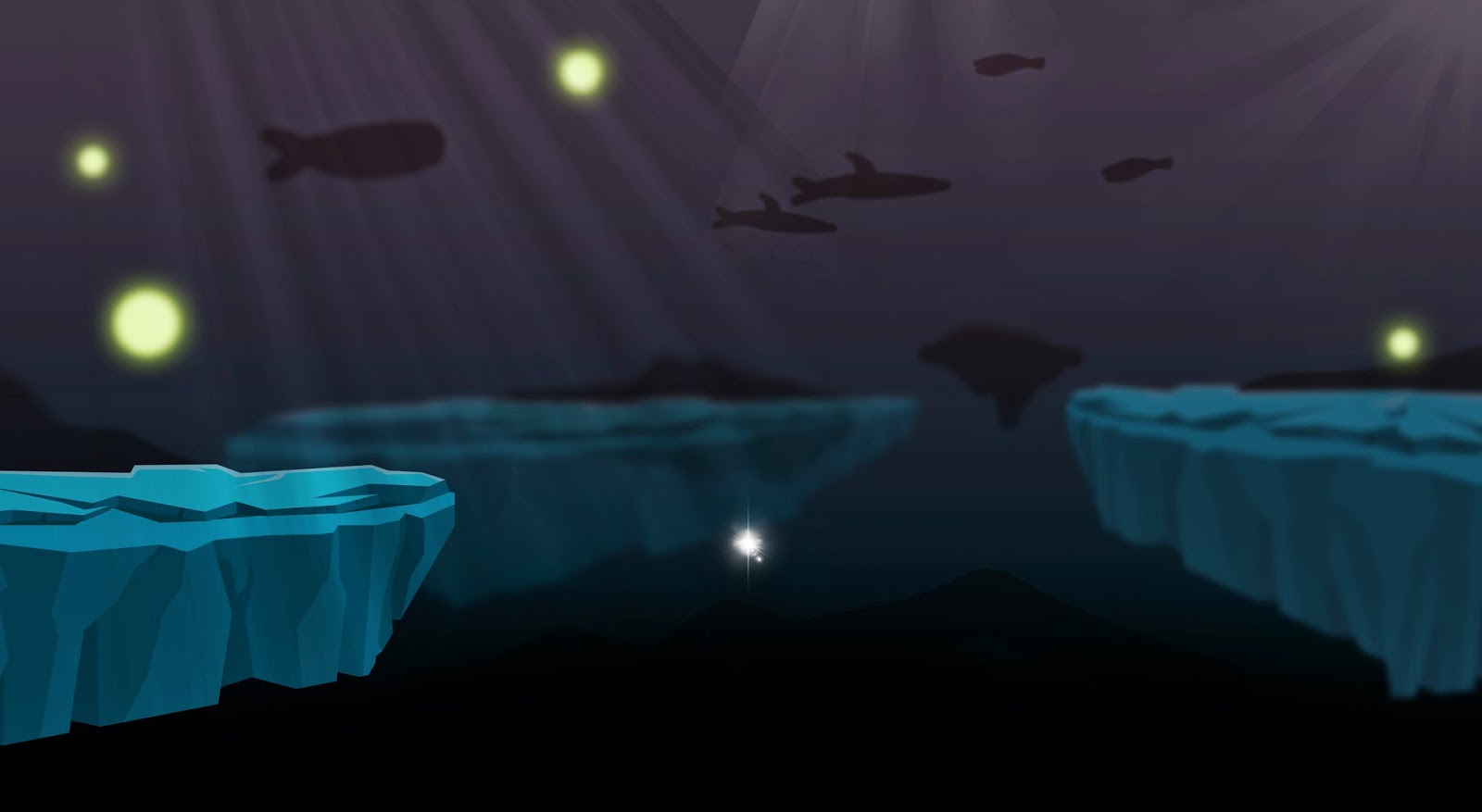
To the left is my original concept of the Final Epic Boss map. (That black thing in the middle is the portal)

Some of the statuses it inflicts on you are not even in the original MapleStory, and they are really unique. I went to brainstorm the ideas and took the most creative ones and added them to the game. I think this boss really is a boss that isn’t just a sitting dummy for you to just defeat.

Instant kill effects
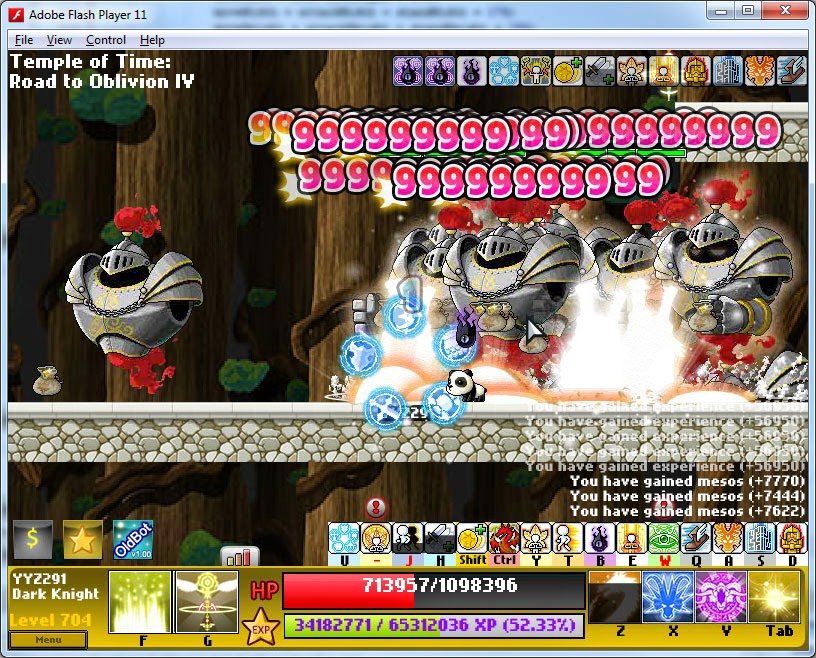
I added a new ability: Instant Kill, which activates at a chance. An animation also appears when instant kill is successful, though your eyes are probably focused on the 999999 numbers to notice it.

The special ‘instant kill’ animation isn’t in this screenshot because it was from an earlier build

Ludibrium Maps, NPCs, Quests System, Item drops

I managed to code in quests just recently. This brand new area is part of the “Fields of Nostalgia” expansion. Quests took me about 2~3 days to code and implement. It was not as problematic as pets, but challenging to make it bugless and seamless nevertheless.

It was also my first time working with and implementing NPCs in games.
 

This is the door to the new expanded area. You can’t enter the portal unless you meet its requirement.

One of the quest rewards is a Red Potion recognizable from the old Maple:
 – Gives you a huge amount of experience 🙂

Here’s a snippet of my NPC class. When you complete a quest, the NPC says some random chat. Even though I’m no director, I enjoyed writing the dialogue for the NPCs. ^^

Sleepywood Jump Quest?
Although this will not be in my final build, I did accidentally create a jump quest map full of monsters and floating ropes / portals. It was funny to play around with the map, killing monsters as they fall from the sky.

Buffs

There are currently a lot of buffs in the game. In my latest build I coded them to actually form a second row if they get too long, as you can see in the screenshot below.

Boss HP Bar and Icons

Some icons for the bosses in the game. The HP bar feature was added because bosses often had too many damage numbers above them which blocks the normal green HP bar they have.

Math and Rebalancing

As the game got huge, balancing the game became a big issue for me. I sometimes overlook game design and balancing, and poor balancing in a game can break it.

One feature in the game is ‘Spores’, which increases your character’s stats permanently. I accidentally coded them to give 5% HP each instead of 0.5%. And because I discovered this pretty late, it was difficult to rebalance the entire game.

If I reduced their HP boost, I would have to adjust all the monsters’ attack values so they aren’t too difficult. This type of rebalancing at this late in the game is really difficult to do. There are too many things I need to tweak. The large HP boost means that the value of buffs that give HP is effectively decreased.

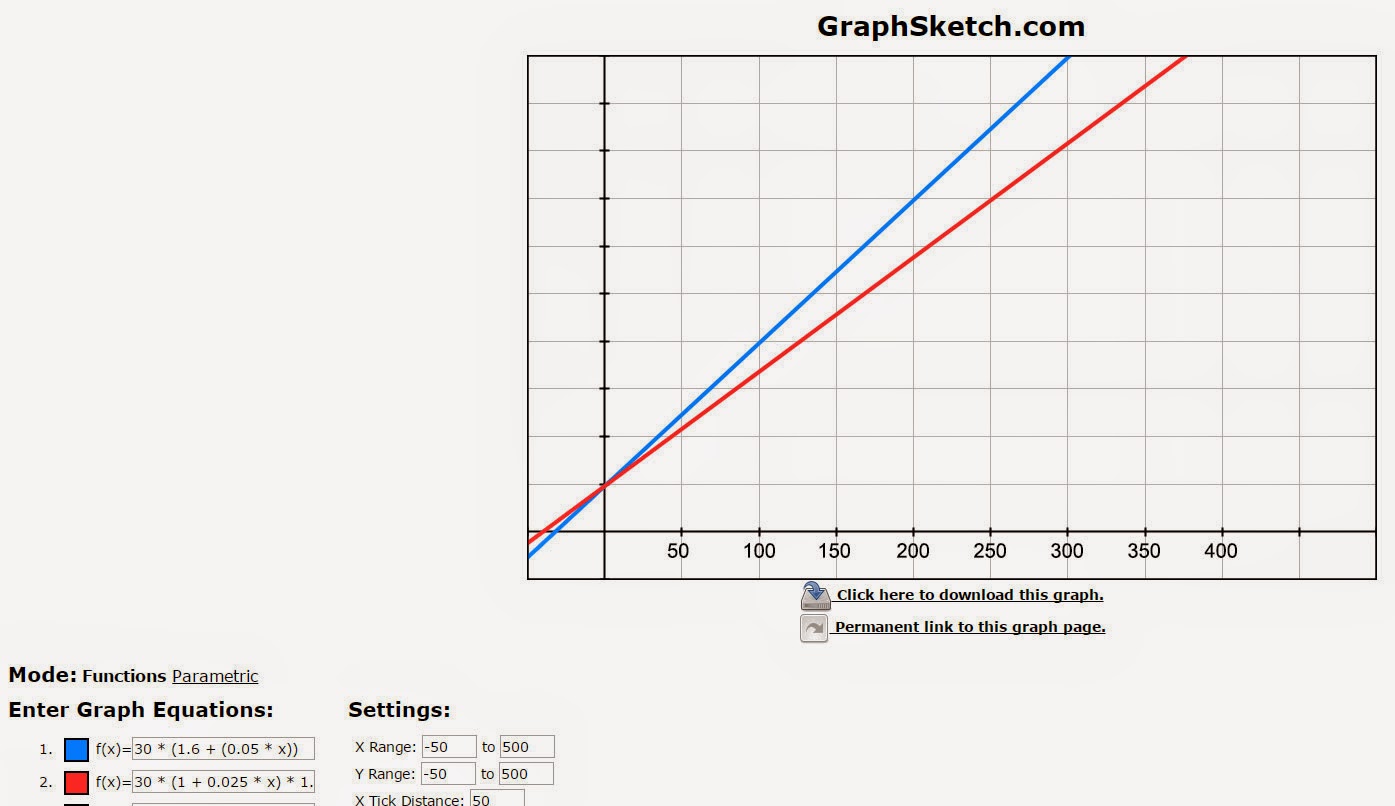
I wanted buffs to be essential, so I tweaked the HP formula. I inputted my current and new formulas for the game. The Blue line in the graph is the old formula where HP buffs work additively, and the Red line is my new adjusted formula (multiplicative buffs so that a 60% buff means x1.6 instead of +0.6). I wanted the results of the two formulas to be as close as possible, and thanks to the graph, I am able to fine-tune my values such that my formulas don’t make one particular stat/buff too overpowered or underpowered.

In the graph, I also nerfed the new HP values because the game was getting too easy. The graph lets me view how slight changes I make to the game affect values at later levels (at the start, 50 spores don’t make a big difference, but as you get further, the more spores you have, the larger the difference)

Multi-Save feature
One of my most favourite latest additions was Multiple save slots. I can’t put in words how useful this is to me as a developer and tester. I often realize that changing one small thing in the game can often lead to very different results later on. When I realize a monster is too easy for a high-leveled character, I increase its HP and make it tougher, and sometimes I overdo it and it becomes too hard to gain experience for lower leveled characters.

Having multiple save slots means I can create a low level save slot, and a high level save slot, and I can test both content simultaneously instead of wasting time inputting commands to reset my progress or power-level to the level I want to test.

 And also upcoming, a developer’s video I am working on …

OldStory

10 Jan 2015

For about a week now, I have been working on a side-project, a game that is a simulator of a famous MMORPG called MapleStory.

I used to play Maple as a kid. It is more like a childhood game to me where I think of the friends I met in 2006/07. I played as a legendary dragon knight.
Upon returning to MapleStory, I read that in their latest job revamp patch, they had removed two of my favourite skills from my Dragon Knight:

“Dragon Roar” and “Dragon Crusher”

I remember using Dragon Roar many years ago and the feeling of killing 15 monsters in one swoop was really satisfying. But my Dark Knight was revamped with new skills with nothing unique about them and my damage had inflated into the millions.
Long gone are the days where doing 5k damage made you a pro. And long gone were the days of Dragon Roar and the old Maple.
Being a very memory-inclined person, I kept thinking back of those old times. I lay stuck in nostalgia for a long time. I looked up old screenshots and videos and wanted to experience the fun of using Dragon Roar, but the new MapleStory made that impossible.
Then I decided to make a game. So I made this – a game I promptly titled “OldStory”.

This is a Maple Simulator which features the skills and simulates gameplay of a Dragon Knight in the old days.

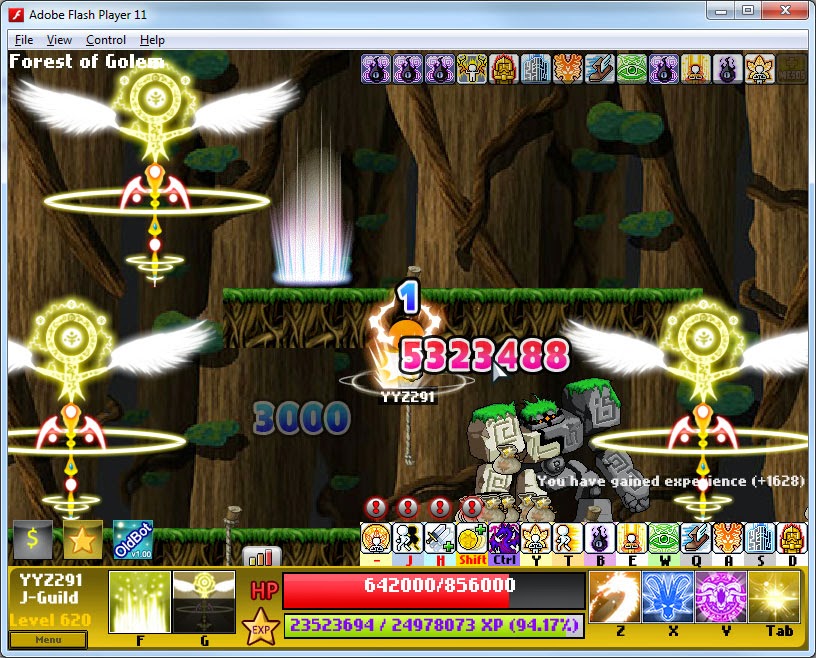
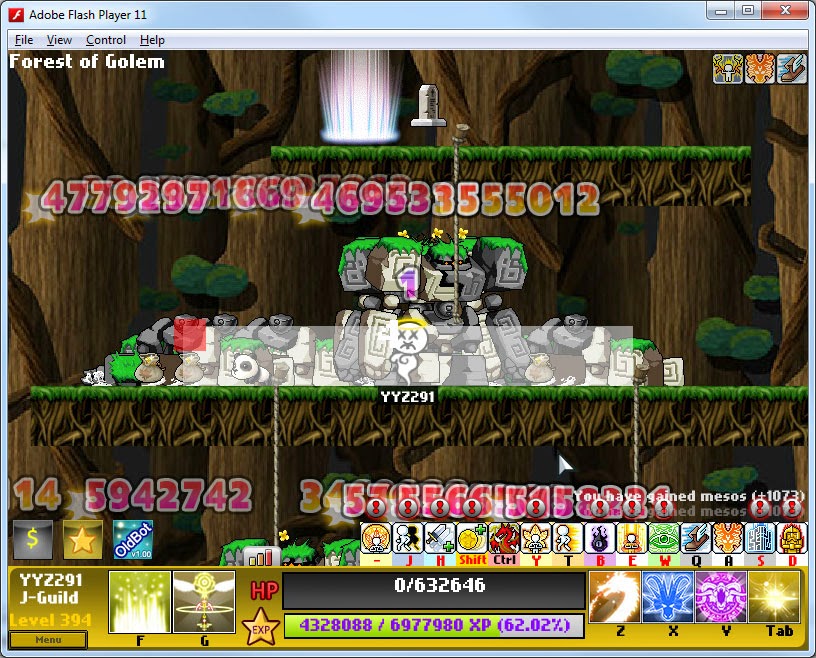
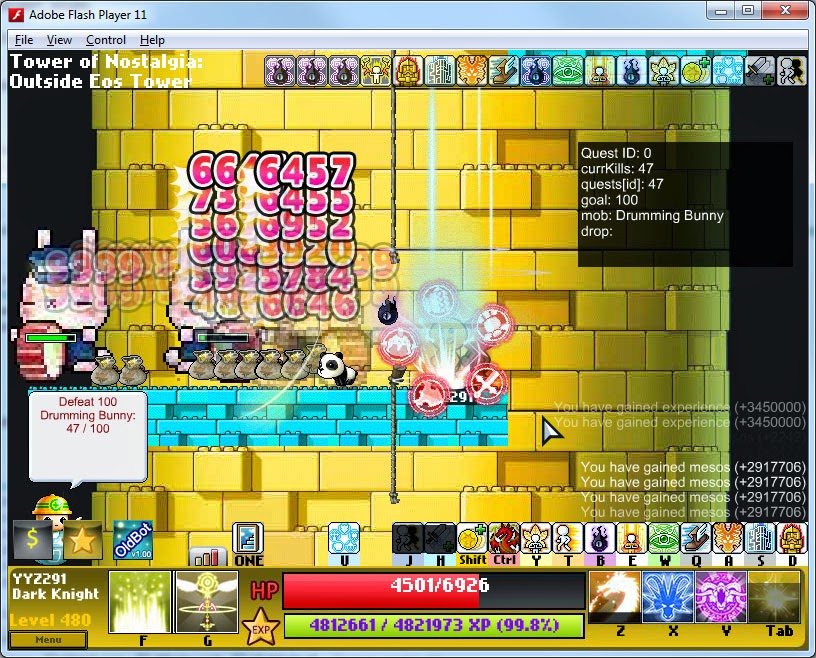
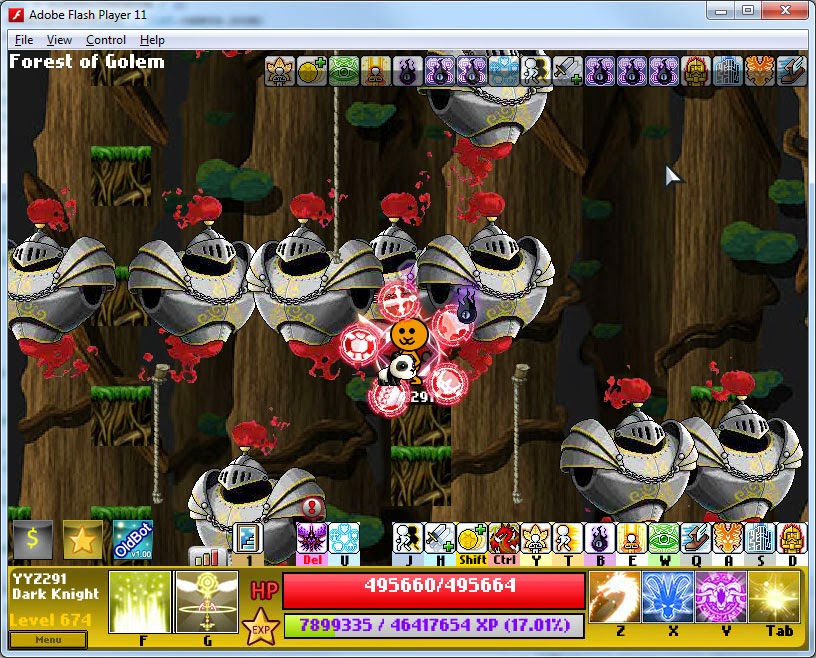
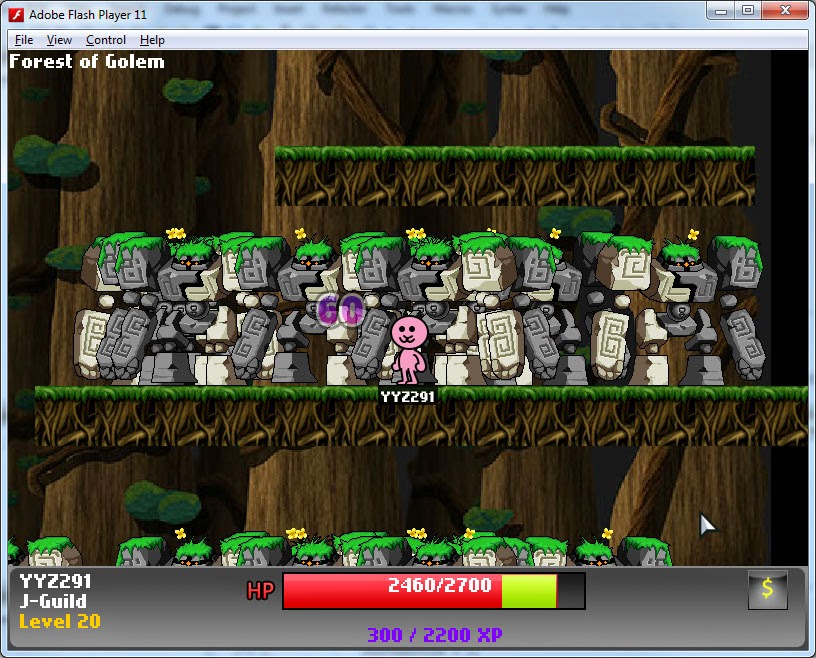
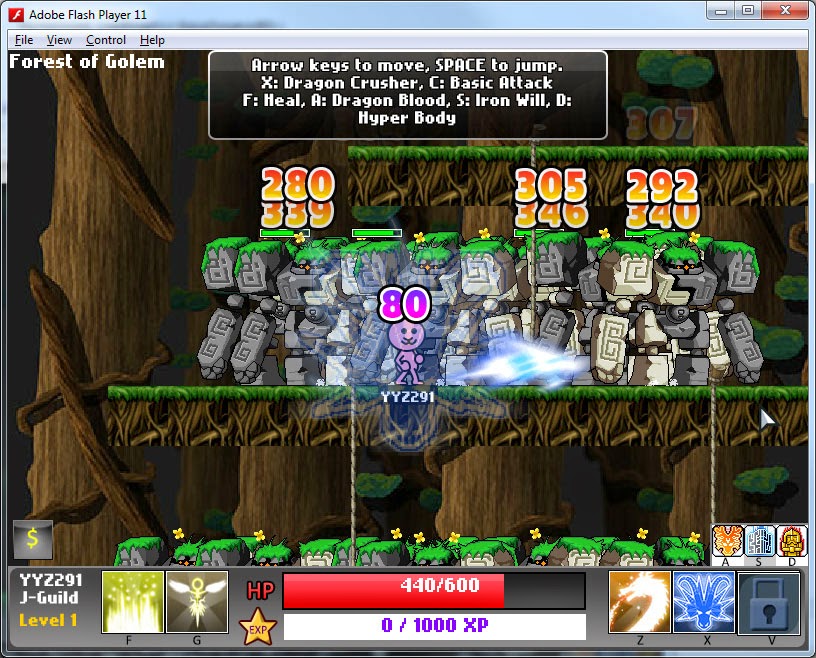
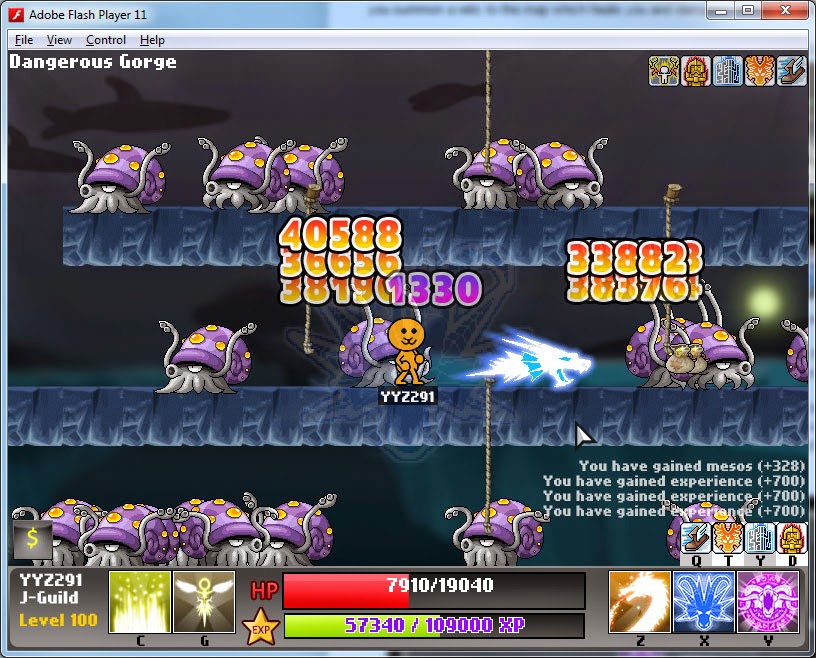
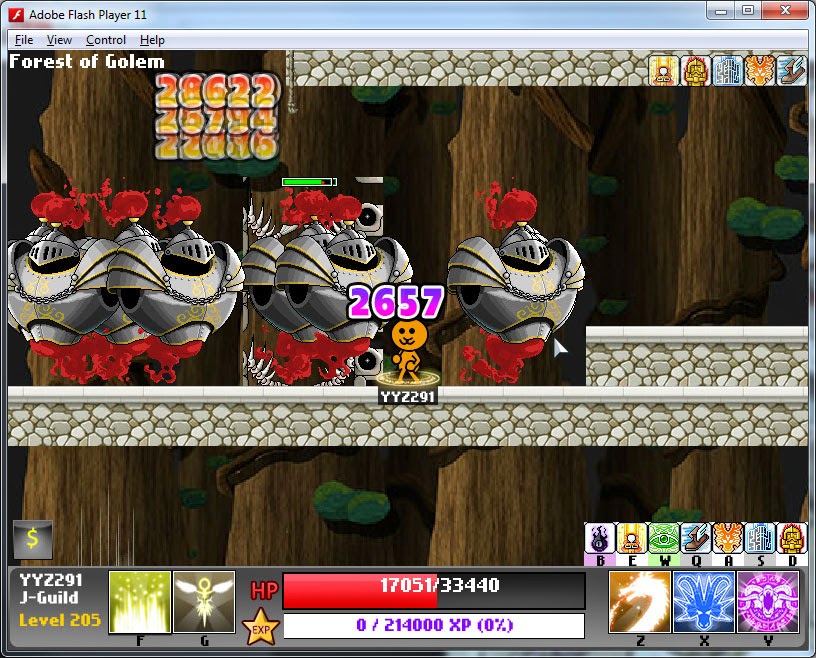
I made the map resemble “Forest of Golems”, one of my most memorable and favourite training grounds.

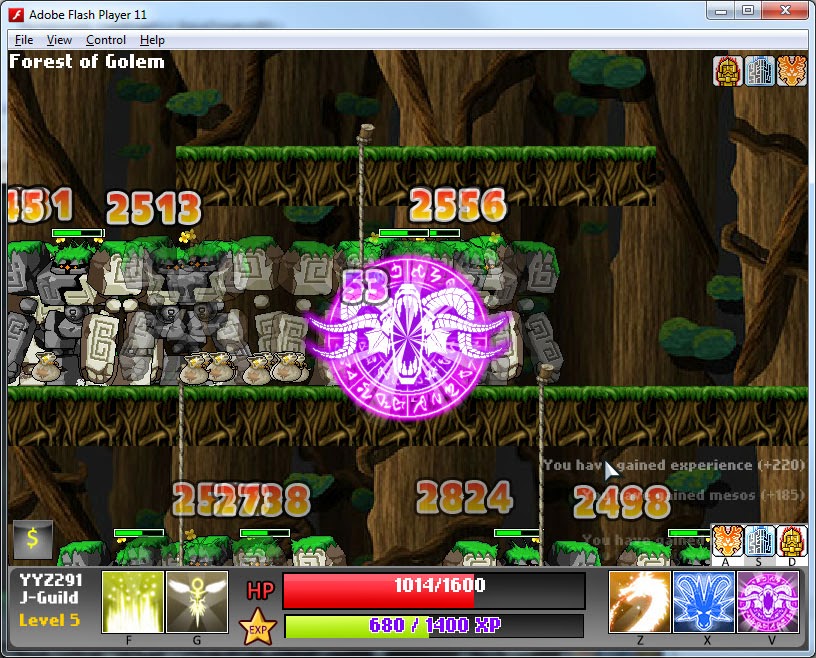
I added my favourite skills, Dragon Roar above, and Dragon Crusher below.

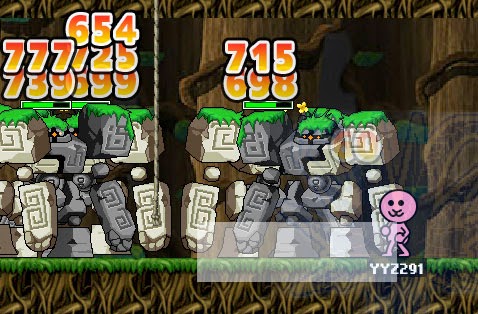
I used ‘hit boxes’ to determine the range of a skill, and these hit boxes can be controlled to appear only when the skill reaches a particular frame because skills like Crusher have a delay between when you first press the skill button and when the actual damage appears.
Hit box
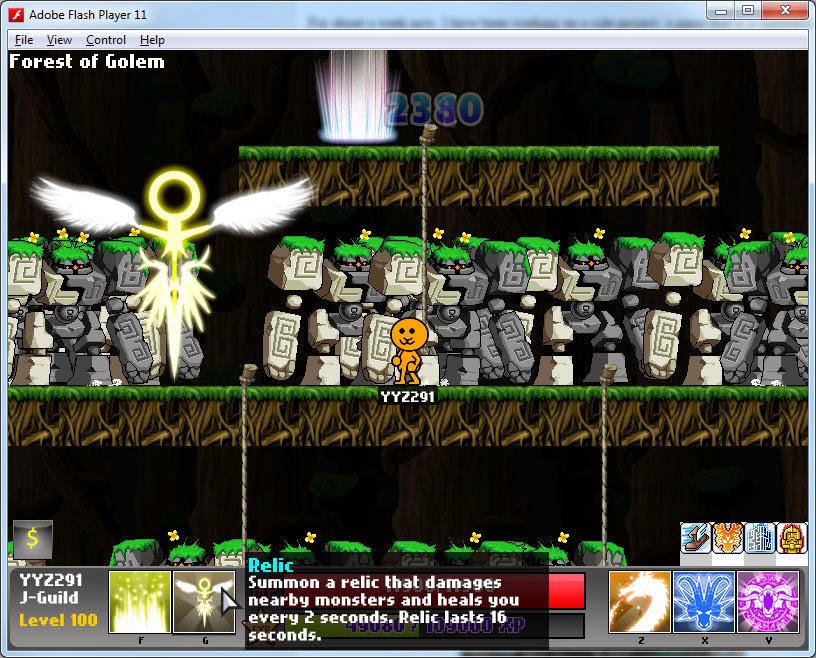
I even made my own skill, which doesn’t exist in the real game. It’s actually inspired by Dragon Nest where you summon a relic to the map which heals you and damages nearby monsters. I also added a tooltip that appears when your cursor hovers over skill and buff icons.
When I was confident with my codebase, I expanded the game and made more maps. The other map I made is “Deep Gorge II” that spawns Sotongs. Aquadungeon has always been my favourite training place – the music, the gobies, they all bring back old memories playing with my friends, spending hours just trying to gain one stupid level that can now be reached in far less time.
I wanted to feel how it was like to play my old Dragon Knight from 2006 again. MapleStory had been ruined by its new updates, and I can’t do anything about it.
But what I can do…. Is to make my own simulator. 

A game where I set the rules, and where I can relive my old memories. It took me 3 full days carrying on from a scrapped codebase I had from one of my abandoned games. I modified its Physics, controls and the toughest part was re-coding MapleStory’s skills from scratch and trying to resemble them as accurately as possible. I actually went to analyse videos at 0.25x speed to see the skills and to capture the way MapleStory works, e.g. the way the damage lines stack above the monsters. But finally… I had done it. The graphics were terrible and there were bugs here and there though – but what can you expect out of something done in 3 days? After that, I proceeded to clean the game up, added features and gameplay elements like Ropes to climb from platform to platform, and there it was.
OldStory was created. And I had a lot of fun making this.

It was coded with FlashDevelop and Flixel along with BannedStory for monster & skill sprites and tiles. I also used TexturePacker to consolidate all the individual sprites from BannedStory into a usable spritesheet. Not all the art assets are from the actual MapleStory.

The backgrounds are mine, using existing art assets which were inspired from MapleStory itself.
A background I had previously drawn

An original background scenery for a possible Ellinia-like map, but was never used. 
I also drew the damage numbers myself because I couldn’t find the original. It impressed my friend because he thought I ripped the numbers due to the fact that the ones I drew looked so alike it fooled him.

The damage skin graphic I drew and used in my game
I got ambitious and added a ton of other stuff to make it like a real game – an XP and levelling system, map unlocking, monster drops and even a final boss, along with buffs and skill delays and a shop to upgrade your equipment to improve your HP and damage using mesos. It’s not the most polished thing, but it was really fun trying to implement all that.
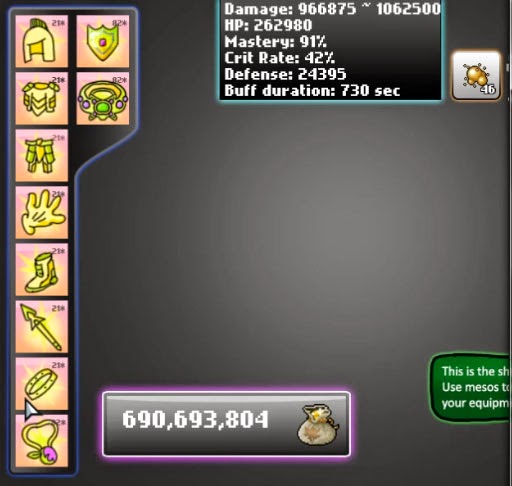
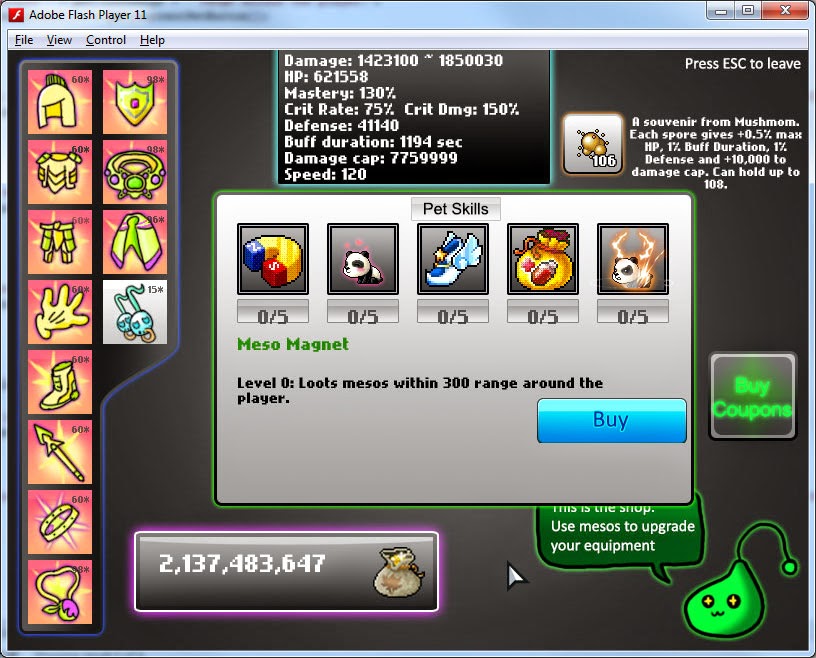
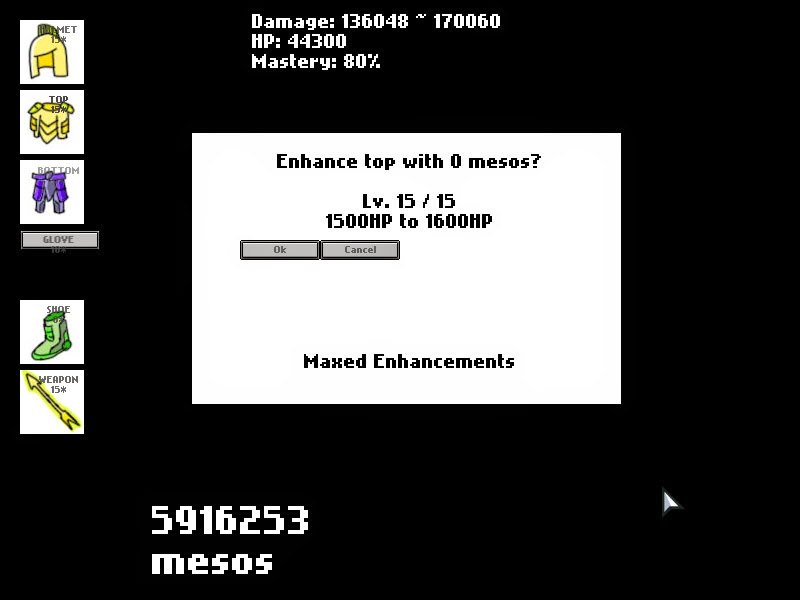
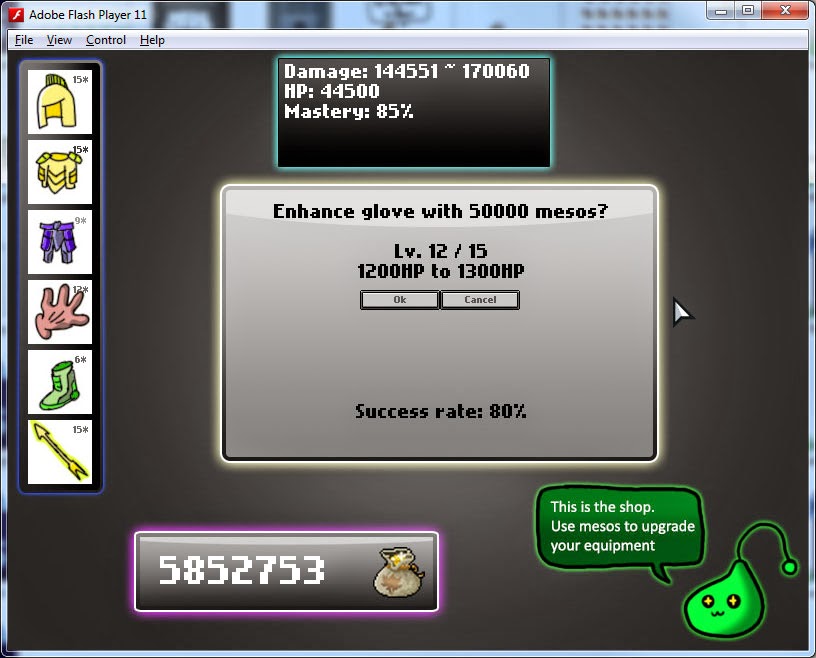
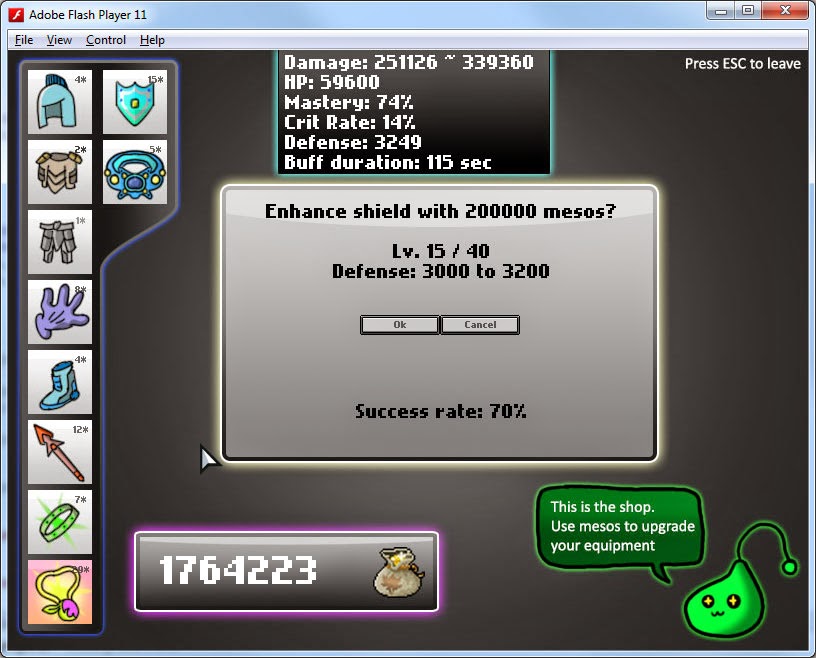
This is the shop I made. It’s a place where you can spend the money you looted to upgrade your equipment, raising your damage, your maximum health, as well as Mastery – a stat that increases your minimum damage.
The screenshot above is actually the shop in its early versions. It is not something I followed MapleStory in. I had no plans to draw proper graphics for a simulator, but when I started to get positive comments, I decided to put a bit more effort to make this game more presentable.
So tadda! Above is the look of the new shop. I actually spent some time drawing some simple UI boxes to just beautify the look of the game, including a slime I drew for the fun of it. I also did some rebalancing.
I shared it with my old MapleStory friend as well. He said that it was really fun, which made me really happy, considering that this game was only supposedly meant to relieve myself of my nostalgia.
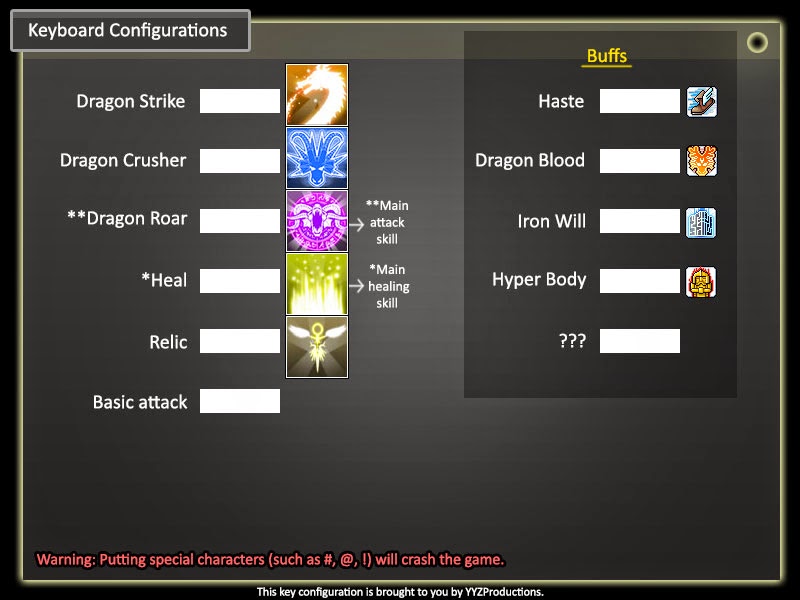
Though it was supposed to be just a small side project that honestly I spent too much time on, I did learn new things, such as custom keyboard configurations which I didn’t know how to code before, so maybe it was worth it spending so much time on it after all. It was also my first time using bitmap number  graphics instead of actual fonts (for the damage numbers).
It took me HALF A DAY (it was a weekend somemore) to figure out how to code this. This was an idea by my friend who gave me this suggestion.
Edit: Updated this with more stuff below…

More Changes from 11 to 15 Jan
I started updating the game with more stuff because of positive comments and decided to invest more time into making this an actual game than just something nostalgic for myself and friends.

Much like many people, I wanted more high-level content and end-game content. Previously, the game pretty much ends at Level 200, but there is no reward or any sort of Congratulatory message to tell you that you beat the game.

Now, I added a new map, new monsters, as well as Level 200+ skills and unlockables. Now, level 200 is just the beginning of the most exciting part of the game, and I find the Level 200~250 journey of the game incredibly fun.

To make the new map more interesting, I coded in a simple feature, which functions sort of like Quests, giving you a reward for killing 200 monsters.

You also can get a new skill as a drop from monsters in the new map:

Look at the number of buffs I have activated on the character.

I also added a tutorial, with classic MapleStory slimes to help those who don’t play MapleStory and to introduce properly the mechanics of the game, especially Flash Jump, a new skill I coded, and is also a skill that can easily go unnoticed.

The new Jr. Balrog monster 

This new skill, Rush, is a totally hackish skill in this game, which is what makes it really fun to play. In the  real game, it had quite a significant cooldown to prevent it from being spammable and the distance was too short to be fun. But in here, I made it really useful.
 Death sprite and falling tombstone, just like the real Maple


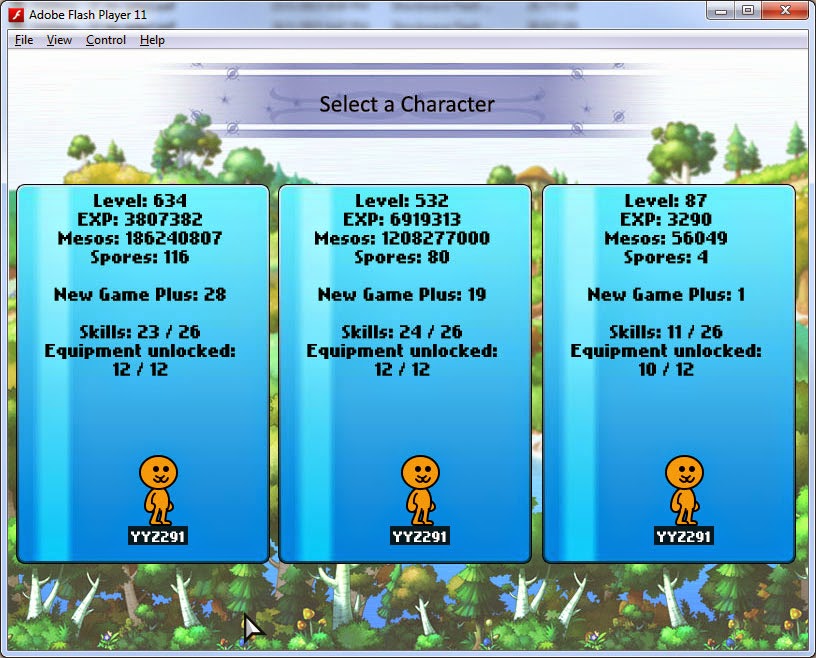
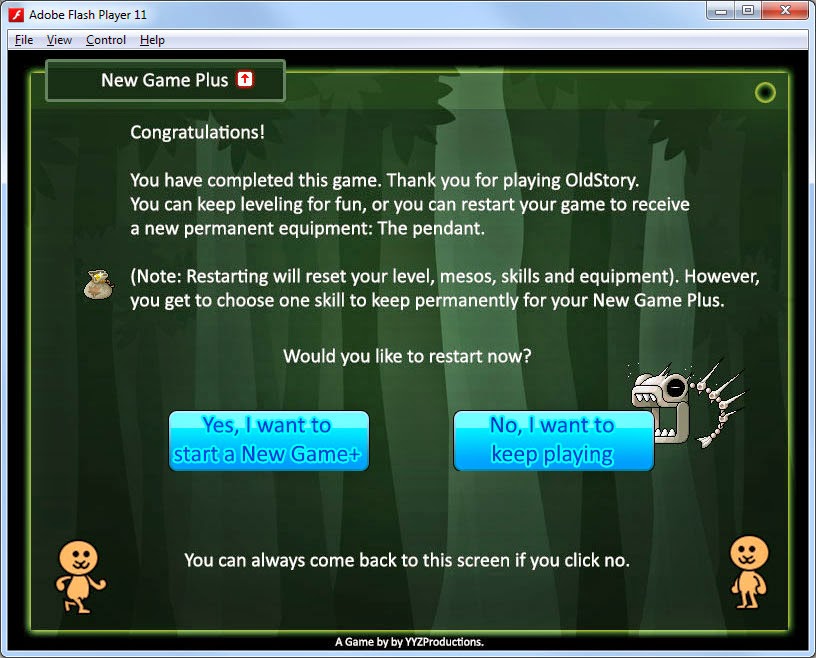
When you reach Level 250 in the game, you unlock New Game Plus, which resets your level back to 1 and resets all your money and equipment. However, you gain additional rewards like more skills.

You also get new equipment.

I added new equipment, the belt, shield, ring and pendant that each give different stats to the player. They can be enhanced. What’s interesting is that the maximum enhancement level increases with every New Game Plus, so this game can basically go on infinitely. You also gain passive bonuses, such as inheriting skills at Level 1 without needing to unlock them at their respective levels (eg Level 100 for berserk, level 200 for Beholder)

A new item drop was added, the Fire Gem.

It is a rare drop from monsters and when looted, gives you a permanent stat boost to your character until the next New Game Plus.

I also added skills that would add value to the game. Skills that are situation-specific are what make Dragon Knights interesting. Although I could add many skills into this game, I didn’t want to add obsolete skills which the player rarely use. So I tweaked some skills to fit the game.

The skill above is Sacrifice, and deals huge damage to a single target by sacrificing health.

I made Sacrifice a very powerful bossing skill, but it is costly and weak in training.
I made Dragon Roar a very good AoE skill for training, but has a long cast time.
I also added a bonus skill called Dragon Strike which deals high damage and has high range, but has long cooldown, as opposed to Dragon Crusher which has shorter range and lower damage but can be spammed. Both skills can be intermittently used for maximum damage output.

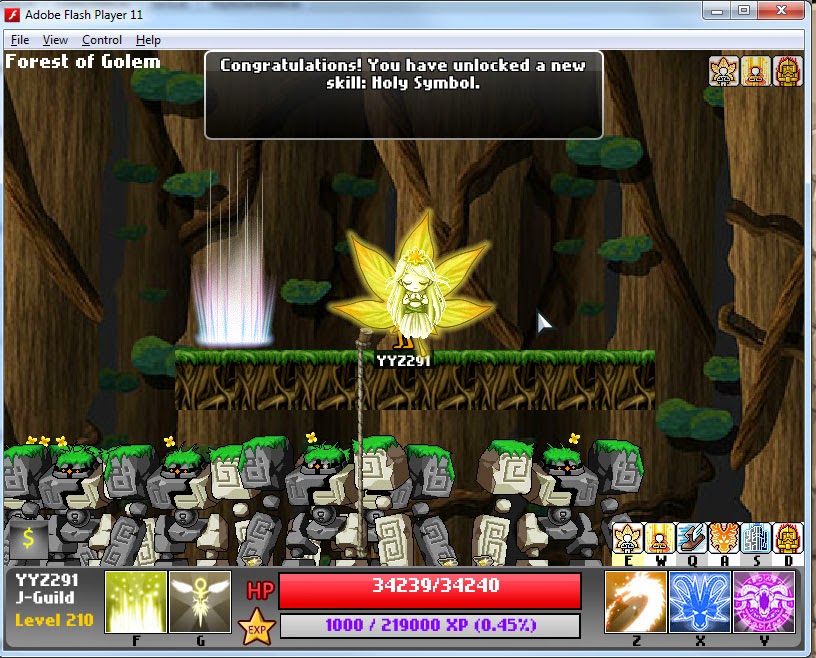
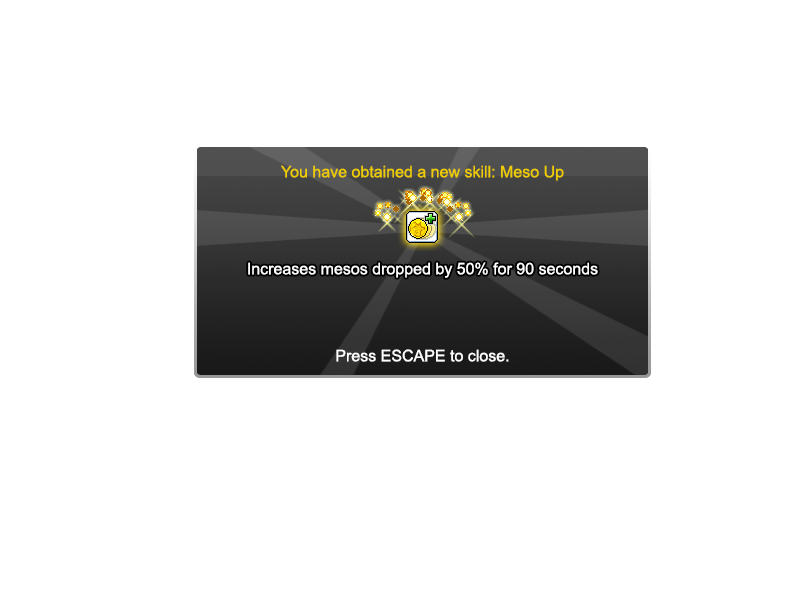
Additionally, I drew a popup which appears when you get a new skill. Previously, my friend wasn’t aware he got a new skill, even though I added a message saying so at the top of the screen. But I don’t want to rely on players having to read messages to be informed of important events.

Notes
Just some notes of some of the changes I made to the game over the past few days. I kept these so that I know the significant changes to the game versions I am sending to my friends. These changes were all made after the basic game has been completed, which basically means that the game was sort of ‘finished’ before I added these, which are additional stuff to make the game more fun and playable.

Changes 11 Jan Part 1:
1) Manon boss now drops a skill book when killed for the first time, giving u a new skill
2) Flash jump given at Level 1
3) You now get stance at Level 110
4) You get a new skill at Level 200
5) You unlock a new map at Level 210
6) You unlock a new skill in the new Level 210 map
7) You get a new skill at Level 220

Changes 11 Jan Part 2:

– Added tutorial: New ellinia map and slime monsters
– First time players will be asked to play tutorial. No longer brings up keyboard settings page
– Tutorial now introduces Flash Jump properly
– New boss and map: Balrog / Cursed Sanctuary replaces Manon
– Manon moved to Level 250 boss
– Final boss map now unlocked at Level 240
– New Game Plus option added (but not working)
– Meso graphics now change based on how much mesos are dropped
– Roar now displays damage with a 1 second delay like the real Maple
– Using roar now shakes the screen when the damage appears like the real Maple
– Bosses now have attack animations when aggro-ed and can cast magic attacks onto player. However, magic attacks have infinite range currently.
– Monster AI improved: They now move toward you when aggro-ed
– Mixed Golems now cast attack up buffs when provoked
– Fixed Bug where non-critical hits appeared red if the first line is red
– Fixed bug where goby houses could spawn on top of each other

12 Jan changes
– New feature: New Game Plus (NGP), unlocked at Level 250
– New weapon graphic in Shop
–  added tutorial transition from login
– UI changes to golden at level 250 (super cool)
– Added the HS as a 1% drop rate from mobs
– Monsters now move back smoothly when knockd back, no longer has jerky movement
– New equipment: Ring (dropped from Manon)
– New equipment: Pendant (obtained on NGP)
– Enhancement prices have been adjusted:
     – Weapon is now 2x more expensive to enhance

13 Jan changes:
– You now spawn at the correct portals when traversing through maps
– New Game Plus(NGP) now supports infinite New Game Pluses. Previously capped at 6 and had no rewards thereafter.
– Added new skill: Mesos UP (awarded upon 2nd time reaching lv 250)
– Added new equipment: Shield
– Updated info panel with new stat: Defense
– Finally added Music
– Added Menu button
– Monster knock-back distance has been lowered
– Enhancing has been sped up at lower levels
– Fixed display bug in Shop (for new equipment)
– Lowered KB value on slimes
– When knocked back, monsters now turn to face you
– OldStory completed.

Changes 14 Jan:
– Added new item drop: Fire Gem
– Added mute button
– Oblivion guardian HP has been increased (420,000 -> 450,000)
– Monster stats now start to increase from 7th NGP (new Game plus) onward
– You now get a permanent 20% HP bonus from 7th NGP onward
– When hit by magic attacks, the effect now shows on the player
– Shield is now required to be re-obtained every NGP, and it only adds to player’s stats only when the shield is in possession
– Added new equip: Belt (buff duration +3s / level)
– Added new stat: Buff duration
– Camera bounds is finally working properly
– Monsters hit by skills with delay (eg Roar) no longer freeze at their HIT frame but their STAND frame (like the real Maple)
– Monsters’ magic attacks previously had infinite range. But not anymore.
– Exitting to Menu now saves the map you were previously on
– Manon EXP and Meso reward has been increased by ~20%
– Damage displayed over Manon now does not exceed the height of the screen (for tall monsters)
– Player HP bonus per NGP decreased: 20% -> 10%
– Pendant and Shields have their enhancements capped at 28 + 2*NGP
– All equipment’s max enhancement level now increase with every NGP
– Added two new levels of equipment graphic sprites (+16 and +17 enhancement graphic)
– Added 200ms delay to rush to simulate real maple’s rush
– The delay for buffing on ropes has been reduced to 200ms
– Fixed various bugs and issues:
   – On NGP, SE and HS no longer drop when u have it
   – Fixed max enhancement display error in Shop
   – On NGP, some messages were changed / removed
   – On NGP, you can no longer re-obtain holy symbol if u have it
   – on NGP, messages telling you to unlock a new skill do not display if you own that skill
   – On NGP, bosses no longer drop skills that you own
   – Some messages now only appear once in a lifetime
   – First message now changes based on your NGP count
   – Fixed 0% success rate on 16+ enhancements
   – Fixed bug: Your health got reset to base max health if you switched states instead of your real max health (if HB is on)
   – Fixed a minor display bug with buffs that overlapped each other in the UI
   – The login page now saves your username
   – Entering different states in Lobby reset your map to mixed golem
   – null success rates and upgrade costs for equipment past 15 enhancements

15 Jan:
– Belt has been buffed (buff duration per level: 3s -> 5s)
– Added Dragon Blood char animation effect (super cool)
– Added new skill: Sacrifice (320% damage to one target)
– A popup now appears every time you gain a new skill
– Added a new equipment graphic at +18 enhancements


The shop screen as of 15 Jan, which looks more awesome than it was at first.

16 Jan:
– Added new skill: Demolition
– Added new Map: Someone else’s House
– Added new monster: Mushmom
– Added hit animations for Crusher, Roar, Demolition, Dragon Strike
– Manon’s damage has been doubled
– Spawn rate in Goby Dungeon greatly increased:
     – Spawn limit is now determined by num of enemies alive rather than total enemies in map

– Fixed bugs:
  – Dragon Blood effect did not wear off even after end of buff
  – Closing skill popups now cancels immovable status caused b skills
  – There was no return portal from Mushmom map if level is below 15

17 Jan:
– Added F1 shortcut key to shop
– Deactivated buffs now have their shortcut keys colored red and to make it more obvious, a ‘!” icon will appear over expired buffs
– Username now saves across newGamePlus
– added double confirm before deleting save
– When u reach the top of the rope, there used to be a bug where u jump. This bug is minimized, but not fixed completely.
– Added mushmom spores
– Shop mesos text size is now adjusted if u have too much mesos
– Added commas to shop meso text
– Updated the mushmom spore display in shop.
– Spores now carry over New Game Plus
– OCD: Centralized hidden portal in ‘Forest of Golems’ to map’s symmetry
– Rolling over shop button and New Game plus now displays tooltip for shortcut key
– Sacrifice popup only appears on the 1st and 2nd NGP
– Demo popup only appears when below 5 New Game Pluses
– Zombie Mushmom has been added
– Reduced font size of stat description in Shop (16 –> 13)
– Updated stance description “99.99% to prevent KB” instead of “90%”
– Level font size decreased if level is above 1000
– New Item drop: Poisonous Mushroom
– Added poison status effect
– Messages added for collecting 120, 150, 170, and 200 spores
– Added small bonus for getting 100, 150 and 200 spores
– Item drops do not fall through the floor anymore
– Zombie mushmom can now be damaged by Heal
– Fireworks fx appear over a successful item enhancement
– Getting Holy Symbol as an item drop now saves when u change map
– Added shortcut key to toggle music: M
– Added 2x EXP and Meso coupons
– Insufficient mesos buying coupons will cause meso text to flash red
– Fixed a bug where cancelling Beholder didn’t cause Beholder to disappear

– Fixed bug:
  – Level 200 text no longer repeats after every level
  – Ring enhancement cost was 0 past Level 16
  – Demolition no longer drops from Mushmom wheen you possess the skill
  – Slightly increased Manon’s mesos reward (40000 -> 50000)
  – Relic can no longer be summoned out of level bounds

18 Jan
– You now get popup if u loot shield, ring, belt and cape (only on first 3 games)
– Added new equipment Graphic at E21, E25, E30 and E40.
Additionally, sparkles will appear on E41+ equipment
– Weapon cost now increases by 50k per Enhancement after E15
– Armor cost now increases by 25k per Enhancement after E15
– Added new equip: Cape *unlocked after 2nd new game plus
– Added new equip: Earring *unlocked under secret requirement: when all equipment reach E20 (cannot be enhanced or obtained yet)
– Demolition now gives you invisibility and invulnerability
– Spores’ damage cap boost now only take effect from 1st NGP onward
– Added new skill: Booster (to be unlocked after 5th NGP)
– Added new skill: Shadow Partner (to be unlocked via secret)
– Cooldowns are unfortunately saved
– Added ability to jump to platform below  (DOWN + Jump key)
– Added hyper jump (shortcut: jump while pressing UP midaire)
– Increased gravity (800 -> 900)
– Increased jump power (400 -> 500)
– Increased flash jump power (400 -> 450)
– When in air, hold down to fall faster
– Added popups when choosing New game plus skills to carry over
– Updated New Game Plus screen with the advantages of NGP.
– Removed the “U gain meso UP at lvl 250” message at every NGP screen
– 1st, 2nd NGP will have rewards displayed on NGP screen.
– Miss rate has been doubled (1% per level below mob lv -> 2%)
– Goby level increased to be in line with Bone fish (55 –> 60)
– Manon level increased (200 -> 210)
– Buff exclamation mark does not appear if skill is still on Cooldown
– Buff durations no longer reset when entering Shop or entering portals only for Booster & Shadow partner 🙂

– Fixed bugs:
  -Fixed major exploit where you could spam skills
  – Your hp could become 0 if ur HP was at the exact Hp requirement of roar
  – You could previously use the shortcut key F2 to start a new game plus even at Level 1

19 ~ 20Jan
– Belt and Shield popup now indicates they need to be recollected every NGP
– NGP level requirement increases by 20 from 10th NGP onward.
– Increased earrings to max 15 enhancements
– Keyboard settings now only allows alphabets, and supports the same special characters that maple supports
– You can now customize all the new skills (except Sac and Demo)
– Added new map: Shadow’s Lair
– Added new boss fight at NGP10 (is it too early?)
   – New boss drops special equipment and skill
– Added Stats Window
– Updated tutorial with the new abilities
– Added new map: Pianus’ Cave (unlocked at NGP20)
– Added new boss: Pianus
– Added new skill: Maple Warrior
– Game now saves your mute preferences, and your current map
– Added messages for first time purchasing 2x EXP/ mesos
– Added buff overlays (timer) for certain important buffs
– Added shortcut key to enhance eqp: ENTER
– ATk bonus per NGP decreased (25 -> 20)
– Shoes now give up to 75 move speed (but player base speed decreased by 20)
– You can no longer push stationary monsters (pianus, goby houses) sadly, it was fun watching pianus get pushed across the map
Bug fixes:
– Booster and SP durations were 4x longer than expected
– Black overlay inaccurately conveyed buffs’ time before expiring
– Added messages for first time buying 2x meso/exp. Buff descriptions are now more informative and reflect durations accurately.

Balancing:
– EXP tnl formula revised for Level 251+ onward
   – It is now much harder to level up from 250 onward. This is because new update made it too easy to reach Lv 4k, and level accounted for 90% of player’s damage (my normal att was hitting max dmg) *see screenshot*
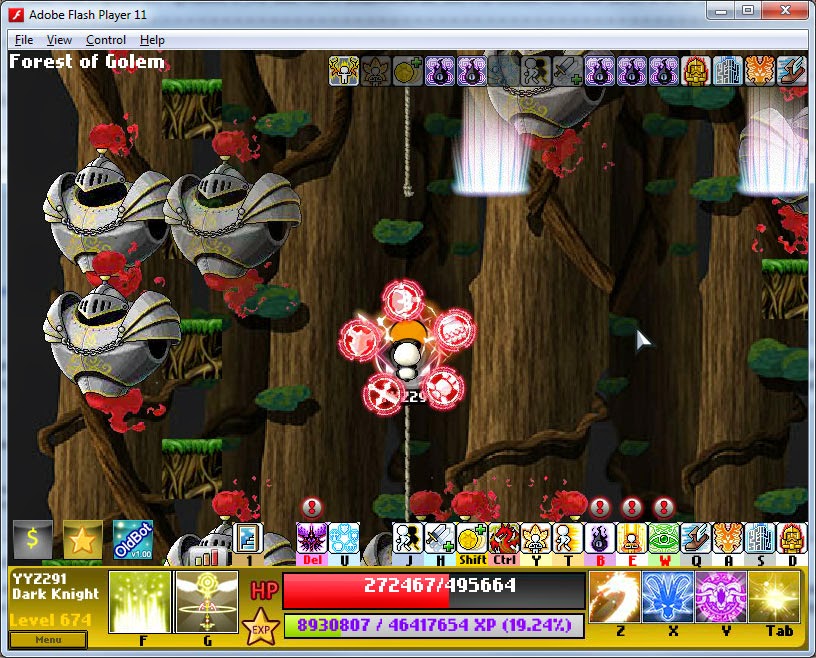
– Excess crit rate over 100% now adds to Crit Dmg
– New stat: Crit Dmg
– Ring now gives 1% crit rate per level after E15
– Damage formula revision scrapped
  – Each level was going to give 2% ATT instead of 4% (but made early game too difficult)
– New Game Plus no longer gives 10% HP bonus each (pianus needs to do 400k dmg to be of a challenge and that is too high)

21 Jan
– Pianus now summons Bloody Booms
– Fixed bug: Goby houses did not return to stand frame when KB-ed
– Added Pet button in shop as well as ability to purchase pet skills, but skills do not work currently

– Fixed bug:
– Fixed a bug where unlocking the last pet skill required the state to reset to update

22 Jan
– Added Pet:
– Added 5 Pet skills: Can walk, loot, buff and heal you
– Pianus boss fight made more challenging: Pianus’ summon booms can heal him, and heal amount increases with bloody boom count. However, at high NGP it is still too easy to beat him

– Fixed bugs:
  -2x meso and exp counted down wrongly
  – IdleBot is officially working

Personal
(Warning: The following is more personal and less to do with my work.)

Unfortunately, even after doing all this, I am unable to relieve the original experience of what it felt like to be playing with some of my old friends, training and bossing together and having so much fun with them. It was at a time when we were all young and innocently playing together. Those times of a simple childhood are long gone…
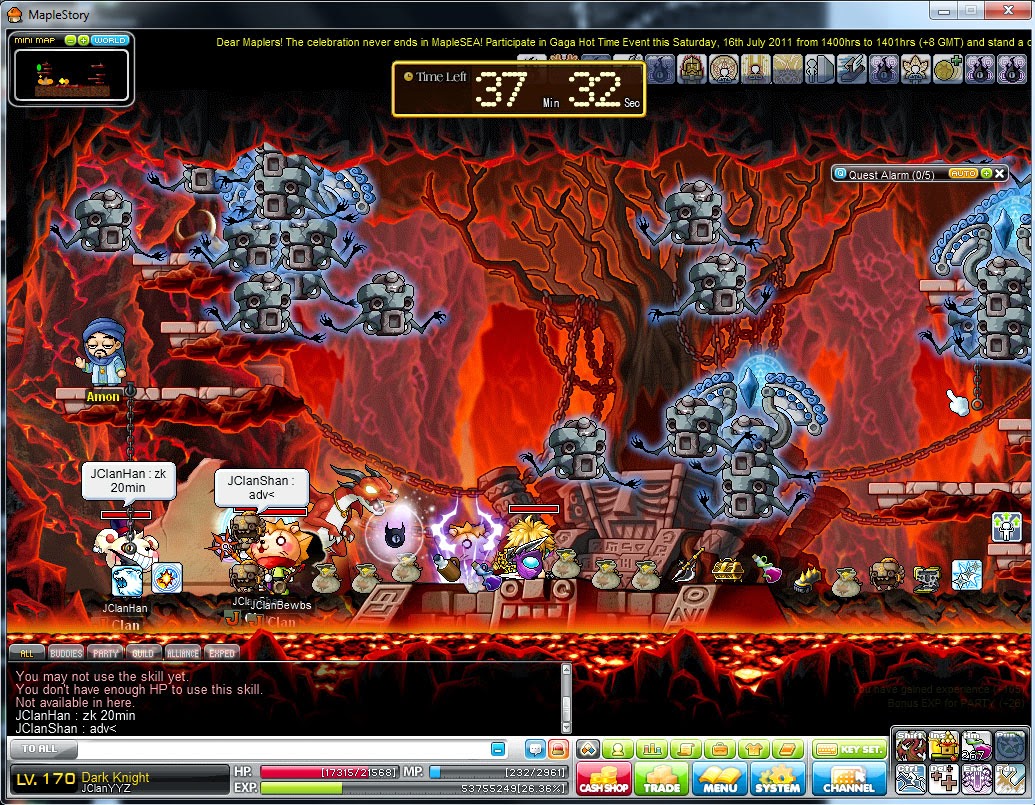
The screenshot above was taken in 2011 (read the message banner at the top).
MapleStory was more than just a game to me, it was a place I formed some of the strongest friendships I have and created unforgettable memories. And just looking back at some of the screenshots I have, it’s just nostalgic.
It’s like going back to your old school, and thinking of the times you spent with your old classmates and friends.

This nostalgia is indescribable. It makes you want to go back, back to when monsters took 6 or 7 hits to kill, back to when doing 5000 damage made you a pro, back to when Level 100 actually meant something, back to when you’d loot everything on the floor, back to when partying with your friends and having fun formed the main purpose of the game.

I remember wanting MapleStory to be a single-playing game because I didn’t like the multiplayer aspect, but I have come to realize that it’s not just the game that made it memorable, but the friends I made in the game.

But well, it’s all just memories now.
The End.
For reading till the end, here’s a bonus…
This is a Cherry Boss I drew in the past. It was an unused asset. I didn’t use it in the game because I had no interest in making anymore maps.

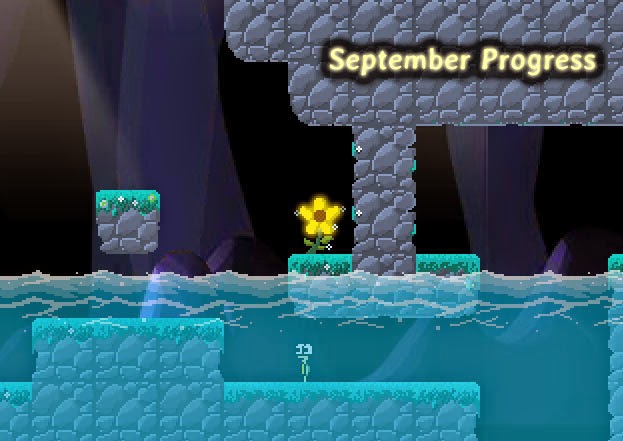
September Progress

27 Sept 2014 – September Progress

The month of September has been even more productive!

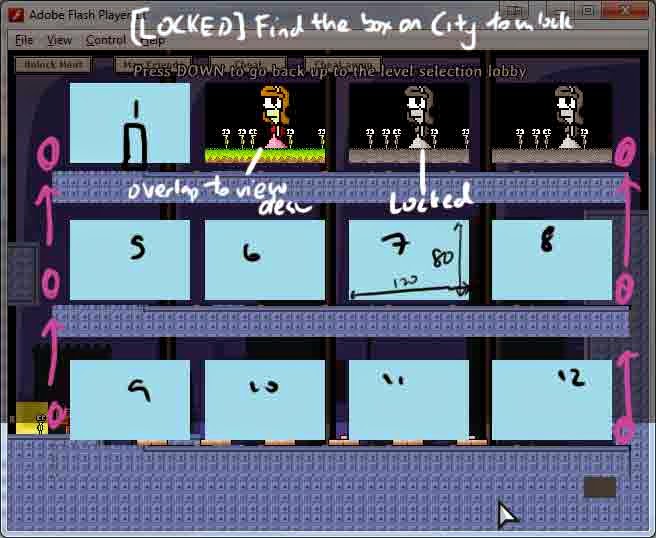
Level select difficulty sprites

Now, these sprites appear when you move the mouse over a star in the level selection screen to tell you what the star means (which difficulty you  completed a level on), the three difficulties being “Peaceful”, “Puzzle” and “Perilous” (previously known as “Panic Mode”).

Finale Cliff Edge
I am not going to reveal too much about this level, but this is basically a very special level that leads up to a cutscene that plays as you reach the end.

Above is a draft using template platforms to form the level. It seems to look pretty decent and I actually considered using those black tiles since they actually reveal more of the background which achieves the effect I want, but I wonder if custom platforms would be able to achieve it too.

I drew the custom platforms for the level and this is what I have:

Notice that the platforms aren’t very grid-like as compared to my normal levels. I used a class I coded months ago called Slope.as. It creates slopes for the game in a rather hack-ish way in that the game engine doesn’t support sloped tilemaps, so I had to devise my own way to implement slopes in the game. By creating platforms that act as a ground for the player, following the formula y = mx + c, I was able to create various types of slopes (steep slopes, smooth slopes) by inputting the start and end coordinates of the slope, and let the Slope class do the rest of the calculations.

As you can also see, this map is really, really huge and it has to be quite wide because of the player’s increased size in this map to give sufficient walking distance.

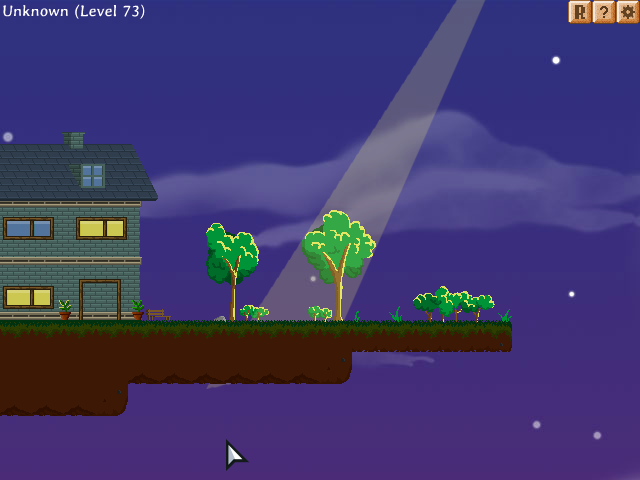
House

For the first time, I drew the exterior of the player’s house. It looks better than the girl’s house in my opinion.

The beam of light in the screenshot appears only after a certain condition is met and when you stand in the light, it takes you to a comic.


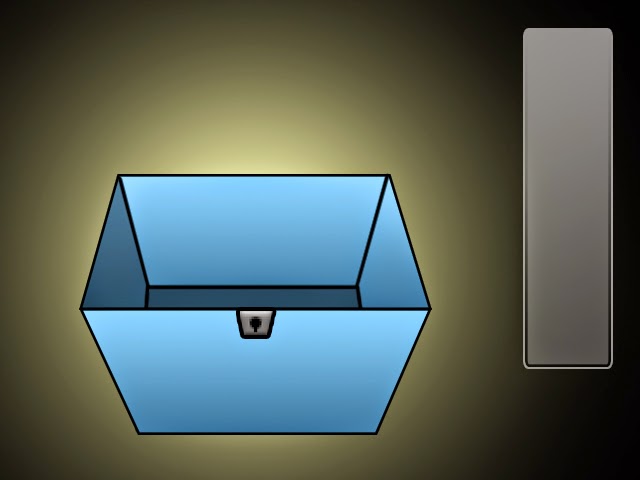
4Items


The 4 items is a comic revolving around… yes you guessed it – four items. This took pretty long to finish, to plant the 4 secret items into the game and all, Each of the items has a comic associated to it by the way, and finally after all that hassle, it’s finally done.

Milestones Screen

A new room I created which stands next to the achievement room. Here, you can track your major milestones achieved in the game.

Flash back Scenes
I remember playing a game called L.I.F.E a long time ago and what struck me was that at the end of the game, when you die, the game plays these little pictures of you, dating from when you were first “born”, until you became the character you are today. I felt that was really magnificent.

(Spoiler alert: Some of the scenes below may give a hint of what to expect in the game. 
View at own discretion)
THIS_IS_A_SPOILER.jpg


Months after that and fast forwarding to now, I was inspired to do some of these flash back scenes which I have already thought of the perfect place to put them in.

However, I want to add my own flair into things. I happened to watch a few movies that have a similar feel to Introvert and they inspire me a lot, giving me a fresh perspective of things. I watched Eternal Sunshine of the Spotless Mind and it gave me this idea about the players’ memories fading away as he chooses to forget them, and I am going to give that feel for the special Long Corridor level. That level has been a somewhat abandoned area in the game which I hadn’t updated for a long… long time… It is the first(!) level in the game I made which ignores the normal level boundaries and I remember it was one of the most challenging and special levels back then.

I feel I am quite ambitious with the effects I want to achieve with the Long Corridor, haha. It took me hours to revamp the Long Corridor level even with my increased skills compared to when I last programmed this level.

First time Deaths
I was told upon death, the resetting of the level is too robotic. There were thoughts of a fantasy theme reset and I did spend quite some time thinking about it. I didn’t come up with a very solid idea in the end but I did what I could.

Earlier, Li Hao did tell me he wanted to see some sort of cutscene or something that makes the level reset less robotic. I thought a cutscene would be good, but anything longer than 1 second would potentially be more of annoyance to the player if you find yourself repeatedly dying.

A fancy way of saying “I died”.

There are four ways to die and on the first time you die from each of those methods, it brings you to a simple scene… just some words, no pictures. Thereafter, there is a pictorial “cutscene” that appears for about 0.5 seconds, and I made it so that it doesn’t restrict movement. This means the reset is essentially instantaneous. I really loved the idea of an instant reset and I’m glad I was able to preserve it. I remember looking at some other games which did some transition animations when you died and some of those games which didn’t do it well ended up annoying the player, which is bad.

Screenshot taken just a split second upon touching the spikes

I set in place a story and also added special effects when you die for the first time. Now, the level would gray out and some clocks would appear to signify your travel back in time. Second time onward though, the grayscale doesn’t occur, but the clocks still appear.

Hidden Memory

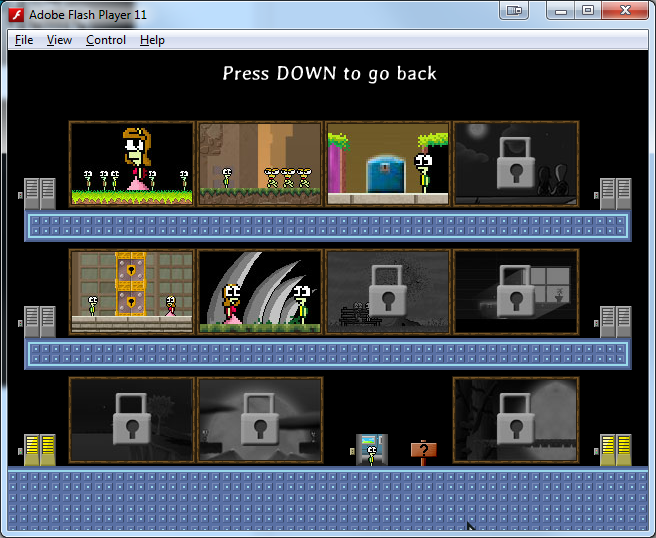
Hidden Memory is a batch of special levels that I once called “Deleted Levels”. Throughout the development of this game, I scrapped many level designs. I kept them in the game but made them inaccessible. I thought of hiding them away in a really secret and deeply buried area where only hackers or cheaters can find. But today I finally got the time to actually look at how to do them better.

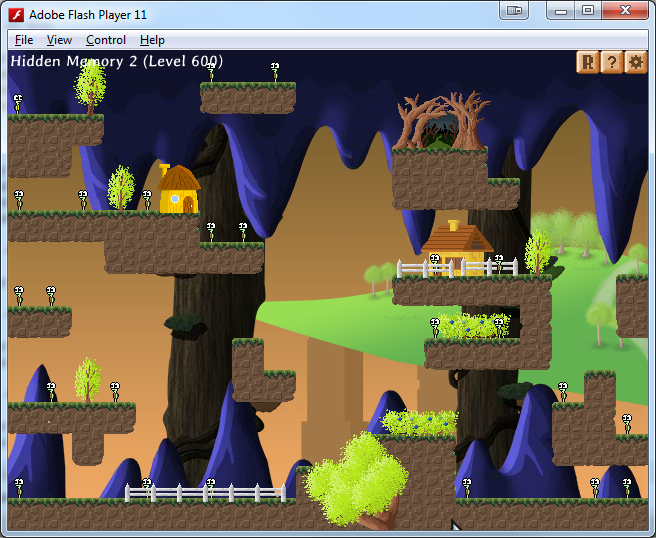
Hidden Memory 7

I recently compiled a list of those deleted levels and added them in a secret compartment of the Level Selection screen, allowing players to access them as “Deleted levels”, but I think calling them “Deleted levels” now is underwhelming, so I revisited some of them and actually gave them a whole new look, and even coded added functionality to two of those levels to make them even more interesting than some of the normal levels.

Hidden Memory 9

They are now revamped into Hidden Memories which actually link slightly to the main story and are a lot more meaningful now. I also gave them a theme to achieve this feel that these levels are really messed up badly because your character doesn’t have a good memory of what happened in those levels. Some of the tiles don’t match their backgrounds and even the environment props are meshed from another memory.

 In case you were wondering what I meant by “messed up badly”.

Just kidding of course, This background is utterly hideous. I would never add something so hideous to the game.

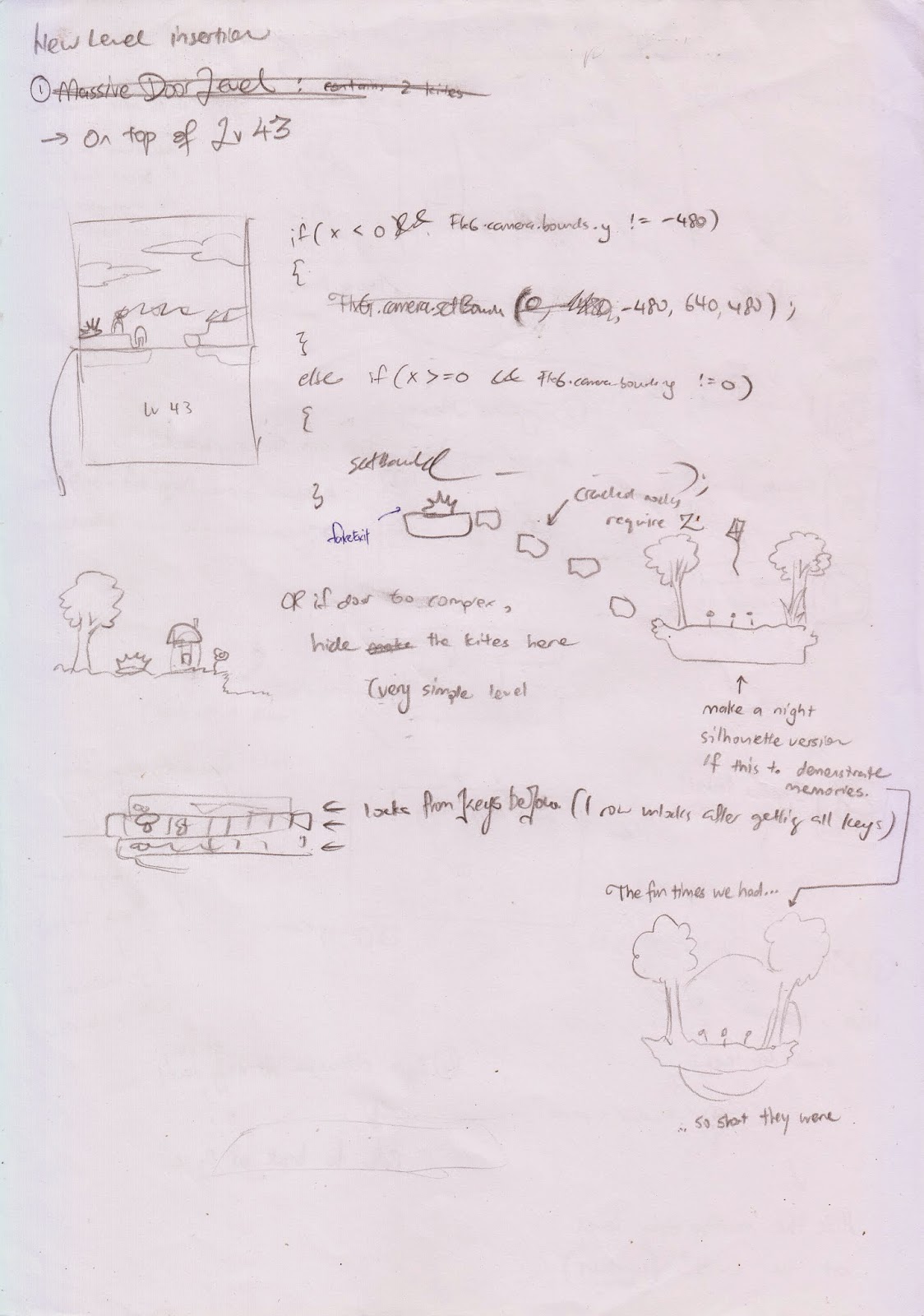
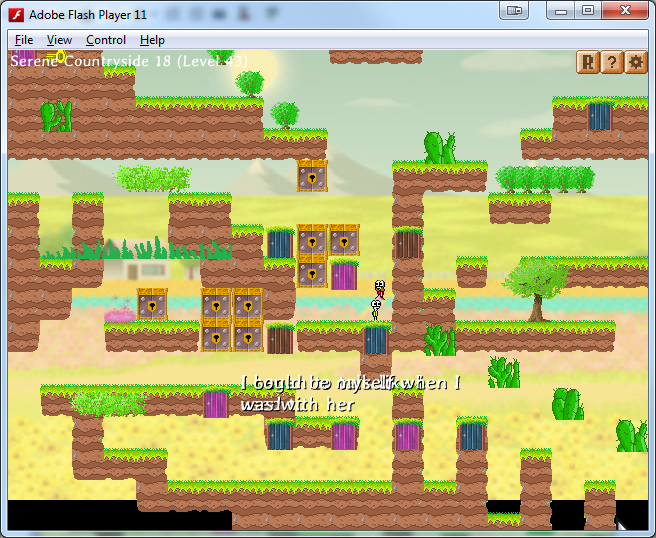
Epic Door Level
The new door level I added is extremely challenging. I had to actually tone it down a lot after I myself took several attempts to get the timing to jump correctly, and I’m a veteran player who’s been playing my own game for months that I can play some of my levels with my eyes closed.

You probably can’t even spot the player

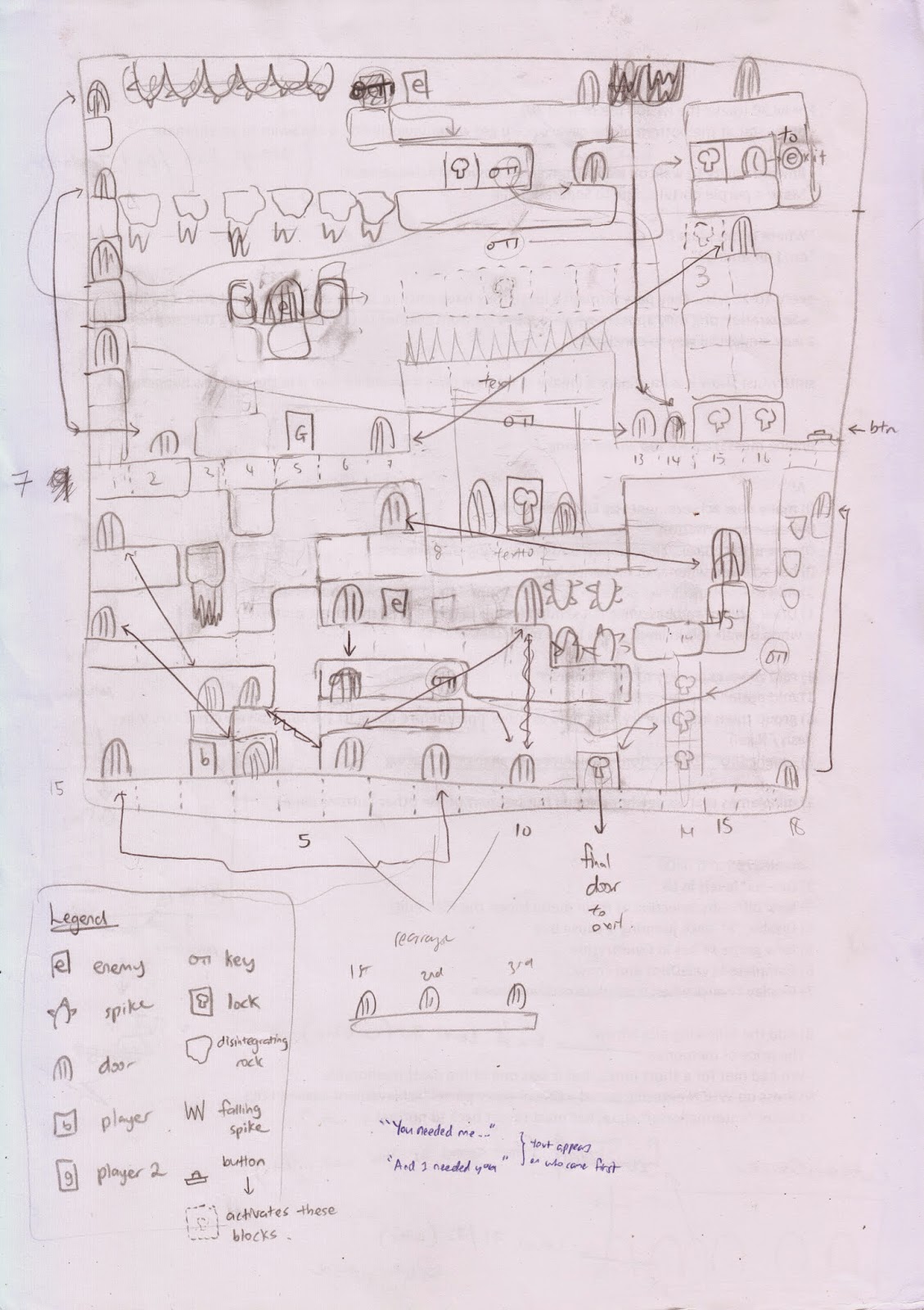
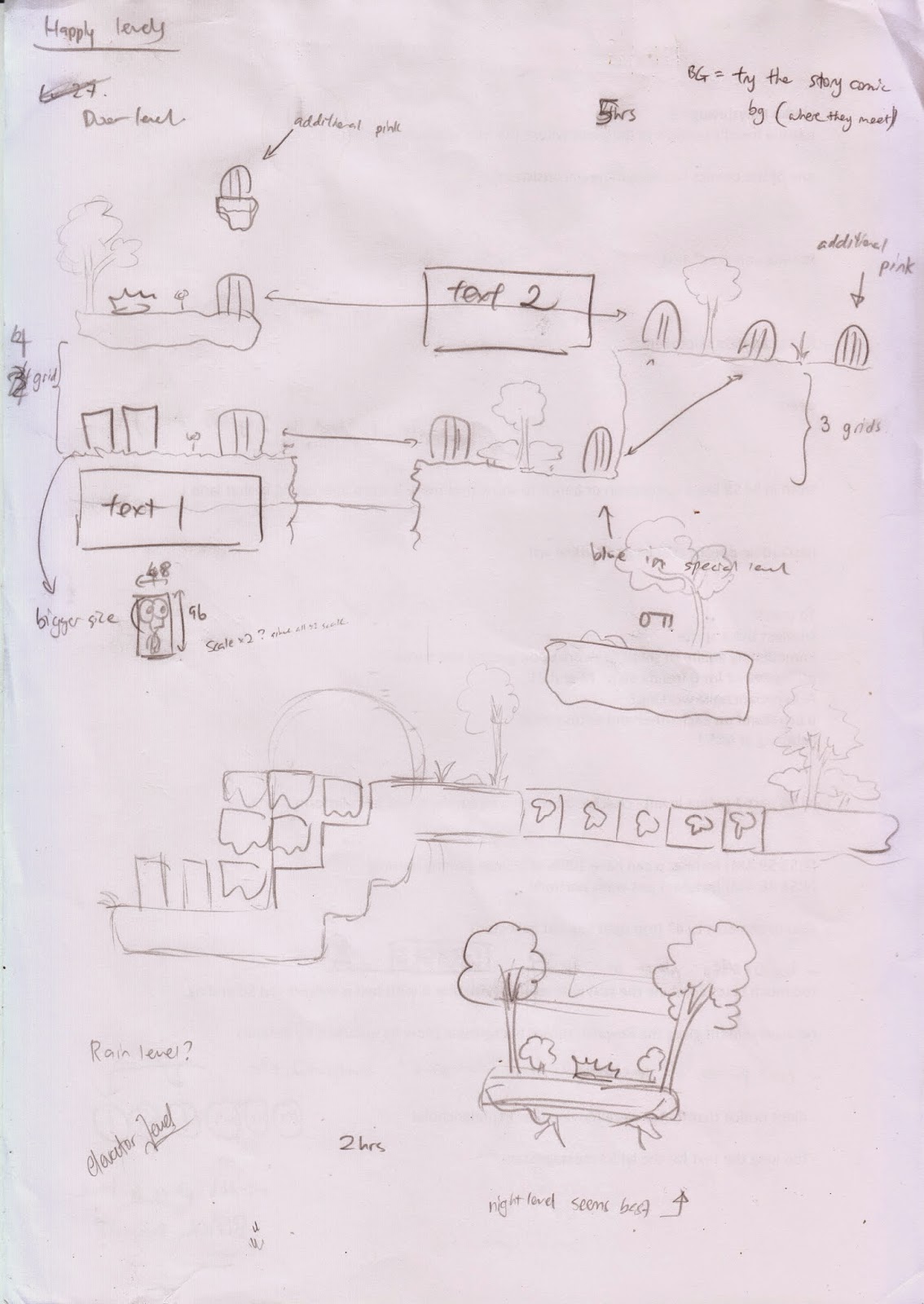
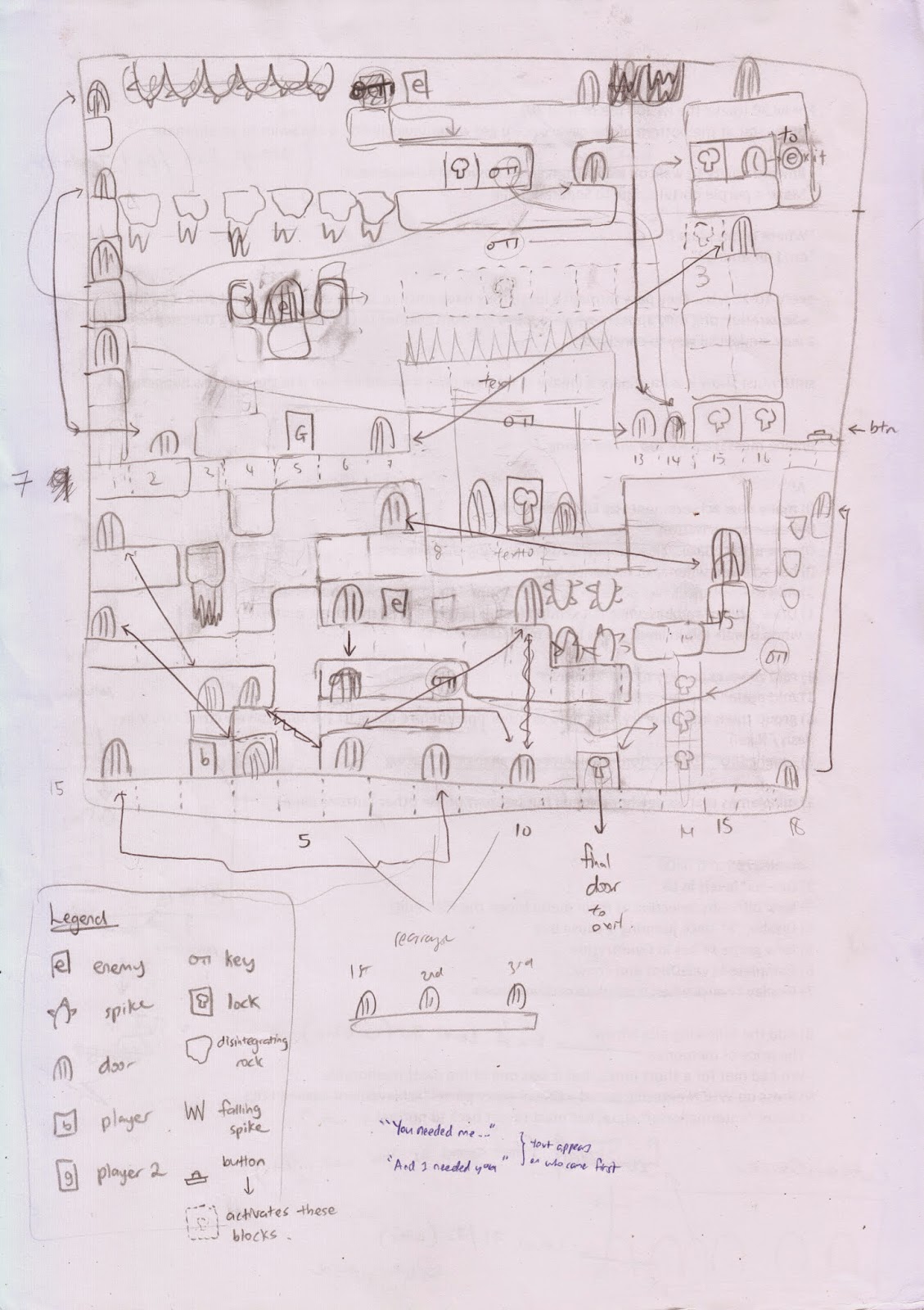
The screenshot above doesn’t show the full level. See if you can spot the similarities between the sketch and the actual level.

New Achievement Logos

With the addition of new achievements in the game, I had to draw new logos. It was really fun to do these new logos. They sure are better than some of my older ones in terms of visuals. If I have time, I should consider redrawing all my old logos since those were drawn 1 year ago. I really enjoyed drawing these logos, but they took me way longer than I expected.

Storyboard

I have drawn many comics for this game. Although the animations and effects outdo my normal comics, I feel like I took a step back in terms of story. My comics in-game don’t display many frames on the screen either, partially due to the small screen size which restricts me from truly drawing proper comics.

I have not been drawing new comics for the game, but I had to do something about the story. The story isn’t as impactful as I want it to be, and just as my ideas got stale, I took a look at a game called “To The Moon”, a very emotional game.

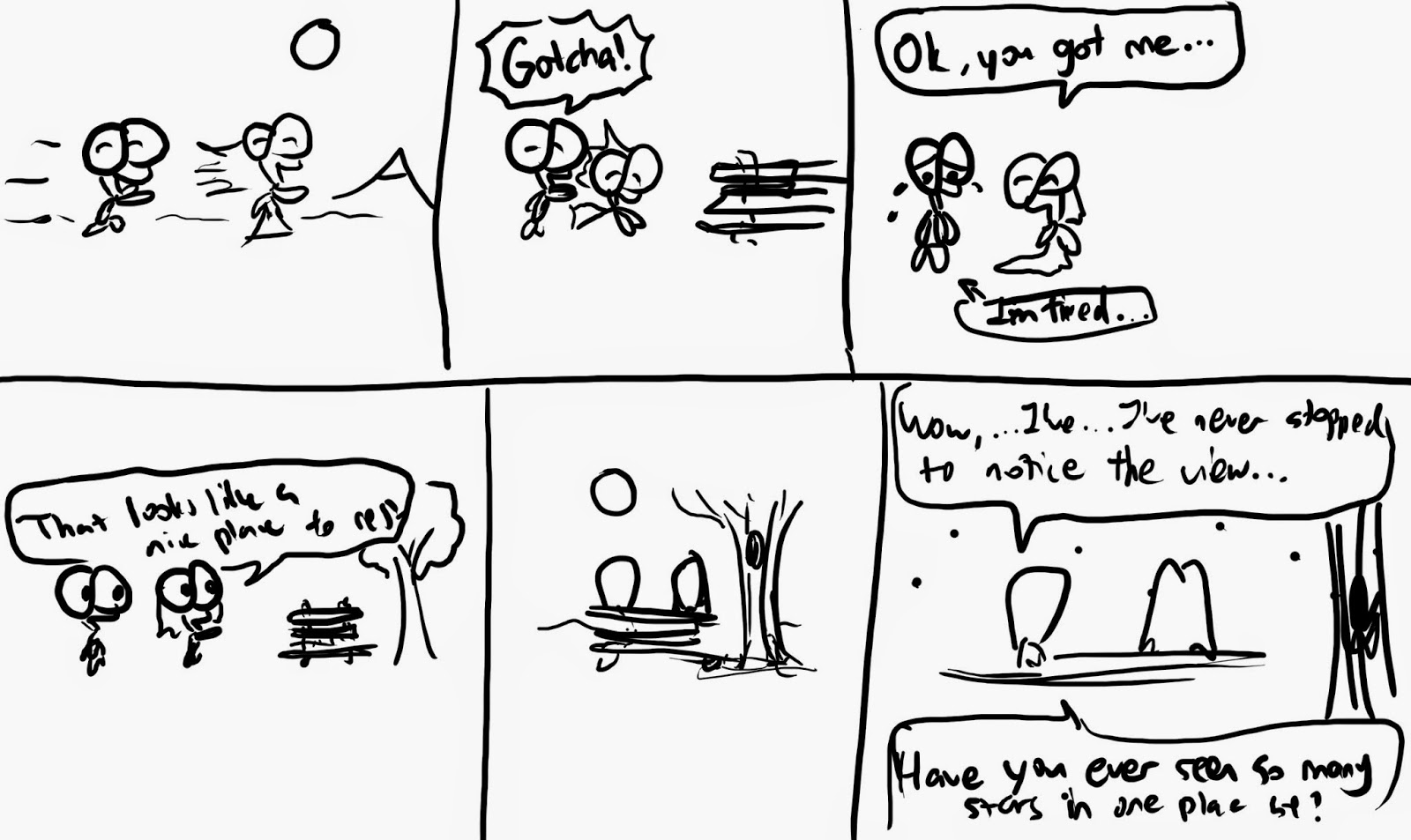
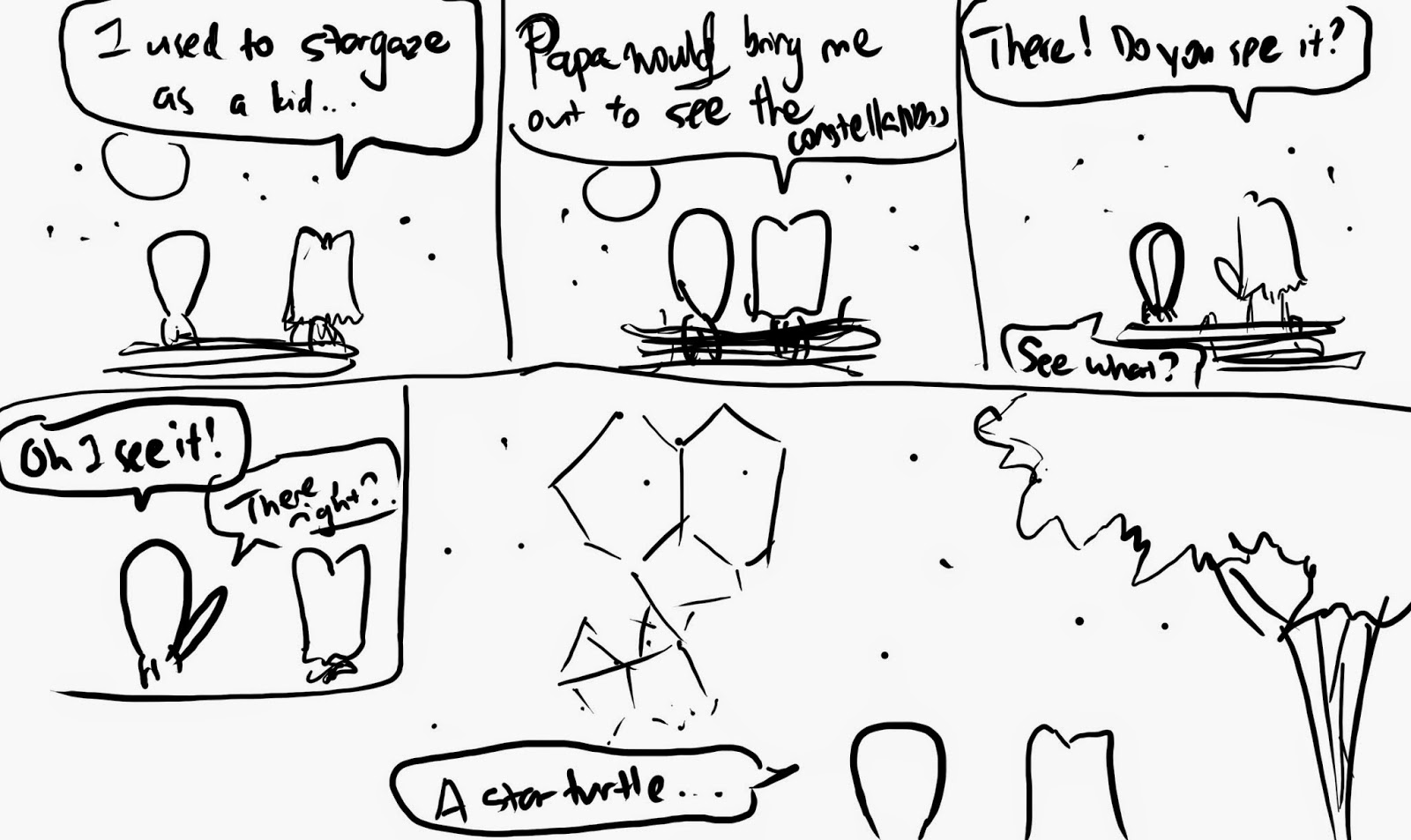
It didn’t give me much inspiration, but soon after, I drew a storyboard. David, my music guy, had this idea of Story Levels. He didn’t go into detail, but I wondered if I could make some scenes and levels where it ultra zooms in on the character and their expressions. These levels (or scenes) would have no puzzle or danger elements and would focus on the characters and their development.

I also have a problem where the game has so many levels, the story begins to be clouded. It was no longer the 5 or 10-minute game I originally wanted it to be, and the game’s story becomes a blur when the game length is extended, a problem I had not foreseen when I introduced more levels.

The idea of introducing these “story levels” as a benchmark every 10~15 levels then hit me. But I have not come to accept it as an official game design element I want to see in the game yet. I have more planning to do.

I think I need to open the game to more testers to gather some feedback before I make any more drastic changes and decisions.

New Water

Water samples

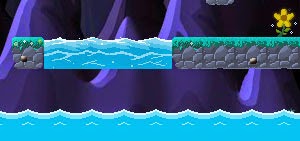
So I was working on water sprites and I remember seeing platforms with Water before, but when I went to google for them, I suddenly could not find any screenshots of a side-scrolling platformer with water…

Anyhow, I managed to draw a few water samples and I think I drew one that looks rather decent and not looking too cartoony or fake. But when I went to make it flow in the game, it gave me lots of glitches and multiple water sprites with a fixed velocity doesn’t seem to work well – they tend to overlap somehow (due to floating points?). In the end I had to animate the water movement manually.

Water Physics(?) / Environment!

Now I am really excited about this one, but the best part is that… I CODED THIS IN ONE NIGHT! Given that I’m kinda weak at programming, this is a personal achievement for me! I was really discouraged by how I couldn’t handle water movement earlier, but what I have just achieved really brings this game up a notch! Although… I did stay up to 2.30am just to finish it on a Monday morning. Darn it.

I can’t reveal much, but I drew drowning animations for the turtles (20px boy, 48px boy and 20px girl)  and let me say… this animation is just one of the most terrific animations I have thought of. I can’t put it in a way without spoiling it, but I can’t wait for people to play the game to see it!

Lamp post level revamp
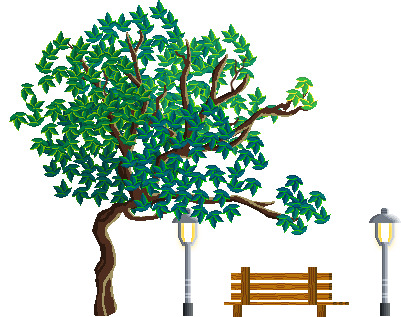
Another WIP is a new rework of a unique level in the game. It doesn’t have a proper name but I often refer to it as the “lamppost” level.

New Intro Scene

One thing the game lacked from the start was a proper intro scene. Pressing “Play” from the Main Menu immediately throws you into a level. I added a few text to reveal part of the story before the level begins, but it wasn’t very well presented.

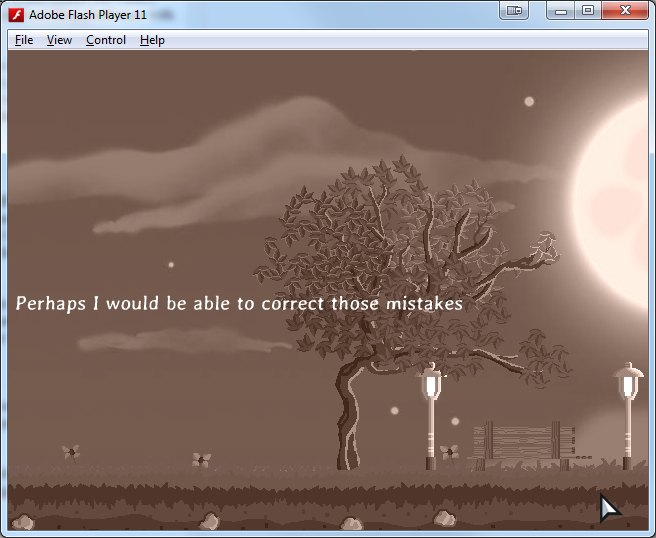
So I made a special cutscene along with the text I wrote in the past, combining them to make the Intro scene for Introvert. I also used a new type of ColorMatrix to achieve a kind of color effect for this cutscene that sets it apart from other cutscenes.

Lots and lots of polishing, refining, touch ups
Re-visiting my old levels has given me some ideas of how to make them better, in almost any possible way. Text changes, addition and removal of text, decoration sprites especially for older graphics, etc…

Also, I’m beginning to slow down the production of new content since I now want to focus on wrapping up and completing the major features in the game.

As September draws to a close, I am one month closer to my deadline. Let’s hope for the best!

A Playtester!
Over the weekend of the last week of September, I got a new playtester! I was really excited!!

Mr. Playtester

I’m grateful to one of my army friends, Ming Sheng, who was willing to playtest my game! On the first night, he played through about 1/3 of the story levels and he had given me lots of insight into the way a new player reacts to some of the elements and levels in the game.

I don’t think you’ll understand my notes, but some of the things I noted were:
– Ok button at Main Menu isnt intuitive enough
– make it not need to restart if u missed the fren at corner of lvl 5
– Player can stuck at btm left of lvl 6
– Friend not playing walk animation
– Add to isntructions: H to change Hat, 

– Once u die in bonusstate, no clocks appear

There were issues which I could fix on the spot, so I got to work immediately. I realize I need lots of playtesters before I can even call this game “playable”.

I reworked some of the difficult levels to make them slightly easier.

As someone who has played this game lots of times before, I cannot sense the difficulty or have another fresh perspective on how to play a level, so Ming Sheng really gave me lots of insight today… and I’m really curious to how he will go through the remaining levels, especially the more exciting levels toward the end.

There’s a lot of work to be done every time someone tries my game, but this means the game is getting a whole lot better every time that happens!

New Stuff 2

28 August 2014

This post will cover all the progress I have made on ITV for the month of August.

On 17 August, me and my friend went through the last 10 bonus story levels, and I was very happy that my friend found the last 10 story levels good. They were great that it actually kept him playing till late at night, which really made me  happy that they did not have many design issues. In fact, most of the issues that he faced were bugs in the code, which could be easily resolved, unlike some of the design issues in older levels.

So I actually went to touch up and make the final levels even more polished, one of which was introducing checkpoints at annoying levels.

Checkpoint!

The month of August was very productive. Some of the things I worked on are:

Memory Lane Cutscene Improved

BG_MemoryLane

Here you can see one of the pictures I took and how it inspired me to actually draw a cutscene for the game. The one on the top right was drawn 1 year ago! And with my new tools and skills I acquired drawing over the past year, I made a new cutscene (bottom left), while at the same time expanding the cutscene horizontally for increased parallax scrolling distance.

A lot of work went into this cutscene. It started out as a job to make a direct scene. But real life scenes aren’t always very inspirational, even though I had something else visualized in my mind, I couldn’t quite get it out so I had to keep testing afterward.

Also, I think I discovered a new cloud rendering technique that I am quite comfortable with, which are the more realistic kind. I think this will be useful for future backgrounds.

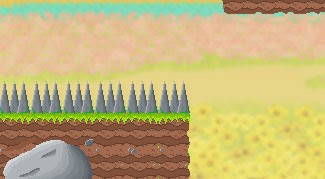
New Spikes for Countryside levels
I previously used metal spikes, which didn’t fit very well with the theme of the levels and the environment so I attempted to draw some cactus. They will still be undergoing changes before final implementation. The cactus don’t look spike enough and they don’t stand out enough from nearby vegetation and bushes.

Level editor spikes have also been updated to reflect these changes.

Old metal spikes
New cactus spike test
Comic unlocking

I have implemented comic unlocking. Now a popup appears when you unlock a comic in the game, and all comics can only be unlocked after meeting a certain criteria which is tracked as you play.

There are also ‘secret’ comics that are unlocked through special criteria instead of the normal “reach this level to unlock X comic”.

Difficulty Selection Redone

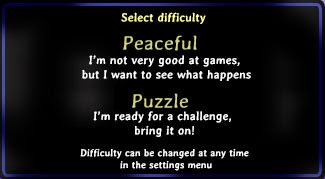
Old Popup

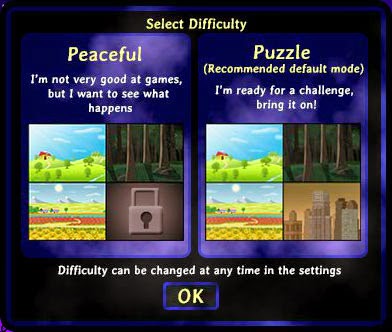
The old difficulty Popup was pretty decent and satisfactory. However, there was no warning that indicated that playing the game on Peaceful would lock certain levels out, so I added a hint of that to the screen where you select difficulty for the first time.

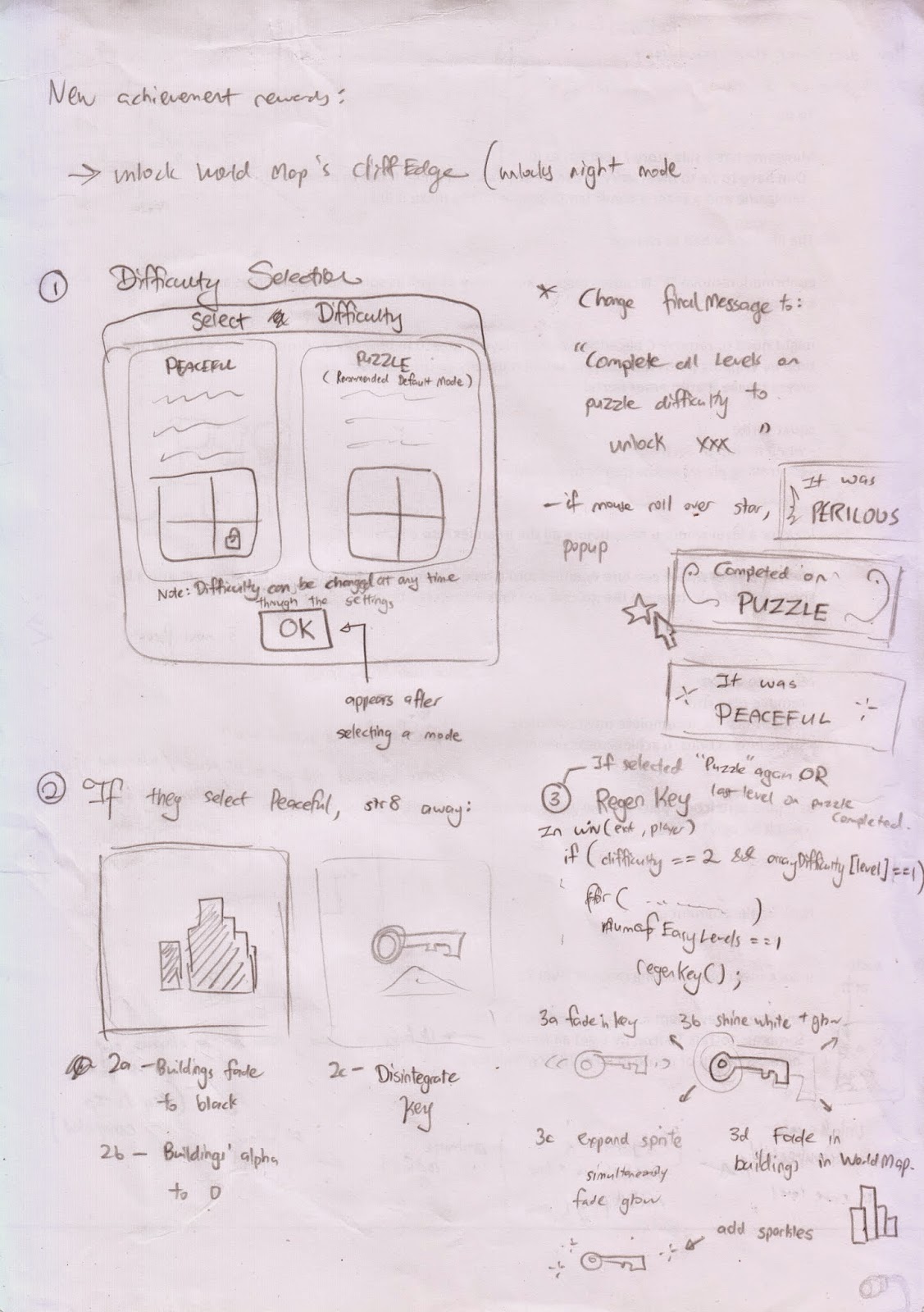
On the left, I made a sketch of what I envisioned to be the new Difficulty Selection popup, along with lots of extra stuff, such as displaying above each level on what difficulty you completed the level on.

In addition, selecting Peaceful would actually bring you to TWO “cutscene/animations” where you actually see the consequences if you were to actually continue on with Peaceful. I think the animations are pretty cool and hopefully some players pick Peaceful and actually take a look at the animations haha.

New Popup
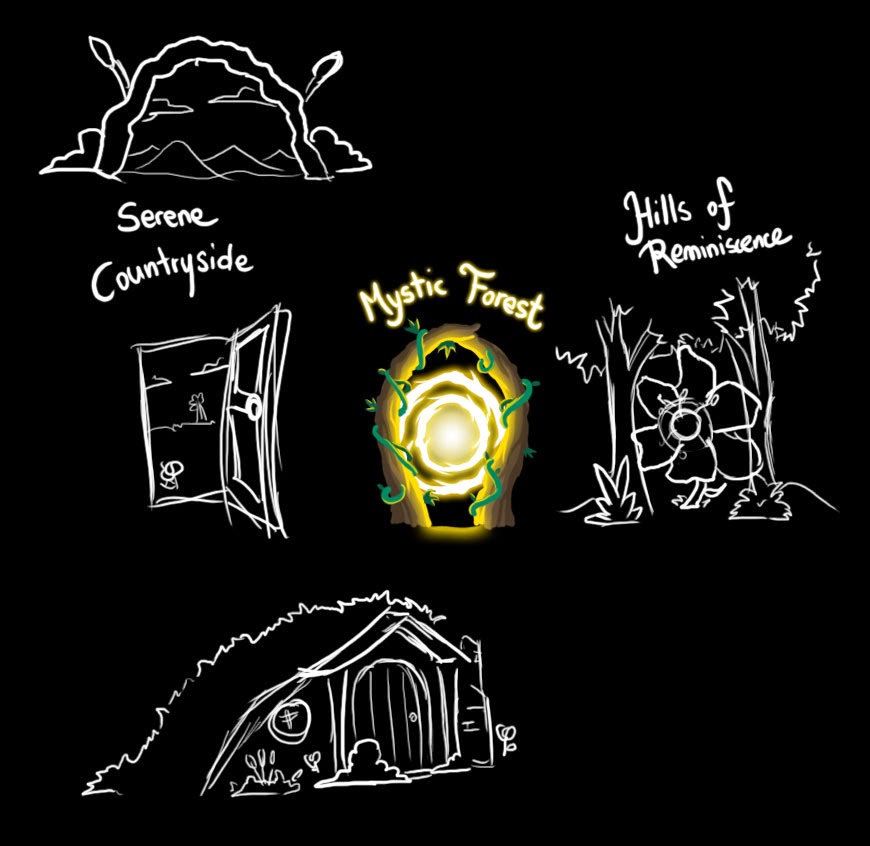
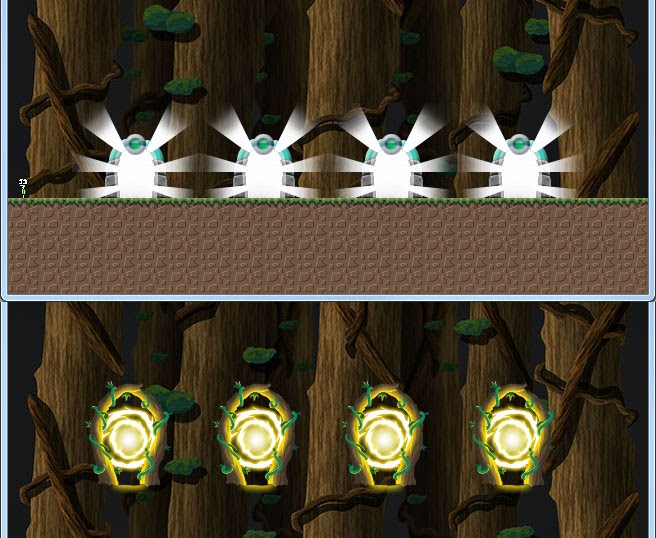
New Forest Portal
Another highlight was the design of a new forest portal. I currently use it for the  Cutscene selection state, replacing the old portals. I did sketch a few other unique portal designs and as you can see, there is one sketch for each of the main areas. However, I don’t intend to change anything for now.

Old and new portals (top vs bottom):

The only thing I did was for the cutscene selection state. The new forest portals definitely fit more with the environment.

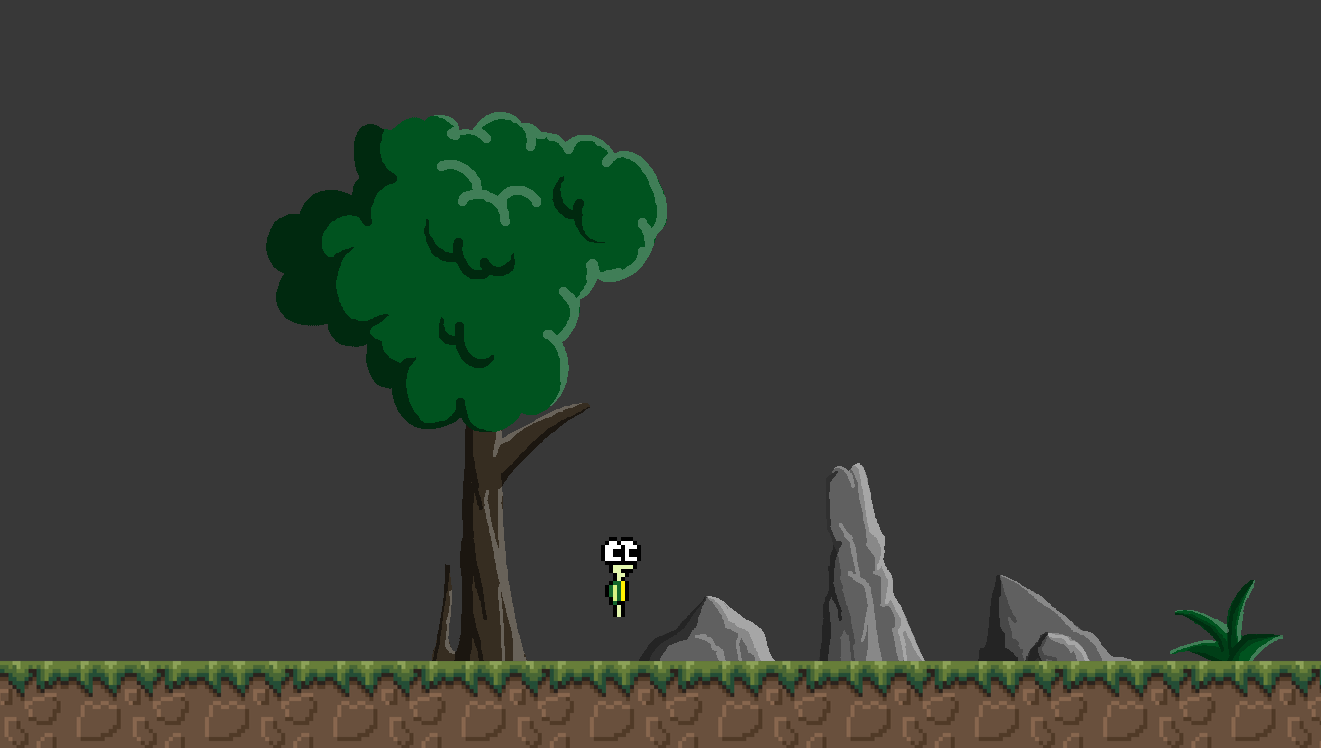
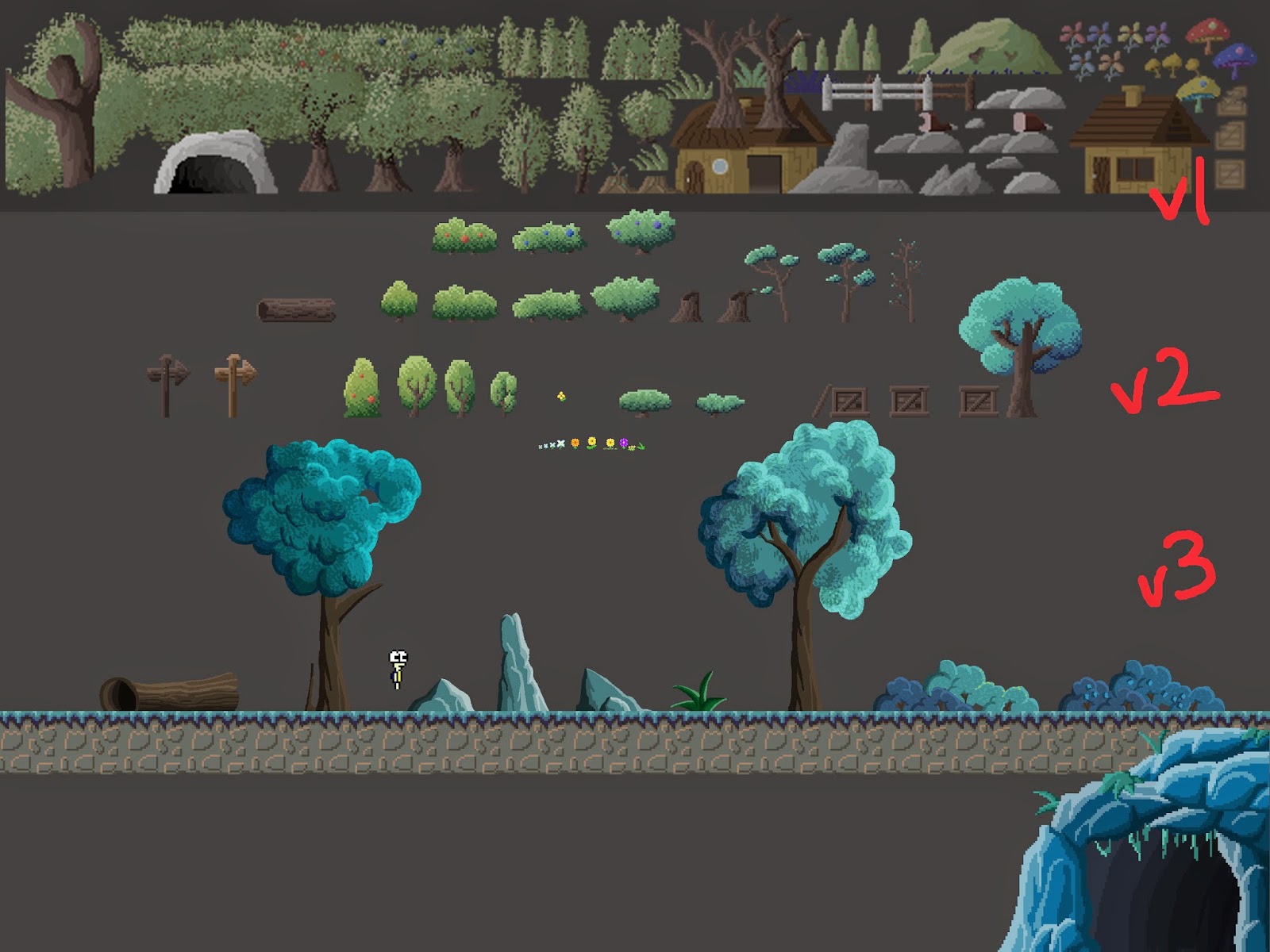
New Forest Decorations + Unique Cave level

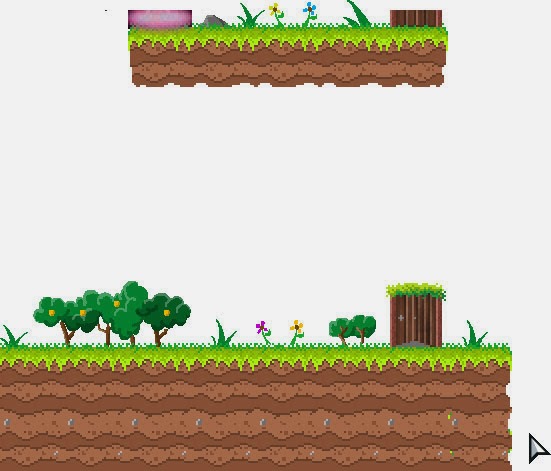
I created a new cave level, which is my first “unique” level, as it is a very special level that ignores all restrictions of normal levels, such as the rigid 20 x 15 tile map and has its own custom background, and effects. The decorations are also drawn from scratch (v3 decorations as opposed to v2 ).
This cave level is one of my more outstanding levels.
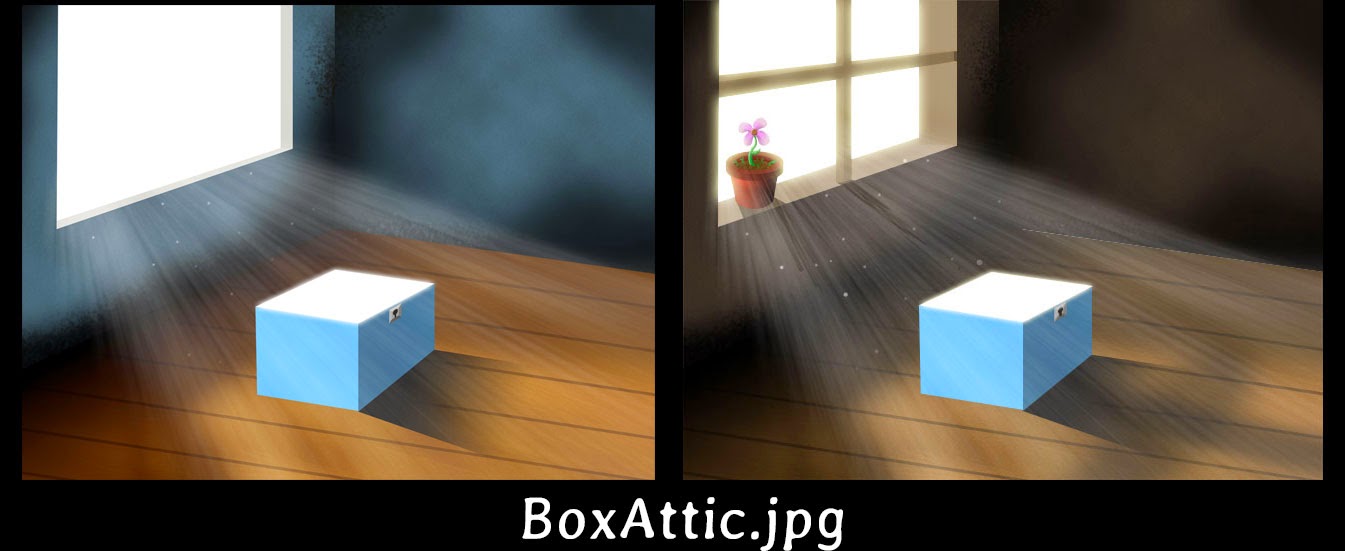
Attic Level
I went to create an attic level which will sorta expand more on the last bits of the story.

Level furniture design

I also made the cutscene a little more fitting with the level and to inject the feelings I want the cutscene to give. On the left is the old one I drew many months ago, and on the right is the new one.

Level Editor UI Revamp + Lots of Editor changes

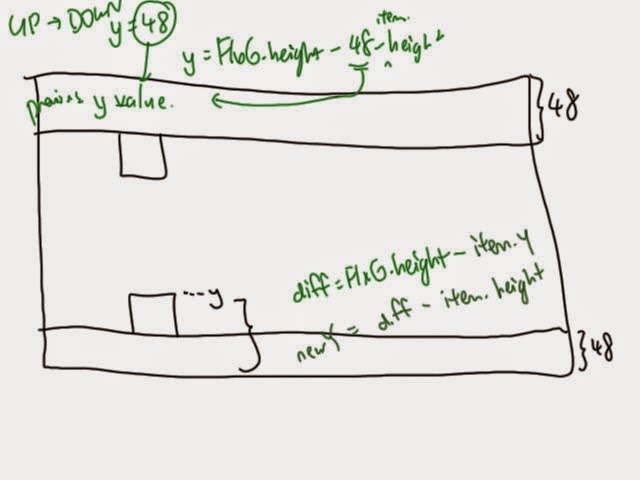
Some math thingy for UI flipping. Not as complicated as some of the stuff I did last time, but having a drawing tablet actually makes me visualize stuff better without the need to ransack my house for a paper and pencil.
Lots of editor changes were made and it is drastically improved. Too lazy to write the improvements but it is definitely looking more complete now and with a few more touch ups, the editor will be finalized.

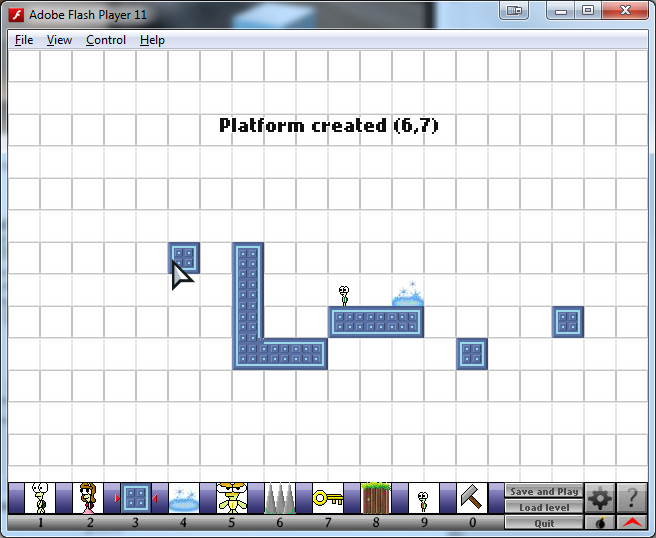
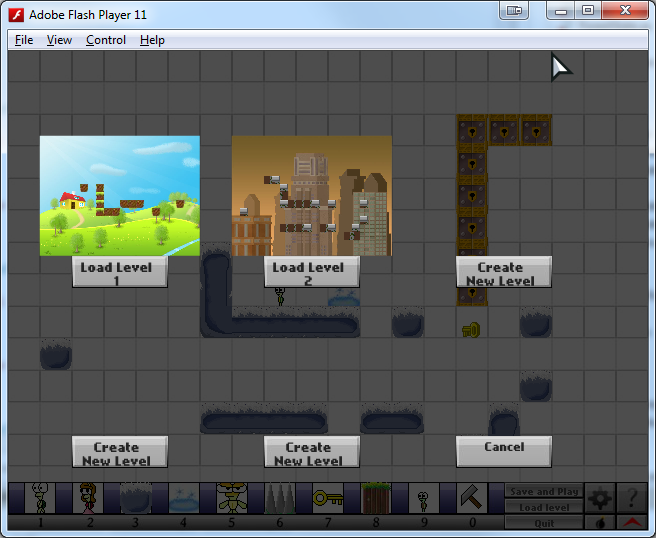
Old Editor
New Editor
It looks as if the only change was the updated UI graphics at the bottom of the screen, but I added a lot of options and settings to make the editor more versatile, some of which include:
– Ability to select custom backgrounds
– You can now place tiles at the bottom row (previously the UI blocked it) by pressing the red arrow to move the UI away
– More tile types included in the editor (increased tile variety)
– Settings now allows you to set the level’s zoom amount, making levels more interesting to play
– You can now preview your levels before loading or overwriting an editted level’s slot
Still working on:
– Feature to export and share your level with friends and other players
New Spikes Level

This new level I drew and designed actually impressed my friend, Li Hao, which makes it one of the more outstanding levels I have created. Ever since I created a new Cave level, it has opened possibilities for more “level revamps”, and special story levels where I can ignore the boundaries of the map and even introduce custom tiles, backgrounds and decoration objects. However, the limitations and restrictions of the current Introvert means there are still limitations to level design (character size too small, map limited to 20 x 15 tiles).

I want to finish Introvert asap as these are problems that I cannot fix in Introvert 1.

Also, new platform tiles!

Larger girl sprites


Also working on larger sprites for the female turtle. For the most part, this will be utilized in the special story levels. I also want to animate the hair as she walks. Previously, my attempts at animating hair was extremely weird and I omitted it as I had too little pixels to work with. I had lots of discarded girl sprites due to animation failure and awkward hair frames.

With larger sprite sizes and also being slightly more skillful over time, I began my attempt at making the girl’s hair more realistic for the “walking” frames and to inject more life into the character.

In the end, I think the hair turned out pretty well (as she walks, her hair wavers as though running in the wind). I guess this is sort of a breakthrough for me in animation?

More Unique level designs

Possible unique level for a cinematic.
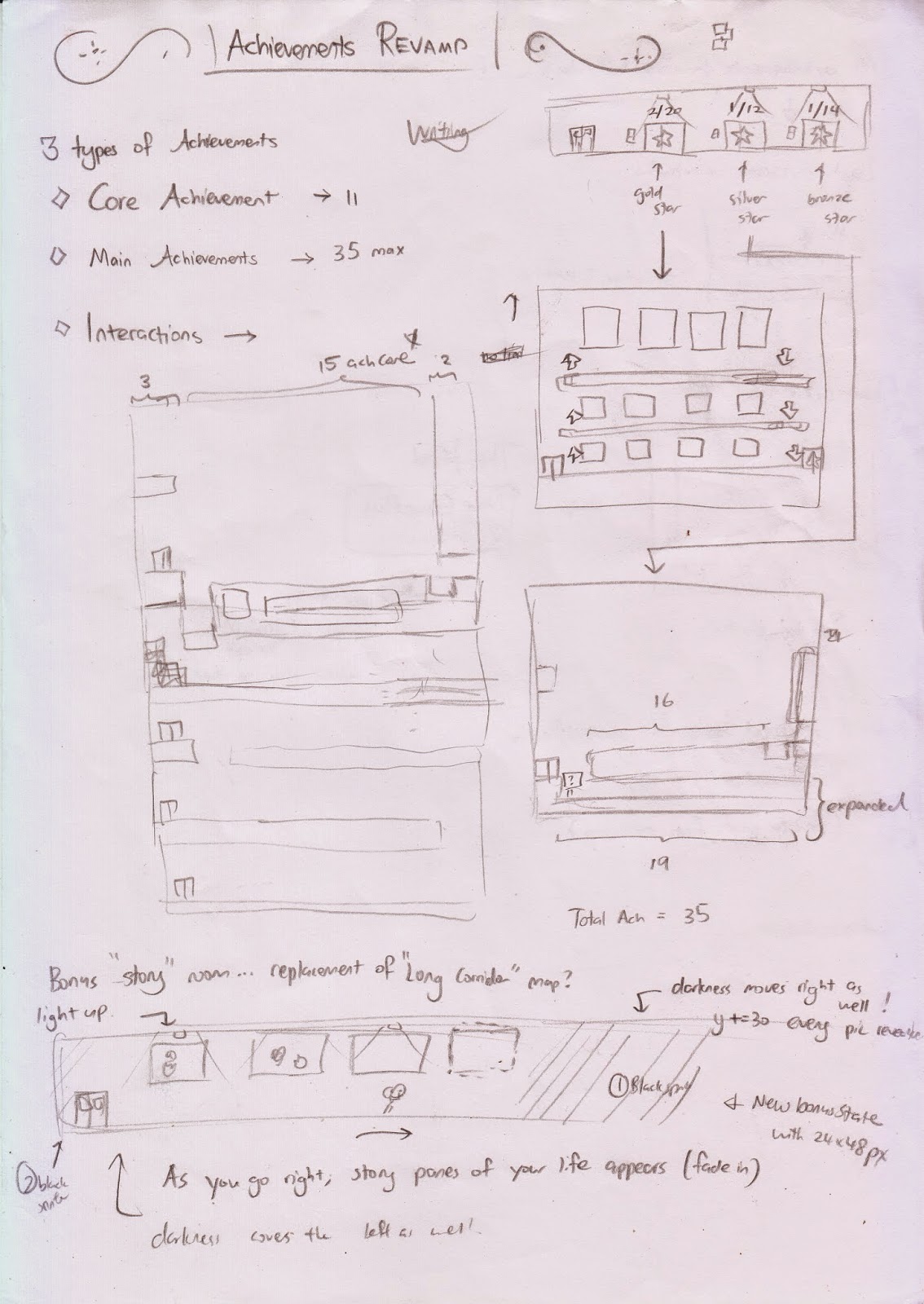
Achievements Revamp

Also, there was one week which I couldn’t go home, and knowing I wouldn’t have access to my computer for an entire week, I brought with me a pencil, and lots and LOTS of paper, just to make sure that on the week which I couldn’t go back home, at least I would be making heavy progress.                                                                                                       One of the things I wanted to work on in my to-do list was an achievements revamp. The current achievement system in the game is growing more and more outdated as I add new features, levels, special cutscenes and other mechanics to the game
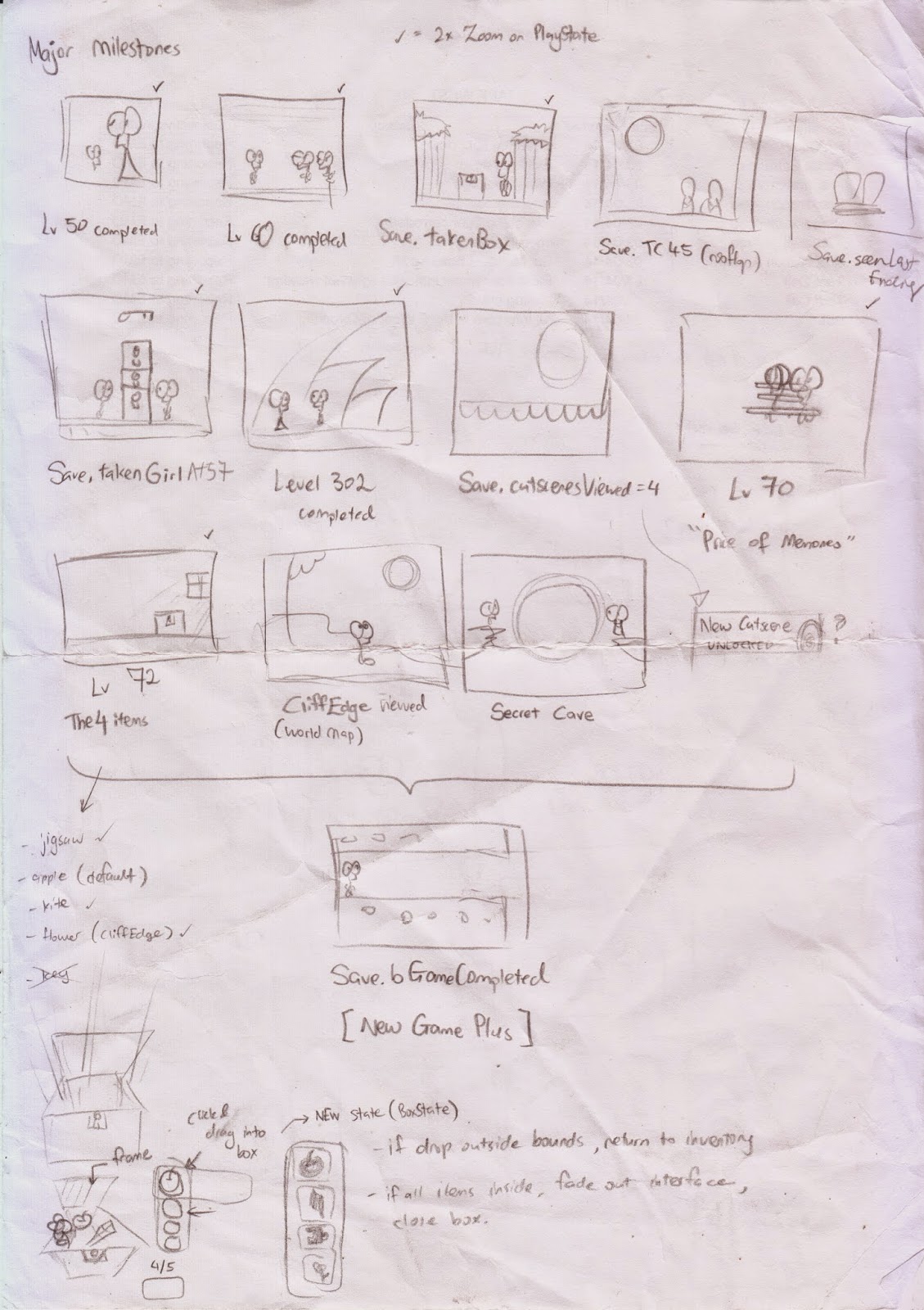
Another sketch I made was of “Major Milestones”, which I may be using to unlock the final, final ending. I don’t know if it’s a good idea to make the final final ending require so many pre-requisites as it may actually bore the player out should there be a lack of replayability in older levels, which seems to be the case, and that worries me.
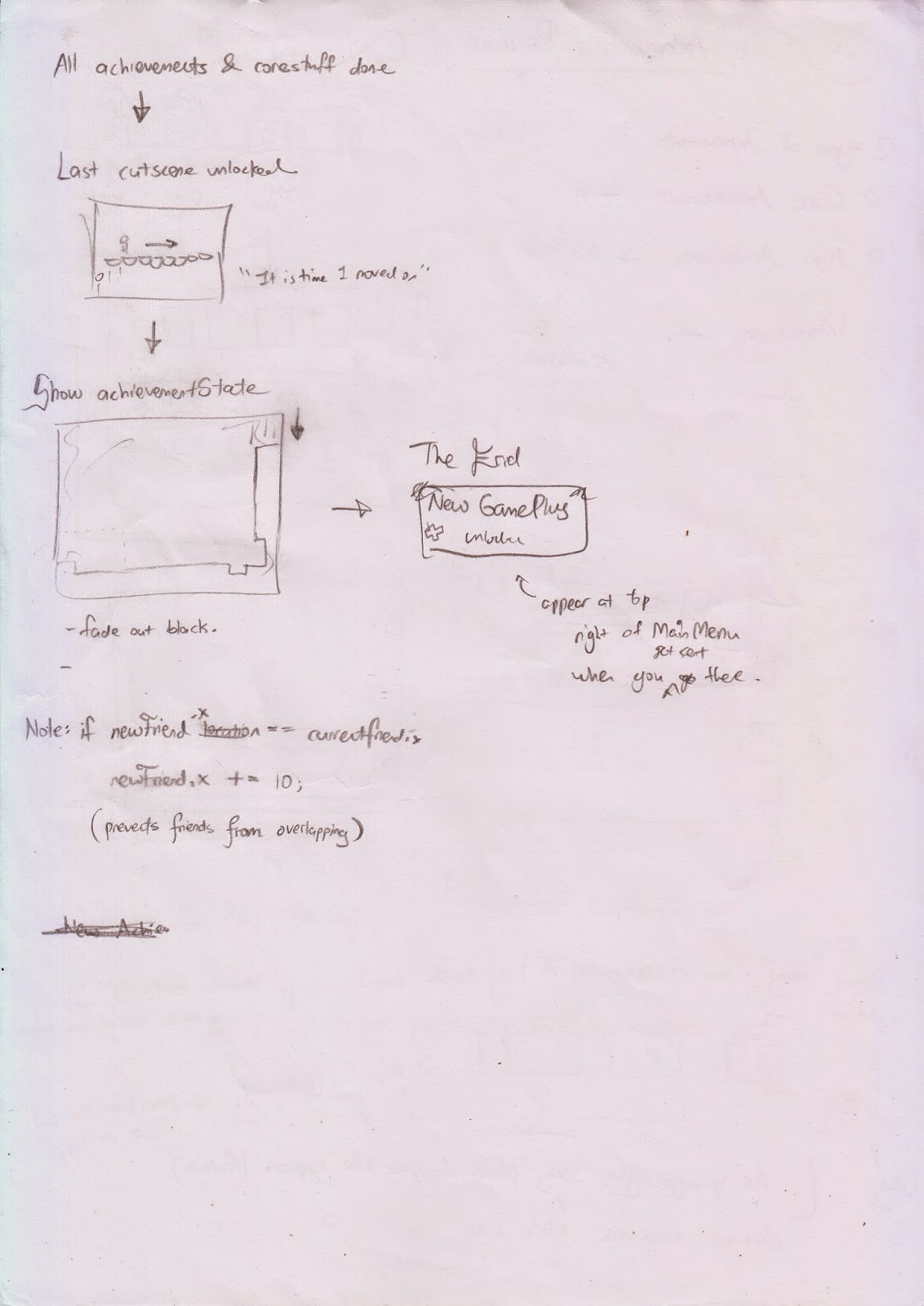
In the current system, you need to collect all achievements and complete a special task in one of the levels to unlock the final ending. It is quite challenging to figure out how to unlock it since I hid it really deep. While I like the current system, I feel like the final final ending should have some new pre-requisites, and at the same time I will also do a revamp on the final final ending to make it worth the extra work.
One final rough digital sketch before I officially begin work on it
I try to make the new system as easy as possible, since although I added more requirements to unlock the final ending, I will make a new room showing all the “Major Milestones” the player has accomplished to show his progress toward unlocking the final final ending.
New widescreen backgrounds
Incomplete BG_Skies
This is the start of a new background using the new cloud rendering technique I learned, which I utilize to draw clouds extremely quickly since I tend to draw clouds VERY often. It’s needed in almost every scenery and comic I draw.
After a couple of hours though, this was what I achieved. Not sure if I should continue because it doesn’t seem to match very well with what I wanted.

Special Meadow levels
While away, I worked on another things on my to-do list. I printed my to-do list to give me something to do while I was out of home by the way, and it was 14 pages long! I made at least another 10 pages of sketches of what I would do when I return home.
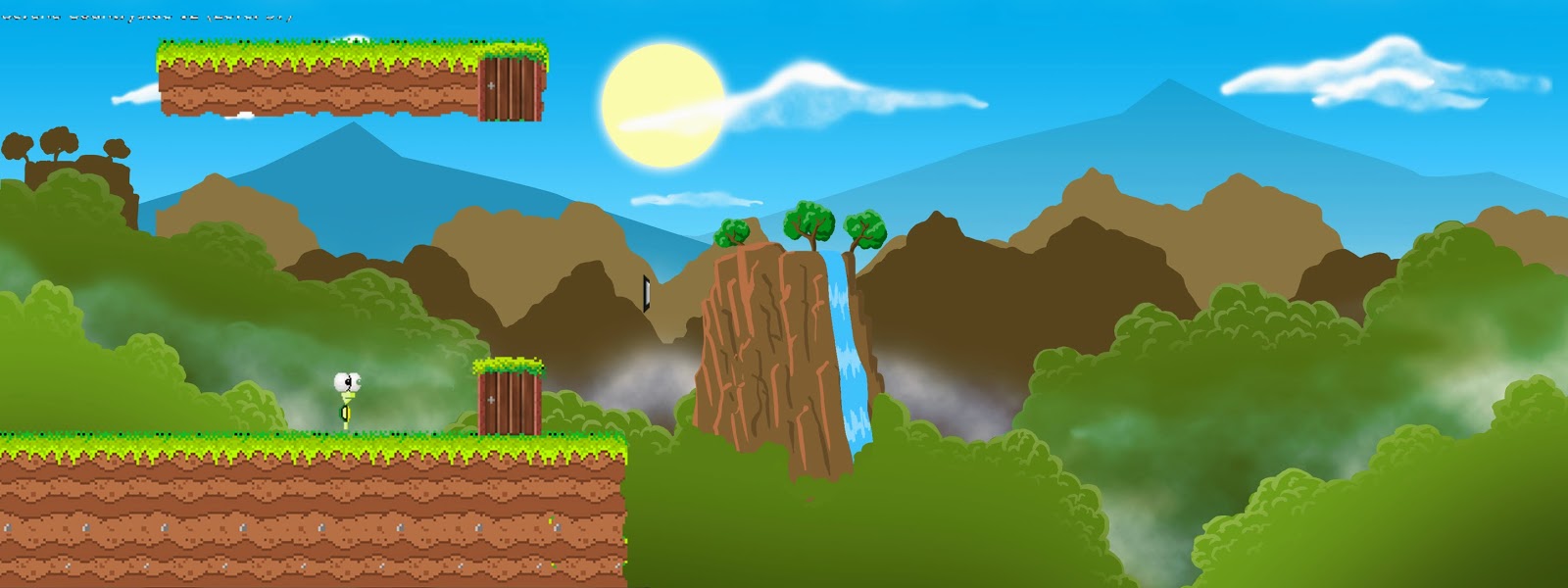
Special meadow level revamp sketches
The idea is to actually transform the meadow levels into something more cinematic and special, to bring out the level’s meaning and showcase the expression of the tiny turtle sprites (which ugh… makes me really wish I drew larger sprites from the first day).

New Meadow Environment Sprites
I also drew the new environment sprites. My standard environment sprites cannot make it for the new levels as the new levels are really huge and my standard environment props and trees are way too small, and I think redrawing them really make the level look much better.
Some screenshots of the new props:

Creating special levels takes a HUGE amount of time. And honestly speaking, it took me way longer than I expected. I have taken almost two entire days to create 3 new special levels – which includes all the environment design, coding aspect and such. It can take me hours to create one special level, and is a long time compared to creating a normal average level, but the advantages is that special levels look very unique and should look nicer than average levels.

Below are some screenshots of how I transformed some of the old levels into special levels.

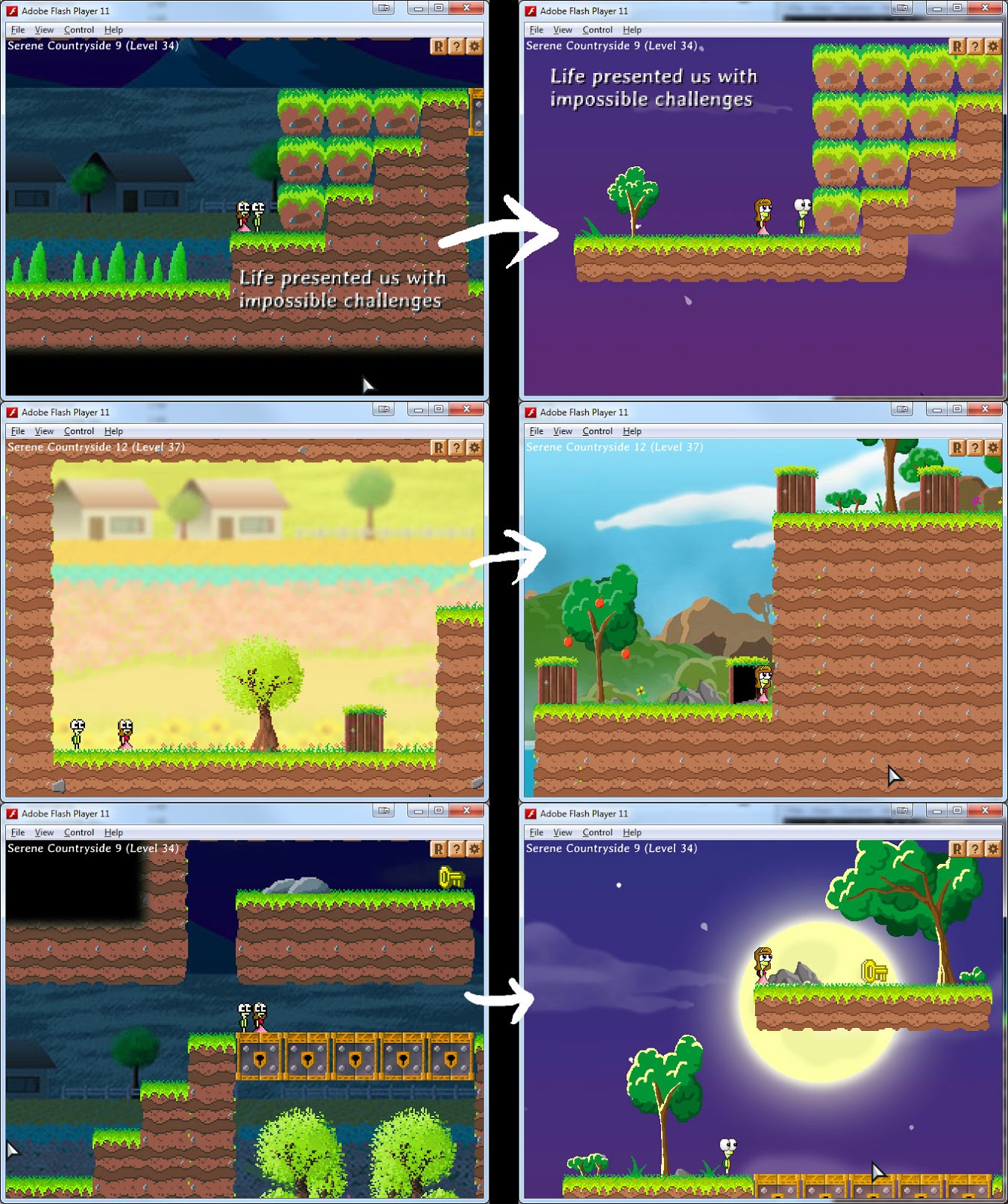
Old levels on the left, new revamped levels on the right
There are some contrast issues with the new middle level shown above, so these graphics are still not finalized. I especially LOVE the level with the purple sky. I think it looks so gorgeous especially when the moon overlaps with the platforms as shown above.
This however, introduces a problem… the art style becomes inconsistent.

Miscellaneous Graphical Improvements

Because this game was developed over a long period of time, some graphics are more newer than others, and I have to occasionally update my old graphics. I guess this is another problem with making a long game is that as your skill level continues to increase, you  generate better artwork and it makes some of your older graphics lose out to the ones you just created, causing a disparity in the quality of the art assets in the game.

Even my coding style has changed over the year. I look back at some of my older classes and code and I realize how inefficient I coded them in my early months of programming with FlashDevelop.

??? level

Massive door level ?


Also in the works, I may be possibly creating a new “epic” puzzle level. As I was drawing this sketch the other day, I showed it to my friend beside me who actually studied game design. He actually went to “play” the level which I drew on paper, imagining the character on the paper itself. He’s so cool.

Kite level

Kite animation for a new kite level in the works. I also extended the level boundaries for that level to be almost TWO maps tall!

 Kite level sketch and design draft

So I began work on expanding on the level which would contain the kites…

And in the process of doing so, messed up the level real bad

setCameraBounds function now automatically flexible with different map sizes and across multiple zoom levels

The most important piece of code

After a few days, I finally figured out how to make this happen. When I started creating levels with various map sizes (no longer constrained by 20 x 15 tiles), one of the problems I immediately had was to make sure that the camera was “smart” enough to detect the level boundaries and not exceed those boundaries. The camera has to adjust accordingly not just on 1x zoom, but on 2x zoom or any other zoom levels in between as well (1.5x, 1.2x, 1.4x) etc.

Today, I finally fixed the code to be flexible that it actually takes into account and calculates the boundaries. For some of the special levels, I had to set them manually in the past, but now, this function works across ALL my levels, which is just fantastic.

An exaggerated screenshot of what happened when the calculations are done wrongly

With my old formula on certain expanded, larger levels, I could only see a few pixels of extra boundary, or a few pixels short, but it was bugged nevertheless. Now I play through my large levels and their boundaries work perfectly.

Game Map
I created a map of the game a long time ago to give an idea of how the game states are structured. I think I will have to make a new map soon since the game has expanded to house several more places and levels, such as the Hidden Memories.

GameMap.png

The last 10 levels in the game are hidden away from the rest of the levels as they are secret levels.

Jump formula for new special levels
Warning: This part is all words and pretty boring to read – precisely the reason why I put it at the bottom of this post.

The introduction of these new “special” levels gave me lots of problems.
I created special levels to try and overcome the limitations of Introvert’s normal story levels, to make levels cooler. I wanted special levels to have the following properties:
– Ignore the world boundaries of 20 x 15 tiles
– Have larger character sprites
– Play the level on 1x zoom, yet have large graphics equivalent to a 2x zoom level (preserve quality of backgrounds and increase detail of character sprites)
– More detail and visible expressions on character sprites due to more pixels (to bring out the life of the characters)
However, in doing so, I encountered problems:
– Except for the player, I have to make EVERYTHING at double size. This means platforms, keys, blocks, objects, decoration objects, doors, must all be scaled by 2 manually for certain graphics and through code for things I can scale.
– The jump formula is screwed, and this involves lots of Math… I wrecked my brain for several hours before thinking of some formulas to rectify the problem.
The solution was so elegant, I wondered how I couldn’t think of it earlier. Gravity in the game is set at 400. But as the character size increases, he should be heavier, but simply setting his gravity in accordance to his height wasn’t smooth enough. When he gets really big, the physics make him very “floaty” and light. He still needed to fall faster as he grows heavier.
acceleration.y = 400;
In the game, the character’s gravity is called “acceleration.y” which is a default of 400. I wanted acceleration.y to be affected by how big the character is. So I tried to make it depend on maxVelocity.y.
acceleration.y = maxVelocity.y;
While maxVelocity.y is a value that increases with his height, it is not at a rate that is fast enough to catch up with his size increment.
So, after changing numbers and toying around with the physics for hours, I did:
acceleration.y = (maxVelocity.y / 20)*(maxVelocity.y / 20);
It was a simple exponential formula that meant that when he doubles in size, his acceleration (gravity) quadruples! It was perfect. It was a puzzle piece of what I needed to make the physics work!
The other major problem I had was the character’s jump power. It makes sense that a bigger character would jump higher. Indeed, my character does jump higher when he is larger, but when his size gets big, he seems too “floaty” once again, where he actually stays in the air for a long period of time during his ascent to his maximum height, because it takes too long for him to reach his maximum height.
Earlier, I fixed gravity, so he falls to the ground without taking too much time at larger sizes. But now, his ascend rate was too slow. Not only that, he was jumping too high, which is another major factor because he can jump to platforms not originally intended in my level design!
My formula for jump power in normal levels actually relies on the character’s maxVelocity.y. And how fast he can fall is affected by how tall he is, based on the following formula:
maxVelocity.y = 400 + (height – 20) * 8;
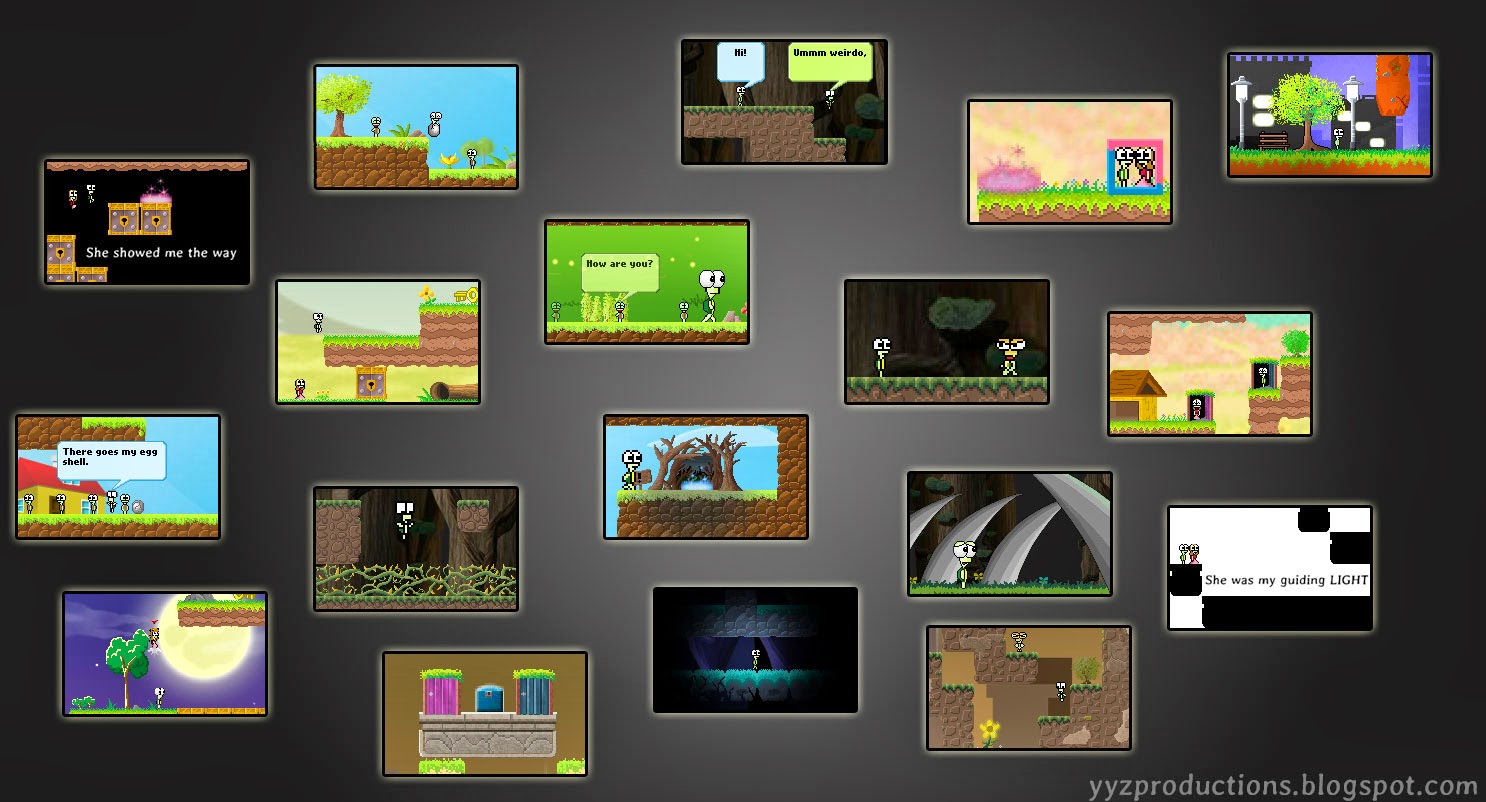
and then we have,
var jumpPower: int = maxVelocity.y / 1.7;

When he jumps, the character’s vertical speed upward is dependent on jumpPower. “1.7” is just the golden number I used previously to create the perfect jump physics in my 20 x 15 tilemap world. But it was no longer a golden number in my new special levels, which are larger, and start off with bigger default character sprite sizes..

So, I added a new variable, jumpPowerMultiplier and my new formula was adjusted to:

var jumpPower: int = maxVelocity.y / jumpPowerMultiplier;

And now I change jumpPowerMultiplier based on the character’s scale, which is usually larger on special levels, causing him not to jump too high, and also reduce his “floatiness”, which was good too. I was actually sick of waiting for the character to fall to the ground while in midair during the special levels because the characters were really just too “floaty”.

And then finally, I was reaching a decent level of physics that could almost replicate my normal levels. There are other changes I may have to make and formulas to tweak to actually replicate with precision the actual physics, but I guess for now I am satisfied.

And happy too.

New Stuff

This post will detail all the stuff I’ve done from 31 July till 15 August.

Level Select Stars

Now that the game has several difficulty modes, I needed a way to indicate on what difficulty a level was completed on. Previously, I had the level buttons be Stars, and it turned out to be very ugly. I couldn’t find a way to present this data in a nice, presentable way, but I think today I’ve gotten somewhere. I wanted a simple dot above the pink circle, but I think a star is a bit more interesting and more symbolic.

The stars didn’t have to be too big, and I think it works nicely.
No stars = Yet to be completed
Grey stars = Completed on Easy Difficulty
Gold stars = Completed on Normal or Hard

World Map
 One of my old ideas for the Level Selection stage was to have a world map and make each area clickable, to assess each area’s levels. This idea was scrapped. The game didn’t need a world map.

Yet today, I was bored and had some spare time at work, so I drew a more detailed world map (never had any true sketches) and I wonder if I can use this in any part of the game… maybe to show the different areas all in one screen at the start?

Another thing I realise is that some of the iconic scenes in the game are included in the world map, so the world map actually tells a story as you “travel through” it. There are even scenes in the world map that you wouldn’t recognize as “iconic” till later parts in the game, such as the cliff at the edge, which isn’t explored as part of the main storyline, but as a sort of “flashback” in very late-game.

The world map is rather complex and I actually am progressing quite fast thanks to my WACOM which makes drawing something so detailed easier.

I guess it also pieces the events of the story more solidly than using the 4-box icon to represent each area.

The world map would look much better than this, right?

Auto move
This game gets more AI-intensive every once in awhile. There’s lots of things my friend wants to see in the game and one feature is “auto move”.

Forest Vines v3
I had spent a few hours revising the spikes/vines sprite.

These are how the new spikes in the game will look like.

Testing my new spike patterns

Spikes in the game had undergone much revision and my previous spikes, while looked more fitting in the forest theme, looked very thick and wasn’t very ordinary. I made them a lot thinner, but the real challenge was getting the vines to “touch” each other correctly.

I use a series of connected spikes, and they can be rearranged in certain patterns to prevent spikes from showing up in a repetitive manner.

For example, in the screenshot above, Spike #2 can be connected to not just Spike #3 but to Spike #5 and Spike #6 as well, which means I can set up my spikes in several different combinations so the game doesn’t look so “artificially generated”.

The tough part which I spent a lot of time on was not the drawing, but to arrange the width of the edges of the spike to pixel perfectly match and look smooth when connecting to other spikes.

I also drew two new spike frames #8 and #9 (not in screenshot), to reduce the repetitiveness of some single, stand-alone spikes in the game which made the environment look fake with my old spikes.


Returning to Introvert

29 July

So I was away for about 4 months – partially due to real life commitments and also partially because I lost motivation to continue developing the game.

But recently, I was coding another game for a friend and while involved in this secondary project, I also saw a lot of inspiration and I had this vision of a forest themed map for my own game. I visualized a small log which I wanted the player to go through, and at the other end, when he comes out of the log, he’d see himself as a better person and the environment around him becomes more “cheerful”.

 Pictured: A log I was going to use

I ended up doing something quite different though, and excluded the log altogether.

ScenicForest.jpg
It took me two days to complete it, with all the background layers and parallax scrolling, it was really worth it. It is one of my best drawings with my new drawing tablet, the WACOM, and I feel like I should have gotten it sooner since it makes my drawings and turtle characters less rigid than using a Pen Tool, which restricts freehand drawing. I added one of David’s music to this map and this scene really brings out David’s music to showcase its potential.
Implementing the map into the game…

Also drawing a new 64 x 128 px turtle sprite for the new forest theme. Above was a placeholder turtle graphic scaled up by 400% I added to navigate the map. Drawing a new, unpixelated turtle would look better, which is what I’m doing now. It’s my first time animating freely without the constrictions of a mouse.

Turtle Jump Sequence (Drawing the limbs)

I also discussed how the game was going so far with my friend, Li Hao, and when I look back at the game, I realize it has come very far from when I first started. It would be ready for release, but things just had room for improvement so I kept re-drawing and re-designing the game. This meant that I didn’t get around to release the game even though completion was probably just around the corner.

I was told that this game was an achievement in itself, even if it weren’t published. I was told that for a first game, it was really good, but personally I’d be more than happy to see it through to its release.

It’s come a long way now…

There were a couple of changes I made to the game in the past few days (had a long weekend), mostly to improve player experience.

I also looked at the old game trailer and Li Hao said the trailer was pretty good, even though it was very outdated and showcased a lot of the game’s outdated graphics. In fact it was so far back (1 year+ ago) that it actually gave me some nostalgia just looking at it.

When the time comes (probably at least a couple more months), I shall make a new trailer, to showcase the new graphics and features of the game and it shall hopefully be my final trailer before the game is set for release.

JigMemory & The4items

2 March 2014

Been spending my time drawing for the past couple of days. I have completed the IntoDarkness comic, but I’ve not added any of the new comics in. I think I will wait until I’ve done all the drawing before implementing them.

I realise that at the rate at which I’m drawing stuff, the game might hit 20MB. Oh man… I was hoping to keep it under 10MB but I now realise it’s pretty much impossible.

I’ve begun working on two new comics/stories that will branch out from the final endings. Both comics were drawn on my phone initially, which seems to be the case for most of my comics, since I tend to randomly get inspiration while on-the-go.
Preview:
JigMemory


 The4items
This comic will only be shown when you collect all 4 specific items which are hidden as easter eggs throughout the game. That makes this comic a super secret secret comic, since requiring 4 secret items is gonna be pretty much put the player in one of those end-game situations by then.

Also, I drew a sleek version of the in-game key.

Shiny.

AppleStory

I drew this when I was trapped on an island 6 months ago. The only leisure items I had  with me were a notebook and a pen.

This is a really long comic that spans several pages and multiple endings, though not as long as the main story. The time-consuming part is the “multiple endings” component. I’m thinking of adding it to the game too, but having another long comic is going to increase the game size by 1~2MB, and the main story comic took me two months to draw. Well… I guess I’ll see how things go.

On the other hand, I realised that being an artist is expensive. After more than a week plus of research and doing product comparisons, I just bought a professional drawing tablet in hopes that it will boost my productivity ^^. I think the tablet is a tad too professional (and thus, expensive) for my ability, but Li Hao recommended me to get it. This is the second-most expensive thing I’ve bought throughout the span of this project. But Li Hao says this is not only for Introvert, but also useful as a hobby (or career if I choose to go down such a path).

I suppose that he is correct, and the investment should be worth it. I can’t wait to use it!!!

Inspiration

23 February 2014

Note: This post has nothing whatsoever to do with any progress I made lately, but I just felt like talking about Inspiration for awhile. This kind of stuff normally goes in my personal blog, but since it has some relation to what I do here, I guess I’ll put it here instead.

Just the other day, I was sitting in a computer lab. At one point, the lab got really noisy. People were blasting their music and I found myself in this really irritating atmosphere.

I grabbed my handbook, contemplating to go out of the lab and take a break from what I was doing, but it felt weird to go out alone while everybody was in the lab either sleeping, listening to music or using the computer terminals.

After a gruelling decision, I grabbed my notebook and made my way out of the lab. I went to this sheltered area that is sort of like an open shed without walls. Every morning, we gather at this sheltered area, and I’d occasionally look into the distance, observing how the morning sunlight filtered through the trees. On some days, the intense rays of light seemed to make its way beautifully through the gaps between the treetops. On other days, a mist shrouded the entire area in a mysterious fog. It was also possible to have a combination of both.

So I grabbed a chair and sat down.

I was amazed by how peaceful it was. It was so tranquil, so calm. It was just the subtle sound of the whirring fans in the shed and me. So many thoughts flowed through my mind it seemed as though I was talking to myself.

I took out my notebook and my trusty orange mechanical pencil and started drawing.

At one point, a gust of wind blew and I watched tiny yellow leaves float delicately down in a pattern that resembled how snow would fall.

It was beautiful.

A friend came out of the lab to join me, but left after a short while as he felt warm. I guess I was too distracted by nature to realise how warm it was.

As much as I don’t like going out, I begin to realise that a lot of my inspiration comes from outside when my mind is not preoccupied by something, which is often the case when I am sitting in front of the computer. From taking the train, to lying down on my bed with an empty mind, inspiration can strike any time, anywhere, and this is when I’d take out my phone and draw/write it down (yea, my phone has a stylus, which totally fits my needs!). When I sleep however, I have no phone, so I’d try to remember it and draw it when I wake up the next day.

In fact, the very inspiration for Introvert came from a collection of memories and experiences much too complicated to tell in one sitting.

Today, I watched
http://www.youtube.com/watch?v=A18Rh5gVx2U&list=UUutXfzLC5wrV3SInT_tdY0w
and thus decided to write down the shed experience I had the other day. I think it’s something worth noting down.

Progress
So I lied. I was going to talk about my progress anyway.
I was trying to learn how to do this ‘I am lost’ picture effect for a very dark place, but I couldn’t find a way to do it, so I wondered if learning to do a “Dreamy Effect” would help, so I googled that.

I ended up reading up and learning how to do the “Tilt Shift” effect, which hopefully will come in useful next time.

And later on, found a dreamy effect tutorial! Here’s the dreamy effect I did for one of the scenes that is part of my “IntoDarkness” comic. I think I may not use the dreamy effect in the end. But I’m not so sure yet.

The other amazing thing is that unlike Paint, I can replicate this effect for other pictures. I can even make this effect in the game, which I experimented with, and here’s how it looks like for the levels.

 A few adjustments had to be made depending on how dark / light a level is, to make the dreamy effect look proper. I wonder if it makes the levels look too pale and hard to see with the reduced contrast for the daytime levels.

I made this a toggle effect, which means I can switch between “Dreamy” and “Normal” mode with the push of a button. I’m not sure if I want this in the final version though, because I did this purely for fun and I don’t know if it would be something logical or meaningful to add in the game haha. Maybe I would add this for a particular level instead of a freely toggle-able effect.

Adding this as a hidden feature seems too mundane, as I already have a ton of “hidden features” and I don’t know if I want another one added to the list.