Comic Scenes part 5 and Stories

20 Feb 2014

It’s been awhile since I last typed here. At some point many days ago, I wanted to find time to write here as I was getting quite excited about the things I was working on, but decided to hold it off.

Today I finally have some spare time to write here, and tomorrow is a Friday!

First of all, I have stopped working on the main storyline comic scenes. I have not wrapped them up yet since I am just taking a break from the nearly 50 scenes I drew. This does not mean I have stopped drawing entirely. Rather, I am pretty hyped up drawing new and better scenes that can potentially be used! I have also begun to work on small branches of comics and stories that seem to have really great potential and based on the comments I received, these little comics are “good”!

I am also experimenting on different methods of drawing and optimizing the time I take to draw comics to increase my efficiency.

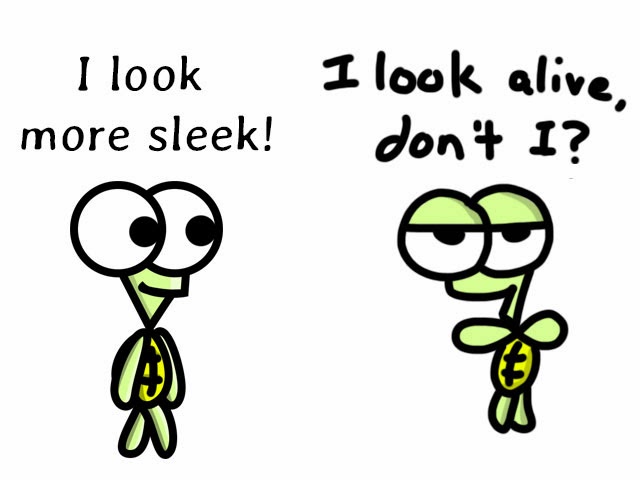
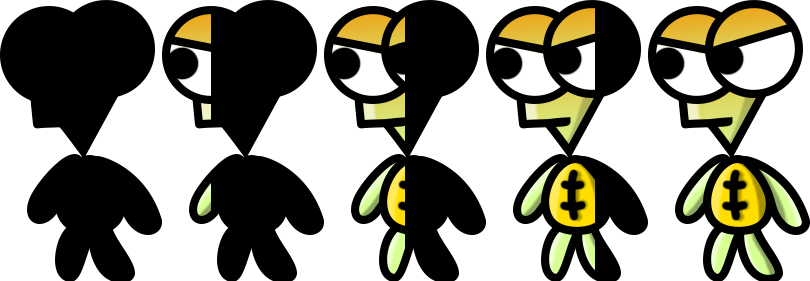
I spend about 75% of my time tracing my handdrawn backgrounds and characters and getting the turtles to “look right”. That’s the tough part. Using a pen tool to trace over my handdrawn turtles just doesn’t seem very natural.

The turtles also lose some of the stuff that makes it look good and they don’t look that alive as commented from Li Hao when I put a handdrawn scene beside a digital scene. It looks like converting a scene to digital made the turtles look less alive.

This made me rethink about the way I draw my comics digitally. Li Hao talked about WACOM, a drawing tablet that can potentially solve my problems. It’s an expensive investment though. But it will make my life smoother.

The hard part about a comic is getting a good story, whereas the tracing is the tedious part. Thankfully, I can work on the hard part outside of home, which means when I get home, all I need to do is start on the drawing. But tracing takes up so much time.

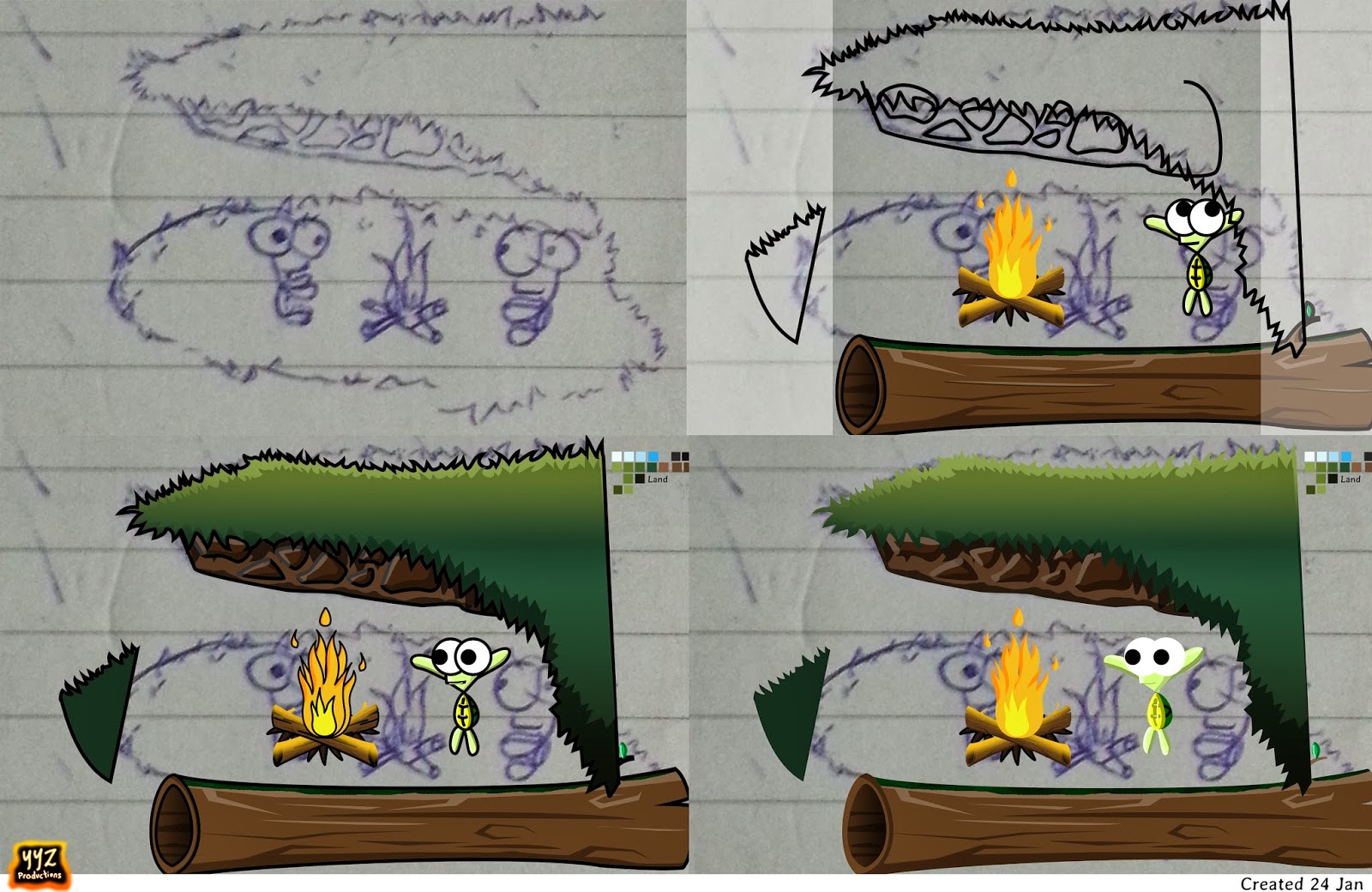
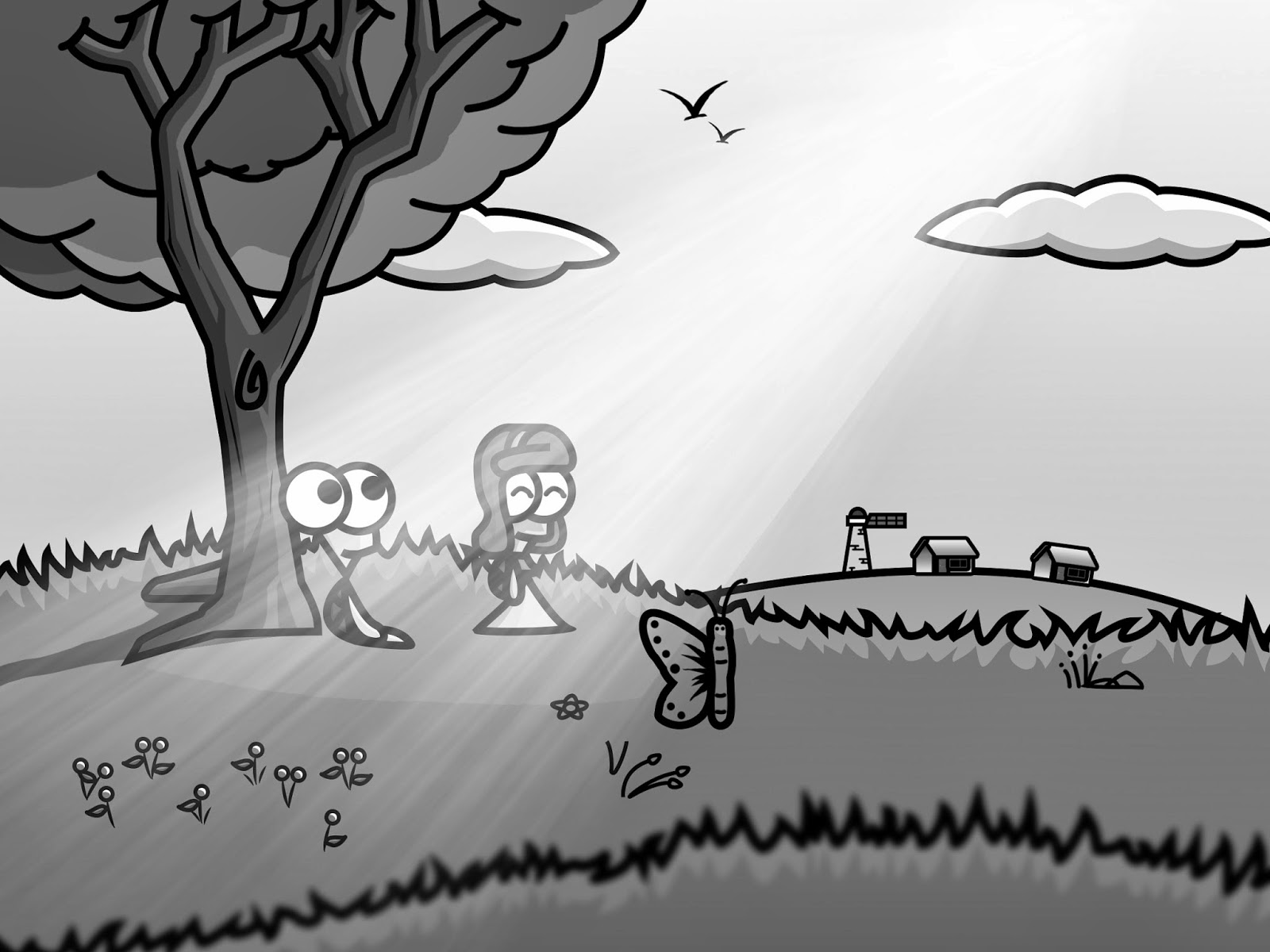
I decided to test my hand drawing skills, by drawing with the mouse, rather than tracing with the pen. I think I sort of trained my mouse-control from using Paint for several years. When I first did this on a new comic, the outlines of turtles didn’t look as clean, but I could see that the turtles look more natural and alive, and their expressions are really more life-like. The best part was, I completed the same amount of work that would take an entire day, in 3 hours! Massive time saver there!

I actually began to like the handdrawn turtles. But I hope to get more opinions.

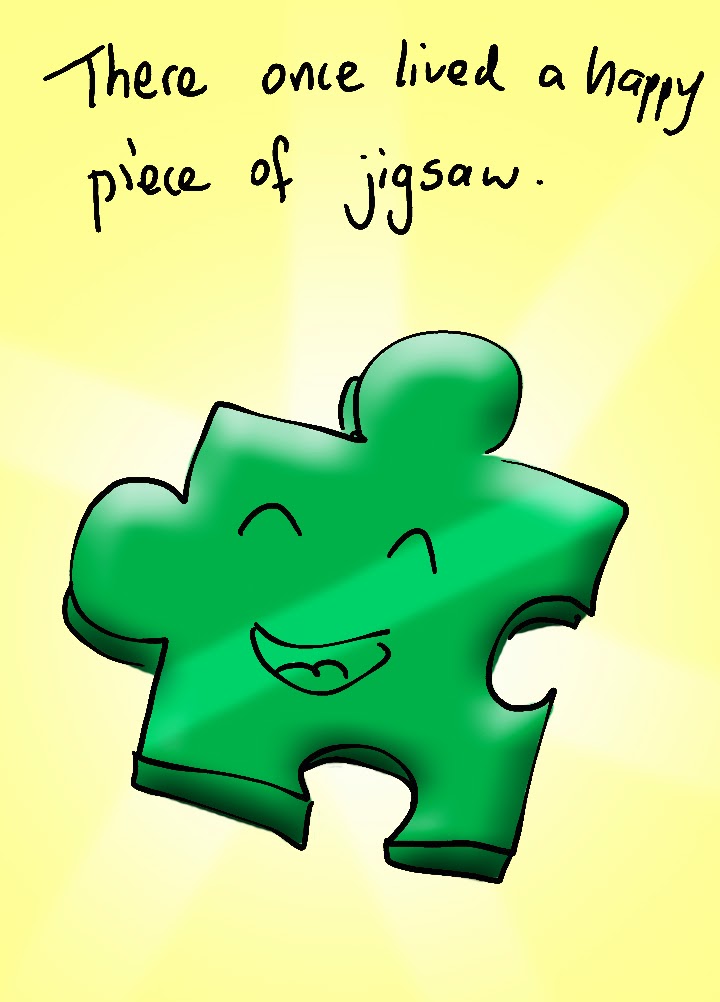
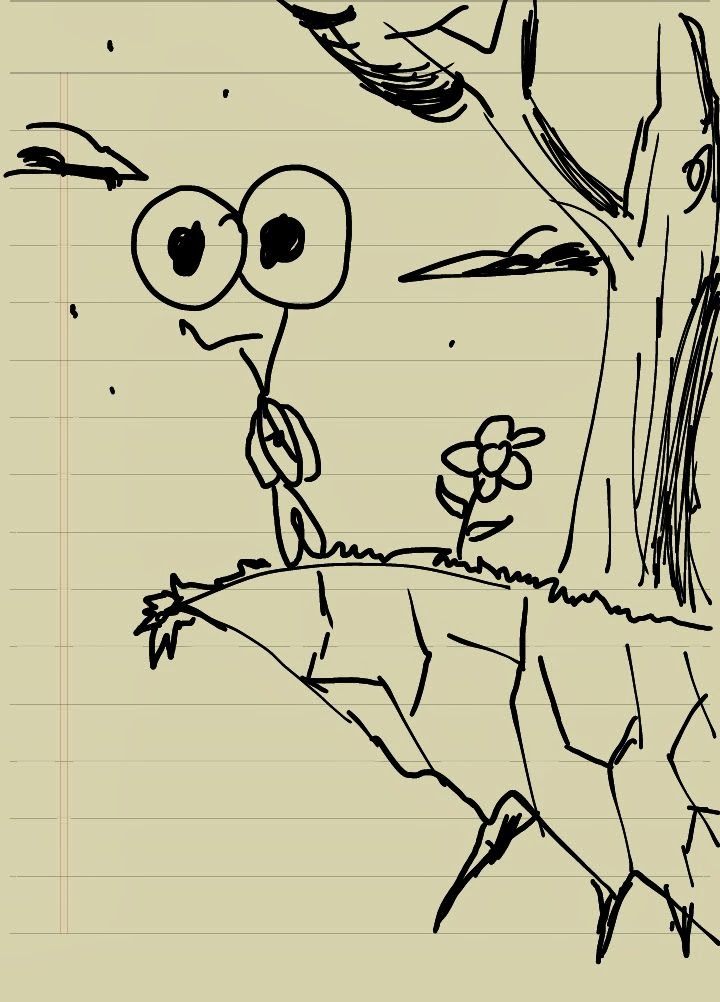
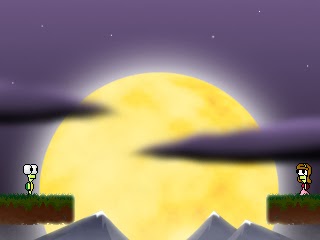
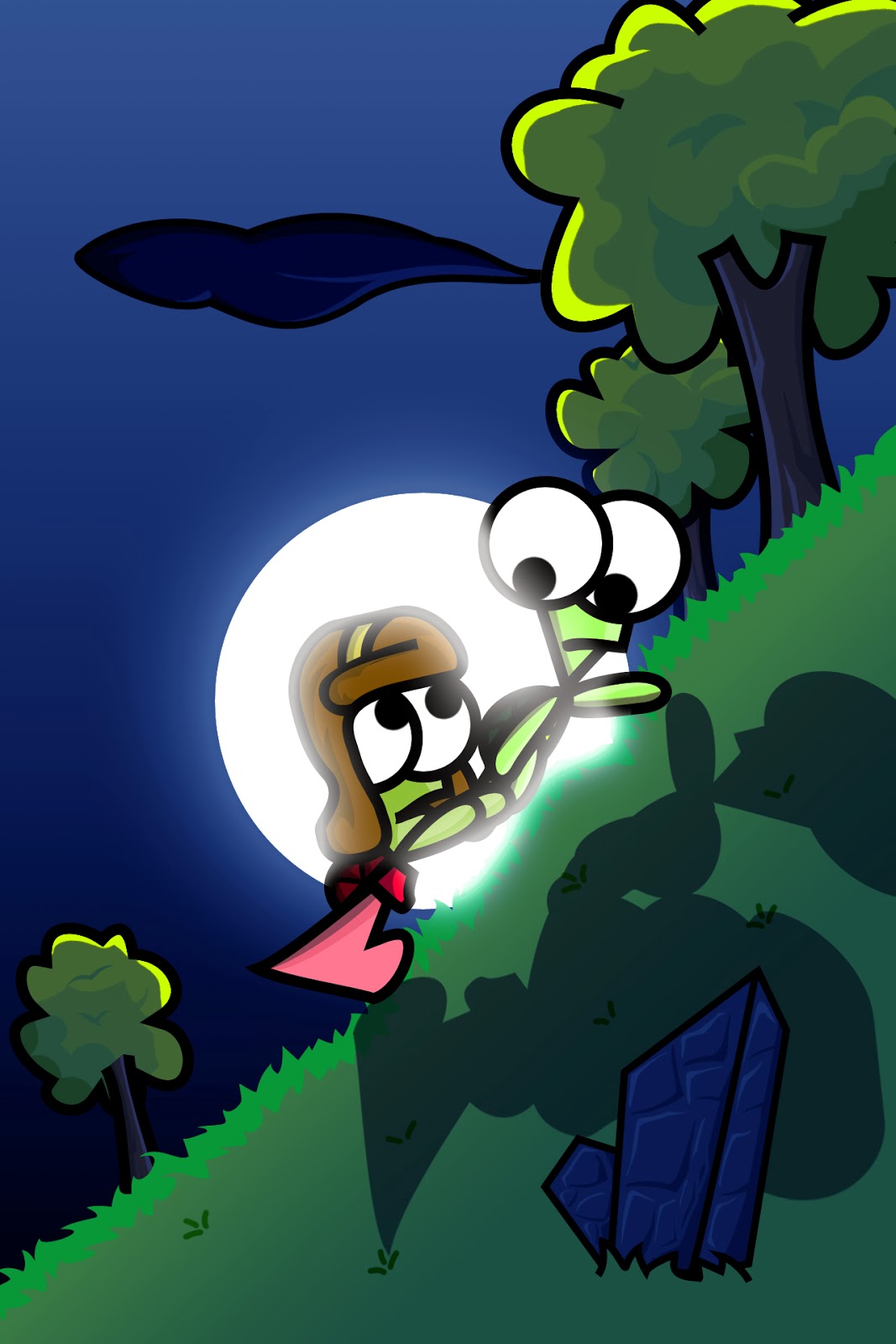
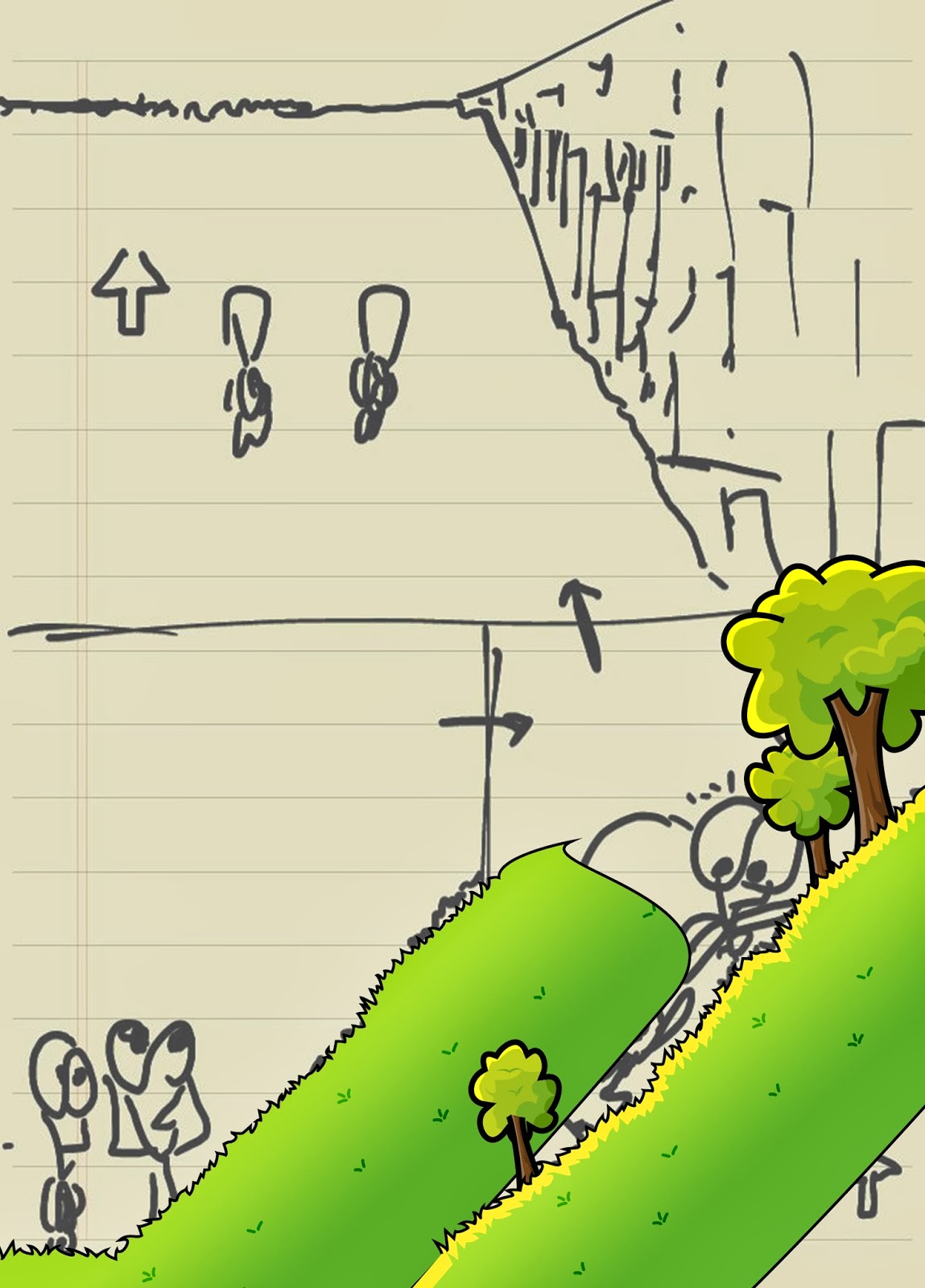
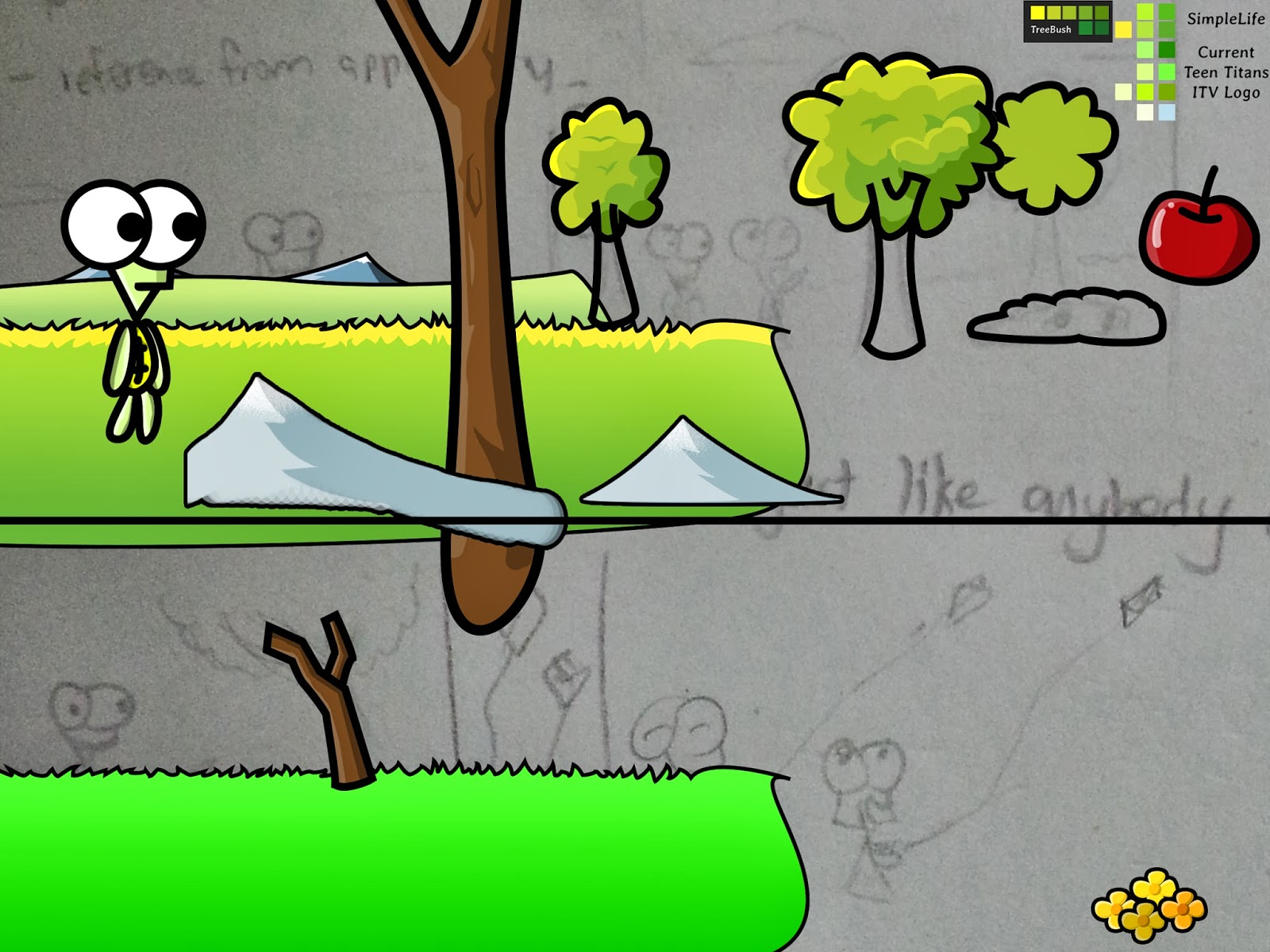
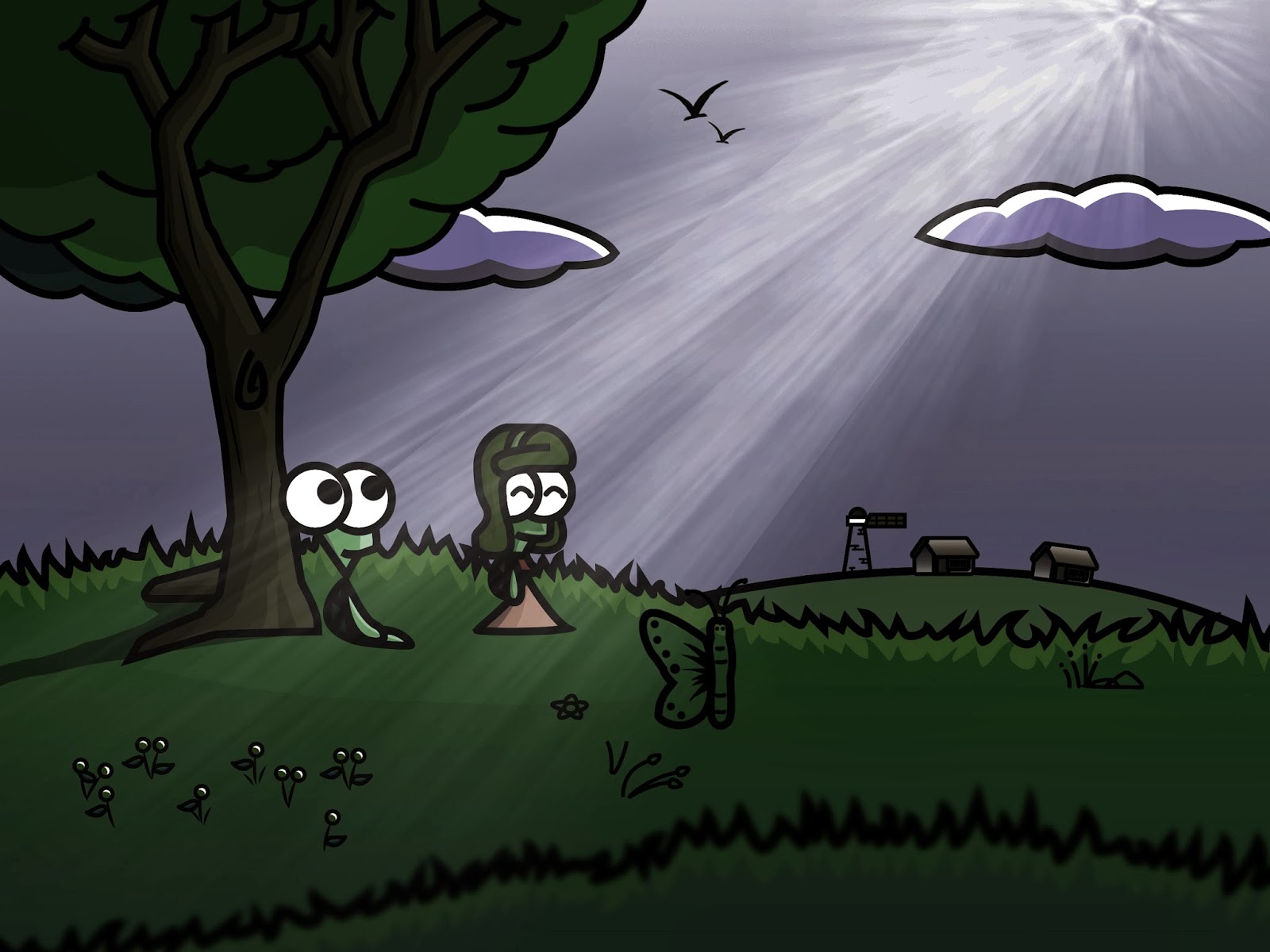
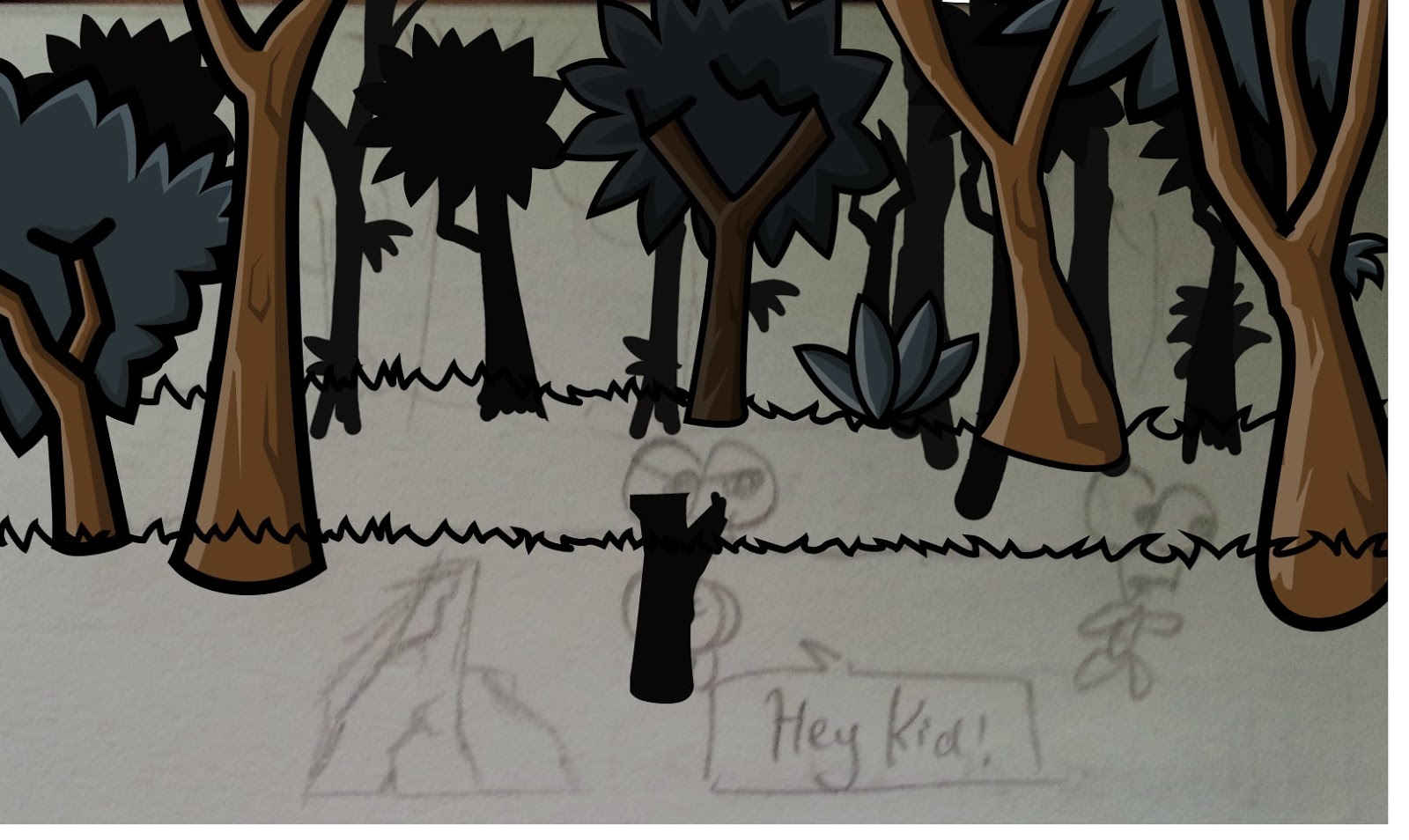
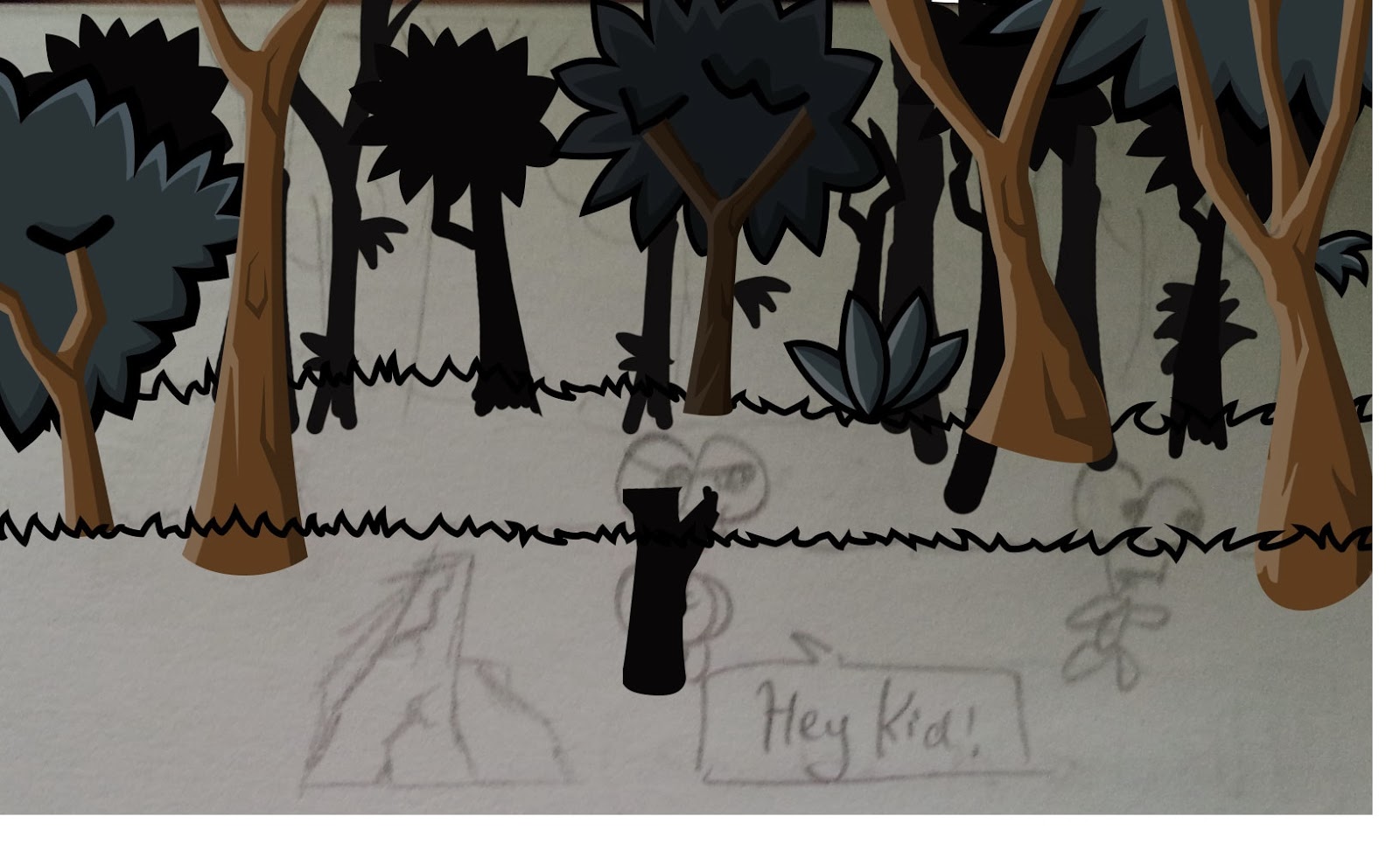
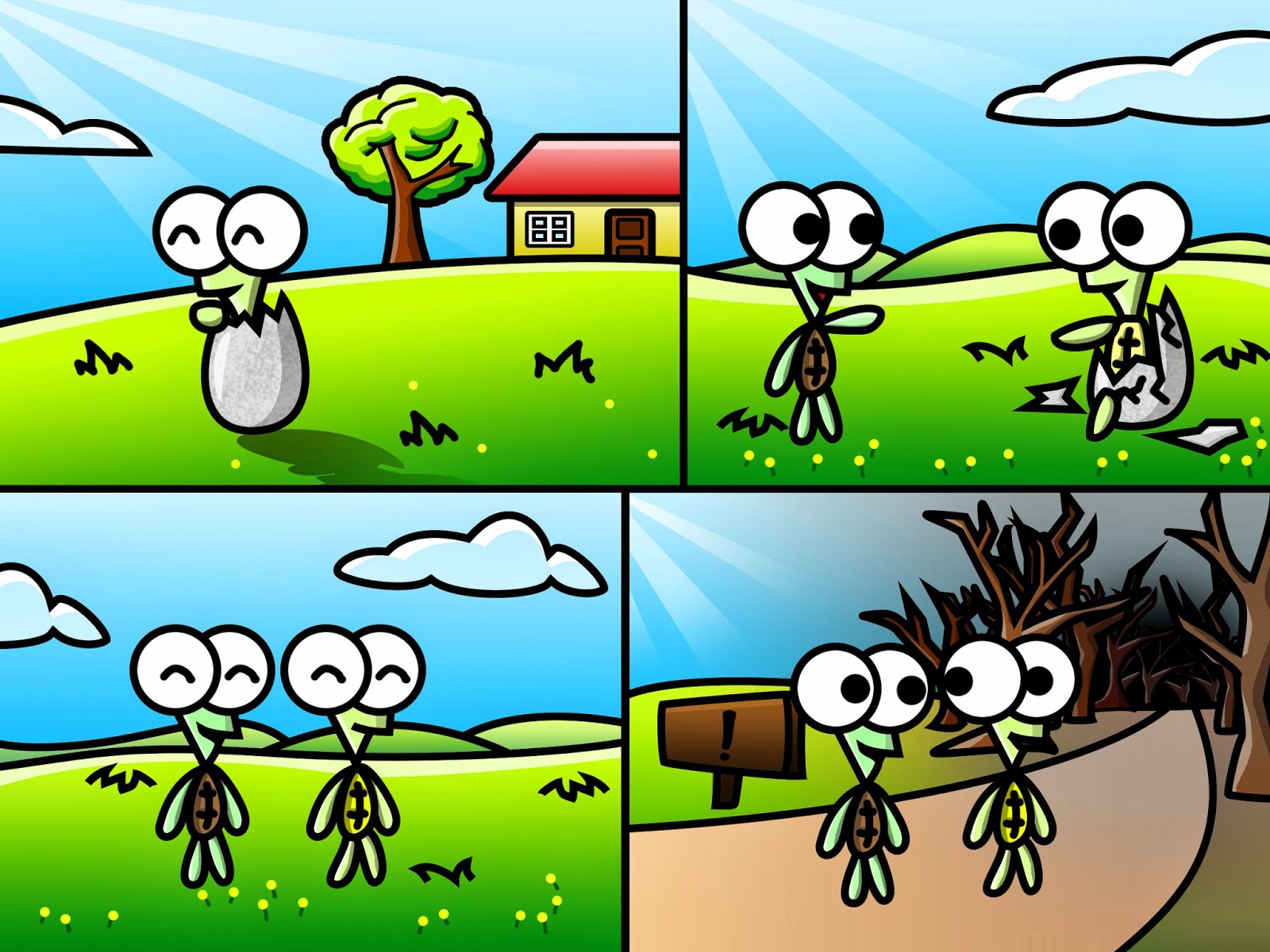
So I began to work on this new comic codenamed comic Jig (seen above), and another comic, CliffTop (seen below), that was completely handdrawn on my phone.

I would upload them onto my computer and the only thing I would need to do is to add colours once I reach home. This eliminated the drawing I needed to do at home and saved me a lot of time. I was quite happy!

Sadly, at this point, I am beginning to realise that perhaps game development isn’t something I might pursue, since I am doing better at other areas, from what I have been told. While this project has come a long way and I am more proud of it than anything else I have ever done, I feel it lacks a lot of the feeling that I express through drawing.

But I still have lots to do, and I wonder what the future has in stall for me.

Comic Scenes part 4

1 February 2014

I’ve been caught up in plenty of drawing and implementing of the comic scenes. I managed to create several special effects for almost every scene. This is rewarding, but also extremely time-consuming.

Not being as strong a programmer as I am in drawing stuff, tasks that involve coding tend to take up a lot of my time. Thankfully, this is the week of the Lunar New Year and I have roughly 6 days to work on as many of the Countryside scenes as possible.

A lot of the scenes are meant to be simple when I draw it out in free-hand (hard copy), but when I draw it on my computer, I make things a lot more complex (or if I want to see it in a good way, more detailed). Making things more complex makes my own life harder, but I still do so sometimes when I want to achieve a particular effect.

Since I am taking a break from development now, I shall just walkthrough one of the scenes I did recently.

I usually start off with a hand-drawn scene. I don’t do it all the time, but I think it makes my end result look better, and I can even see the flow of the story before finalizing it in digital copies. Here’s a scene I drew free-hand on the left, and the digital version on the right:

 
     Few minutes, or even seconds                                       Few hours, or even days
I wanted to choose a scene that was changed dramatically from handdrawn to digital, but in this scene they look mostly identical without much added detail. Even so, I have the tendency to add parallax scrolling to the scene. It adds depth and looks more realistic. Take the bottom right picture (the one with the moon).
Instead of making my image flat, I do what most other platformer developers would do: make layers.
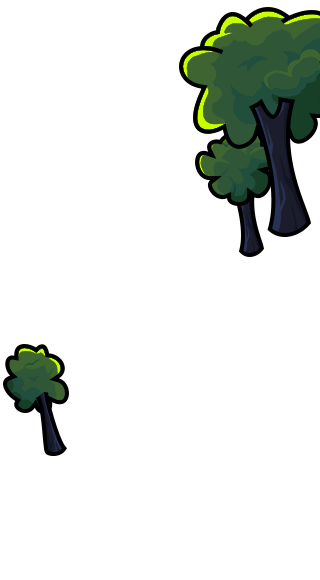
Sky as background                                Trees as “middle-ground”                      Characters as foreground
The three parts of the scene above when stacked together and set to scroll at different rates as the camera pans, provide for some really cool effects that I can play with, fueling my ideas to create some ambitious effects that often cost me more time than I actually plan to use. This is one thing that makes this stand out from my normal comics. Not only do they allow the possibility of animations, they allow for scrolling for enhanced realism.
Sadly, I am not skilled enough when it comes to creating the effects in Flixel itself and when multiple effects are stacked together, complications rise. I was trying to combine two scenes with camera panning together, and to do this, I needed to use two cameras. The main camera will navigate from scene to scene as per normal, whereas the scene I want to add special effects to (such as scroll or zoom), is attached to the secondary camera, so that if I zoom in or out on a specific scene, I do it on the secondary camera and the other scenes aren’t affected.
But well…even tasks like these can end up giving me problems. And recently, because I’ve been coming up with more and more special effects, my productivity is slowing down when I implement these scenes. e.g. What if I want to display a  scene with scrolling beside another scene that is zooming?! And when I spend more time programming, the lesser time I have to devote to drawing. Aww!
Final scene (Story35)
If you want to see how the scene looked like when it was in progress, there’s a picture below. I actually drew this in “daytime” mode because I draw a lot of the scenes in daytime mode, so I have to use the same colour scheme for the trees and grass before adjusting them to the appropriate “night” scenery.
Scene in progress

The above scenes I showed are Story scene 34, Story scene 35 and Story scene 36

I have at least 40 scenes of this comic completed and best of all: IMPLEMENTED, which means they are already in the game itself, viewable with most of the effects for the scenes completed.

Currently in progress are:
Story 39
Story 42

I don’t always do the scenes in chronological order because I just start with whatever I am motivated to draw, but I still try my best to not jump too far ahead and skip too many scenes. Just to list down some of the effects I managed to do (YAY!):
Camera panning from scene to scene + Individual scene scrolling
For a lot of the new scenes, I tend to put many of them together on a single page. But the game screen is only large enough to contain 1 or 2 scenes. So I pan my camera from scene to scene. Sometimes, I stop the camera at a specific scene to play an animation, or do its thing (scrolling up/down). This was the most difficult thing to do. I do this a lot with later scenes.

– Individual scenes’ zooming effects
Gives illusion that the camera is moving to, or further away from an object or character. I think this is the coolest effect so far. I use it sparingly because of its limited uses. Only two scenes utilize this so far.

– Lightning flash

There is one scene with cool stormy effects. When a lightning flashes, the scene illuminates and the side of trees/ characters facing the lightning will brighten. But it’s always the same side that brightens lulz.

– Scene illumination / lighting changes when sun rises or sets
A simple effect that looks great. Starting to use this more frequently.

Story43

I completed this scene this noon complete with an awesome sunrise.

– Moving clouds
One of the first thing I did with early scenes, and probably still the only moving object in my later scenes other than the sun.

Once Story 50 is finished, I will take a break from comics. I’ve also started to add watermarks to any significant pictures I post here. I’m only doing this because these pictures are being used for a purpose, and I don’t want them taken by unknown people before this project is completed.

I’m fine with pictures that aren’t being used in this project though, but most of the things I put here are related to the project in one way or another.

Fun
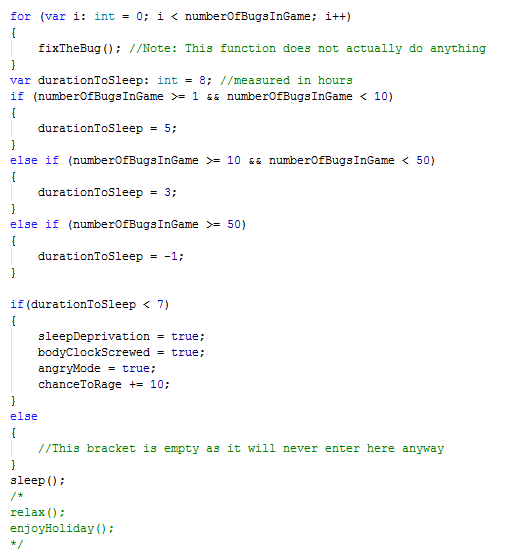
I wanted to put this picture above as I was writing about programming, but I decided to leave this till the end anyway. Here’s a piece of code I wrote for fun. It’s called “HowMyBrainWorks.as”

HowMyBrainWorks.png

Failed to compile. Unknown function “sleep()” does not exist.

Comic Scenes Part 3 + Cliff Scenes

26 January 2014

I created several new scenes over the past week and halfway through discovered something that potentially makes the scenes look much better – remove the black outlines.

I should be happy, but when I realise that I’ve already drawn several scenes out, I don’t feel like returning to the old scenes to correct them.

Above is the first scene I drew without black outlines. It looks very good when I compare it to my other forest scenes.

 Above was a comparison I did halfway through while producing the scene.

This is my forest template. I put all my forest-related assets here, so anytime I create a new forest scene, I just have to drag in and re-position my assets. It saves a lot of my time! The character templates are also commonly used, so I just put them here as well.

I have currently 21+ completed scenes, and barely halfway done. I can see this taking up a lot of my time. But I have completed about 90% of the Forest scenes, and I have started moving on to the Countryside scenes. I’ve already drawn out a few frames of how the comic looks like on paper and now I have to digitalize them.

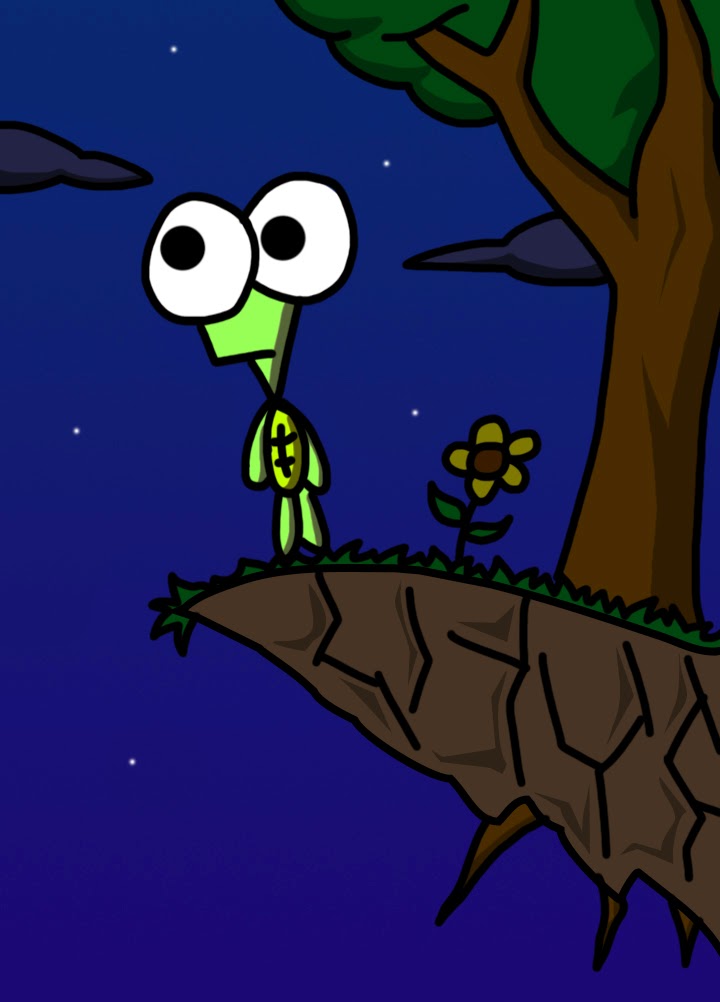
While not in the comic, I also found this particular picture having great potential so I decided to take a break and work on this. I relate to it a lot.

I really like this scene, and the above is a screenshot taken one day ago.

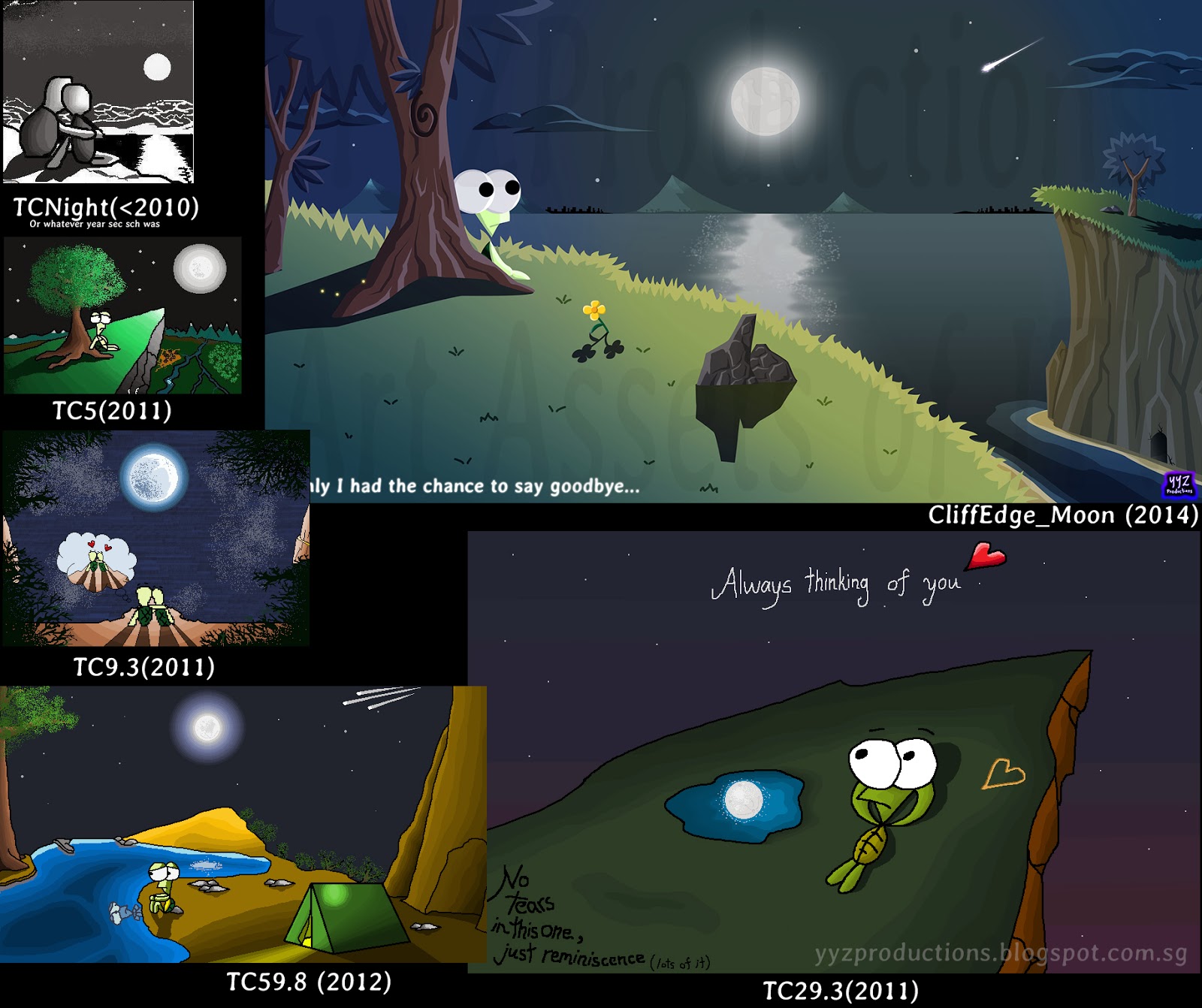
This is a very familiar scene, and I had created several such scenes over the years. I looked through my ancient “My Pictures” folder and was struck with nostalgia as I recall pictures that date back to 2010 (4 years ago). I did a compilation of all the “Cliffs” for fun and here’s what it looks like:

All of them are to scale (in terms of size comparison with each other) except CliffEdge, which I had to scale down to squeeze in here. I just noticed a trend as well, and it’s that the pictures got slightly bigger over time. I think it shows the transition of me using MS Paint to Photoshop very perfectly. In my latest picture, I completely removed the use of outlines. All this while, I had been using outlines – something which was a necessity for me while using Paint. And now that I’ve moved to Photoshop, I think outlines may be gone from my pictures over time since the scenes tend to look better without them.

There’s one more TC that doesn’t particular look like one of the above since it was drawn for a different purpose, but it does resemble a cliff edge shot.

This is TC34.4, also drawn in MSPaint years ago. I really like the part at the bottom right. It still makes me feel something till today. I remember how tedious it was to manually create gradients in Paint pixels by pixels – but it was what made the moon at the center look one of the nicest among the TC I had drawn back then.

Here’s today’s progress on Countryside comic scenes:

It’s looking satisfactory so far! I can’t wait to finish up the first of the Countryside scenes!!!

At least one person will be looking at how shiny that apple is.

Comic Scenes Part 2

18 January 2014

I like to take a break from all the coding/drawing and come here to write on the stuff I have done so far. I’ve drawn a ton of stuff, though not as much as I wanted to since I had to code a couple of stuff to integrate the different comic scenes. I slept and woke up really early today.

I’m also beginning to “explore” other art styles that I stumbled upon while drawing my stuff. One of the scenes I was really looking forward to draw was a scene of the Countryside comic.

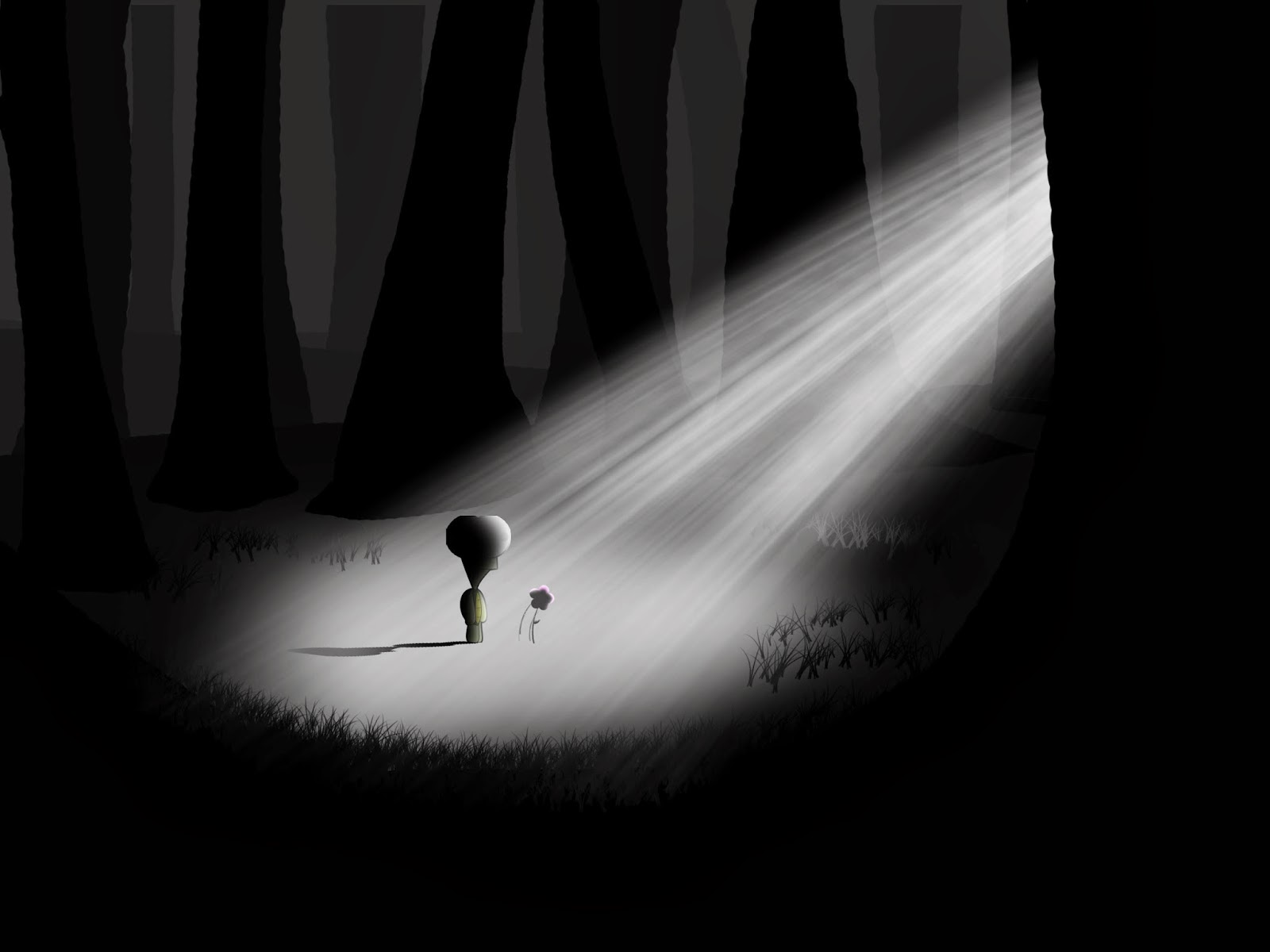
One of the styles I felt like going with was a very simple style where the picture is mostly just either black, or white. No Grey or any shades of colour. It looked really nice when I was just started, as seen from the picture above.
It looks similar to “Take A Walk”, a game which had really good and detailed graphics even with the absence of colour.
Below, I tried a couple of blending modes. It did not quite achieve the effect or beauty of anything better than the original so I just used the original. There was one effect (I didn’t put here) that was pretty good, so I made an animation for this scene. I added a setting sun and as the sun sets, the lighting of the scene changes. I did that with Flash’s blend mode. The following are not done in Flash, but I thought it would be cool to try other effects like morning, night, rainy, super bright lighting, etc… The images below shows some of the simple effects I tried applying:

I was also drawing another scene. It’s a very dense forest scene and I suddenly came to realise that the trees looked quite good even without strokes. I previously drew them with strokes because they lacked the detail and shading to make them look good on their own. But as I draw, the outlines do become a nuisance at times, taking up unnecessary space at where I need them most, especially with small objects in the distance.
With strokes
Without Strokes
It’s been a fun week. I was doing programming for the Comic mostly as well as implementing the Hats for the turtle properly. I drew new hats too! I did more programming than drawing, but I did take short breaks to draw stuff whenever I get inspired.
Each scene in the comic is classified under one of 3 types:
– Normal: The scene appears normally. No special effects other than animations.
– Scrolling: The scene can scroll left to right or right to left. I draw my scene wider when I intend to do scrolling. It apparently looks better when I exaggerate the effect of parallax scrolling.
– Zoom: One of the hardest effects to create when combined with the above scenes. The scene requires its own camera and multiple layers of depth in the picture. I then manipulate the scaling of each “layer” individually, to give the impression that the player is moving toward or away from the scene. I imagined it to look really cool, but each scene in the comic is about a quarter the size of the entire game screen, so the effect didn’t turn out as awesome as I expected. It still has the effect I intended though.
Lastly, I am going to animate some objects or people in the comic to make stuff more exciting. This comic is looking good so far. The enemy frames above were made like this to create a special “revealing” effect which I don’t want to say too much about haha. The animation will do the talking.
Above is a parody of Limbo I drew. It isn’t very high quality because it was drawn in a very short amount of time before I wanted to sleep (took me like 30mins to speed-draw this), thus the “blobby” outlines and simple shapes. Limbo is another game with really good art direction.
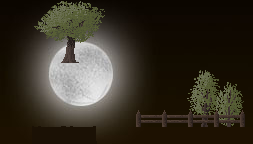
TreeMoon.jpg
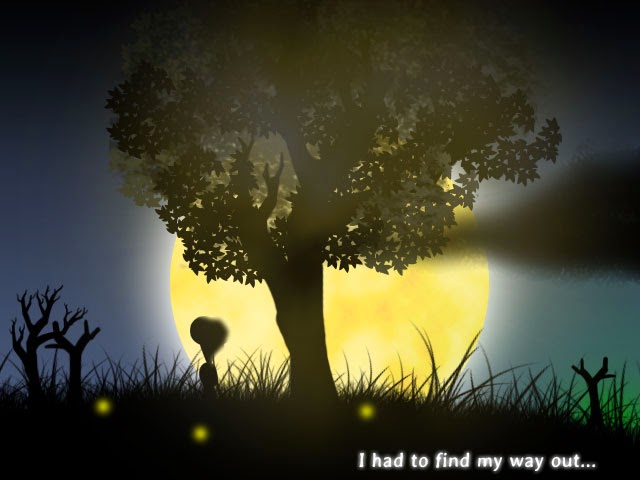
And here is a scene which will be used in the comic. I drew this because I saw two of my images – a tree and a moon – overlapping each other. And coincidentally, their positions actually looked really good together. I got a good feeling out of it and I drew something more complex. I wanted it to be simple, so there wasn’t much detail in this as the other comic scenes. That might change though, since it looks like an idea for a frame in a comic scene. The text in TreeMoon.jpg will be changed in the final version.
Above is the inspiration for TreeMoon.jpg. I somehow feel I could have done a better job for the TreeMoon though.
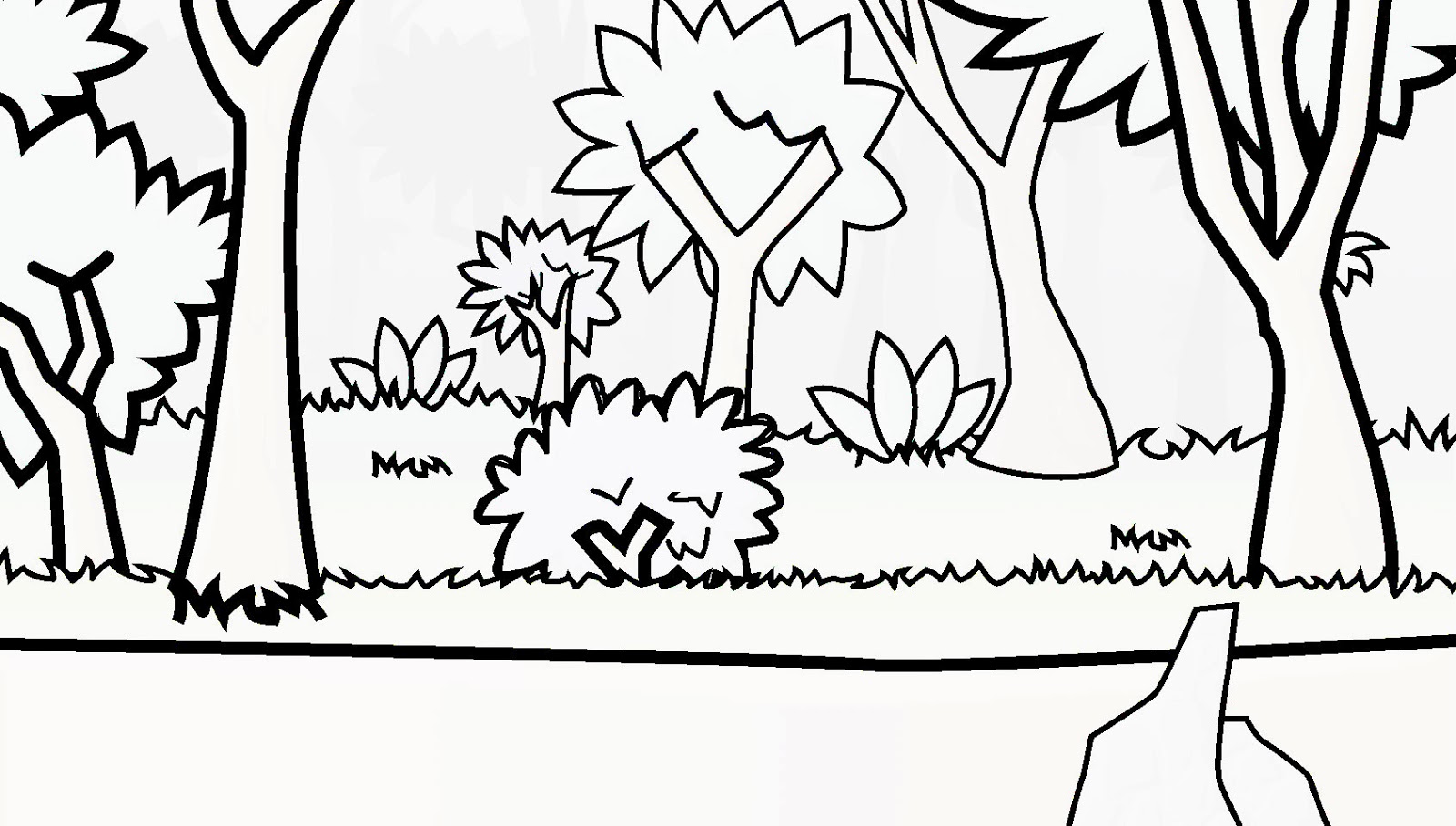
Also, I found a quick and easy way to automatically convert all pictures to have pure black outlines and white for everything else. Here is a forest scene that I just completed:

Unfortunately, it doesn’t automatically draw outlines for shapes that aren’t black, so there are a lot of missing details in the furthest layer of the background. Notice that the numerous silhouettes of those trees just disappeared in the black and white version? Still, it was a quick way to see how my pictures look like without colour and just the outlines themselves!
After playing with the setting subsequently, I was able to find another easy way to get the same effect above. But it isn’t as clean since there are patches of grey in the picture. However this method is more flexible in that I am able to control how much detail I want in the picture. I can set it to hold more detail, and thus more patches of grey, or have lesser patches of grey at the cost of detail. It’s quite cool to play around with the settings and experimenting with the results haha!
And alas, this weekend is already coming to an end. As usual, weekends are being themselves – short and ephemeral.

New Tiles, New Achievement UI, Hats/Shell accessories, Ability Effects, Comic Selection UI

12 January2014

I honestly feel that this game is really starting to take shape in terms of graphics! (Then again, I am always constantly improving the graphics despite thinking it would be final.)

I’ve added a ton of stuff lately and I’ll go through each briefly in detail one by one!

New Tiles
I had a couple of tiles drawn and put into the game to test which were better. I also did color variation of the tiles to see which color scheme would fit the level the most. I did this after sending my game to Li Hao, who said that some tiles looked great because of the colour, but they lacked the detail and stuff that the other tiles did. So I later went to modify the detailed tiles’ colour in hope of achieving the same matching colour scheme that the old tiles did.

It is sort of funny because I seem to have gone one big round, and suddenly after drawing so many new tiles, the old tile ends up being the one with the most matching colours! But I think if I can get my new tiles to match the colour scheme, it would look greater ultimately.

Anyway, these were the tiles that were made before reaching the final result. A lot of these were drawn a long time ago and looked really bad and were crap, so they were discarded.

 Currently in use for Countryside:

 Used to be the tile for Countryside:

 Currently in use for Hills:

 Might implement for Hills:

 Might implement for Hills:


New Achievements Popup
The problem with the old achievements popup was that it took up a lot of space. Even though I added the option to close it, it doesn’t solve the original problem of it being big. It also looked far too futuristic and the style was quite off. So I went to look up how acheivement popups look like in other games, and decided to scrap my old popup and make one based on the references I found.

I did a new popup, and well, I think it still looks a bit too futuristic. I think I tend to like to draw futuristic stuff and hence it kind of affected the way I draw popups, but at least it looks much nicer. It is sleek and smaller! I like the close button at the top right. It turned out better than expected.

Old Popup:

New Popup:

I’m still testing how it works so the popup might not be finalized. In fact, nothing here may be finalized, including the tiles. The good thing about the new popup on the programming side is that I now use this template:

And then I just code which “icon” and what the achievement “name” is. I don’t have to make a new picture to add a new achievement. I just use the template, change the icon and name and tada!

It makes me want to add more achievements because it’s so easy to add achievements now. The Achievement class settles everything. I just need to add two lines of code!

memoriesAchievement = new Achievement(“Digging through Memories”);     //Create the achievement
memoriesAchievement.earn();     //Reward the achievement to player

Hats and Shell Accessories
My favourite new feature.
I added Hats in the game! The player can now wear hats. There are currently 4 different types of hats, 2 of which are actually sunglasses that cover the eyes instead of the head.

I also added the ability to change shell colour. There are currently 9 shell colours to choose from. There are more variations, but I took a few screenshots just for show:

Currently, these features are more for fun. You can change your hat by tapping “H” on the keyboard, and change your turtle’s shell colour by tapping “J”. Your preferences are saved, so every time you load the game, you don’t have to re-switch to your preferred hat/shell colour.

I have not added a user interface for this yet since this feature is pretty new and honestly, very pointless. It’s not even something I intended the game to have, but it was quite fun to do it. It’s my game afterall, I have the power and can do anything! HEHE. Just kidding of course.

Oh, did I mention that certain hats actually “float” down when you fall from a high height? I wanted the hat to really show as a separated object instead of just something that is “fixed” onto the turtle’s head so I gave it a bit of physics. This was actually more complex than I thought since it didn’t look real at first, but I managed to figure out how to make it look more realistic in the end. I think this effect is pretty cool.

I also made the Hat scale accordingly with the player’s height and width when he collects friends. The scale works awkwardly with animations though. There are also some bugs with the hat and the girl gains some magical properties when she jumps on top of the guy when he wears a hat (Magic hat much?), so I’m not done with this feature yet. Might not even implement it in my final game since it is just not a meaningful addition to the game.

Abilities / Effects
The ability to be invulnerable to spikes and enemies were implemented long time ago. But I never made any effects on the character to show that they were in effect, but now they do:

This being a new feature, I might change it over time as the top shield doesn’t look as nice as the bottom one. You can stack both the top shield and bottom shield.

Unimportant: Trivia:
I got the ring shield as an idea when I had a bug and created a ring around my character. The ring was supposed to expand outward and fade out, but it remained stuck to the character and followed him. That was when I had this idea! It’s bugs like these that inspire me.

Comic Selection UI

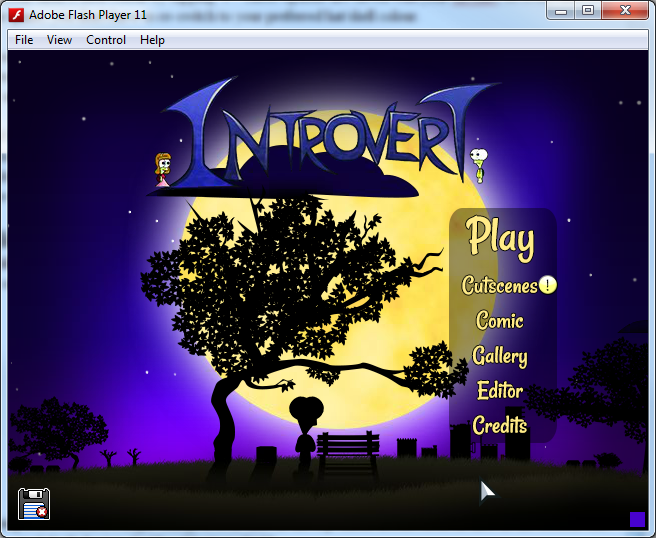
I added the new Comic button to the Main Menu. I also reduced the gap between each button so I don’t have to stretch them out so much and clutter the Menu.

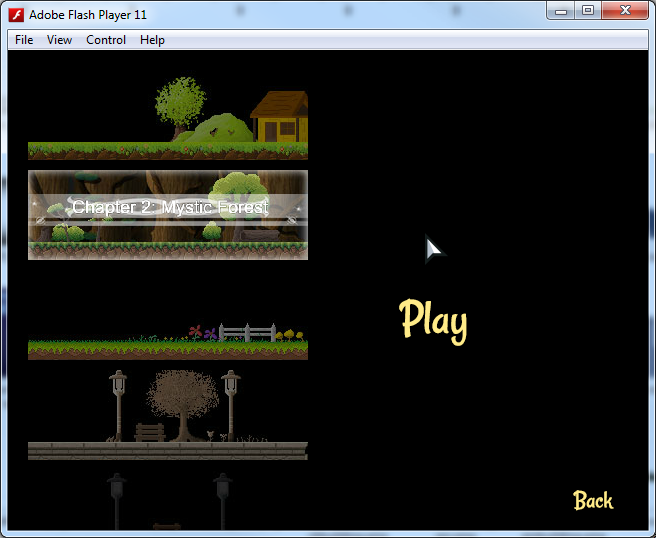
When you click on “Comic”, it directs you to this screen:

 I intended the book to look like the screenshot below at first, with every picture having “Chapter X: yyy” on it. But guess what I did in the end?

This:

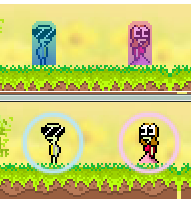
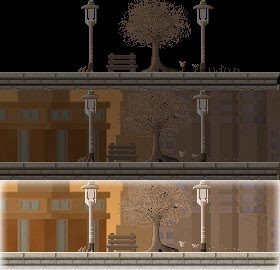
By default, the button looks dark when you do not roll over it. (Top picture)
When you roll over it, the background appears. (Middle picture)
When you click it, it is selected and brightens up. (Bottom picture)
Also, when you select the picture, the words “Chapter 2: xxx” appears with a trailing animation behind it. I think it looks rather neat rather than have all the pictures display the words like above.

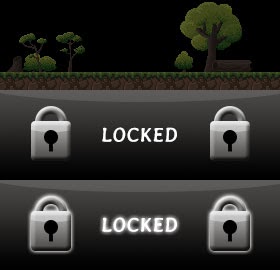
But if it’s locked, a new button is used. Rolling over will tell you so.
Attempting to click the button even though it’s locked, will cause the “LOCKED” to glow.

I like Chapter 4’s button. I think it looks the most fabulous:

I made this comic selection screen because I previously put an ugly button at the menu for me to temporarily access and test the comics, and the ugly white button really irritated me to the core, so I decided to actually attempt this and see how it went.

With that, I conclude this post of one of the most productive weekends I ever had, after sleeping at 7am yesterday.

EDIT:
Updated ‘My thoughts so far’ on 13 Jan. The following has nothing to do with the game itself, so uninterested readers need not continue.

My thoughts so far
Well, this is the first time in a long time that I did such a dedicated post. I put up so many pictures, took so many screenshots…it’s just wonderful. Just reading the posts before this one was quite disappointing. I felt a bit bored reading my own posts since I had begun to lose interest in the game while away from it. But this post actually felt different. I hardly had this level of motivation working on Introvert ever since I was enlisted into National Service. I hope this motivation will continue on for as long as possible!

Since I kept this game quite low-profile, only four people have actually played my game before, in order:
– Myself
– Li Hao
– Han
– David

Soon, I will have a fifth person try my game, and I can’t wait to recieve feedback, because for once I’m actually letting somebody who has NEVER seen my game before, play my game. I realised one thing about myself is that I have the tendency to prefer new stuff. When I see the game and test it every day, I get accustomed of it to the point that whenever I draw new tiles or new backgrounds, or create new level layouts, I instantly feel the new one works & looks better. That is until I realise that sometimes, it is because from my perception, this ‘new’ thing looks better because it replaces something old which I keep seeing for a long time.

In a way, the longer I test the game, the greater the inaccuracy of my judgement. When there is something ugly in the game, and I see it for 100 times, suddenly I get used to it and so comfortable about it that I forget that it is something I need to change. Take the achievements popup above for example. I actually forgot about it, until somehow I remembered it yesterday through a conversation with Li Hao.

Since this game has been with me for a long time, I’m frankly quite excited to have a new person testing the game and hopefully, since I get a fresh opinion on things and hopefully I will get constructive feedback. Haha!

Comic!

7 Jan 2014

I’ve always loved drawing comics. And hey, Turtle Comics were the predecessor to Introvert. I drew comics on paper, and some turtle pictures using Paint (and eventually Photoshop).

But it’s only until recently did I start drawing comics on paper that related to Introvert’s story. I had paper and lots of free time while outside, so I tend to draw a lot!

And then I thought how great it would be if I could redraw those comics on my computer, converting the comics into digital format, and putting it in the game!

Would that make a great idea?

So I drew a few frames, and I think this is one of the highest quality comics I’ve ever drawn on my computer. I’ve drawn better stuff, but they weren’t comics – more like single pictures that stood out on their own, never a chain of pictures put together to form a story.

Suddenly, I was spending hours on this ‘Introvert comic’.

It can take me 3 hours to draw a single frame, and it is hell lot of work.

Pictured above: Hell lot of work.

But having a comic in the game is something that keeps me motivated to work on Introvert, especially when my energy is getting drained on the less interesting to-do stuff.

I managed to draw 8 frames in the past week or so. I was quite happy that I was making progress, but I’m as happy with the rate I’m going at actually. I feel quite slow, but it’s also because I’ve been really tired and distracted lately. I usually complete a full comic in one or two days, but then again, the comics I used to draw never had complex backgrounds and shading only appeared on main characters or objects. Simple as it looks, this is a great improvement from the comics I used to draw in Paint, or anywhere else for that matter.

My friend, Han, was quite impressed with the quality of the comic which I drew in high-res. I draw 4 frames per page of the comic, and it really lags my computer when I am working on the final frame of one page of the comic because all the other frames are drawn on the same file!

Any how, I was wondering whether to further improve the comic, and not just make it a normal comic. I want to push my limits!

I played a game called “Memories of You” on Kongregate. It’s a Spot the Difference game that requires you to spot the difference between two comics. The music is okay, and the sound effects are really good. When you flip to a page that shows a girl laughing, the sound of laughter plays just as you flip the page. I think playing that game triggered some motivational spark deep within me.

That game also has “alternate” endings based on which difference you spotted first in the comic. And yes, their comic has quite a touching story, which was what drew my attention to it, and inspired me to draw a comic for Introvert too, but for different reasons:

The first is to tackle a problem with the game itself. Li Hao played my game and he forgot the story as he progressed to the later levels. Well, the story isn’t impactful enough and that’s one thing, but there’s a restriction on how much of the story I can change. But adding a comic page that appears after you complete a chapter is like showing the player a quick recap or summarize what happened in the past chapter, so the story isn’t too easily lost or forgotten. Showing the comic periodically is a nice way to wrap up what the player has accomplished in the past few levels, or at least that’s what I think. I’m not sure what my Game Designer thinks yet though…this may all be a bad idea for all I know and may be changed in the future. We shall see.

After looking at “Memories of You”, I thought of my own ways to make my comic stand out a bit more. I wanted to do parallax scrolling, with camera panning, camera zooming, fade-in and fade-out effects on objects or characters in the scene, and possibly even tiny animations for specific scenes of the comic – tiny animations or slight movement that have two frames maximum, because animating this is a lot of work!

I really wanted to push this comic to its limits.

But this idea caused problems. If you have a page full of animating pictures, it’s hard to pay attention to each one of them when the story unfolds. I could instead display one frame per page so it isn’t distracting, but it might not be so nice, and doesn’t achieve everything the comic would.

Han then made a terrific idea! He said I could actually do BOTH! I could make a comic, and yet do the special effects for specific scenes in the comic! I really liked that idea of having one gigantic, detailed, slightly animated frame, followed by a string of comics, and then another gigantic frame for main events that happen in the story. Coincidentally, I drew sketches of one of such frames when I was at work today.

I also went further to think about how the “comic” should be best presented in the game, and when would be the best way or time to show the player the scenes. The original idea is to present a page at the end of each chapter, as said above.

I wanted to make an ‘unlocking’ system though, where the comic doesn’t come in full at first, but have the pictures “fade” in based on how much progress you make in the game.

One of the ideas I had was to give the player a book. The book is all blank at the start, but as you progress through the game, the book fills up with pictures which form a story as you progress.

My friend chipped in, saying that if I did that, I could even have some hidden comics (a secret page) that is found by exploring the game.

And then, I had this “brilliant” idea. WHY NOT DO BOTH? I could have the “Book” accessible from the a location like the Main Menu (not confirmed), to browse unlocked Comics, and this way, I could even implement the Hidden Pages concept.

AWESOME!

All that is a lot of work, and I’m going to be as busy as I ever will be. And I wonder why I write so much sometimes. It’s not like anybody will read this since this blog is sorta ‘unknown’ at this point in time. Only 2 people know of this blog after all, and that statistic includes myself.

Speech bubbles appear when you leave the game

Sunday, 8 December 2013

I hardly work on the game on certain days, but since I am here writing about Introvert, the game isn’t dead yet!

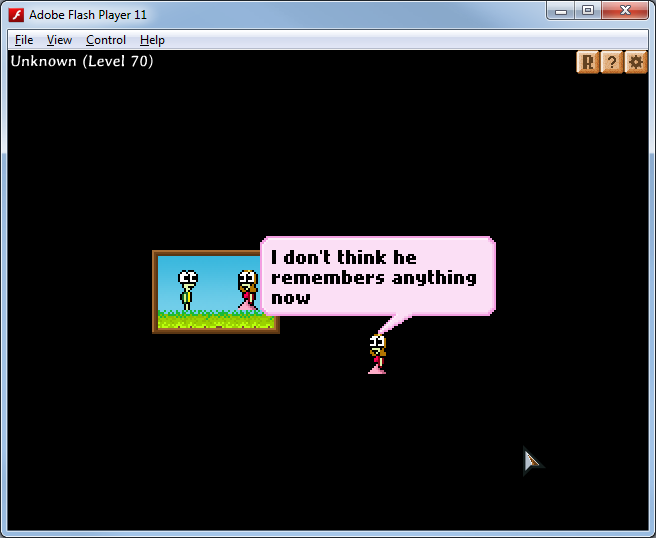
Today, and for the past few weeks, I’ve been working on some small stuff. But I will just talk about one of the things I did today, which was to make the turtle talk when you do not move for a certain duration. So if you pretend to “afk” in the game, but do not move the turtle for about 15 seconds, he starts to talk. I made this to touch up on the turtle’s character.

In the first two levels when he is just an infant turtle (still in the egg), he is curious and often asks questions. In the next four levels, he asks about how big he can grow and about the people around him.

In the Forest levels, he speaks about wanting to get out of the place quickly.

In the Countryside levels, he enjoys the place and wants to stay in that place a bit longer.

The other thing I did was to make the required stationary duration different depending on what level it is.
In the early levels, the player talks when you do not move him for more than 10-15 seconds.

In the forest levels, he becomes less “talkative”, so he does not talk until you did not move him for 30 seconds.

In the later levels when you meet the girl, he talks much more. You may notice that he starts talking when you do not move him for 10 seconds.

Each time he talks, the player chooses a text at random. During each level, the same text will not appear more than once.

Improvements to make:
– Possibly add animations when he says one of these random text. Maybe he can sit on the grass and close his eyes to relax…

Summary of tasks accomplished:

New things:
– New player animation (enter door)
– Bench level scene extended
– Enter Portal animation
– Message State to Level 301
More recently:
– Idle talk
– Level Select Finalized
– New BG when u sit down in LS
– Several levels have zoom in
– Several levels start at 2x Zoom
– Flashing of restart btn

– Gallery x 2 new items

New animations and touching up the scenes

18 November 2013 – New animations and touching up the scenes

Been busy today! But I managed to do some small stuff that made my weekend somewhat productive! I’m happy with the changes so far!

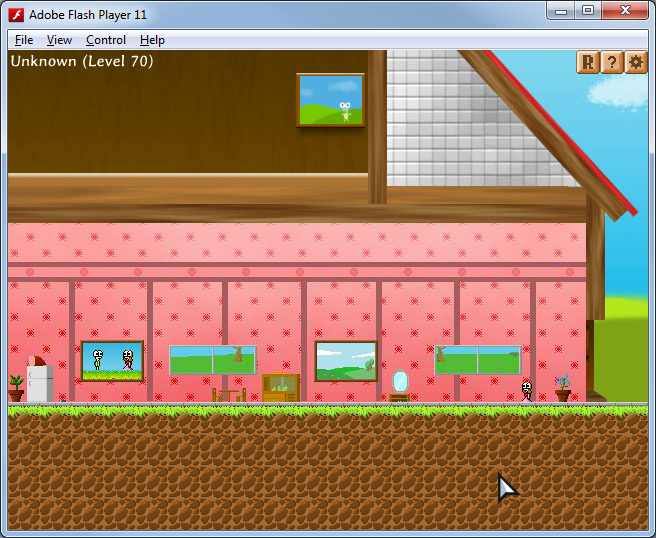
– Level 62: Drew a new animation for a turtle entering a door. This animation is actually pretty cool because it involves some depth and a bit of illusion, rather than flat 2D animations I typically do.
– The new bench level is cooler. Planning to add some special effects to the level.
– Level 301 (Memory scene 1): Now has a “message scene” before the level. By the way, the game does not have 301 levels. Level 301 and 302 are special exceptions as they are special levels that don’t flow with the norm.
– For several levels like Level 301, I added new “messages” and “speech bubbles” to add on to the game’s storyline. I think the newer text is much cooler 🙂

New player animation, yay!
enterPortalFrames animation was drawn today, and after so many months, the turtles now play an animation for entering a portal before cutting off directly to the next level!

I will have to work on fixing some issues with the game soon, so I can’t keep adding stuff and implementing all the cool stuff I want 😦

At this moment, I don’t know if the game can be done by December…

Also, Christmas is coming soon. I usually draw a Christmas turtle scenery each year. Earlier this year, I planned to make a mini-game, borrowing some art assets from Introvert, sorta like a Christmas special, just for fun. But well, I might not have the time to do so.

Level Selection Screen remade, New Cutscenes

24 October 2013

I’ve been really busy in life and away for 4 months because of National Service! I could only come back home on weekends and by then I am usually too tired to do much. However, with a stroke of luck, I was posted to a unit that doesn’t require us to stay in, which is extremely rare. As such, I am able to come back home every day at 7.30pm. I don’t want to let valuable time pass by like this. The few hours every day isn’t much, but at least I now have some time to devote to work on Introvert!

Level Selection Screen remade
I also had a one week holiday, which I used to solve certain issues pertaining to the Level Select, which has been bugging me for the past months. The reason why the LevelSelect had to be changed in the first place was because:
– It was too squeezy
– Does not look very nice

The Level Selection screen has undergone major changes every once in a while, and the main problems with my level selection screen based on feedback was:
– Too troublesome to navigate. Player has to actually “play” the levelselect to enter a level. Not cool.
– Messy. There is no flow in the levelselect. The portals to the levels are zigzagging everywhere.

Making a UI-based level select solves some old issues, but introduced new ones.
– Ugly
– Not intuitive
– Lots of empty space not utilized
– Does not transit well (player is suddenly restricted to grid-like movement to select levels)
I wasted a lot of time just re-doing. I have a bunch of LevelSelect.as that went to waste.

In the end, I made a new Level Select map that solves most problems. It looks pretty, is orderly and neat, and isn’t troublesome to navigate, but Han told me he could not explain it, but he preferred the “messy” Level Selection map, because the way the portals are arranged, and I guess the need for the player to “explore” the map gave him a feel that the turtle’s life was transitioning from being down in life to happiness. I suppose it sounds like a really cool feeling I want to give players, but as of now, I lack enough testers and feedback to make a conclusion of what works best.

Level Select comparisons

Top left shows the Level Selection being worked on currently (no decoration props added yet). Top right shows the interface level select.
And the 4 screenshots below are just versions of the old level selection screen are just there so that I can take the good points from them, and try to come up with a design that eliminates as much negative points as possible while combining the positive aspects of each design.

—-
Another aspect of the game that I like to work on: Cutscenes!
Somehow, I keep having ideas of cutscenes. They seem to really excite me for some reason, because they aren’t just traditional levels like the others. Each cutscene has its ‘unique’ feature, and that is what makes me excited.
I made three new cutscenes, and I am extremely proud of the final cutscene, which has some really cool stuff that I never attempted before. I really went crazy on the effects and transition of the scenes, and although the transition was very short, I was quite impressed that I made the entire cutscene work within just two days, especially since coding skills have the tendency tend to rust after such a long break.

Pictures of cutscene:

I have not shown anyone the new cutscenes, not even Li Hao or David. They are both very busy currently, which makes me feel so sad and lonely, being unable to gather any feedback. *Desperately need testers*

The cutscenes might undergo changes since there will definitely be ways I can make them more awesome, especially since Li Hao and David always gave me really helpful feedback.
—-

Believing in yourself (warning: lots of personal reflections/musings here)
I know nobody came here to read some rubbish morales/ life lesson thing, much less want to know how I feel about producing a game, but just now, I was looking to improve/expand on the Main Menu background. I found myself staring at the Main menu background for a good time.

You know, many months ago, when I made my first background, I thought that it looked really good. When I was later told that it was not good enough, I was very sure that there was no way I could improve it. There was no way I could do any better. Yet eventually, I ended up drawing something so much better and much more impressive. I thought I could reuse some of the old main menu assets, but I realised I did not want to.

And when I was deleting some of the old main menu assets from the xlf file that houses all the game assets, I honestly felt that what I drew months ago would never cut it as a Main Menu. It was really ugly lol, especially the buttons. The old main menu used to be pretty to me, and I could not let go of that, so I refused to believe I could draw something better, but I did in the end. I discarded the main menu I took days to draw, and it was worth it.

I didn’t believe I could do better, but I did.

But this isn’t just a single lesson and all. One of the things that I wanted to learn was how to let go of old stuff – letting go of the past has been something I have not been doing well in.

I have a feeling that at the end of this project, I will have learnt more than just programming and learning how to utilize Photoshop… There are just some things we learn along the way that we never thought we’d learn when we first do it.

When I started making Introvert, I never thought that one day, I’d hire David to make sounds and music for the game.

When I started making Introvert, I never thought that one day, I’d actually go to the extent to invest my own money, to try to reach a standard that would have approval from sponsors. I didn’t even know that FGL existed, much less expect myself to use it.

Looking at Introvert, and seeing how close it is to completion, it really makes me happy. It’s the overwhelming excitement that fills me that makes me want to push myself to complete it, to talk about it, to work on it, and to think of it when I go to bed, when I go through the physical training while I’m in the army.

Some day, months from now, Introvert will (hopefully) be published, and I am ever so curious to see players’ feedback on it. I hope I have not pushed my hopes too high, and hopefully I won’t be disappointed by how this game fares. After all, I have put so much effort into this game. But of course, I understand that effort doesn’t always reap rewards.

I guess when the game is completed, I will find out.

Polishing update 1

Progress so far
The game has gone through several changes since the start of the polishing stage, and is starting to look much better! I improved the art of the starting levels and there are also some design changes that were made, with help from David. Most importantly, the text is now looking waaaaaay better than before!

New Font for game text
The first thing that had to go if this game were to look good was the default Font. I added 9 fonts in the game and added hotkeys F1 ~ F9 to change the fonts, to directly see which fonts look best in the game, while playing in real time. I, David and Li Hao all had different opinions on which font looks the best, which makes it confusing haha.

But with the font change, the game looks presentable. I was so excited about this change!

Text change
The text for the first few levels was also rewritten. Woohoo!

Game Logo
I changed the shape of the logo and made it look a bit better. But it might still have to change in the future. You can see the new logo in Cliffhangar3.png below.

New Introduction Cutscene
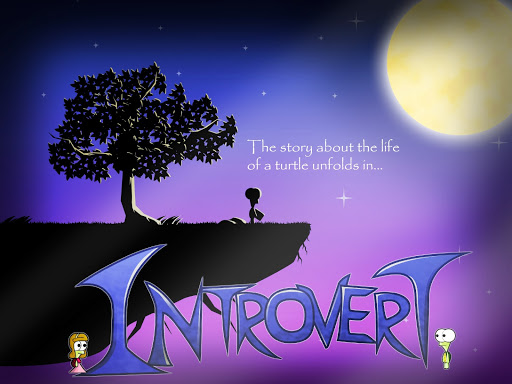
I was really tired of working on the game at one point. I used to draw random turtle pictures, and I realise how fun it was to draw random things, so I drew a turtle staring at the moon, under the tree.

With some ideas and tweaking, I got ambitious and turned this into an actual cutscene in the game! Guess I didn’t waste too much time on random drawings after all.

Cliffhangar3.png

New Decorations and Tiles for Hills of Reminiscence
I drew new tiles, and experimented with colors for awhile before finally getting something that looks better. I was told that this still needs improvement though, and I wish I knew how to draw better rock tessellations. Also, this is probably the last time you can see the old font in the game in the screenshot:

The old level looked like this, and Li Hao probably fainted when he saw this:

And here is an even earlier version, but isn’t the oldest though:

Finalized new turtle sprites
I finished drawing the turtle sprites some time ago, after experiencing issues with trying to make my turtles look consistent. It’s so much harder to draw turtles for a game than to actually draw them for pictures/cutscenes!

The male turtle now has 5 different forms, or “levels” as David likes to call it.

Baby: 16 x 32px (turtle in an egg)
Small: 10 x 20px (default)
Normal: 16 x 32px
Large: 20 x 40px
Largest: 24 x 48px

There is actually a final form, but this was removed.
Super large: 128 x 256px

The problem I had with scaling the turtles was that they had undesirable pixelation. Drawing multiple sprites minimizes the issue, but doesn’t actually solve it completely sadly. Li Hao helped me with coding another method to scale the turtle, but it does not work well with pixel sprites. The scaling was a nightmare… and drawing so many turtles is certainly exhausting.