Girl graphics enhanced (again)

Done on 7 April 2013

I’ve once again tried to better the graphics. It is really hard because a character size of 20 x 10 means I cannot add details that I want to add. It’s a torture trying to make a bunch of pixels look like hair. It took me a few hours to finally get it right.

20 x 10 pixels
Very first version:

Second version, looking much better with hair and removal of eyelids and red lips

Third trial version with hair improved:

Final results at the end of today (addition of red topwear and skirt):

32 x 16 pixels
Very first version added hair, but a comment told me she looked very old:

Second version (final version so far?): Changed hair, and widened the skirt.

Hopefully this will be the final time. Afterall, it’s hard to notice any changes made on 100% zoom.

Other graphic changes done in the past week (hopefully for the better):

 Trait icons (sort of like buffs):

Level 50!

6 April 2013

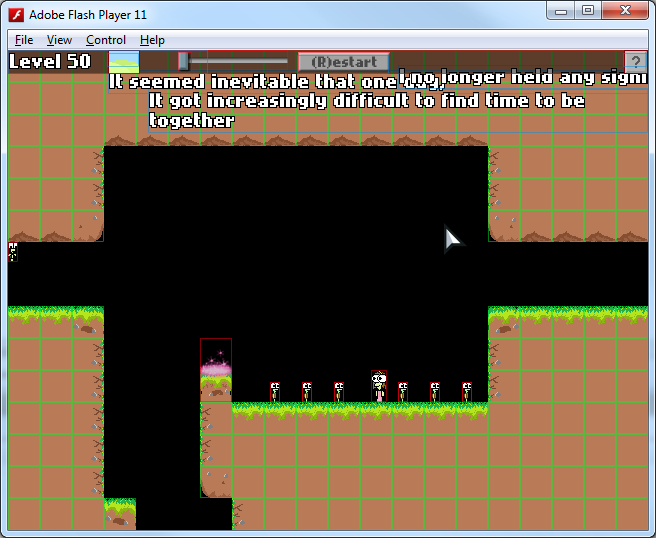
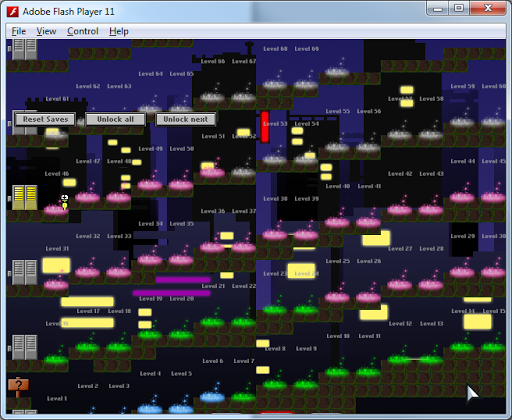
I worked on several new levels today. The playable levels now goes up to 49, and I am now working on level 50, which is one of the important core levels I had in my sketches. Due to time constraints, I might be cutting down the maximum number of levels in the game to 60 too, which is a good thing. The game has far more levels than I intended.

New feature: Spikes can be destroyed and plays the following animation:

I kind of love animating objects, so this was really fun to do. It plays at 12 frames per second.
There is only one level that implements this kind of dynamic spikes. It is possible to code it such that all levels use this new destroyable spike, but that will take some time to implement, so I will not be doing it yet. I am pretty excited to see what people think about it.

Another simple recolouration I did a few days back is this shimmering purple key. It’s different from the other keys because it can only be collected by two players simultaneously. Rather than a change in colour, notice the key will turn darker and lighter as it rotates, which is another stark contrast to differentiate it from other keys. Moving on from MS Paint has allowed me to do cooler stuff like this.

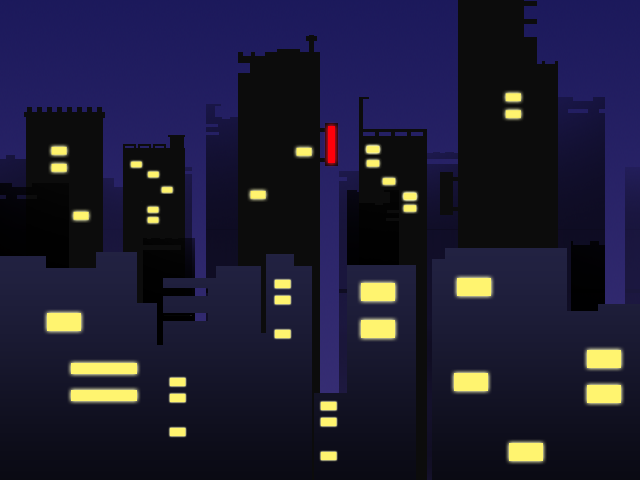
A new level background which was resized from my original night city background drawing for a bonus level.

A draft of level 50…
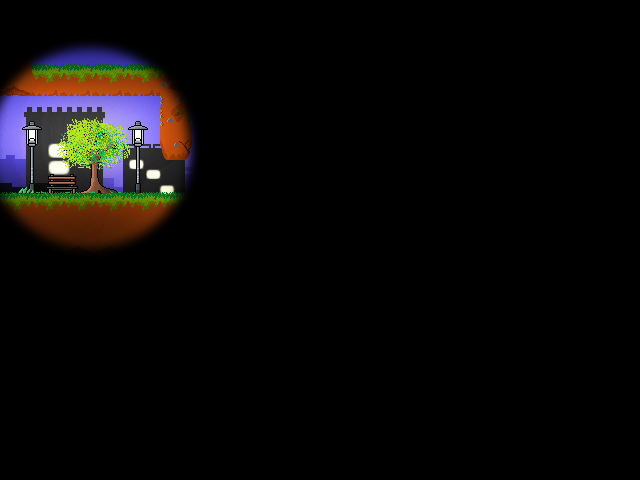
A draft of a special lamp post level

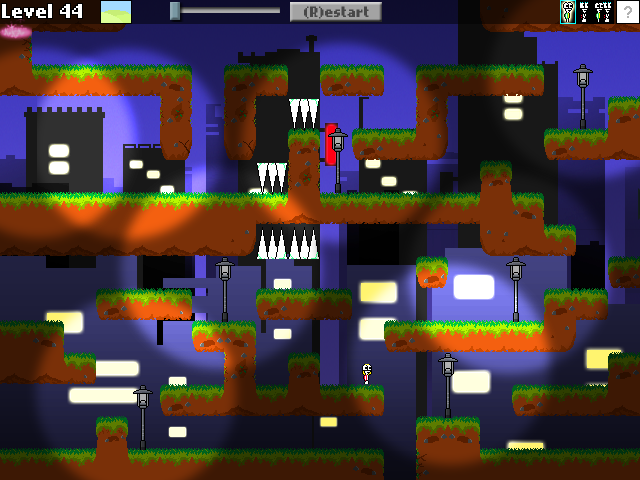
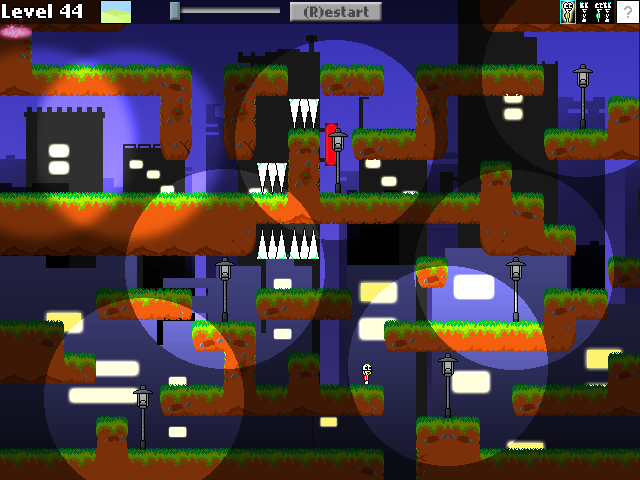
This was the lighting when I was trying out. Li Hao helped me decide the final lighting, which looks much more realistic and natural than the above. The final lighting:
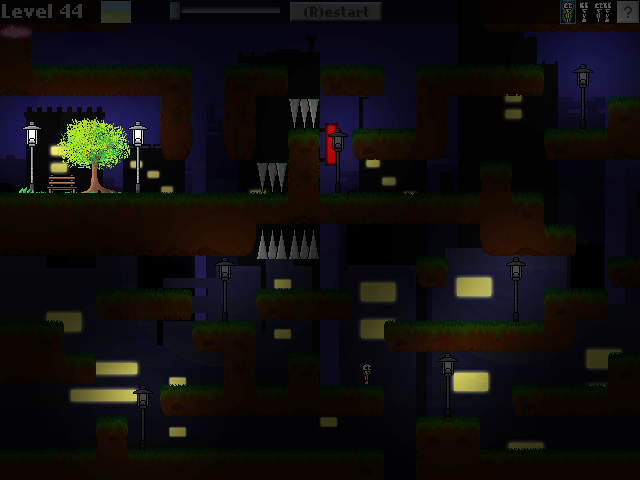
 20% lit
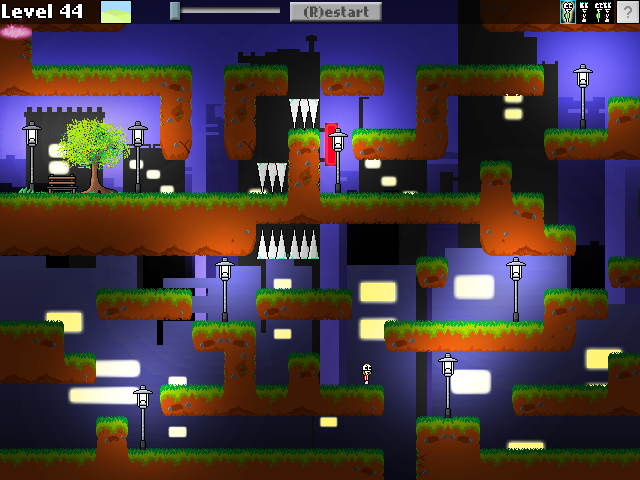
100% lit
TThis was possible due to Flixel’s blend mode, which has overlay as one of the options. Though this wasn’t part of the initial design. The initial design was just a dark maze, without any light source. But Li Hao said that fog of darkness isn’t a good way of making a level difficult. And since I have already done fog of darkness in Level 20 before, I decided to do this lampost lighting effect, which makes the level more interesting (at the cost of some extra production time though. It took a whole night to implement this level, but the results were pretty good).
The colour and wrong direction of the spikes as seen in the screenshot was later adjusted, in case you were wondering about that. The last few levels took a much longer development time than early levels, especially the levels with “AI” and special effects and cutscenes. I’m very happy with the progress so far.

Cutscene within a level?

5 April 2013

Time runs short on my schedule. Although I have already more levels in the game than I initially planned, and more quality than I ever had, it also meant that I had also spent more time developing the game.

I am now focusing a lot more on the quality of the level, rather than the quantity. I’ve been doing a lot of fancy stuff with the game (and in the process, encountering the strangest bugs ever).

It isn’t easy frankly. But well, I hope to see the light at the end of the tunnel soon. For the past few months, the game was stuck at under 40 levels, with missing levels in between.

It’s now Friday and at the end of the past 7 days, I’ve created 9 new levels and 1 bonus level so far. The game now runs up till level 47. 3 of the levels are fully complete, aka fully decorated, with texts and free of glitches. The other levels still have to go through touch ups.

My aim is to complete all the levels by 20 May. I challenged myself to fully complete at least one level a day, and any extra time has to go into developing the next level.

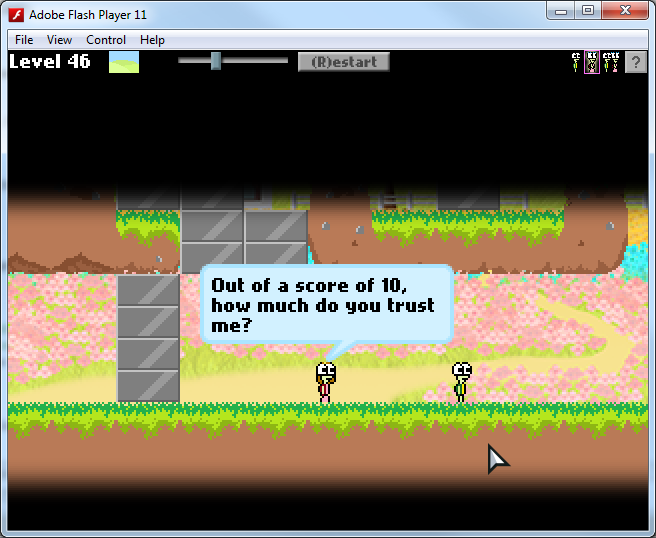
Anyway, today I created this mini-conversation that occurs on one of the levels. I felt so excited when I got the speech bubbles to work with each other, so it looks like a conversation.

The above screenshot was intentionally captured to show them not facing each other

Notice in the screenshot that the two turtles are not facing each other, because players can freely move their characters while the conversation is going on. (Although it is easy to stop the player from moving them, so I can just arrange them for this conversation, I want to give the player freedom of movement even while a conversation is going on, as well as ability to skip it).

So one small detail I added, was to make them automatically face each other. I don’t know how many people are paying attention to small details like this, but those who do make the tiny bit of extra work worth it!

AI Levels are fully working AI ! YES!
It took me up till the wee hours of the morning, but the levels with AI are fully working. So far, no glitches were found.

Introducing the Grim Reaper v0.10
(Hello and welcome to the Grim Reaper v0.10. He watches every death you make in the game.)
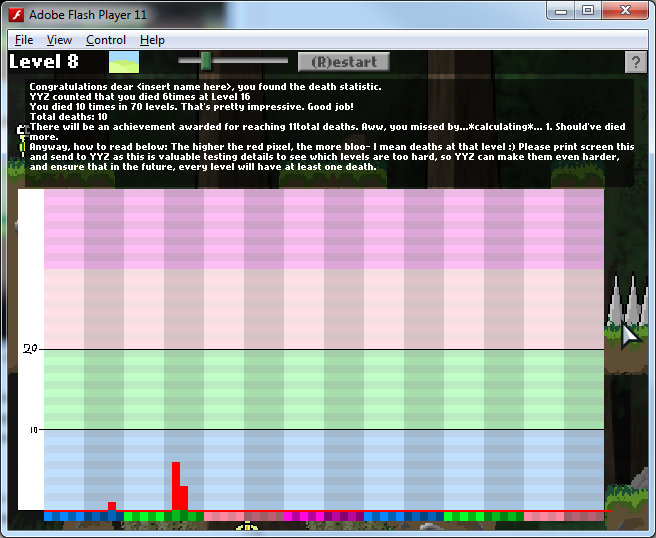
I was also trying to be (yet again, crazy), so I coded a sort of statistics table thing that shows how many times the player dies in each level.

This will be useful to generate precious data from any people who are free enough to test the game for me.

In the above screenshot, the red bars spike on levels which I died a lot on. Notably, level 16.

I think the “instructions” in the picture are pretty clear. I only played the game for a few seconds to test this statistic table. It’s fully working across deaths on all levels. I can’t wait to let someone try this. And I am most curious about which level is the hardest, and which levels they die a lot on! Nobody has seen this table yet (actually, nobody has seen much of this game).

If I have time, I will implement this. But seeing how I made this for testing purposes, it will probably not make it into the final game as a feature due to lack of time.

MiniGame + Simple AI

3 April 2013

AI
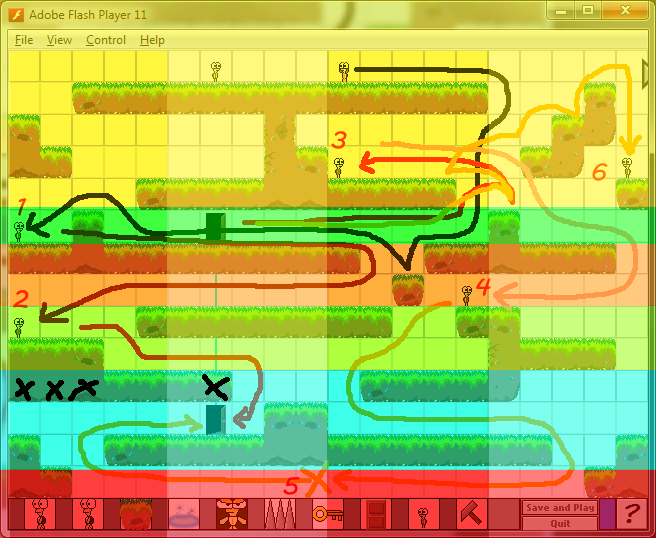
Today I added what seem to be the two most tedious levels to code. In Levels 41 and 42, the girl player is able to move by herself! The colourful picture below shows me mapping the zones through which the player will traverse through, and based on which zone the girl is in, direct the girl in a specific direction.

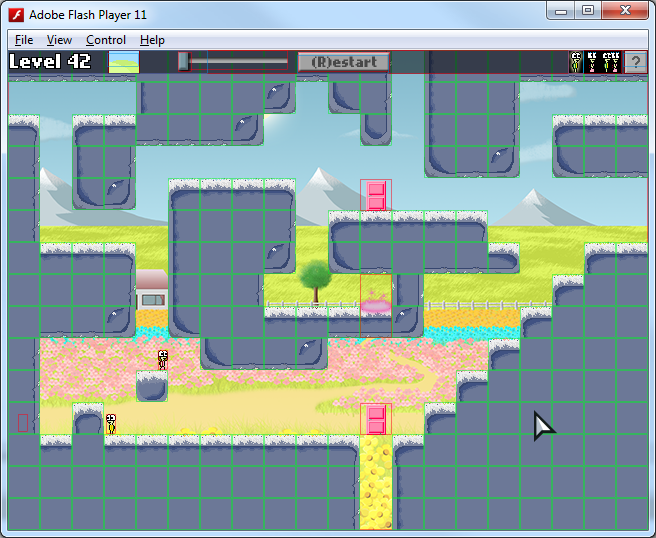
Here’s a picture of my level design fail too:

Level Design fail. (Look at the Pink Door)

MiniGame

Analysing platformer backgrounds

1 April 2013
Analysing backgrounds
It has occurred to me that the backgrounds in my game, though nice as a poster, doesn’t fit well in the game and with the tiles. I am considering to scrap them and redo them. A long talk with Li Hao about backgrounds made me realise that.

How platformer games do it:
– Simple: Some games just slap a plain coloured background, like a blue background, and adding some clouds.
– Cloning: Some games take their own platforms, blur it, and put it at the back, making it lighter so it does not look part of the level
– Advanced scenery: This was what I was trying to attempt, but the scenery doesn’t feel part of the level because of how I tried to do depth of field and added some unnecessary stuff to where I should not. Some games do mountains, or trees in the background, but they illustrate that it is a background clearly. Mine is just a picture I drew that looks nice on its own, but not when it is combined with tiles and platforms.

Graphics additions

Drew some new houses to decorate the levels with. Also added a brand new level. I also added a new UI to represent the new feature in the previous post. Today, I spent several hours thinking of how to design the levels. I want to focus more on quality of levels rather than quantity as I already have exceeded the number of levels I initially wanted the game to have.
Level Design
I hope to incorporate more puzzle elements rather than just running around and avoiding spikes and enemies. Level design isn’t my forte, so it is incredibly hard to design a really good level and linking it to the story, but I have tons of ideas. I keep a folder of my level sketches, as well as a powerpoint with notes on how a level is going to be like and what events happen in that level.
Oh, below is an extra thought that isn’t related to my progress on the game:
I discovered something today that sorta makes me look silly when coding…
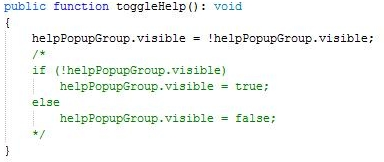
For a long time, whenever I want to toggle something such that if a boolean is true, change it to false, and if the boolean is false, change it to true, I would use an if-else statement.

But today, it occurred to me that those 4 lines of code can be summarized in one line. I feel so silly because the if-else statements were really so troublesome to type and I had been doing that for so many times, only to realise now that there is a shortcut. This has got to be a really basic thing that I overlooked! Oh my…

Something I had been looking forward to..

31 March 2013

Today wraps up the week of bug fixing and touching up of the game and levels. Fixed some last minute bugs with the editor too.

New Feature / Map
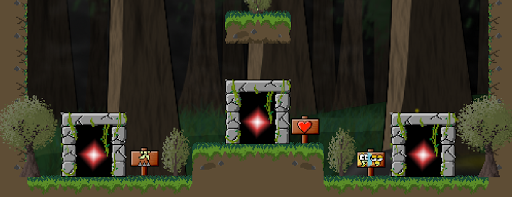
I drew some rock portals. From a comment, it seems that these rock portals I drew were far more impressive than the DOORS I drew for the later levels. If only I had chosen to draw something more relevant than door sprites.

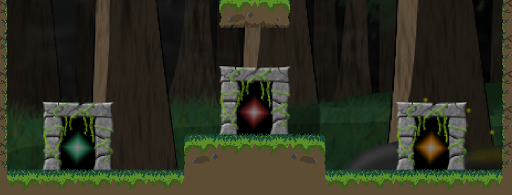
But anyway, these are the rock portals:

 Stone portals original
Stone portals redrawn and tested with environment enabled

It was drawn once, and then redrawn because I had to make the style fit with the rest of the decorations, such as the signboards. That was in case you were wondering why I removed the original stone portals. The pixel-style portals aren’t as good looking to me, but the outline I gave it makes it stand out from the level more and gives the feeling that the portal is something that can be interacted with.

Something I had been looking forward to in a long time

I finally started adding more portals, which is the start of adding new levels to the game. I had been waiting to do this for WEEKS! It is the most exciting part, but it will require lots of time and effort as I set a very ambitious goal in the past, and I now have to try to complete this game.


Editor FINISHED

28 March 2013 – Editor FINISHED

Game Level Editor COMPLETE
Today, I completed the final feature of the editor – the ability to create brown doors, blue doors, and pink doors. This is much easier compared to keys and blocks which had my brain fried over the past few days. The only challenge with making doors work in the editor is to make sure that any single door created by the player in the Level Editor is “smart” enough to correctly link to another door that the player puts.

I am excited to see how players use the level editor. Nobody has tested it yet.

Schedule for the rest of the week

Character Design
Currently looking to improve the artwork of the other protagonist(?) character.

I looked up other images of cartoon female characters and noticed that the defining features to make a girl attractive and stand out would be the hair and eyes. So I will be looking to improve that aspect of the character.

Unfortunately, the other issue is how I made the characters extremely tiny, which was a design flaw right from the start that I failed to rectify.A game character of 20 x 10 pixels size hardly has space for me to improve and add details like hair, which is a sad thing too because not much can be seen.

I was told that the character graphics I had were so small that they are comparable to 8-bit games, and even 16-bit games now have larger sprite sizes than mine. It’s a waste I can’t really change it now. The width of my character is 10, and even Mario is 15!

!!!

Smallest game character… If I ever make any future games, this is the number one mistake I have learned not to repeat.

Editor is finally wrapping up!

26 March 2013 – Editor is finally wrapping up!

Today, I worked on the editor A LOT!

It does not seem like much to some experienced programmers, but the sheer amount of logic and programming necessary to make this work is just tremendous to me.

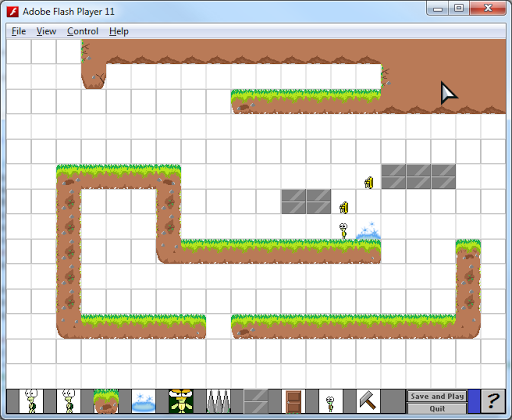
The above screenshot is the level editor in action. I created some tiles and blocks.
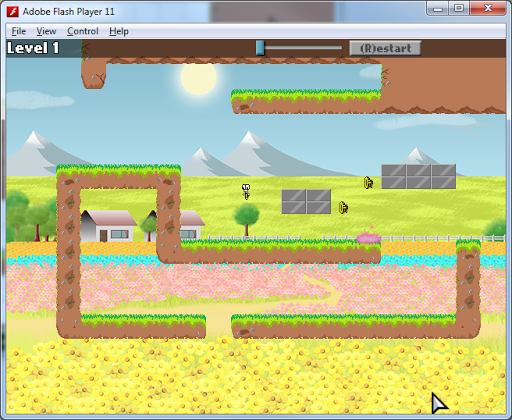
Using arrays to store the x,y coordinates (FlxPoint) of every object in the game, I save the data into arrays, such as playerArrays, exitArray, keysArray, and such.

The editor is also smart in the sense that when you place spikes, they “stick” to platforms in the correct direction. This was accomplished a long time ago, but I thought I should bring it up too. I coded the new “friends” button today, which allows you to place friends on the map. This is easy compared to the blocks, which I had spent hours trying to figure out how to get it to work.

Each key unlocks a specific set of blocks. To save this information, I created an array, of an array, of points, of blocks! And finally, I managed to get the blocks to be “saved” and exported into an actual, playable level!

Before I got this to work, I spent hours trying to make the blocks export properly and showing up, and then making sure that they are able to be exported back into the level editor when the player is done playing his level.

When I saw the blocks finally export properly, I was super happy.

And when you return to the level editor, it re-imports the data back into the level editor. Theoretically, the player could close the game, re-launch the game, and his level will STILL be there! This is a new milestone accomplished. I shall celebrate by sleeping, because it is 8.29AM now and I was up all night fixing the level editor and getting it to work.

After today, I understand arrays a lot better.

I drew a hammer that can be used in the editor to destroy unwanted objects as well.

It replaces the old destroy button graphic.

Other Editor improvements/changes:
player2 can now be created in the Editor and interacts with player1 correctly (able to switch characters, collide, etc)
Updated the instructions panel
Editor now has a background that is in sync with the platform tiles’ type
Added UI to the editor’s playable level, as well as zoom feature as well
Copied a lot of game mechanics into the editor’s playable level (such as ability to collect friends, grow, interact with keys and collide with blocks)

New task to do:
Possibly add a kind of save and load system where the player can create more than one level in the editor, export them and re-edit any one of the exported levels at any time. I will not be touching the editor so soon, so this is probably not going to happen till I develop the other areas of the game further.

Extras:
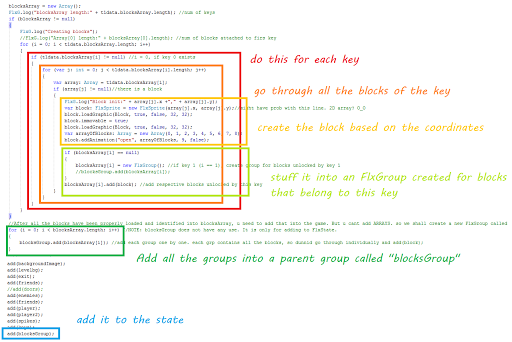
For those who want to somehow see my messy messy code:

arrayOfArrayOfPointsOfBlocks.png
To some, it arguably doesn’t look very complicated in the end, when everything is working. But I’m too tired to think of all that now. Brain fried.

Behind the scenes of the Main Menu

24 March 2013 – Behind the scenes of the Main Menu

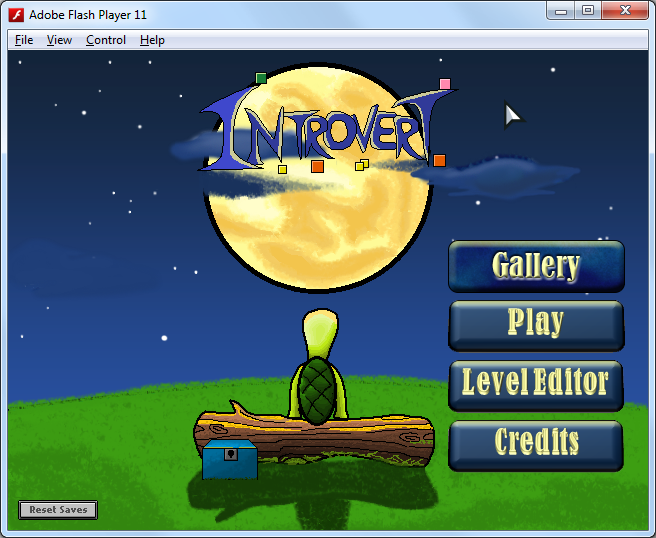
The one thing about the art in this game is that it goes through several iterations to try and reduce imperfections. One thing in the game that changed the most was the Main Menu. Yup. If you saw the final version of the main menu, let me just let me show you what the first main menu in the game actually looked like:

Go ahead and giggle at it
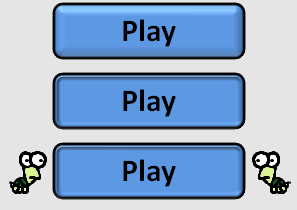
The old design had turtles appearing when your cursor rolls over the button.
Well, of course, that was until I looked up the main menu of other games, as well as some screenshots of very nicely designed Main menus found by Li Hao, who felt that my Main Menu could be improved. 
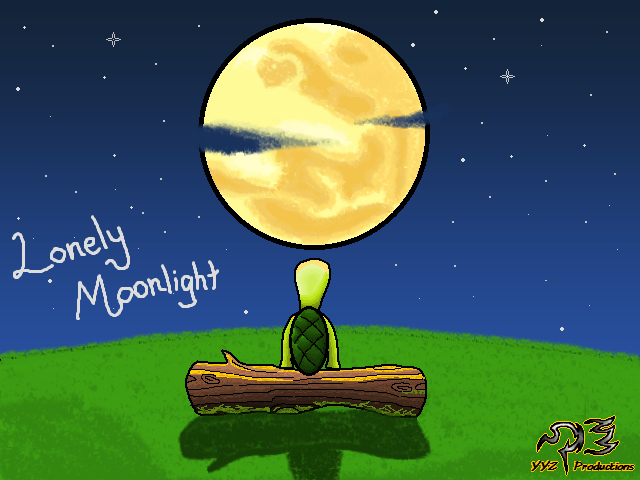
So I went through some of the old pictures I drew in my free time (I have lots of those), and picked a few pictures that I could possibly use as a background. Li Hao saw the following, and he remembered that this image I drew was really good:
He said this would make an awesome background for the main menu
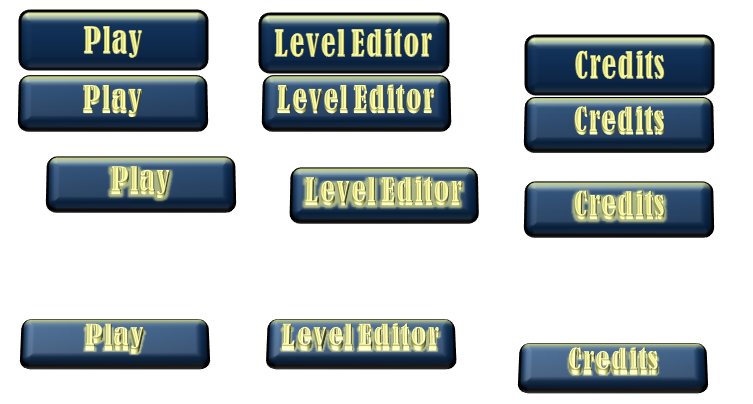
The new buttons did not fit with this picture, so I redrew all the buttons. I didn’t have Photoshop at the time, so I made use of Powerpoint. Adapting the colour scheme I used in the Main Menu, I redesigned the buttons.
I think nobody liked how the button would tilt back when it is pressed
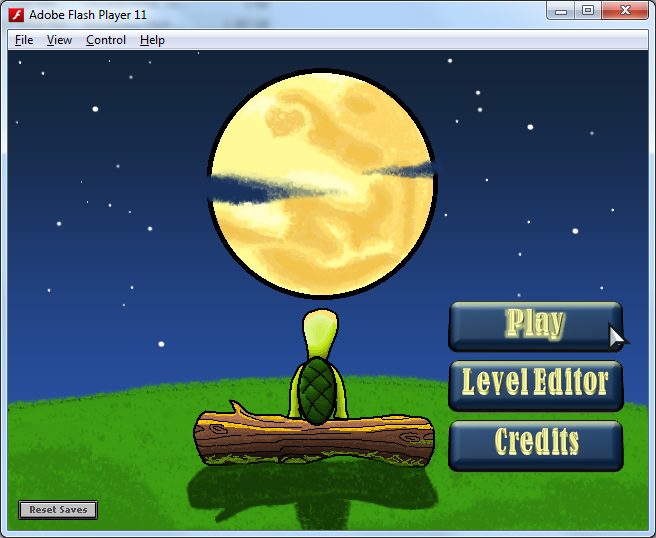
The New Main Menu was awesome and good looking though drawn in Paint. I removed the fake stars, and added animated stars: smallStar, mediumStar and bigStar. It was only after two weeks since the start of the project did I actually incorporate this nicer looking main menu and have the stars twinkle in the background.
It was 3 months later when I started experimenting with the powerful tool, Photoshop. Li Hao said to me before that the buttons could still use improvements, and that they looked “plain”. So I tried to use Photoshop to create buttons.
I also drew CLOUDS. And coded them to sweep across the skies every so often
The new “GALLERY” button I added had texture and looked better when put directly above the old buttons in comparison. So guess what I did?
If you guessed “redraw all the buttons again”, then you are right. So, I redrew the buttons!
But now, the buttons look relatively good as compared to the menu background. As I evolved to use Photoshop more and more, I decided to see what I could do about the menu. 

bg_menu6.png
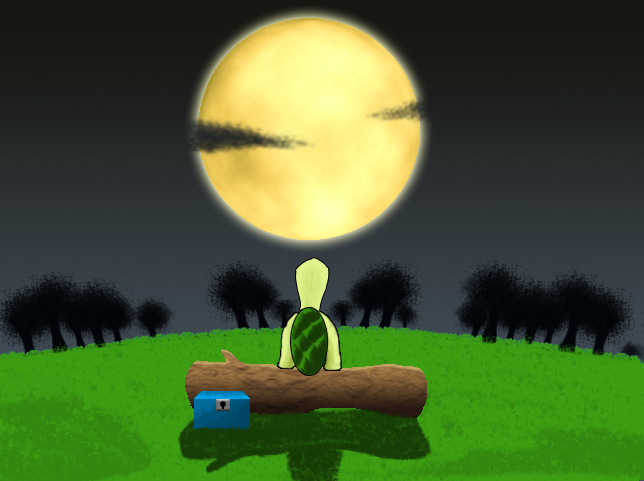
Graphics improved! I ended up redrawing almost every single thing. Except the grass of course. MS Paint grass surprisingly looks good. I even changed the tinge of sky colour because I felt the sky was too bluish. 
bg_menu7.png
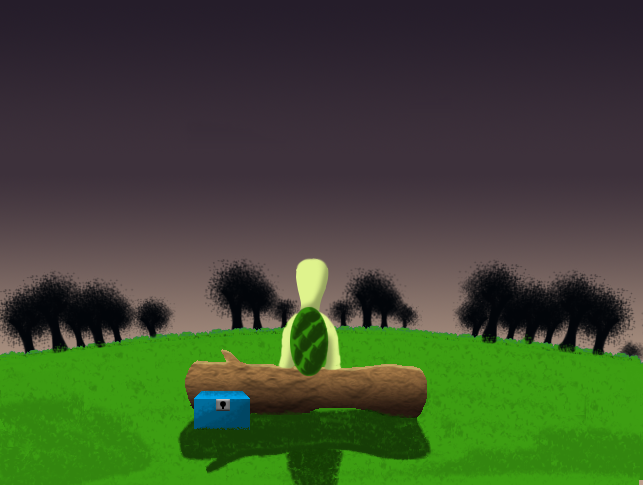
Graphics improved! Again! The moon is removed in this picture because I changed the moon to be a separate .png after I redrew it. To be honest, the moon was already good looking enough in the old version, but the black outline just doesn’t fit the entire theme. If you noticed, I removed the black strokes of almost everything. I also redrew the buttons, because this sunrise sky does not match with the blue buttons.
Thankfully, I don’t have to redraw the buttons. A hue change was good enough. Same thing goes for the blue clouds that sweep the skies.
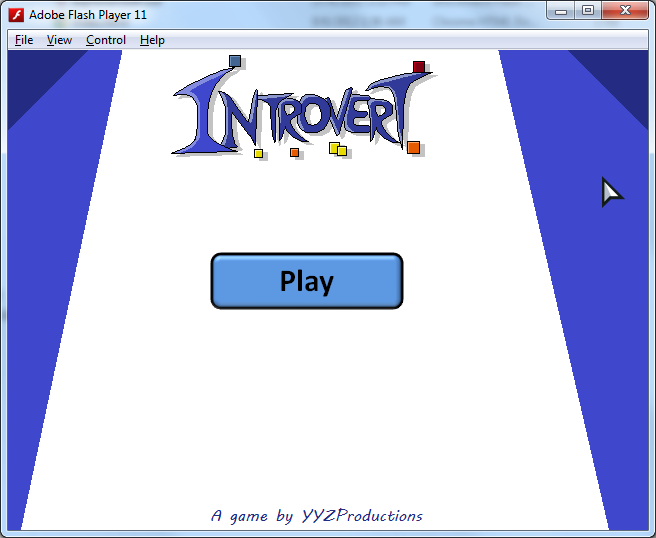
So there it is. The final menu. The Introvert game logo was changed as well, including animating turtles instead of squares after a game-breaking change to use turtles as characters in the game.
If you play through the game far enough, you unlock the sunset background. I added the blue background in the end as well, but not the black one. You can change the colour scheme with the bottom right colour scheme buttons. So I guess, my effort of drawing the blue buttons and skies didn’t go to waste 🙂
So that’s all right? Well…
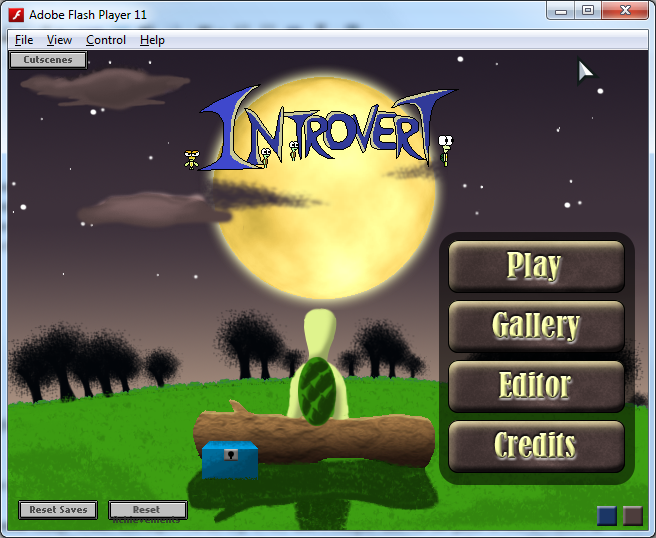
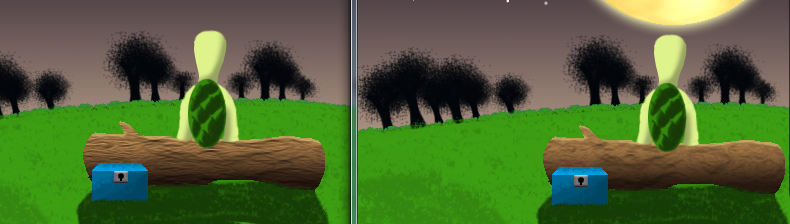
I did a small change today, and improved the wooden log in the menu. Every time I compile and run the game to test it, I arrive at the main menu and I almost always look at the log that seems out of place somehow. So today, I finally couldn’t take it and went to readjust it. It was a few minutes of work, but I think it is looking much better! (Left version is the improved log, right is the OLD one I kept staring at.)
I don’t think many people would notice this kind of thing though

Secrets
There are a few tiny secrets to the main menu. I’m not sure how many people will find them though, but when someone does, I hope to be able to see his/her reaction!

Improvements

22 March 2013 – Improvements

I managed to tweak certain levels and fix issues in the game (some design issues, but mostly adjusting texts). Also, minor adjustment: I made the text have an outline to make it readable in low-contrast situations where white text against a pale background made it difficult to read. After stroking/outlining text manually, I decided it looks much better and is worth applying across all text in the game.

Better looking text, when compared to without outlines:

I am currently working on making the Editor work as well. To be honest, the editor was very fun to work on when I started, but now, I’m doing the not-so-fun part of it. I have to make sure that the level created by the user is exported properly, so that it is playable, and then I have to make sure that when the player returns to the Editor, the exported level can continue to be edited. The biggest challenge is getting everything to work, and also being able to “save” the level, so it can be edited at a later date.